Skip to content

Conversation

@woensug-choi
Copy link
Collaborator

@woensug-choi woensug-choi commented Jan 18, 2022

New Flag to set how many tiles to keep in the scene

Added a new flag tiles_to_keep for the bathymetry plugin defined at a world file.

  • Example :
      <plugin name="bathy_dave_plugin" filename="libdave_bathymetry_world_plugin.so">
        <bathymetry interval_s="0.1">
          <grid prefix="MontereyBay" tiles_to_keep="2" priority="1" colmax="10" rowmax="10"
                anchor_lon="-70.699" anchor_lat="41.509" spacing_lon="0.012" spacing_lat="0.010" />
        </bathymetry>

This feature was particularly necessary for dsros_sensors's DVL sensor. After reviewing the #179 and Field-Robotics-Lab/ds_sim#6 to fix DVL sensor error, following error was caused at the very moment of the replacement of the tiles.

gzserver: /usr/include/boost/smart_ptr/shared_ptr.hpp:734: typename boost::detail::sp_member_access<T>::type boost::shared_ptr<T>::operator->() const [with T = gazebo::physics::SurfaceParams; typename boost::detail::sp_member_access<T>::type = gazebo::physics::SurfaceParams*]: Assertion `px != 0' failed.

There could be sensors susceptible to instantaneous missing bottom. The new flag will allow users to choose how many files to keep to avoid such errors.

GPS Viewer

image

What was available (but was not suitable for our purpose)

Objective

  • Real-time tracking of vehicle position in a large mission area
    • The bathymetry tiles now have depth-dependent colour texture, but still, it is difficult to track where the vehicle is.
    • From what EPIC-DAUG team (collaboration with NPS and WHOI), the feature to visualize the vehicle's whereabouts were needed. I've made an NMEA TCP connection with Fledermaus (proprietary application) that is not of much use as an open-source project such as Dave.

Requirements

  • Folium python module for map rendering and pyqt modules for showing GUI
    # just in case if not done
    sudo apt-get install python3-gdal
    pip3 install folium PyQtWebEngine pyqt5-tools

Features

  • GMRT bathymetry
    • 1-Arc global bathymetry (NOAA ETOPO1) does not have enough resolution
    • GEBCO2021 has more resolution but its almost 8 GB in size
    • Uses a GMRT WMS(Web Map Service) Server which provicde needed bathymetry image on-demand
      • 1-Arc global bathymetry (NOAA ETOPO1) does not have enough resolution
      • GEBCO 2021 has better resolution than NOAA but its almost 8GB in size.
      • GMRT includes GEBCO tiles.
  • Real-time Vehicle GPS position Viewer
  • Standalone HTML GPS position Log file

@woensug-choi woensug-choi requested a review from j-herman January 18, 2022 10:44
* export dave_gazebo_world_plugins_msgs

Signed-off-by: Mabel Zhang <mabel@openrobotics.org>

* tabs -> spaces

Signed-off-by: Mabel Zhang <mabel@openrobotics.org>
@woensug-choi woensug-choi changed the title New flag for how many tiles to keep in the scene GPS Viewer (Google Earth Engine) and New flag for how many tiles to keep in the scene Jan 20, 2022
@woensug-choi woensug-choi changed the title GPS Viewer (Google Earth Engine) and New flag for how many tiles to keep in the scene GPS Viewer and New flag for how many tiles to keep in the scene Jan 22, 2022
@woensug-choi woensug-choi changed the title GPS Viewer and New flag for how many tiles to keep in the scene GPS Viewer\Logger and New flag for how many tiles to keep in the scene Jan 22, 2022
@woensug-choi
Copy link
Collaborator Author

woensug-choi commented Jan 22, 2022

@j-herman It's now ready with tutorial datasets! Can you give it another spin to check its features?

  1. https://github.com/Field-Robotics-Lab/dave/wiki/Bathymetry-Integration
    • Check you see two tiles are kept in the scene with the new tiles_to_keep="2" parameter.
      • If you follow the wiki, the tutorial file will have the parameter set as 2 already.
    • Check you see the GPS Viewer launching
      • The standalone HTML file will be saved at /tmp/GPSViewer_log.html which you can open with any browser.
  2. https://github.com/Field-Robotics-Lab/Bathymetry_Converter
    • Tutorial dataset produces 4 bathymetry tiles used in the bathymetry wiki tutorial.

@woensug-choi
Copy link
Collaborator Author

Tested on a clean slate computer while reviewing the other PRs. Found two other python modules required for GUI: PyQtWebEngine, pyqt5-tools. Added on this PR and the wiki page.

…consistent between --install and --no-install (#182)

Signed-off-by: Mabel Zhang <mabel@openrobotics.org>
@j-herman
Copy link
Contributor

@woensug-choi I was able to run the converter via the new docker image and get the tutorial tiles built, and I pulled the new demo files per the Bathymetry Integration wiki instructions. The GPS viewer is opening correctly (it looks great!) and the initial position appears to be set, but something's not working with the launch and world file - the vehicle spawns in pieces and the tiles don't seem to be showing up. I will do some troubleshooting to see if I can pin down the problem. If this sounds familiar and you know what file or function might be missing to get these results, please let me know!
Two minor items to mention on the tutorials:
I had to both install and run gdown as root to get it to connect correctly. This may just be an artifact of my system configuration but could be worth noting on the wiki.
Gazebo complained the first time that I tried to run the demo that I was missing pymap3d. I installed it just in case - is that needed for the bathymetry demo, or was it a spurious warning?

@woensug-choi
Copy link
Collaborator Author

@j-herman Thank you for trying!

  1. gdown
    Hmm... so you tried pip install --user and it did not work? Yes, it would be worth noting for the host machine installation.
  2. pymap3d
    It's from spawn_model if the uuv_simulator. We are not using that feature here. So it could be ignored.

So, here's my imagination of what has happened so far,

  1. After laughing the command, a vehicle showed up on a coordinate origin where the XYZ axis and grids are.
  2. When clicking a play button, the vehicle jumps to a designated lat/lon location and the GPS Viewer launches.
    At this stage,
  • GPS Viewer shows the vehicle at a wanted initial lat/lon
  • No bathymetry is shown
    Any error msgs on the gazebo side? You may see something like Inserted model: Montereybay ....... or No bathymetry found.
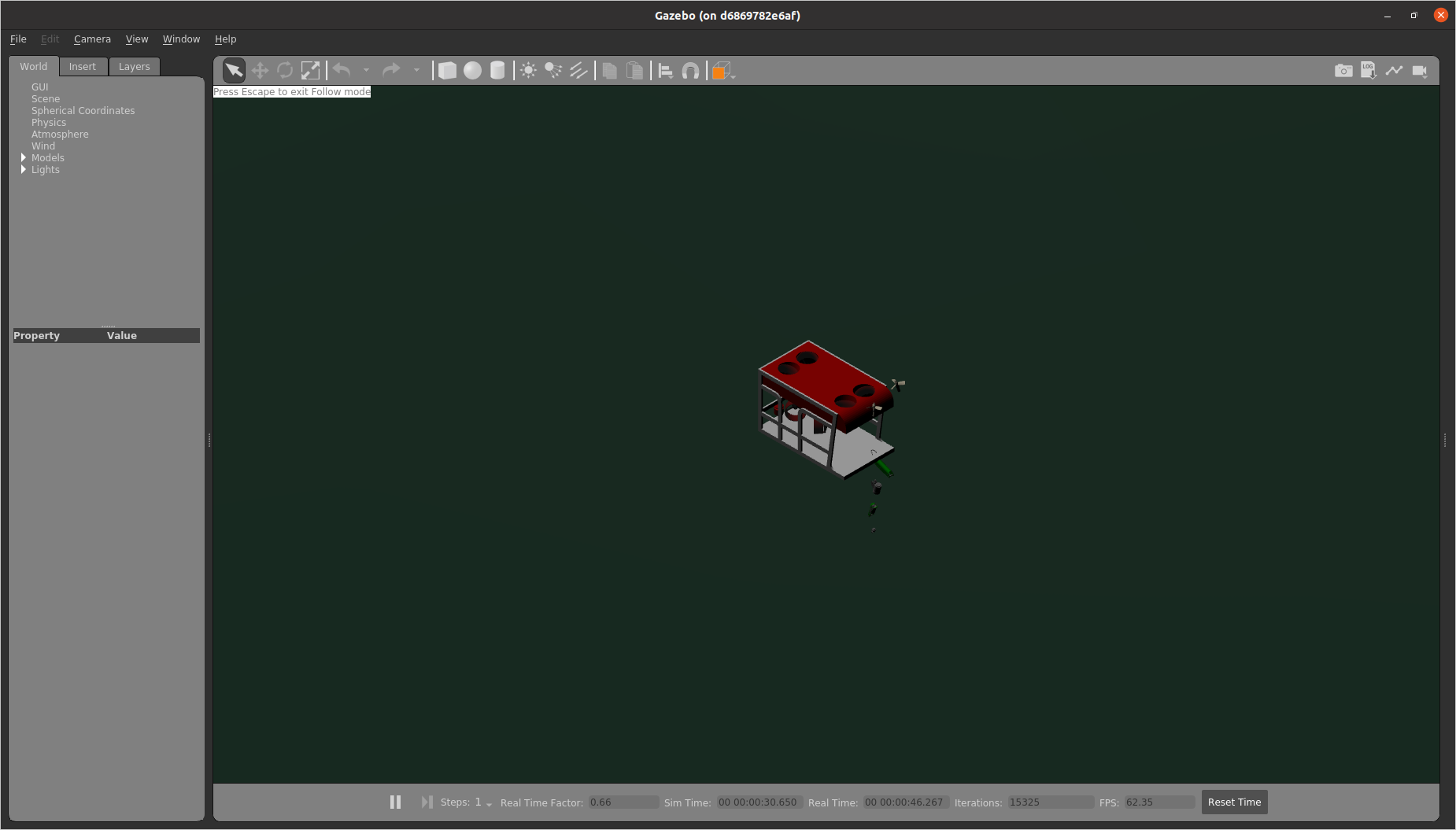
    The vehicle sown in pieces is a rendering bug we can ignore. It's due to the fact that coordinates are in UTM representing global coordinates with a single origin. All sensors seem to work in tact even though they seem disassembled.

@j-herman
Copy link
Contributor

j-herman commented Jan 31, 2022

@j-herman Thank you for trying!

1. `gdown`
   Hmm... so you tried `pip install --user` and it did not work? Yes, it would be worth noting for the host machine installation.

Actually, it seemed to install just fine, but when I tried to run gdown to get the files it couldn't connect. It looked like it might be a problem with paths and permissions, which is why I tried sudo pip install gdown. When that worked, I stopped troubleshooting.

2. `pymap3d`
   It's from `spawn_model` if the uuv_simulator. We are not using that feature here. So it could be ignored.

Thanks!

So, here's my imagination of what has happened so far,

1. After laughing the command, a vehicle showed up on a coordinate origin where the XYZ axis and grids are.

Yes

2. When clicking a play button, the vehicle jumps to a designated lat/lon location and the GPS Viewer launches.
   At this stage,


* GPS Viewer shows the vehicle at a wanted initial lat/lon

* No bathymetry is shown

Yes, that's what happens. The vehicle's pose also shows up as changed. The bathymetry is found initially - I see the messages in the terminal.

  Any error msgs on the gazebo side? You may see something like `Inserted model: Montereybay .......` or `No bathymetry found`.

Repeating: [Err] [bathymetry_world_plugin.cc:245] Projected coordinate transformation failed.

  The vehicle sown in pieces is a rendering bug we can ignore. It's due to the fact that coordinates are in UTM representing global coordinates with a single origin. All sensors seem to work in tact even though they seem disassembled.

Got it. This sounded familiar! When I run in docker, it seems to work ok.

Sorry it took so long to get the errors back to you. I tried a fresh pull of all the repos and catkin build to see if I just had some sort of lingering system configuration problem, and it took me way too long to get everything back into a running state!

Update after initial troubleshooting...

It's an issue with creating the PoCT variable, somewhere in here:

      this->srs.importFromEPSG(3857);
      // lat/lon
      this->tsrs.importFromEPSG(4326);
      this->poCT = OGRCreateCoordinateTransformation(&this->srs, &this->tsrs);

The initial transform is failing:

ERROR 1: PROJ: proj_create_from_database: SQLite error on SELECT name, type, coordinate_system_auth_name, coordinate_system_code, datum_auth_name, datum_code, area_of_use_auth_name, area_of_use_code, text_definition, deprecated FROM geodetic_crs WHERE auth_name = ? AND code = ?: no such column: area_of_use_auth_name
ERROR 1: PROJ: proj_create: unrecognized format / unknown name
ERROR 6: Cannot find coordinate operations from `' to `'

I checked my versions - PROJ 7.2.1 and GDAL 3.3.2. From the command line I can retrieve the information for EPSG:3857 and EPSG:4326 via 'projinfo EPSG:XXXX'.
Also tried uninstalling and reinstalling gdal and proj, and manually setting GDAL_PATH. Still no luck.

@woensug-choi
Copy link
Collaborator Author

woensug-choi commented Jan 31, 2022

@j-herman Its frustrating that I cannot reproduce the problem.
Did you get PROJ 7.2.1 and GDAL 3.3.2 by sudo apt install python3-gdal?
I get PROJ 6.3.1 and gdal 3.0.4 .

You are testing on the local machine right? Did the tutorial work in the docker environment?

@j-herman
Copy link
Contributor

j-herman commented Jan 31, 2022

I installed python3-gdal the first time. When I deleted proj and gdal and reinstalled, though, I installed each separately. I'll try uninstalling all of them again and reinstalling with only python3-gdal. It does seem like a potential versioning issue, so I will also uninstall everything and reinstall the versions that are working for you.
I started with the local machine and then tried the docker environment. The only difference seems to be that in docker, all of the pieces of the robot visual are connected.

I've confirmed that the versions installed now with python3-gdal are PROJ 7.2.1 and GDAL 3.3.2, after fully removing anything related to gdal from the system and reinstalling (even ROS and Gazebo got purged, which was unexpected!)
I can't find an easy way to go back to the earlier versions. It looks like I'll have to install from source.

@woensug-choi
Copy link
Collaborator Author

woensug-choi commented Feb 1, 2022

@j-herman I am confused. How about sudo apt install python3-gdal=3.0.4+dfsg-1build3? This is the version I get inside docker.

@j-herman
Copy link
Contributor

j-herman commented Feb 1, 2022

@woensug-choi That does look simple! I will try. The documentation I found didn't have options...

@woensug-choi
Copy link
Collaborator Author

@j-herman No it didn't sorry. I was getting the version without any options. Strange.. do they have different apt repo list for different regions?

@j-herman
Copy link
Contributor

j-herman commented Feb 1, 2022

It's possible. Which ubuntu/ROS/Gazebo versions are you running with? I upgraded to 20.04/Noetic/11 since the last time I tried to do any serious work with gdal. Also, it looks like a new version came out just a few weeks ago so maybe some of the repos that hadn't upgraded caught that one.

@woensug-choi
Copy link
Collaborator Author

At dockwater image, ubuntu 20.04.3 LTS, Noetic, Gazebo 11.10.1, Python 3.8.10. Anway, hope sudo apt install python3-gdal=3.0.4+dfsg-1build3 solves everything.

@j-herman
Copy link
Contributor

j-herman commented Feb 1, 2022

Ok, I forced gdal and proj back to the earlier versions:

sudo apt install python3-gdal=3.0.4+dfsg-1build3
sudo apt install proj-bin=6.3.1-1

Also added the following so I could confirm with ogrinfo:

sudo apt install gdal-bin=3.0.4+dfsg-1build3

No luck. I am still seeing the same results. The only thing that has changed is that now the GPS viewer doesn't open - it fails with the following error:

Traceback (most recent call last):
  File "/opt/ros/noetic/lib/python3/dist-packages/rospy/topics.py", line 750, in _invoke_callback
    cb(msg)
  File "/home/jessica/uuv_ws/src/dave/gazebo/dave_gazebo_bathymetry_misc/GPSViewer/nodes/gps_map_viewer.py", line 243, in get_model_position
    reproject(data.pose.pose.position.x, data.pose.pose.position.y)
  File "/home/jessica/uuv_ws/src/dave/gazebo/dave_gazebo_bathymetry_misc/GPSViewer/nodes/gps_map_viewer.py", line 181, in reproject
    point.Transform(transform)
  File "/usr/lib/python3/dist-packages/osgeo/ogr.py", line 6687, in Transform
    return _ogr.Geometry_Transform(self, *args)
TypeError: in method 'Geometry_Transform', argument 2 of type 'OSRCoordinateTransformationShadow *'

I am going to try one more time in docker (this last round was on the host system). If that still won't work, maybe we can ask someone else who hasn't already installed gdal on their system to give it a fresh look.

@quarkytale
Copy link
Contributor

I tried this demo on noetic dockwater image with fresh gdal. The world is loading up as expected. GPS Viewer is failing to launch, initially it was some dependency issue with pyqt5-tools. But fixed that and now have got python3-gdal (3.0.4+dfsg-1build3), pyqt5-tools (5.15.4.3.2), PyQtWebEngine (5.15.5). gps_map_viewer-12 is still dying. The log file which the gps_map_viewer error is logged doesn't exist, which is weird, I'll get back once I find out the errors.
Bathymetry seems to be loading correctly.

[Dbg] [bathymetry_world_plugin.cc:87] Found bathymetry: MontereyBay
[Dbg] [bathymetry_world_plugin.cc:114] Loaded 1 bathymetry data sources.

Another thing, the wiki recompiled the code by catkin build, but I used catkin_make previously so went with that. Apart from that, the merry_go_round.py script is working fine.
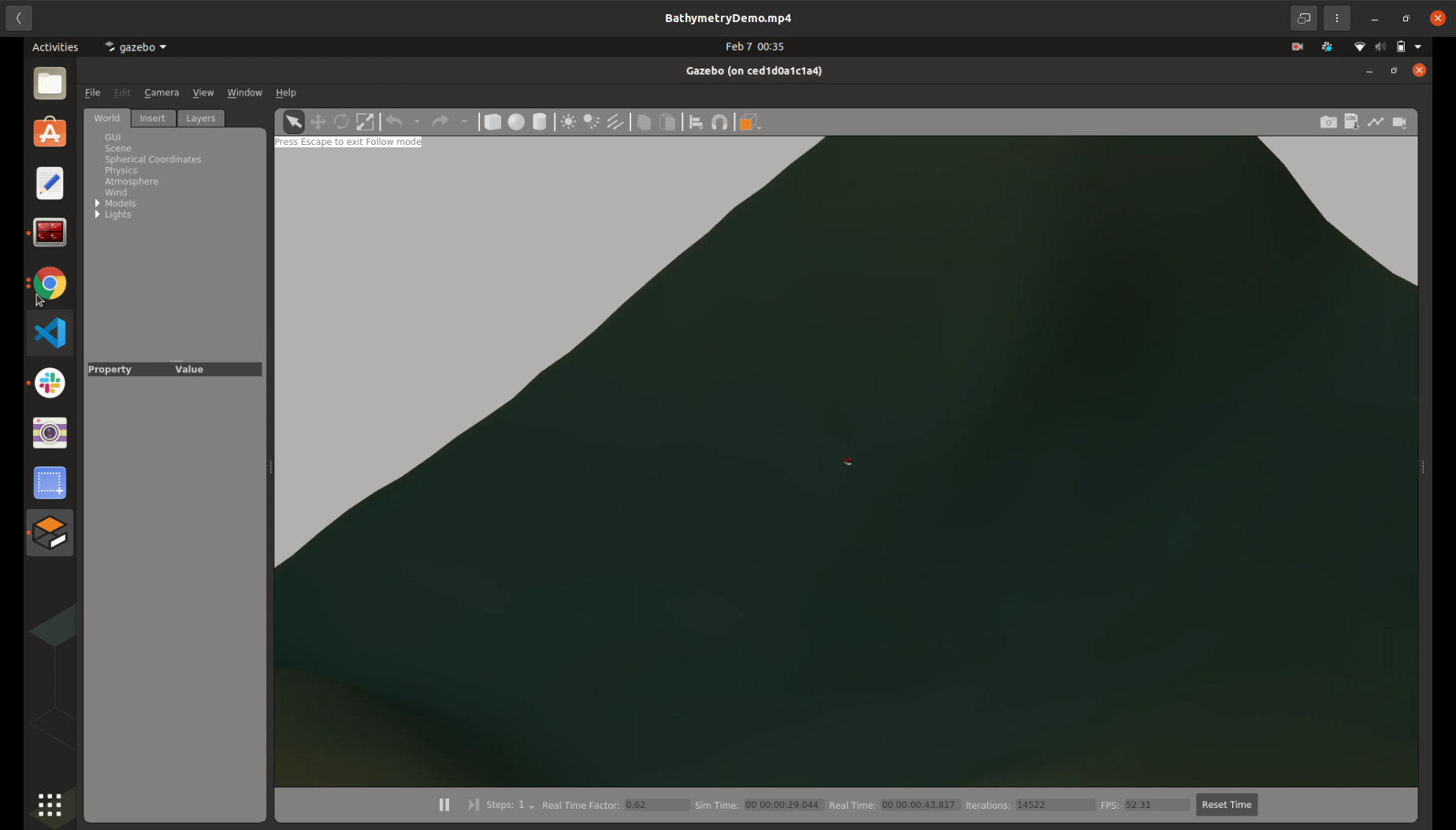
Attaching screenshots, robot is spawning in pieces for me too:
bathymetry_demo_world
bathymetry_demo_robot

@woensug-choi
Copy link
Collaborator Author

@quarkytale more than thank you for trying it out! hmm.... what a headache. The vehicle teared apart can be ignored (all sensors work as if they are in location).

@j-herman
Copy link
Contributor

j-herman commented Feb 7, 2022

@quarkytale Thanks for the help! I think this will help me troubleshoot my system. The bathymetry gets loaded for me as well but doesn't display on the screen, so that will narrow down where to look.
Weird thing - the GPS viewer was working fine the first few times I ran the code, so I wonder if something changed externally to break it.

@woensug-choi
Copy link
Collaborator Author

@j-herman @quarkytale Just popped up in my mind. Maybe you knew it already.
We should try the tutorial (https://github.com/Field-Robotics-Lab/dave/wiki/Bathymetry-Integration) NOT at the master branch of the Dave but simple_projection branch.

@j-herman
Copy link
Contributor

@woensug-choi Yes, I've been working on this in the simple_projection branch. The only change I made was to merge in the new changes from master so I could get it to compile - part-way through looking at the PR, the changes in ds_sim started causing that problem. I don't think those changes had any effect on this code but it's another avenue to look at... hmm.

@woensug-choi
Copy link
Collaborator Author

Summary of this PR:

  1. I've confirmed it working on another machine and in docker image and it is being used for the glider simulation with WHOI
  2. However, it did not work for both @j-herman @quarkytale. Strange. Undermines the usage of the docker environment.
    This PR is not on the top priority of the next release. Let's get back to this in March after the next release.

@j-herman
Copy link
Contributor

j-herman commented Feb 14, 2022

@woensug-choi I am now able to get the bathymetry tiles to show up. At least part of the issue was a mismatch between where python was looking for gdal and where it was installed on my machine. I think that disconnect happened when I went back to the earlier version of gdal. Fixed by reinstalling:

pip install --global-option=build_ext --global-option="-I/usr/include/gdal" GDAL==`gdal-config --version` 

The tiles-to-keep option looks like it is working fine. The GPS viewer is still dying without much information, so I'll work on that next.
I did all of this in the docker environment.

@j-herman
Copy link
Contributor

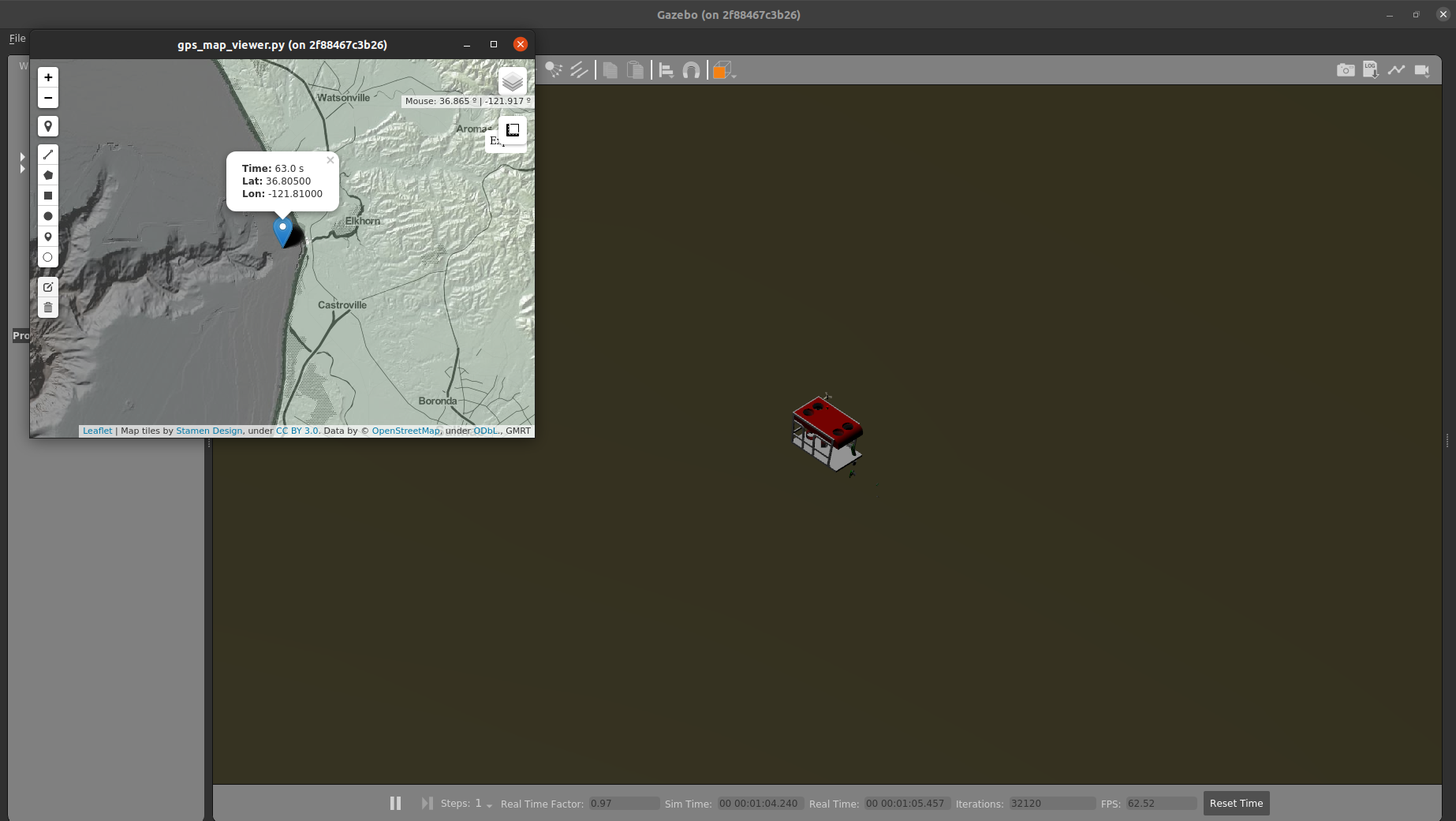
It's working!
Screenshot from 2022-02-14 12-38-17
The steps that finally worked for me:

  1. Outside of docker, sudo apt update, sudo apt upgrade (this did give me the newer version of gdal but didn't change proj)
  2. Started the noetic docker container. Nothing working.
  3. Ran pip install --global-option=build_ext --global-option="-I/usr/include/gdal" GDAL==gdal-config --version as above. Bathymetry working, no GPS viewer.
  4. Ran sudo apt update inside the docker container (because apt couldn't find the next package initially)
  5. sudo apt install python3-pyqt5.qtwebengine (which really should have been installed along with some portion of pyqt5 or pyqt5-tools, but hey, it worked)

So, this is now working for me, but it seems like a fragile process. Any time I'm combining apt and pip installation steps things seem to go wrong. It might be helpful to try installing everything from one package manager.

@woensug-choi
Copy link
Collaborator Author

@j-herman THANK YOU! FINALLY! I give blame GDAL library version managing. Until new issues on this, we may merge it as it is for now. Could you make changes and additional notes on the wiki page for sudo update/upgrades and sudo apt install python3-pyqt5.qtwebengine?

@quarkytale
Copy link
Contributor

quarkytale commented Feb 15, 2022

@woensug-choi I'm sorry for the delayed response, my system had a lot of issues and just finished a new setup.
@j-herman is right about not combining apt and pip installation and apt update/upgrade.

I wasn't in simple_projection branch before. But the issue was version mismatch, I had to:

  • uninstall all pyqt packages in pip list | grep pyqt
  • make sure all the dependencies are in the correct version in apt list --installed
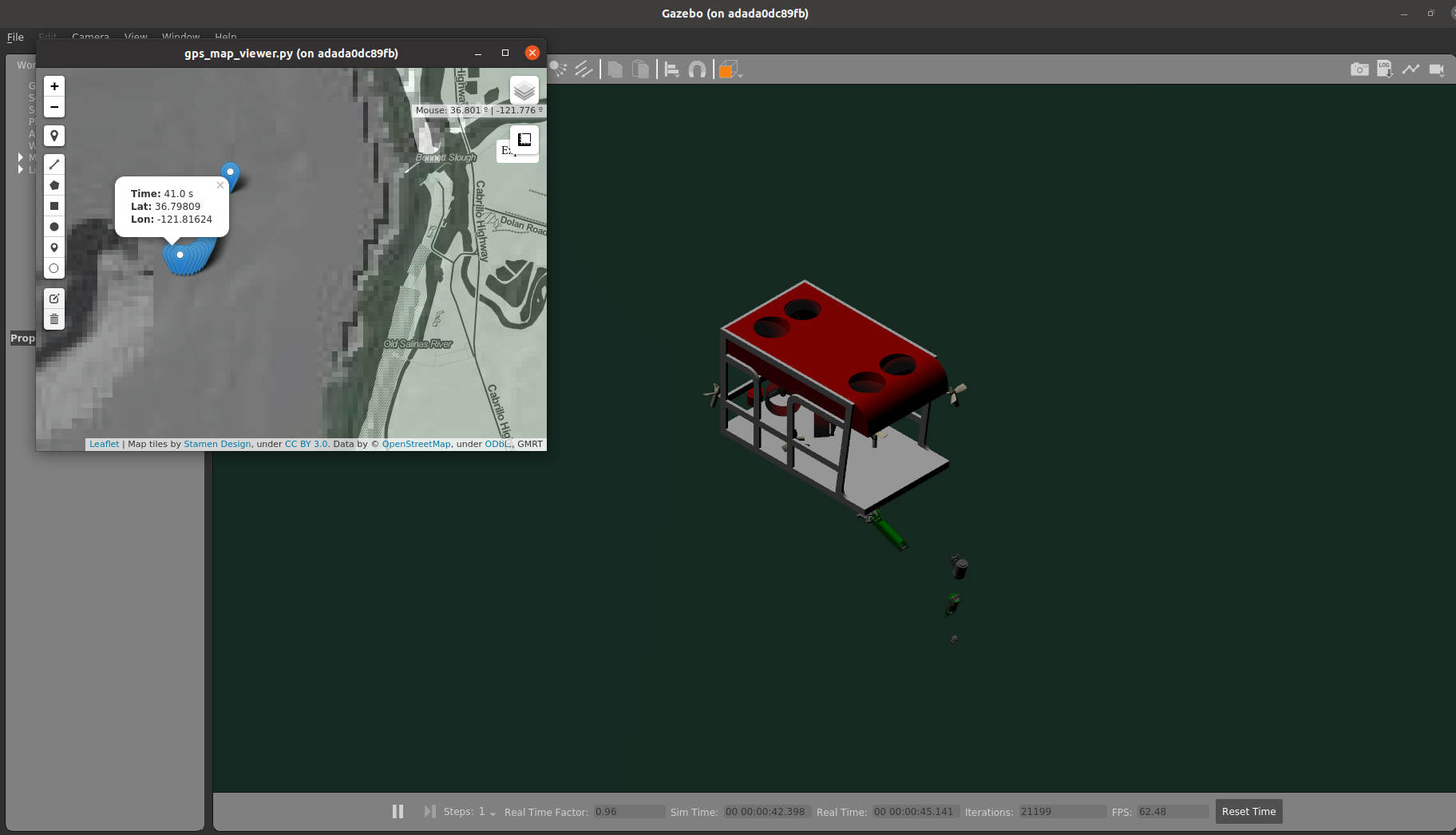
    For me there was a version mismatch of pyqt5, pip had 5.15.4 installed and apt 5.14.1. Finally everything working perfectly!
    working_map_viewer

PS: All this was in dockwater noetic, haven't tried on base system.

@j-herman
Copy link
Contributor

@woensug-choi @quarkytale Two options I see for the wiki: either we can specify all of the packages and versions agnostic to package manager (no commands included) with a warning that mixing pip and apt can cause trouble, or we can pick one or the other to give detailed instructions. The steps I ended up following are not good ideas for the wiki, I think, and I do want to clean up my whole installation.
The code is working well but let's hold off until we at least have a path forward on instructions before merging... because otherwise, I am afraid we'll get distracted and they won't get fixed.
When I was going through the gps_map_viewer.py code to try to troubleshoot, I noticed there are some comments referencing google earth engine that I think are obsolete.

@woensug-choi
Copy link
Collaborator Author

@j-herman Well, I think those version mismatches should not happen. I was thinking of including installation files for specific versions in the demo.tar. What do you think of this option?

I've updated to gps_map_viewer.py on google drive! Thank you for noticing git.

I agree that we can hold this until after the end of this month's next release. For now, we've confirmed the functionality. I am happy :)

@j-herman
Copy link
Contributor

Having the specific versions in the demo.tar would be best for clean installations, but I'm not sure if it would solve the problem for people who already have other versions of some of the tools on their systems or if it might break something. How much work would it be to add that in? If it's hard, probably not worth the risk. If it's easy, after we get through the next release we can give it a try.

@woensug-choi
Copy link
Collaborator Author

woensug-choi commented Feb 23, 2022

Note, for the image built with dockwater (2/23/2022)

sudo apt-get update
# For initial lat/lon spawning
sudo apt install python3-gdal=3.0.4+dfsg-1build3
sudo apt install proj-bin=6.3.1-1
# For GPS Viewer
sudo apt-get install libxtst6
# Install required python3 modules
pip3 install folium PyQtWebEngine pyqt5-tools

Note,
This installation method will break rqt_image_viewer since it upgrades pyqt5 version. As I know, rqt_image_viewer is only used for multibeam sonar as a default tool. I am going to migrate from rqt_image_viewer to ROS image_viewer at multibeam sonar side.

@j-herman
Copy link
Contributor

@woensug-choi Sounds good! I should have some time this week to try a fresh install on the office computer with the new dockerfile.

@bsb808 bsb808 added this to the 4.3.1 milestone Feb 25, 2022
@woensug-choi
Copy link
Collaborator Author

@j-herman Maybe I should make a PR at dockwater to include those necessary packages.

@j-herman
Copy link
Contributor

j-herman commented Mar 8, 2022

@woensug-choi I have this on my list to try Friday when my system is back up. Any updates or recommendations before I give it a fresh look?

@woensug-choi
Copy link
Collaborator Author

@j-herman Thank you for trying it out! An update would be HonuRobotics/dockwater#22 !

@woensug-choi
Copy link
Collaborator Author

@j-herman Pinging... just a few days left to wrap this up!

@woensug-choi
Copy link
Collaborator Author

@quarkytale Could you give this a spin? Need to test dockwater PR bundling necessary libraries.

@j-herman
Copy link
Contributor

Whoops... giving it a shot now! Sorry for the delay.

Copy link
Contributor

@j-herman j-herman left a comment

Choose a reason for hiding this comment

The reason will be displayed to describe this comment to others. Learn more.

I was able to get this to run locally on my machine by installing gdal, folium, etc. per the tutorial., without any previous installations of gdal or other tools that might interfere. I got the same errors when installing that are noted on the dockwater PR (HonuRobotics/dockwater#22) but it didn't cause any problem with running the demo.
The docker environment is not working, but both the GPS viewer and the tiles-to-keep functionality are looking good here.

@woensug-choi
Copy link
Collaborator Author

@j-herman So, the tutorial works! Yay! I shall debug dockwater PR. Thank you for testing!

@woensug-choi woensug-choi merged commit e6b36af into master Mar 23, 2022
@woensug-choi woensug-choi deleted the simple_projection branch March 23, 2022 05:22
Sign up for free to join this conversation on GitHub. Already have an account? Sign in to comment

Labels

None yet

Projects

None yet

Development

Successfully merging this pull request may close these issues.

6 participants