SwerveModules
The interpretation of one swerve module. It has two motors and an absolute encoder. It also, upon robot boot up, instantly takes all settings given and applies them to both motors.
This is the top of the file. It has everything that we will declare inside. Each module has a name and number. The name is just the string form of the number. The angleOffset, which is set in Settings, is a value that the absolute encoder reports. You need to save this value from Shuffleboard when aligning all wheels. That process is described in the settings file. Two TalonFXWs are also going to be created for angle motion and driving motion. There is an absolute encoder, the angleEncoder on each module as well. lastAngle is part of the deadzone system, which prevents jittering.
The shuffleboardlayout is just a layout on shuffleboard, and the Feedforward is a special value that allows us to control the drivetrain using characterization values, which are given by SysID.
public class SwerveModule {
    public String name;
    public int moduleNumber;
    private double angleOffset;
    public TalonFXW mAngleMotor;
    public TalonFXW mDriveMotor;
    private CANCoder angleEncoder;
    private double lastAngle;

    private ShuffleboardLayout layout;

    SimpleMotorFeedforward feedforward = new SimpleMotorFeedforward(SwerveSettings.Swerve.driveKS, SwerveSettings.Swerve.driveKV, SwerveSettings.Swerve.driveKA);
Cool. Let's move onto the constructor, explanation in comments:
    public SwerveModule(int moduleNumber, SwerveModuleConstants moduleConstants, ShuffleboardTab sub_tab) {
        // gets our number, name and angle offset from Settings.
        // Settings gets passed through Swerve subsystem and then to here.
        this.moduleNumber = moduleNumber;
        name = moduleConstants.name;
        angleOffset = moduleConstants.angleOffset;

        // More config
        /* Angle Encoder Config */
        angleEncoder = new CANCoder(moduleConstants.cancoderID);
        configAngleEncoder();

        /* Angle Motor Config */
        mAngleMotor = new TalonFXW(moduleConstants.angleMotorID, Robot.ctreConfigs.angleFXWConfig, SensorUnits.METRIC);
        configAngleMotor();

        /* Drive Motor Config */
        mDriveMotor = new TalonFXW(moduleConstants.driveMotorID, Robot.ctreConfigs.driveFXWConfig, SensorUnits.METRIC);
        configDriveMotor();

        // gets the last angle for jitter analysis
        lastAngle = getState().angle.getDegrees();

        // gets the placement of the board via the Shuffleboard placement enumerator
        BOARD_PLACEMENT placement = BOARD_PLACEMENT.valueOf("TEMP" + moduleNumber);

        // Placing stuff on the shuffleboard layout
        layout = sub_tab.getLayout("m" + moduleNumber, BuiltInLayouts.kGrid)
        .withProperties(Map.of("Number of columns", 1, "Number of rows", 2))
        .withPosition(placement.getX(), placement.getY())
        .withSize(1, 2);

        layout.addDouble("Angle Temp", () -> mAngleMotor.getTemperature()); // C -> F
        layout.addDouble("Drive Temp", () -> mDriveMotor.getTemperature());

        // Place super specific fault analysis. Make sure to turn on testing to get these values.
        ShuffleboardTab tab = BDManager.getInstance().getInstanceManagerialTab();
        if (Constants.testing) {
            ShuffleboardLayout lay = tab.getLayout("module " + moduleNumber, BuiltInLayouts.kGrid)
            .withProperties(Map.of("Number of columns", 1, "Number of rows", 2));
            lay.addDouble("Cancoder", () -> getCanCoder().getDegrees());
            lay.addDouble("Integrated", () -> getState().angle.getDegrees());
        }

        // Testing PID values with this system. To enable, go to swerve settings.
        if (moduleConstants.type == TESTING_TYPE.DRIVE) {
            new PIDTunerTalon(mDriveMotor, Shuffleboard.getTab("mod " + moduleNumber + " Drive PID Tuner"));
        }

        if (moduleConstants.type == TESTING_TYPE.STEER) {
            new PIDTunerTalon(mAngleMotor, Shuffleboard.getTab("mod " + moduleNumber + " Steer PID Tuner"));
        }
    }
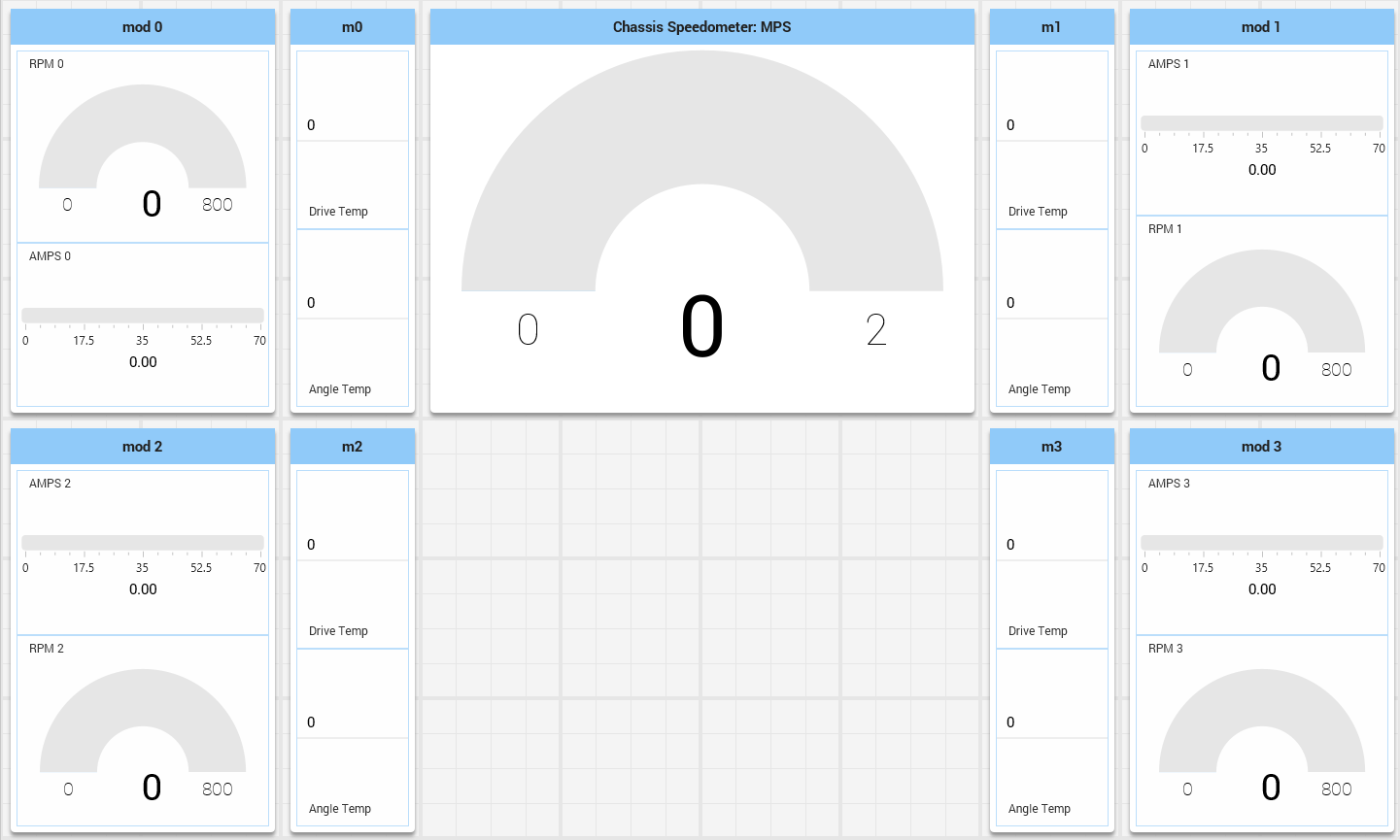
This is what is being created in this code for the Shuffleboard portions.
When you declare a ControllerAIO, it compares the name of the device on the port ID for all possible listed HID devices. If it finds one, it defines that device as one of the children from the JoystickVariant enum. Those children have already been programmed each number in by hand, so you don't have to. If you want to add a joystick, go to BDConstants and follow the instructions there.