Conversation


|
What improvements does this have over the existing SSAO implementation? I have a few issues with your implementation:
|

It looks smoother and doesn't have flickering (!). The existing SSAO looks even worse while moving. Old SSAO: The new SSAO doesn't have this garbage on corners and walls. |


Perhaps, as I said earlier such effect is present in many games, I would even like to keep it (because players look more intensive) but I should improve it first. (and make ssao radius configurable)
I didn't notice anything. Can you please screenshot something? |
|
Improved my shader a lot:
Frame 1: NoSSAO (r_ssao 0): |

|
Firstly, I will say that the map you've chosen in your screenshots probably isn't the best one to use to show off SSAO. I don't think there's anything in the screenshot which would benefit from having SSAO... you probably want something which has a few players and less light sources.
No, please don't keep it. Game developers are actively trying to avoid exactly this dark outline which older/naïve SSAO algorithms would give. It looks terrible and is in no way an accurate representation of ambient occlusion.
Here's part of your without SSAO image: it's the rectangle just to the right of the "Spectator" text. I'm mainly pointing out the floor - the gradient there comes from the lightmap. Should adding ambient occlusion affect that? I don't think so, the area is fairly well lit and nothing is occluding it. Here's with your SSAO: There's two problems I have with this:
This is still a problem in your new screenshots too. This is the top left corner of the image: Without SSAO: With SSAO: There shouldn't be a black outline where there's a depth discontinuity. I appreciate your help, but I don't think this is the right direction to take - if the problem with the existing SSAO algorithm is that it flickers when you move, and has darkening on corners, then I think those should be fixed instead of replacing it entirely with something else. |


|
Done. |

|
There is one problem left and I can't fix it. |


|
Ssao is rendered before the fog actually, but the ssao buffer simply gets stamped on the render buffer after everything has been rendered. This will also result in bad ssao when transparent surfaces were rendered. Fog will be applied as a separate stage per object right now. Solution for this problem could be applying the ssao before rendering fog stages and transparent objects. The other solution which I would personally prefer, is passing the ssao buffer to the lightall shader and apply it only to the ambient term of the light and remove the blit of the ssao buffer. |
|
I don't know this part of code well, you can merge these commits and fix it yourself. :P This is the best solution. |
|
Or you can give me some tips how to do this and I'll try. |
|
Sorry haven’t had time to review in full. I think it’s starting to look good but I have a few suggestions regarding your sampling pattern. Will try to reply this weekend |

 xycaleth
left a comment
xycaleth
left a comment
xycaleth
left a comment
There was a problem hiding this comment.
So I pulled your code and had a play about with the SSAO. For now I wouldn't worry about the fog problem - I imagine it's a problem with the existing implementation as well so it's not like it's a step backwards. That can be fixed after the code gets merged.
Anyhow, at a quick glance the SSAO looks good, but looking closer I can see some room for improvement. Most of my comments are about the code, but there's two points about the algorithm itself I want to mention:
- You compare the linear depth values in
readDepthbut the difference between znear and zfar is dynamic based on what you can see. i.e. if zfar is really big, then the SSAO will be lighter because the linear depth values are spread over a larger distance. When zfar is really close, SSAO will be darker. I think instead of comparing depth values, the real distances need to be compared. This would involve converting the depth value back into world or view-space positions - The pattern used for sampling depths is just sampling left/right/up/down, 4 samples in each direction at 1, 2, 4, and 8 intervals. This produces a weird pixelated effect if you look closely and you move the camera slightly. I think a pattern which samples in multiple directions around a circle will look better. I think this is what the Poission disc array was for in the existing implementation but perhaps it wasn't done very well. Anyway, I'm not saying the number of samples need to be increased, but the position of the samples needs to be more circular.
codemp/rd-rend2/glsl/ssao.glsl
Outdated
There was a problem hiding this comment.
Can znear and zfar values be passed in as function parameters? I'd like to avoid using global variables unless it's necessary.
codemp/rd-rend2/glsl/ssao.glsl
Outdated
codemp/rd-rend2/glsl/ssao.glsl
Outdated
There was a problem hiding this comment.
All the GLSL shaders in rend2 are compiled with version "GLSL 1.50 Core". This means the texture2D function is unavailable - I tried on my laptop and this shader fails to compile.
texture2D should be replaced with texture instead.
codemp/rd-rend2/glsl/ssao.glsl
Outdated
There was a problem hiding this comment.
Pass in znear and zfar as arguments
|
|
||
| int i; | ||
| for (i = 0; i < 3; i++) | ||
| for (i = 0; i < 4; i++) |
There was a problem hiding this comment.
Only sampling depths sideways and up/down doesn't look very good - it almost looks kind of pixelated. I think this needs to be changed to sampling in directions all around the currently pixel, not just left/up/down/right.
There was a problem hiding this comment.
This is an awful lot of samples now... you're doing 64 samples now. Can you reduce this down to 16 again (like you had before)?
codemp/rd-rend2/glsl/ssao.glsl
Outdated
There was a problem hiding this comment.
Remove the comment - it's already obvious from the function name that it generates random numbers.
What's not obvious is the range of numbers that the function can output. Does the function output random numbers between 0 and 1? 0 and 0.004? Perhaps a comment can be added to explain that instead
codemp/rd-rend2/glsl/ssao.glsl
Outdated
| r_ssao_aocap = ri.Cvar_Get( "r_ssao_aocap", "1.5", CVAR_ARCHIVE, "" ); | ||
| r_ssao_strength = ri.Cvar_Get( "r_ssao_strength", "1.0", CVAR_ARCHIVE, "" ); | ||
| r_ssao_aoMultiplier = ri.Cvar_Get( "r_ssao_aoMultiplier", "20000.0", CVAR_ARCHIVE, "" ); | ||
| char val[32]; sprintf(val, "%f", std::sqrt(10)); |
codemp/rd-rend2/tr_init.cpp
Outdated
There was a problem hiding this comment.
How are strength and aoMultiplier different?
There was a problem hiding this comment.
Forgot to remove. I added it for testing purposes.
| r_ssao_strength = ri.Cvar_Get( "r_ssao_strength", "1.0", CVAR_ARCHIVE, "" ); | ||
| r_ssao_aoMultiplier = ri.Cvar_Get( "r_ssao_aoMultiplier", "20000.0", CVAR_ARCHIVE, "" ); | ||
| char val[32]; sprintf(val, "%f", std::sqrt(10)); | ||
| r_ssao_lightmap = ri.Cvar_Get( "r_ssao_lightmap", val, CVAR_ARCHIVE, "" ); |
Done. SSAO Pixel (example):
|


|
Question: does MSAA apply on SSAO in rend2? |
|
No, it doesn’t make sense to apply MSAA to SSAO or any of the post processing effects. It only works on aliasing from geometry edges |
|
I guess, everything is done except bug with fog and translucent areas. |
|
There's still a few comments you haven't addressed... but going to go through everything again now anyway |
|
|
||
| float d; | ||
|
|
||
| float pw = 1.0 / u_ScreenInfo.x; |
There was a problem hiding this comment.
I don't think you need pw and ph. If you use texelFetch to read from the texture, you can use texel coordinates:
ivec2 screenCoord = ivec2(g_FragCoord.xy);
vec4 d;
d = texelFetch(u_ScreenDepthMap, screenCoord, 0).x;
d = texelFtech(u_ScreenDepthMap, ivec2(screenCord.x, screenCoord.y + 1, 0).x;
etc..
If you really want to continue using texture, then u_ScreenInfo should contain (1.0 / w, 1.0 / h) instead of doing it in the shader.
|
|
||
| int i; | ||
| for (i = 0; i < 3; i++) | ||
| for (i = 0; i < 4; i++) |
There was a problem hiding this comment.
This is an awful lot of samples now... you're doing 64 samples now. Can you reduce this down to 16 again (like you had before)?
codemp/rd-rend2/glsl/ssao.glsl
Outdated
There was a problem hiding this comment.
Divisions are generally slower than multiplications.
This can be changed to..
ao += compareDepths(...) * aoScale;

...

aoScale *= 0.8;
| d = readDepth( vec2(var_ScreenTex.x,var_ScreenTex.y+ph), u_ViewInfo.x, u_ViewInfo.y); | ||
| ao += compareDepths(depth,d,u_ViewInfo.x,u_ViewInfo.y) / aoScale; | ||
|
|
||
| pw *= 2.0; |
There was a problem hiding this comment.
Why are you multiplying pw and ph by 2?
| float result = ambientOcclusion(u_ScreenDepthMap, var_ScreenTex, u_ViewInfo.x, u_ViewInfo.y); | ||
|
|
||
| out_Color = vec4(vec3(result), 1.0); | ||
| ao /= 32.0; |
There was a problem hiding this comment.
I'm guessing this should be divided by the number of samples you've taken (which is 64 at the moment)
|
|
||
| qglUseProgram(tr.ssaoShader.program); | ||
| GLSL_SetUniformInt(&tr.ssaoShader, UNIFORM_SCREENDEPTHMAP, TB_COLORMAP); | ||
| GLSL_SetUniformInt(&tr.ssaoShader, UNIFORM_SCREENIMAGEMAP, TB_LIGHTMAP); |
|
|
||
| r_ssao_aocap = ri.Cvar_Get( "r_ssao_aocap", "1.0", CVAR_ARCHIVE, "" ); | ||
| r_ssao_aoMultiplier = ri.Cvar_Get( "r_ssao_aoMultiplier", "20000.0", CVAR_ARCHIVE, "" ); | ||
| char val[32]; sprintf(val, "%f", std::sqrt(10)); |
There was a problem hiding this comment.
Why have you used sqrt(10)? What's so special about that number?
| r_ssao_aocap = ri.Cvar_Get( "r_ssao_aocap", "1.0", CVAR_ARCHIVE, "" ); | ||
| r_ssao_aoMultiplier = ri.Cvar_Get( "r_ssao_aoMultiplier", "20000.0", CVAR_ARCHIVE, "" ); | ||
| char val[32]; sprintf(val, "%f", std::sqrt(10)); | ||
| r_ssao_lightmap = ri.Cvar_Get( "r_ssao_lightmap", val, CVAR_ARCHIVE, "" ); |
There was a problem hiding this comment.
What does this cvar do? It looks like you're multiplying the result of the shader by this value.. but you already have a multiplier cvar (aoMultiplier)
|
...and SSAO flickering is not resolved but I noticed that the same thing happens with glow. |
|
I think we should find the reason of flickering first. I can't configure SSAO with that problem present in rend2. |
|
https://www.youtube.com/watch?v=8d41OgfXZ4Y&feature=youtu.be Can you please help me with flickering of glow and ssao? |
|
Well, its two different problems from the same origin. Both algorithims use downscaled buffers. For the ssao you could try increasing the buffer size to match the viewport size and check if the flickering disapears. Look in tr_image.cpp for the "tr.screenSsaoImage = ... " and remove the division for width and height. This should be enough. You could try the same with tr.quarterImage[x] which is used as buffer for the ssao scaling. For the glow you can simply reduce the passes via cvar to 4 or something and look if its still appealing to you. |
I've noticed that when I worked on SSAO shader. I changed buffer size for a test but the problem was still there.
I don't know how this should help but when I did that the whole screen started to flicker. :D |
|
Well, https://www.youtube.com/watch?v=fH8xLlcZ5uE look at this video and you will see that SSAO image is flickering (horizontal and vertical lines) even if it doesn't match the viewport. The problem is not with the viewport anyway I think. |
|
The flickering is also present in vanilla renderer. I'm curious now what it could be? |
3 participants


This is continuation of my previous failed experiments with AO. I rewrote ssao.glsl completely, it looks good IMO.
Issues:
Video:
https://www.youtube.com/watch?v=1tx_PHvTj0g
Screenshots:
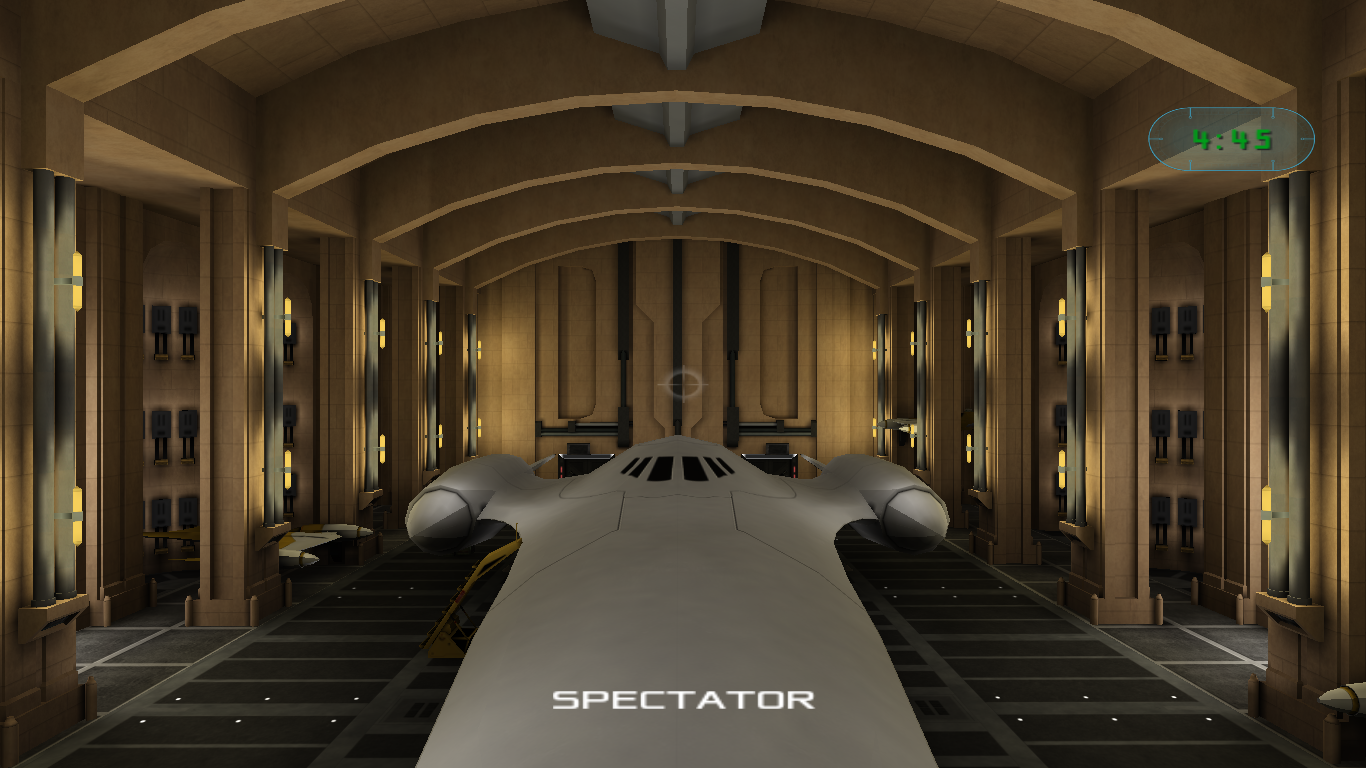
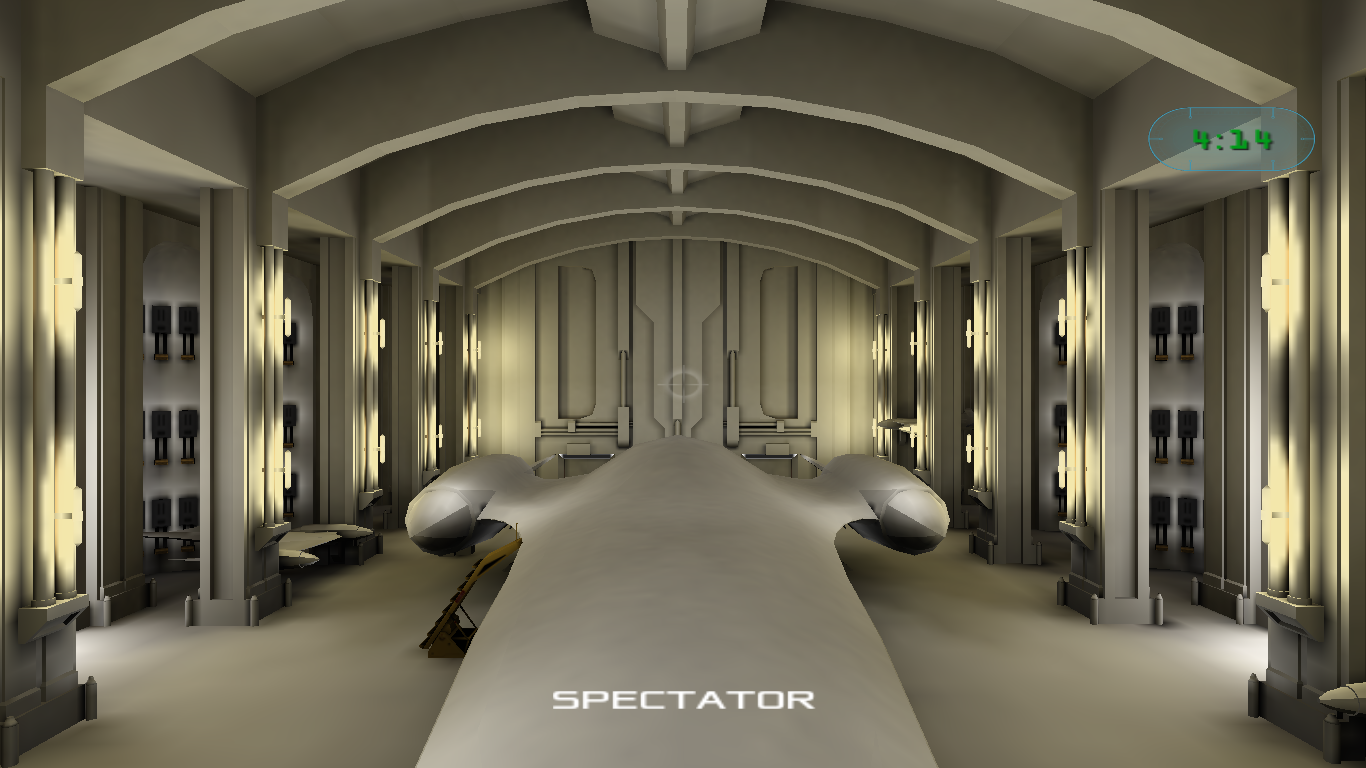
r_ssao 0
r_ssao 1
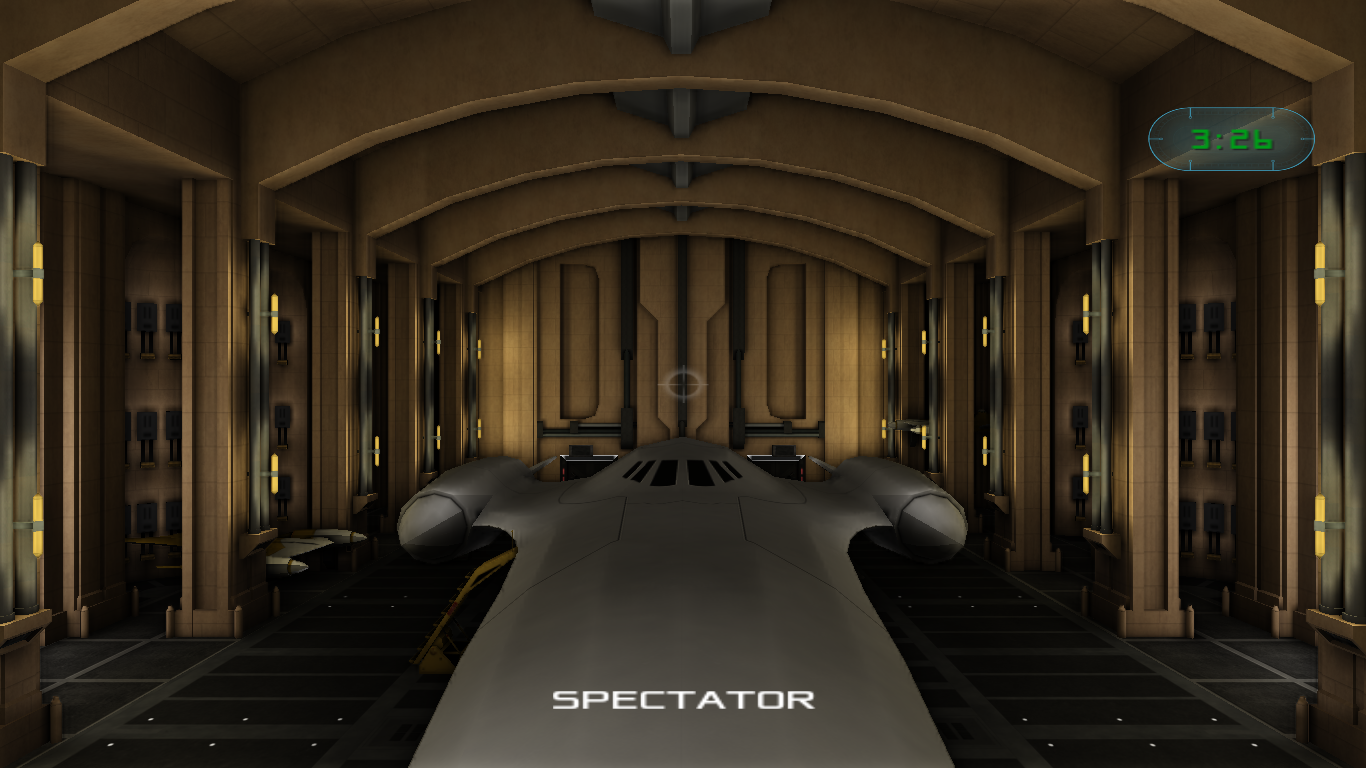
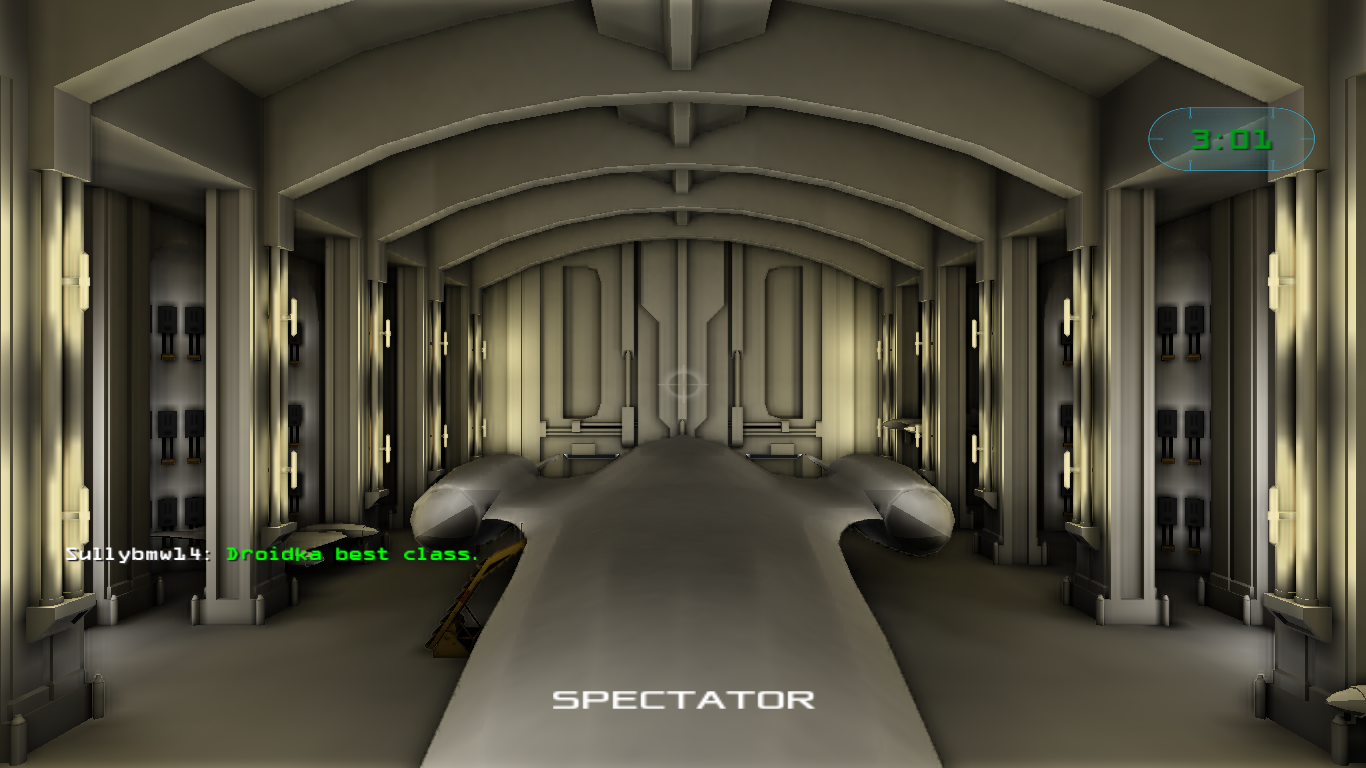
Droideka best class (C)