


Note: The GUI components were removed so the application can run as a standalone tool. The GUI version is available in the releases.
Important
Keep yt-dlp updated. Outdated versions may cause the application to stop working.
- Mega.nz — via
megatools - YouTube — via
yt-dlp - SoundCloud — audio-only support with metadata preservation
- Other websites — generic support via
yt-dlp
- Python 3.8 or later
- FFmpeg
- yt-dlp
- megatools
- PS Vita with VitaShell (FTP enabled)
pip install psvmpgit clone https://github.com/v7upSln/PSVMP.git
cd PSVMPpip install tqdm yt-dlp PyQt6- Download FFmpeg
- Download megatools
- Install yt-dlp:
pip install yt-dlpsudo apt update
sudo apt install ffmpeg megatools
pip install yt-dlpbrew install ffmpeg megatools
pip install yt-dlppython psmedia.py --check-deps- Install VitaShell on your PS Vita
- Launch VitaShell and press
SELECTto start the FTP server - Note the IP and Port shown on the PS Vita
- Ensure your computer and PS Vita are on the same network
YouTube video:
python psmedia.py "https://www.youtube.com/watch?v=VIDEO_ID" --type videoSoundCloud music:
python psmedia.py "https://soundcloud.com/artist/track" --type musicMega.nz:
python psmedia.py "https://mega.nz/file/..." --ip 192.168.1.100 --port 1337Version:
python psmedia.py --versionusage: psmedia.py [-h] [--type {video,music}] [--ip IP] [--port PORT]
[--check-deps] [-v] [-u] [--history] [--history-clear]
[--history-limit HISTORY_LIMIT] [--config]
[--config-set KEY=VALUE] [--config-show]
[url]
PS Vita Media Processor
positional arguments:
url URL of the media file (Mega.nz, YouTube, SoundCloud,
etc.)
options:
-h, --help show this help message and exit
--type {video,music} Type of media to process (default: video)
--ip IP PS Vita IP address (default: 192.168.1.7)
--port PORT PS Vita FTP port (default: 1337)
--check-deps Check if required dependencies are installed
-v, --version Show version information and exit
-u, --update Check for updates and exit
--history Show download history
--history-clear Clear download history
--history-limit HISTORY_LIMIT
Number of history entries to show (default: 10)
configuration options:
--config, -c Show configuration file location and current settings
--config-set KEY=VALUE
Set configuration value (can be used multiple times)
--config-show Show current configuration
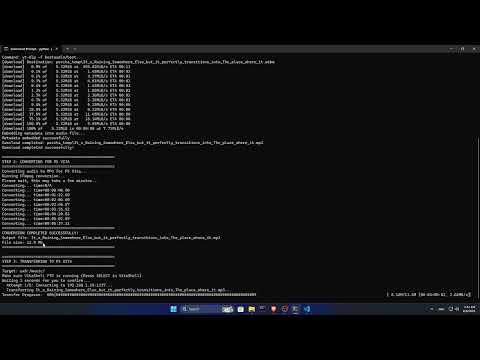
Documents/PSvita media processer/
├── temp/           # Temporary downloads
└── converted/      # Files ready for PS Vita
- Videos →
ux0:/video/shows/ - Music →
ux0:/music/
- Resolution: 960×544
- Codec: H.264 Baseline
- Bitrate: 1500k (max 2000k)
- Audio: AAC 128kbps
- MP3 at 320kbps
- 44.1kHz
- Metadata preserved
- Run:
python psmedia.py --check-deps - Install missing dependencies
- Ensure VitaShell FTP is active
- Confirm IP/port
- Same network required
- Retry
- Update
yt-dlp - Check Mega link validity
- Ensure file integrity
- Verify FFmpeg installation
- Try another source
This project is licensed under the MIT License
- VitaShell team
- FFmpeg team
- yt-dlp developers
- megatools developers
Made with ❤️ for the PS Vita community