

Lightweight key-value configuration service for centralized config management. Store application settings, feature flags, and shared configuration with a simple HTTP API and web UI. A minimal alternative to Consul KV or etcd for microservices and containerized applications that need a straightforward way to manage configuration without complex infrastructure.
- Zero infrastructure - Single binary, no cluster, no consensus protocols. Download and run.
- Simple by default, scalable when needed - Start with SQLite, switch to PostgreSQL with caching for high-load scenarios.
- Works from anywhere - Simple HTTP API (curl-friendly) plus client libraries for Go, Python, TypeScript, and Java.
- Built-in web UI - No separate tool needed. View, edit, and manage configuration directly in the browser.
- True zero-knowledge option - Client-side encryption where the server never sees plaintext.
- Git-powered history - Full audit trail with point-in-time recovery built in.
Stash is ideal for teams that need centralized configuration without the operational overhead of running a distributed key-value store.
# run with docker
docker run -p 8080:8080 ghcr.io/umputun/stash

# set a value
curl -X PUT -d 'hello world' http://localhost:8080/kv/greeting

# get the value
curl http://localhost:8080/kv/greeting

# delete the key
curl -X DELETE http://localhost:8080/kv/greeting
Web UI available at http://localhost:8080
- HTTP API for key-value operations (GET, PUT, DELETE)
- Web UI for managing keys (view, create, edit, delete)
- SQLite or PostgreSQL storage (auto-detected from URL)
- Hierarchical keys with slashes (e.g.,
app/config/database) - Binary-safe values
- Light/dark theme with system preference detection
- Syntax highlighting for values (json, yaml, xml, toml, ini, shell)
- Optional authentication with username/password login and API tokens
- Prefix-based access control for both users and API tokens (read/write permissions)
- Optional encrypted secrets storage with NaCl secretbox + Argon2id
- Optional client-side zero-knowledge encryption (server never sees plaintext)
- Optional git versioning with full audit trail and point-in-time recovery
- Optional in-memory cache for read operations
- Optional audit logging with retention and admin-only web UI
- Real-time key change notifications via Server-Sent Events (SSE)
- Go, Python, TypeScript/JavaScript, and Java client libraries with full API support and client-side, zero-knowledge encryption
Regular keys are stored in plaintext. For sensitive credentials:
- Zero-Knowledge Encryption - client-side encryption, server never sees plaintext
- Secrets Vault - server-side encryption with path-based access control
- Filesystem-level encryption (LUKS, FileVault) for the database file
Download the latest release for your platform from the releases page.
brew install umputun/apps/stashwget https://github.com/umputun/stash/releases/latest/download/stash_<version>_linux_amd64.deb
sudo dpkg -i stash_<version>_linux_amd64.debwget https://github.com/umputun/stash/releases/latest/download/stash_<version>_linux_amd64.rpm
sudo rpm -i stash_<version>_linux_amd64.rpmdocker pull ghcr.io/umputun/stash:latestmake buildStash uses subcommands: server for running the service and restore for recovering data from git history.
# SQLite (default)
stash server --db=/path/to/stash.db --server.address=:8080

# PostgreSQL
stash server --db="postgres://user:pass@localhost:5432/stash?sslmode=disable"

# With git versioning enabled
stash server --git.enabled --git.path=/data/.history

# Restore from git revision
stash restore --rev=abc1234 --db=/path/to/stash.db --git.path=/data/.history| Option | Environment | Default | Description |
|---|---|---|---|
-d, --db |
STASH_DB |
stash.db |
Database URL (SQLite file or postgres://...) |
--server.address |
STASH_SERVER_ADDRESS |
:8080 |
Server listen address |
--server.read-timeout |
STASH_SERVER_READ_TIMEOUT |
5s |
Read timeout |
--server.write-timeout |
STASH_SERVER_WRITE_TIMEOUT |
30s |
Write timeout |
--server.idle-timeout |
STASH_SERVER_IDLE_TIMEOUT |
30s |
Idle timeout |
--server.shutdown-timeout |
STASH_SERVER_SHUTDOWN_TIMEOUT |
5s |
Graceful shutdown timeout |
--server.base-url |
STASH_SERVER_BASE_URL |
- | Base URL path for reverse proxy (e.g., /stash) |
--server.page-size |
STASH_SERVER_PAGE_SIZE |
50 |
Keys per page in web UI (0 to disable pagination) |
--limits.body-size |
STASH_LIMITS_BODY_SIZE |
1048576 |
Max request body size in bytes (1MB) |
--limits.requests-per-sec |
STASH_LIMITS_REQUESTS_PER_SEC |
100 |
Max requests per second per client (rate limit) |
--limits.max-concurrent |
STASH_LIMITS_MAX_CONCURRENT |
1000 |
Max concurrent in-flight requests |
--limits.login-concurrency |
STASH_LIMITS_LOGIN_CONCURRENCY |
5 |
Max concurrent login attempts |
--auth.file |
STASH_AUTH_FILE |
- | Path to auth config file (enables auth) |
--auth.login-ttl |
STASH_AUTH_LOGIN_TTL |
24h |
Login session TTL |
--auth.hot-reload |
STASH_AUTH_HOT_RELOAD |
false |
Watch auth config for changes and reload |
--cache.enabled |
STASH_CACHE_ENABLED |
false |
Enable in-memory cache for reads |
--cache.max-keys |
STASH_CACHE_MAX_KEYS |
1000 |
Maximum number of cached keys |
--git.enabled |
STASH_GIT_ENABLED |
false |
Enable git versioning |
--git.path |
STASH_GIT_PATH |
.history |
Git repository path |
--git.branch |
STASH_GIT_BRANCH |
master |
Git branch name |
--git.remote |
STASH_GIT_REMOTE |
- | Git remote name (for push) |
--git.push |
STASH_GIT_PUSH |
false |
Auto-push after commits |
--git.ssh-key |
STASH_GIT_SSH_KEY |
- | SSH private key path for git push |
--secrets.key |
STASH_SECRETS_KEY |
- | Master key for secrets encryption (min 16 chars) |
--audit.enabled |
STASH_AUDIT_ENABLED |
false |
Enable audit logging |
--audit.retention |
STASH_AUDIT_RETENTION |
2160h |
Audit log retention period (default 90 days) |
--audit.query-limit |
STASH_AUDIT_QUERY_LIMIT |
10000 |
Max entries per audit query |
--dbg |
DEBUG |
false |
Debug mode |
| Option | Environment | Default | Description |
|---|---|---|---|
--rev |
- | (required) | Git revision to restore (commit hash, tag, or branch) |
-d, --db |
STASH_DB |
stash.db |
Database URL |
--git.path |
STASH_GIT_PATH |
.history |
Git repository path |
--git.branch |
STASH_GIT_BRANCH |
master |
Git branch name |
--git.remote |
STASH_GIT_REMOTE |
- | Git remote name (pulls before restore if set) |
--dbg |
DEBUG |
false |
Debug mode |
| Database | URL Format |
|---|---|
| SQLite (file) | stash.db, ./data/stash.db, file:stash.db |
| SQLite (memory) | :memory: |
| PostgreSQL | postgres://user:pass@host:5432/dbname?sslmode=disable |
To serve stash at a subpath (e.g., example.com/stash), use --server.base-url:
stash --server.base-url=/stashThe base URL must start with / and have no trailing slash. All routes, URLs, and cookies will be prefixed accordingly.
When using a reverse proxy, forward requests with the path intact (do not strip the prefix). Example reproxy configuration:
labels:
  - reproxy.server=example.com
  - reproxy.route=^/stash/
  - reproxy.port=8080
Authentication is optional. When --auth.file is set, all routes (except /ping and /static/) require authentication.
Create a YAML config file (e.g., stash-auth.yml) with users and/or API tokens. See stash-auth-example.yml for a complete example with comments.
users:
  - name: admin
    password: "$2a$10$..."  # bcrypt hash
    permissions:
      - prefix: "*"
        access: rw
  - name: readonly
    password: "$2a$10$..."
    permissions:
      - prefix: "*"
        access: r

tokens:
  - token: "a4f8d9e2-7c3b-4a1f-9e2d-8c7b6a5f4e3d"
    admin: true  # grants admin privileges (audit log access)
    permissions:
      - prefix: "app1/*"
        access: rw
  - token: "b7e4c2a1-9d8f-4e3b-8a2c-1f7e6d5c4b3a"
    permissions:
      - prefix: "*"
        access: r
Start with authentication enabled:
stash server --auth.file=/path/to/stash-auth.ymlSecurity: The auth config file contains password hashes and API tokens. Set restrictive file permissions:
chmod 600 stash-auth.ymlValidation: The auth config is validated against an embedded JSON schema at startup. Invalid configs (wrong field names, invalid access values, etc.) will cause the server to fail with a descriptive error message.
Enable hot-reload to automatically pick up changes to the auth config file without restarting the server:
stash server --auth.file=/path/to/stash-auth.yml --auth.hot-reloadWhen the auth config file changes:
- New users, tokens, and permissions take effect immediately
- Sessions are selectively invalidated (only users removed or with password changes must re-login)
- Invalid config changes are rejected and the existing config is preserved
Hot-reload watches the directory containing the auth file, so it works correctly with editors that use atomic saves (vim, VSCode, etc.).
Alternatively, send SIGHUP to trigger a manual reload without the --auth.hot-reload flag:
kill -HUP $(pgrep stash)User sessions are stored in the database (same as key-value data), so they persist across server restarts. Expired sessions are automatically cleaned up in the background.
htpasswd -nbBC 10 "" "your-password" | tr -d ':\n' | sed 's/$2y/$2a/'| Method | Usage | Scope |
|---|---|---|
| Web UI | Username + password login | Prefix-scoped per user |
| API | Bearer token or X-Auth-Token header | Prefix-scoped per token |
Users authenticate via the web login form with username and password. Each user has prefix-based permissions that control which keys they can read/write.
Generate secure random tokens (use UUID or similar):
uuidgen  # macOS/Linux
openssl rand -hex 16  # alternative
Use tokens via Bearer authentication or X-Auth-Token header:
# using Authorization header
curl -H "Authorization: Bearer a4f8d9e2-7c3b-4a1f-9e2d-8c7b6a5f4e3d" \
     http://localhost:8080/kv/app1/config

# using X-Auth-Token header
curl -H "X-Auth-Token: a4f8d9e2-7c3b-4a1f-9e2d-8c7b6a5f4e3d" \
http://localhost:8080/kv/app1/configWarning: Do not use simple names like "admin" or "monitoring" as tokens - they are easy to guess.
*matches all keysapp/*matches keys starting withapp/app/configmatches exact key only
When multiple prefixes match, the longest (most specific) wins.
rorread- read-only accessworwrite- write-only accessrworreadwrite- full read-write access
Use token: "*" to allow unauthenticated access to specific prefixes:
tokens:
  - token: "*"
    permissions:
      - prefix: "public/*"
        access: r
      - prefix: "status"
        access: r
This allows anonymous GET requests to public/* keys and the status key while still requiring authentication for all other keys.
Optional in-memory cache for read operations. The cache is populated on reads (loading cache pattern) and automatically invalidated when keys are modified or deleted.
- PostgreSQL deployments - Network latency to the database makes caching beneficial
- High read volume - Many clients frequently reading the same keys
- Read-heavy workloads - Configuration is read much more often than written
Caching is less useful for:
- SQLite with local storage (already fast, file-based)
- Write-heavy workloads (frequent invalidation negates cache benefits)
- Keys that change frequently
stash server --cache.enabled --cache.max-keys=1000- First read of a key loads from database and stores in cache
- Subsequent reads return cached value (cache hit)
- Set or delete operations invalidate the affected key
- LRU eviction when cache reaches max-keys limit
Optional git versioning tracks all key changes in a local git repository. Every set or delete operation creates a git commit, providing a full audit trail and point-in-time recovery.
stash server --git.enabled --git.path=/data/.historyKeys are stored as files with .val extension. The key path maps directly to the file path:
| Key | File Path |
|---|---|
app/config/db |
.history/app/config/db.val |
app/config/redis |
.history/app/config/redis.val |
service/timeout |
.history/service/timeout.val |
Directory structure example:
.history/
├── app/
│   └── config/
│       ├── db.val       # key: app/config/db
│       └── redis.val    # key: app/config/redis
└── service/
    └── timeout.val      # key: service/timeout
Enable auto-push to a remote repository for backup:
# initialize git repo with remote first
cd /data/.history
git init
git remote add origin git@github.com:user/config-backup.git

# run with auto-push
stash server --git.enabled --git.path=/data/.history --git.remote=origin --git.push
When remote changes exist (someone else pushed), stash will attempt to pull before pushing. If there's a merge conflict, the local commit is preserved and a warning is logged with manual resolution instructions.
Note: For local bare repositories on the same machine, use absolute paths (e.g., /data/backup.git). Relative paths like ../backup.git are not supported by the underlying git library.
Recover the database to any point in git history:
# list available commits
cd /data/.history && git log --oneline

# restore to specific revision
stash restore --rev=abc1234 --db=/data/stash.db --git.path=/data/.history
The restore command:
- Pulls from remote if configured
- Checks out the specified revision
- Clears all keys from the database
- Restores all keys from the git repository
Optional encrypted storage for sensitive values. Keys containing secrets as a path segment are automatically encrypted at rest using NaCl secretbox with Argon2id key derivation.
# set a secret key (minimum 16 characters)
stash server --secrets.key="your-secret-key-min-16-chars"

# or via environment variable
export STASH_SECRETS_KEY="your-secret-key-min-16-chars"
stash serverAny key with secrets as a path segment is encrypted:
| Key Path | Encrypted? |
|---|---|
secrets/db/password |
✓ Yes |
app/secrets/api-key |
✓ Yes |
config/secrets |
✓ Yes |
app/config |
No (regular key) |
my-secrets/key |
No (not a path segment) |
Secrets require explicit permission grants. Wildcards do NOT grant secrets access:
# ❌ This does NOT grant access to app/secrets/*
- prefix: "app/*"
  access: rw

# ✓ This grants access to app/secrets/*
- prefix: "app/secrets/*"
  access: rw

# ❌ Wildcard does NOT grant secrets
- prefix: "*"
  access: rw

# ✓ Explicitly grant all secrets
- prefix: "secrets/*"
access: rwSecrets are displayed with a lock icon (🔒) in the key list. Use the filter toggle to view All keys, Secrets only, or regular Keys only. The API is identical - encryption is transparent.
- 400 Bad Request: Returned when accessing a secret path but
--secrets.keyis not configured - 403 Forbidden: Returned when user/token lacks explicit secrets permission
Technical details
- Algorithm: NaCl secretbox (XSalsa20-Poly1305 authenticated encryption)
- Key derivation: Argon2id with 64MB memory, 1 iteration, 4 parallel threads
- Per-value salt: Each encryption uses a unique 16-byte random salt
- Nonce: 24-byte random nonce per encryption
- Storage format:
base64(salt ‖ nonce ‖ ciphertext)
Protected against:
- Database file theft (values encrypted at rest)
- Ciphertext analysis (unique salt/nonce means identical values encrypt differently)
- Tampering (Poly1305 authentication tag)
Not protected against:
- Memory inspection on running server
- Master key compromise
- Authorized users with secrets permissions
The master key (--secrets.key) is held in memory during server operation. If compromised, all secrets are exposed. For production:
- Use a strong, randomly generated key (32+ characters recommended)
- Rotate keys by re-encrypting all secrets with a new key (requires manual process)
- Consider environment variable injection from a secrets manager (Vault, AWS Secrets Manager, etc.)
Optional client-side encryption where the server never sees plaintext values. Encryption and decryption happen entirely in client libraries - the server stores and serves opaque encrypted blobs unchanged. See Go Client Library for usage examples.
Values are stored with $ZK$ prefix followed by base64-encoded encrypted data:
$ZK$<base64(salt ∥ nonce ∥ ciphertext ∥ auth_tag)>
- Algorithm: AES-256-GCM (authenticated encryption)
- Key derivation: Argon2id (64MB memory, 1 iteration, 4 threads)
- Salt: 16 bytes per encryption (unique)
- Nonce: 12 bytes per encryption (unique)
- Auth tag: 16 bytes (GCM authentication)
The web UI detects ZK-encrypted values by the $ZK$ prefix and:
- Shows a green shield icon next to encrypted keys
- Displays "Zero-Knowledge Encrypted" badge in the view modal
- Hides the Edit button (server cannot decrypt to show editable content)
| Feature | Zero-Knowledge | Secrets Vault |
|---|---|---|
| Encryption | Client-side | Server-side |
| Key holder | Client only | Server |
| Server sees | Encrypted blob | Plaintext (briefly) |
| Web UI edit | Disabled | Enabled |
| Use case | Maximum security | Convenience |
Use Zero-Knowledge when the server should never have access to plaintext (e.g., third-party credentials, sensitive tokens). Use Secrets Vault when you need server-side access but want encryption at rest.
Passphrase requirements: Security depends on passphrase entropy. Use strong passphrases (16+ characters with mixed case, numbers, symbols). The Argon2id KDF provides protection against brute-force attacks but cannot compensate for weak passphrases.
Threat model: ZK encryption protects data confidentiality from the server and database. It does not protect against:
- A malicious server swapping encrypted blobs between keys (ciphertext is not bound to key path)
- Clients storing well-formed but cryptographically invalid
$ZK$payloads (server validates format, not decryptability)
If your threat model requires protection against an actively malicious server, consider additional integrity checks at the application layer.
Optional audit logging tracks all key-value operations with timestamps, actors, and results. Useful for compliance, debugging, and security monitoring.
stash server --audit.enabled| Action | Trigger |
|---|---|
| create | New key created (POST) |
| read | Key value retrieved (GET) |
| update | Key value modified (PUT) |
| delete | Key removed (DELETE) |
Each entry includes:
- Timestamp
- Action (create/read/update/delete)
- Key path
- Actor (username, token prefix, or "public")
- Actor type (user/token/public)
- Client IP address
- Result (success/denied/not_found)
- Value size (for successful operations)
Admins can view the audit log at /audit with filters for:
- Key prefix
- Actor
- Action type
- Result
- Actor type
- Date range
The audit page uses the same page size as the main key list (--server.page-size).
Query the audit log programmatically:
curl -X POST -H "Authorization: Bearer <admin-token>" \
     -d '{"key": "app/*", "action": "delete", "limit": 100}' \
     http://localhost:8080/audit/query
Query parameters:
key- Key prefix filter (use*suffix for prefix matching)actor- Actor name filteractor_type- Filter by actor type: user, token, publicaction- Filter by action: read, create, update, deleteresult- Filter by result: success, denied, not_foundfrom- Start timestamp (RFC3339)to- End timestamp (RFC3339)limit- Max entries to return (default: query-limit setting)
Admin access is determined by the admin: true flag in the auth config:
users:
  - name: admin
    password: "$2a$10$..."
    admin: true  # grants access to audit log
    permissions:
      - prefix: "*"
access: rwOld audit entries are automatically deleted after the retention period (default 90 days). Cleanup runs at startup and every hour.
You can store ZK-encrypted values in secrets paths (e.g., secrets/api-key). In this case:
- ZK encryption takes precedence (no double-encryption)
- The key shows both lock icon (secrets path) and shield icon (ZK-encrypted)
- Server validates ZK payload format in secrets paths only (rejects malformed
$ZK$values) - Both
SecretandZKEncryptedflags are set in API responses
This provides the best of both worlds: permission-based access control from secrets paths plus client-side encryption from ZK.
curl http://localhost:8080/kv/mykeyReturns the raw value with status 200, or 404 if key not found.
curl -X PUT -d 'my value' http://localhost:8080/kv/mykeyBody contains the raw value. Returns 200 on success.
Optionally specify format for syntax highlighting via header or query parameter:
# using header
curl -X PUT -H "X-Stash-Format: json" -d '{"key": "value"}' http://localhost:8080/kv/config

# using query parameter
curl -X PUT -d '{"key": "value"}' "http://localhost:8080/kv/config?format=json"
Supported formats: text (default), json, yaml, xml, toml, ini, hcl, shell.
curl -X DELETE http://localhost:8080/kv/mykeyReturns 204 on success, or 404 if key not found.
# list all keys
curl http://localhost:8080/kv/

# list keys with prefix filter
curl "http://localhost:8080/kv/?prefix=app/config"

# filter to secrets only (requires --secrets.key configured)
curl "http://localhost:8080/kv/?filter=secrets"

# filter to non-secrets only
curl "http://localhost:8080/kv/?filter=keys"
Returns JSON array of key metadata with status 200:
[
  {"key": "app/config/db", "size": 128, "format": "json", "secret": false, "created_at": "...", "updated_at": "..."},
  {"key": "app/secrets/api-key", "size": 64, "format": "text", "secret": true, "created_at": "...", "updated_at": "..."}
]
When authentication is enabled, only keys the caller has read permission for are returned.
curl http://localhost:8080/kv/history/mykeyReturns JSON array of historical revisions (requires git versioning enabled). Returns 503 if git is not enabled.
[
  {
    "hash": "abc1234",
    "timestamp": "2025-01-15T10:30:00Z",
    "author": "admin",
    "operation": "set",
    "format": "json",
    "value": "eyJrZXkiOiAidmFsdWUifQ=="
  }
]
The value field contains base64-encoded content for each revision.
Subscribe to real-time key change notifications via Server-Sent Events:
# subscribe to exact key
curl -N http://localhost:8080/kv/subscribe/app/config

# subscribe to prefix (all keys under app/) - both forms work
curl -N http://localhost:8080/kv/subscribe/app/*
curl -N http://localhost:8080/kv/subscribe/app/

# subscribe to all keys
curl -N http://localhost:8080/kv/subscribe/*
Events are delivered as JSON in SSE format:
event: change
data: {"key":"app/config","action":"update","timestamp":"2025-01-03T10:30:00Z"}

event: change
data: {"key":"app/db","action":"delete","timestamp":"2025-01-03T10:31:00Z"}
Actions: create, update, delete
Go client supports SSE subscriptions via Subscribe, SubscribePrefix, and SubscribeAll methods. See Go Client Library for details.
curl http://localhost:8080/pingReturns pong with status 200.
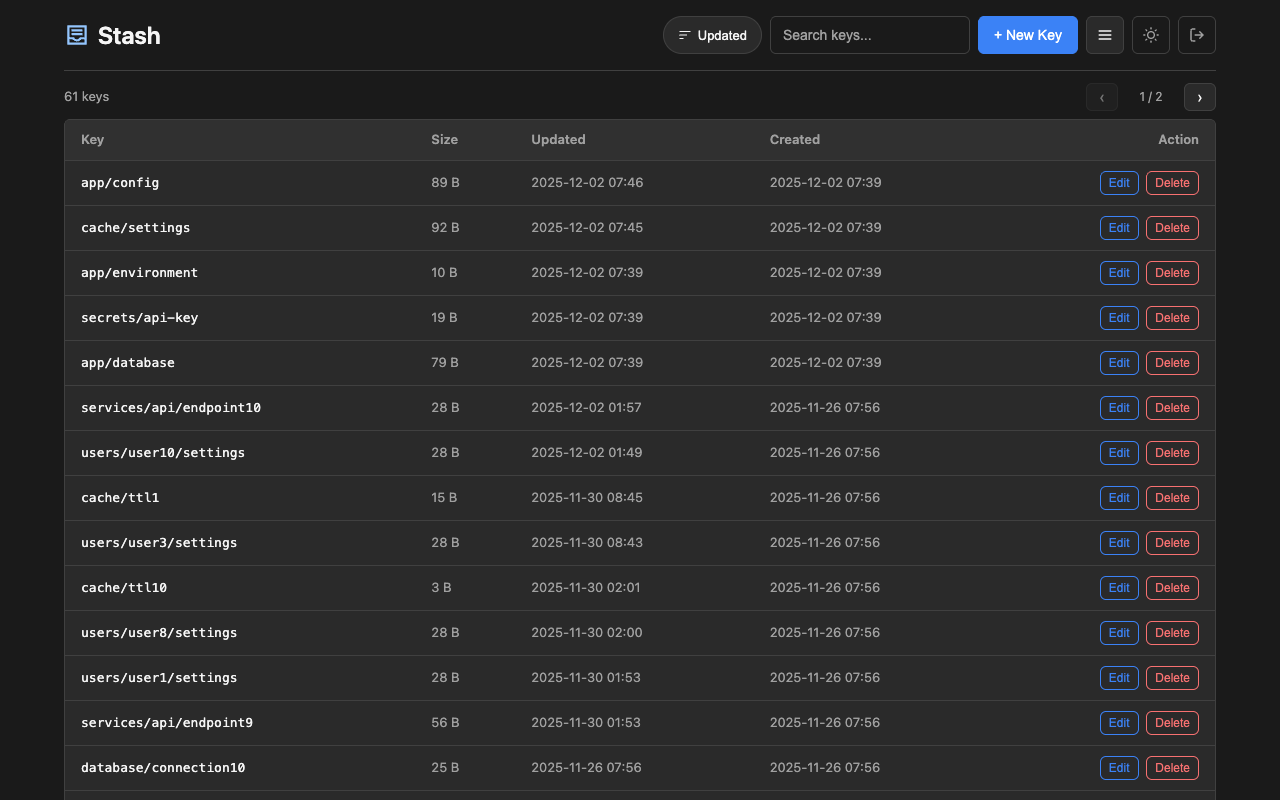
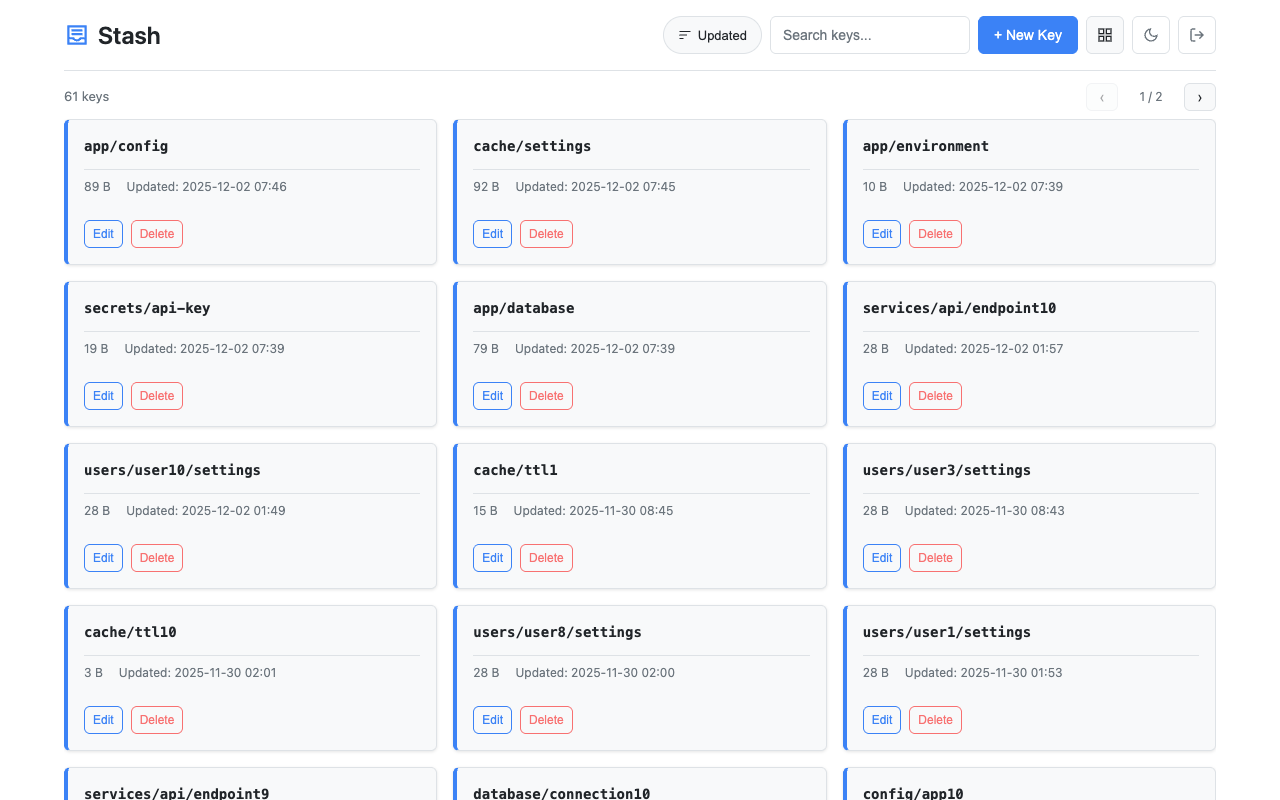
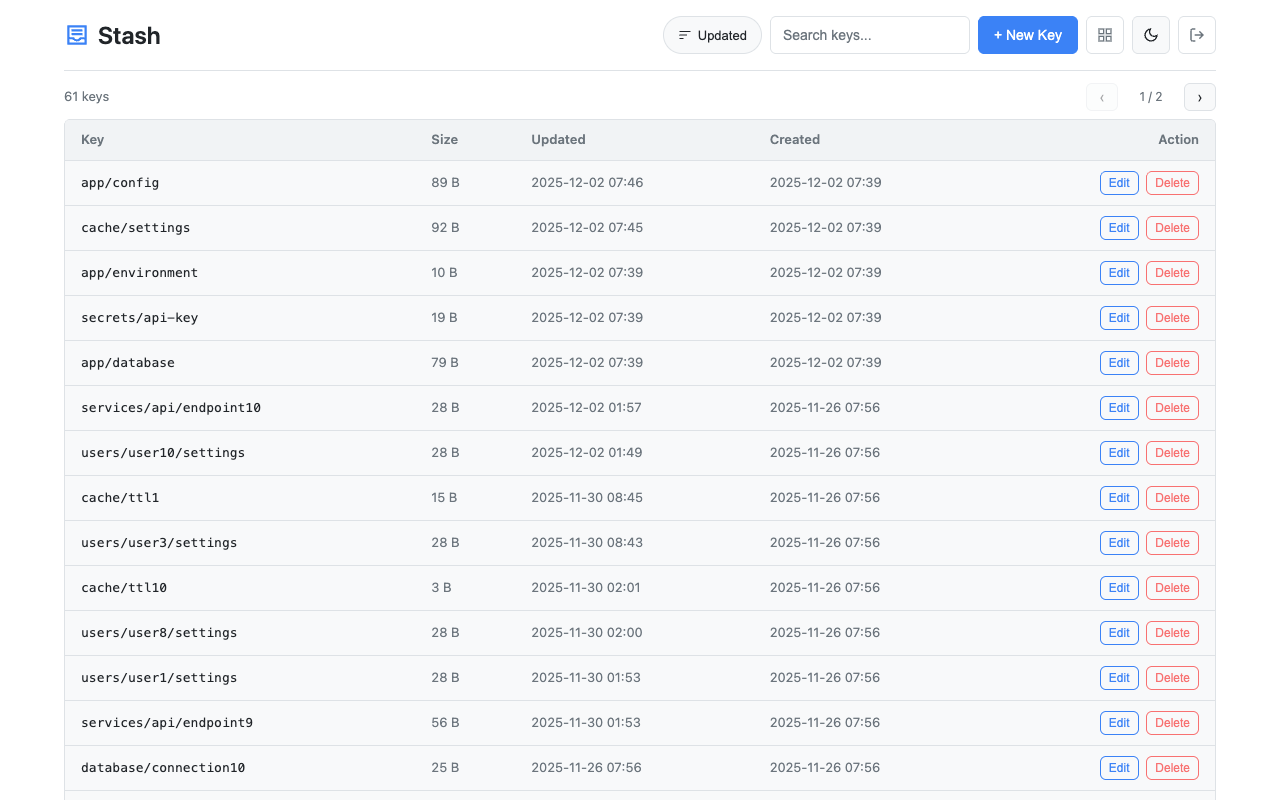
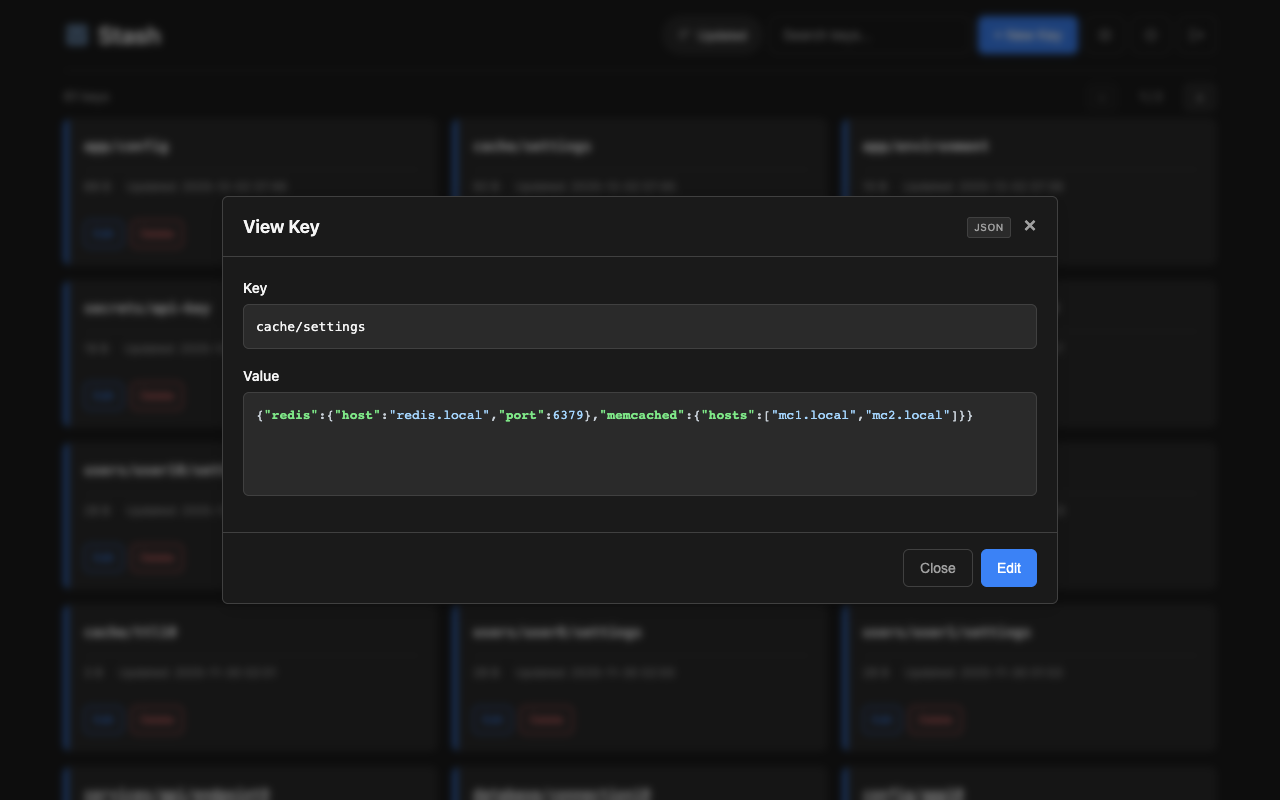
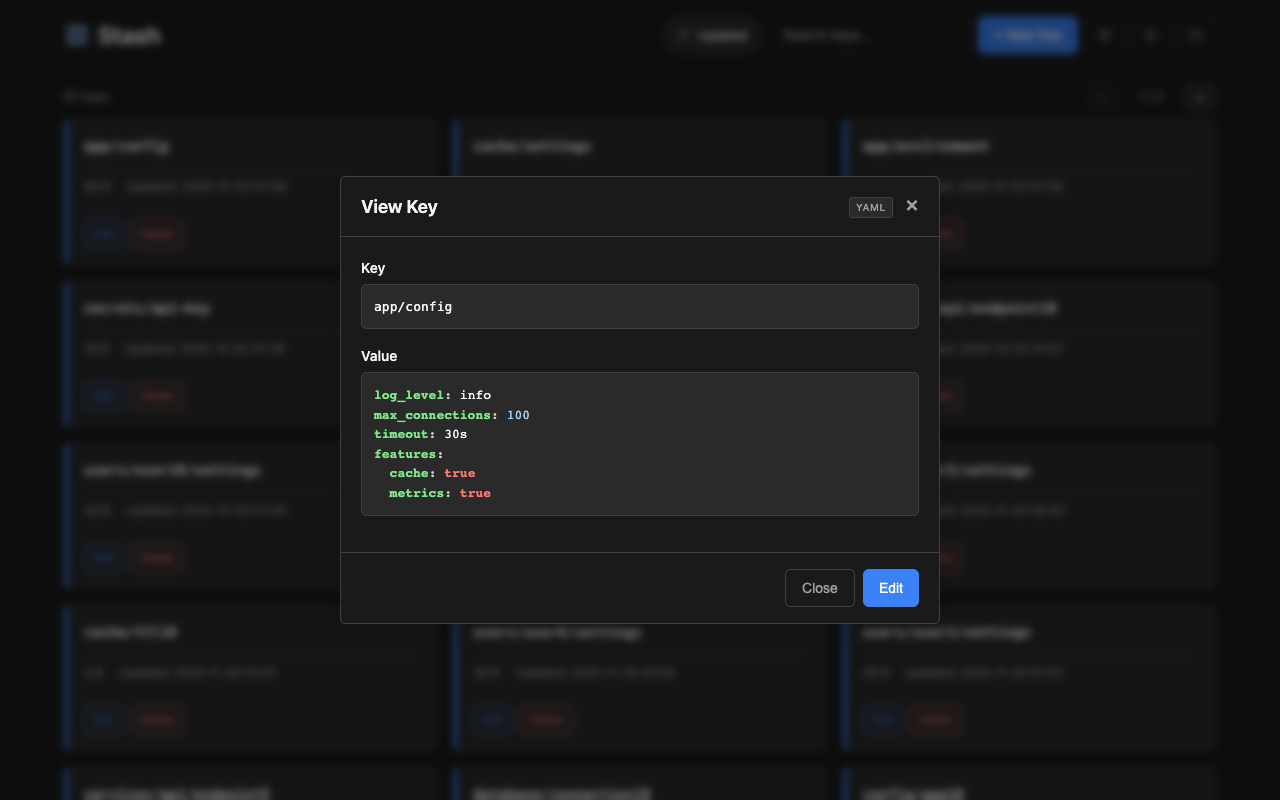
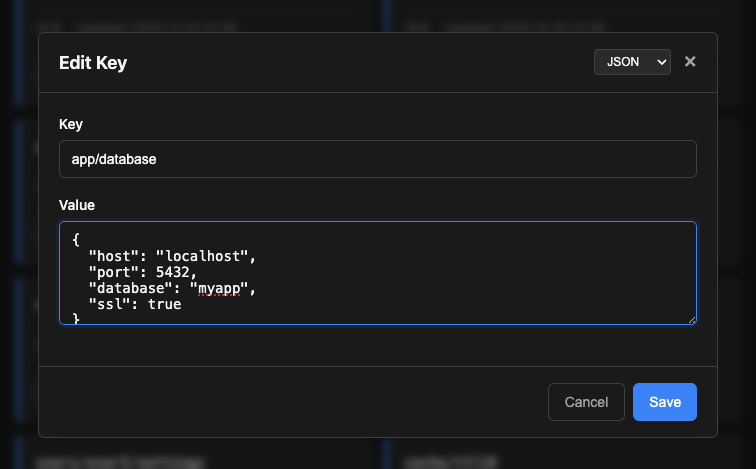
Access the web interface at http://localhost:8080/. Features:
- Card and table view modes with size and timestamps
- Search keys by name
- View, create, edit, and delete keys
- Syntax highlighting for json, yaml, xml, toml, ini, hcl, shell formats (selectable via dropdown)
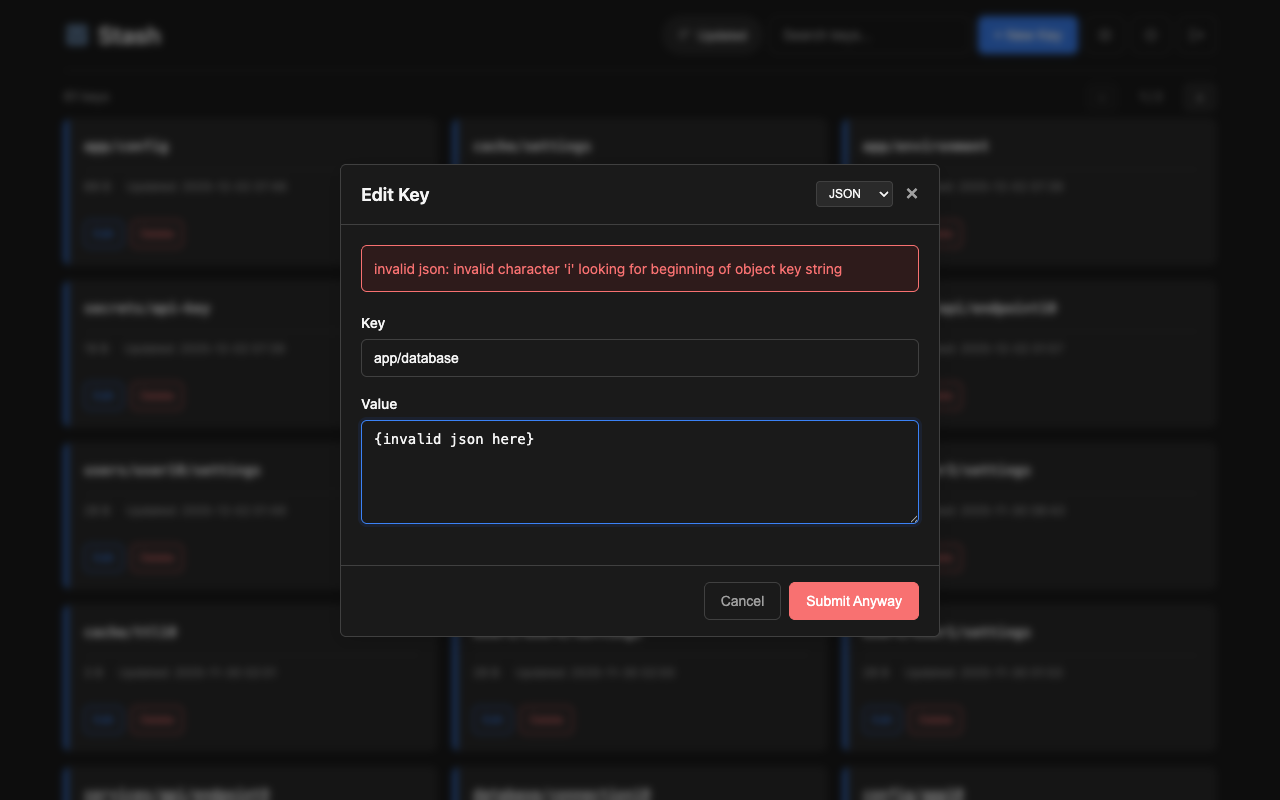
- Format validation for json, yaml, xml, toml, ini, hcl (with option to submit anyway if invalid)
- Binary value display (base64 encoded)
- Light/dark theme toggle
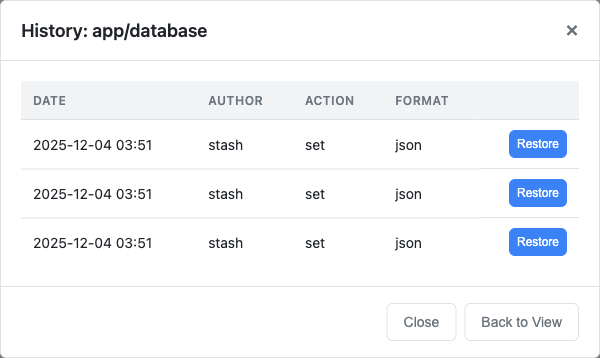
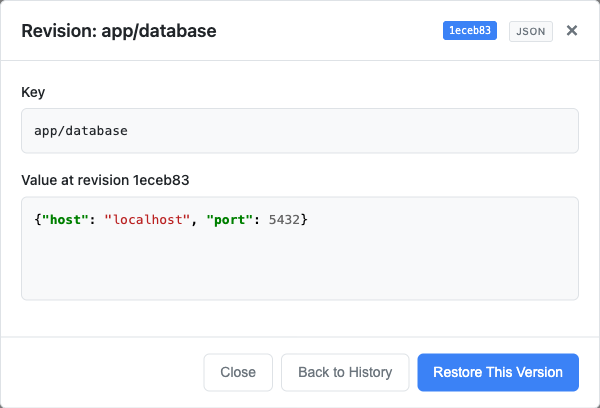
- Key history viewing and one-click restore to previous revisions (when git versioning enabled)
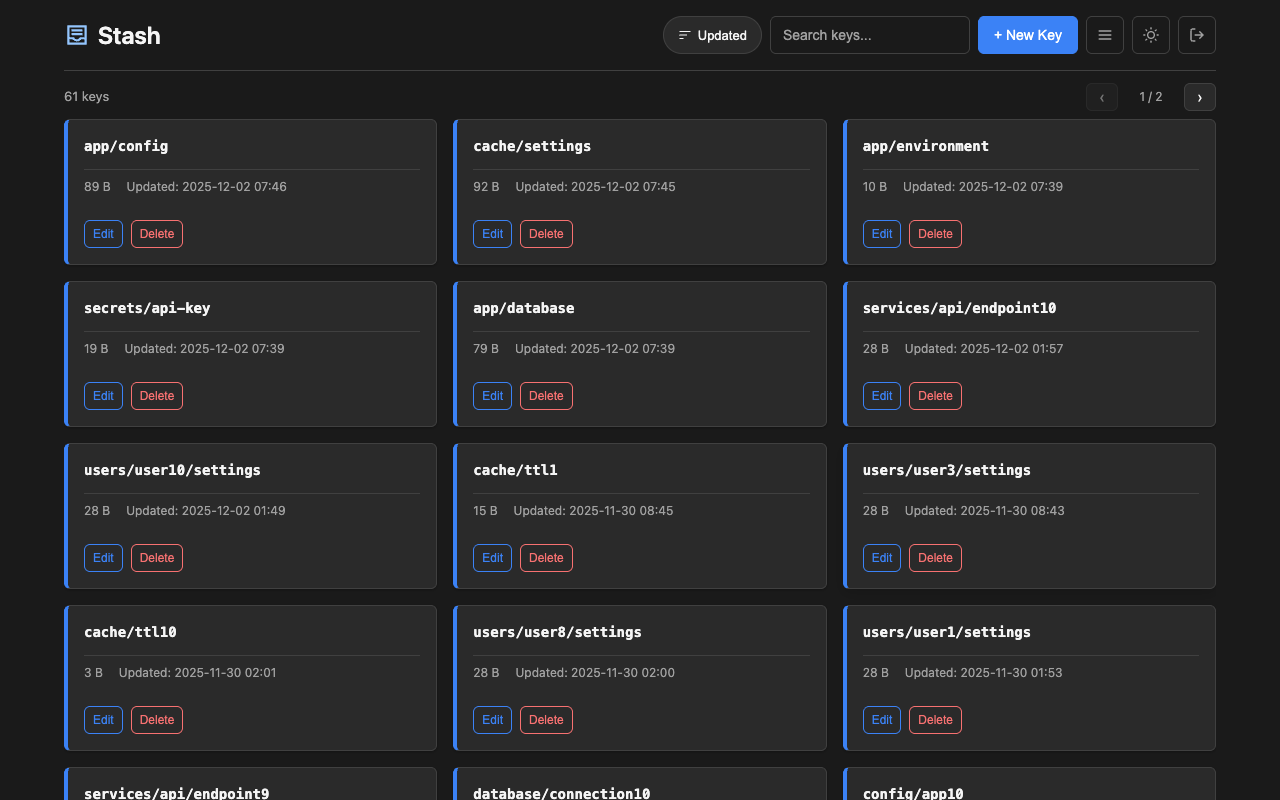
More screenshots
# set a simple value
curl -X PUT -d 'production' http://localhost:8080/kv/app/env

# set JSON configuration
curl -X PUT -d '{"host":"db.example.com","port":5432}' http://localhost:8080/kv/app/config/database

# get the value
curl http://localhost:8080/kv/app/config/database

# delete a key
curl -X DELETE http://localhost:8080/kv/app/envgo get github.com/umputun/stash/lib/stashFeatures: CRUD operations, SSE subscriptions, automatic retries, configurable timeout, Bearer token auth, zero-knowledge encryption. See full documentation for details and examples.
A Python client library is available with the same features as the Go client:
pip install stash-clientfrom stash import Client
client = Client("http://localhost:8080", token="your-api-token")
# get/set/delete/list operations
value = client.get("app/config")
client.set("app/config", '{"debug": true}', fmt="json")
client.delete("app/config")
keys = client.list("app/")
# with zero-knowledge encryption (server never sees plaintext)
zk_client = Client("http://localhost:8080", zk_key="your-secret-passphrase")
zk_client.set("app/secrets/api-key", "secret-value") # encrypted client-sideFeatures: automatic retries, configurable timeout, Bearer token auth, zero-knowledge encryption (cross-compatible with Go client). See lib/stash-python/README.md for full documentation.
A TypeScript/JavaScript client library is available for Node.js and browser environments:
npm install @umputun/stash-clientimport { Client, Format } from '@umputun/stash-client';
const client = new Client('http://localhost:8080', { token: 'your-api-token' });
// get/set/delete/list operations
const value = await client.get('app/config');
await client.set('app/config', '{"debug": true}', Format.Json);
await client.delete('app/config');
const keys = await client.list('app/');
// with zero-knowledge encryption (server never sees plaintext)
const zkClient = new Client('http://localhost:8080', { zkKey: 'your-secret-passphrase' });
await zkClient.set('app/secrets/api-key', 'secret-value'); // encrypted client-sideFeatures: automatic retries, configurable timeout, Bearer token auth, zero-knowledge encryption (cross-compatible with Go and Python clients). See lib/stash-js/README.md for full documentation.
A Java client library is available via Maven Central:
dependencies {
    implementation("io.github.umputun:stash-client:0.1.0")
}
import io.github.umputun.stash.Client;
import io.github.umputun.stash.Format;
try (Client client = Client.builder("http://localhost:8080")
.token("your-api-token")
.build()) {
// get/set/delete/list operations
String value = client.get("app/config");
client.set("app/config", "{\"debug\": true}", Format.JSON);
client.delete("app/config");
List<KeyInfo> keys = client.list("app/");
}
// with zero-knowledge encryption (server never sees plaintext)
try (Client zkClient = Client.builder("http://localhost:8080")
.zkKey("your-secret-passphrase")
.build()) {
zkClient.set("app/secrets/api-key", "secret-value"); // encrypted client-side
}Features: builder pattern, automatic retries, configurable timeout, Bearer token auth, zero-knowledge encryption (cross-compatible with Go, Python, and TypeScript clients). See lib/stash-java/README.md for full documentation.
docker run -p 8080:8080 -v /data:/srv/data ghcr.io/umputun/stash \
server --db=/srv/data/stash.dbdocker run -p 8080:8080 -v /data:/srv/data ghcr.io/umputun/stash \
server --db=/srv/data/stash.db --git.enabled --git.path=/srv/data/.historyversion: '3.8'
services:
stash:
image: ghcr.io/umputun/stash
environment:
- STASH_DB=postgres://stash:secret@postgres:5432/stash?sslmode=disable
depends_on:
- postgres
ports:
- "8080:8080"
postgres:
image: postgres:16-alpine
environment:
- POSTGRES_USER=stash
- POSTGRES_PASSWORD=secret
- POSTGRES_DB=stash
volumes:
- postgres_data:/var/lib/postgresql/data
volumes:
postgres_data:See docker-compose-example.yml for a complete production setup with:
- Reproxy reverse proxy with automatic SSL (Let's Encrypt)
- PostgreSQL database
- Authentication enabled
# copy and customize the example
cp docker-compose-example.yml docker-compose.yml

# set your domain in SSL_ACME_FQDN and reproxy.server label
# create auth config file with users and tokens
cat > stash-auth.yml << 'EOF'
users:
  - name: admin
    password: "$2a$10$..."  # generate with htpasswd
    permissions:
      - prefix: "*"
        access: rw
EOF

# set auth file path in .env
echo 'STASH_AUTH_FILE=/srv/data/stash-auth.yml' > .env

# start services
docker-compose up -d- Concurrency: The API uses last-write-wins semantics. The Web UI has conflict detection - if another user modifies a key while you're editing, you'll see a warning with options to reload or overwrite.
MIT License - see LICENSE for details.