
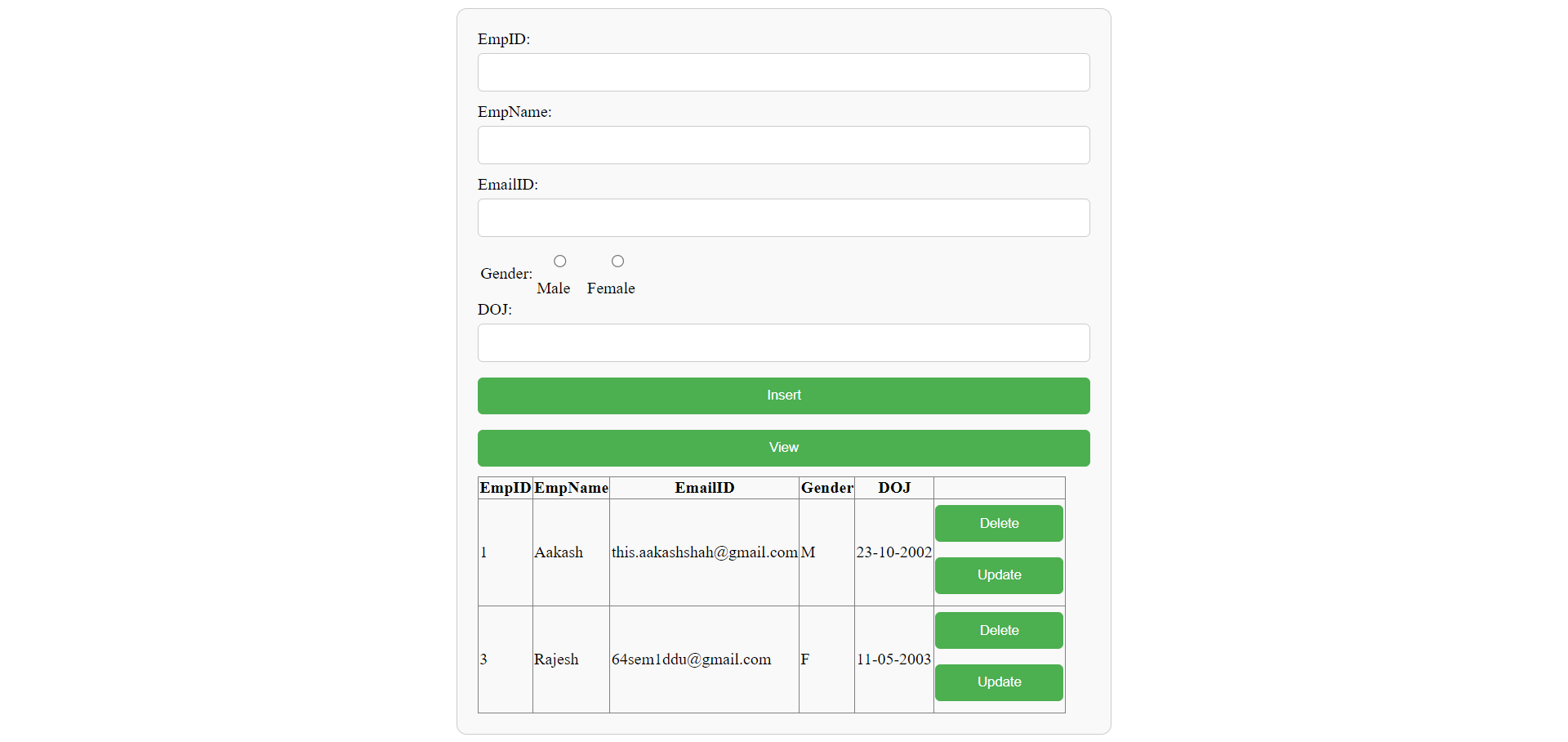
This is a web-based Employee Management System built using ASP.NET Web Forms and C#. The application allows users to perform CRUD (Create, Read, Update, Delete) operations on employee data. The data is stored in a local SQL Server database.
- Add new employees to the database
- View the list of all employees
- Update existing employee information
- Delete employees from the database
- .NET Framework
- Visual Studio
- SQL Server or SQL Server Express
-
Clone the repository:
git clone https://github.com/thisaakash/emp-asp.net.git
-
Open the project in Visual Studio:
- Open Visual Studio.
- Click on
File > Open > Project/Solution. - Navigate to the cloned repository and select
EmployeeManagementSystem.sln.
-
Configure the database:
- Open
Web.config. - Update the connection string to match your SQL Server configuration:
<connectionStrings>
  <add name="ConnectionString" connectionString="Data Source=(LocalDB)\MSSQLLocalDB;AttachDbFilename=|DataDirectory|\Database1.mdf;Integrated Security=True" providerName="System.Data.SqlClient" />
</connectionStrings>
- Open
-
Run the project:
- Press
F5to build and run the project.
- Press
- Enter the employee details in the form fields.
- Click the
Insertbutton to add the employee to the database. - A message will be displayed confirming the insertion.
- The list of employees is displayed in a
GridViewon the main page. - Click the
Refreshbutton to reload the list of employees.
- Click the
Updatebutton next to the employee's details in theGridView. - The employee's details will be loaded into the form fields.
- Modify the details and click the
Savebutton to update the employee's information. - A message will be displayed confirming the update.
- Click the
Deletebutton next to the employee's details in theGridView. - A message will be displayed confirming the deletion.
WebForm1.aspx: The main page of the application containing the form andGridView.WebForm1.aspx.cs: The code-behind file containing the event handlers and database logic.App_Data: Contains the local SQL Server database file (Database1.mdf).
Contributions are welcome! Please fork the repository and submit a pull request with your changes.
This project is licensed under the MIT License. See the LICENSE file for details.
- Thanks to all the developers who contributed to the ASP.NET and SQL Server communities.