DO NOT DO THE LINUX STEPS IF YOU ONLY HAVE ONE USB Flash Drive, skip to Windows 11 instead!
- Download Windows 11 ISO here
https://www.microsoft.com/en-us/software-download/windows11
- Download Rufus portable here
- Download Linux Mint here
https://www.linuxmint.com/download.php
-
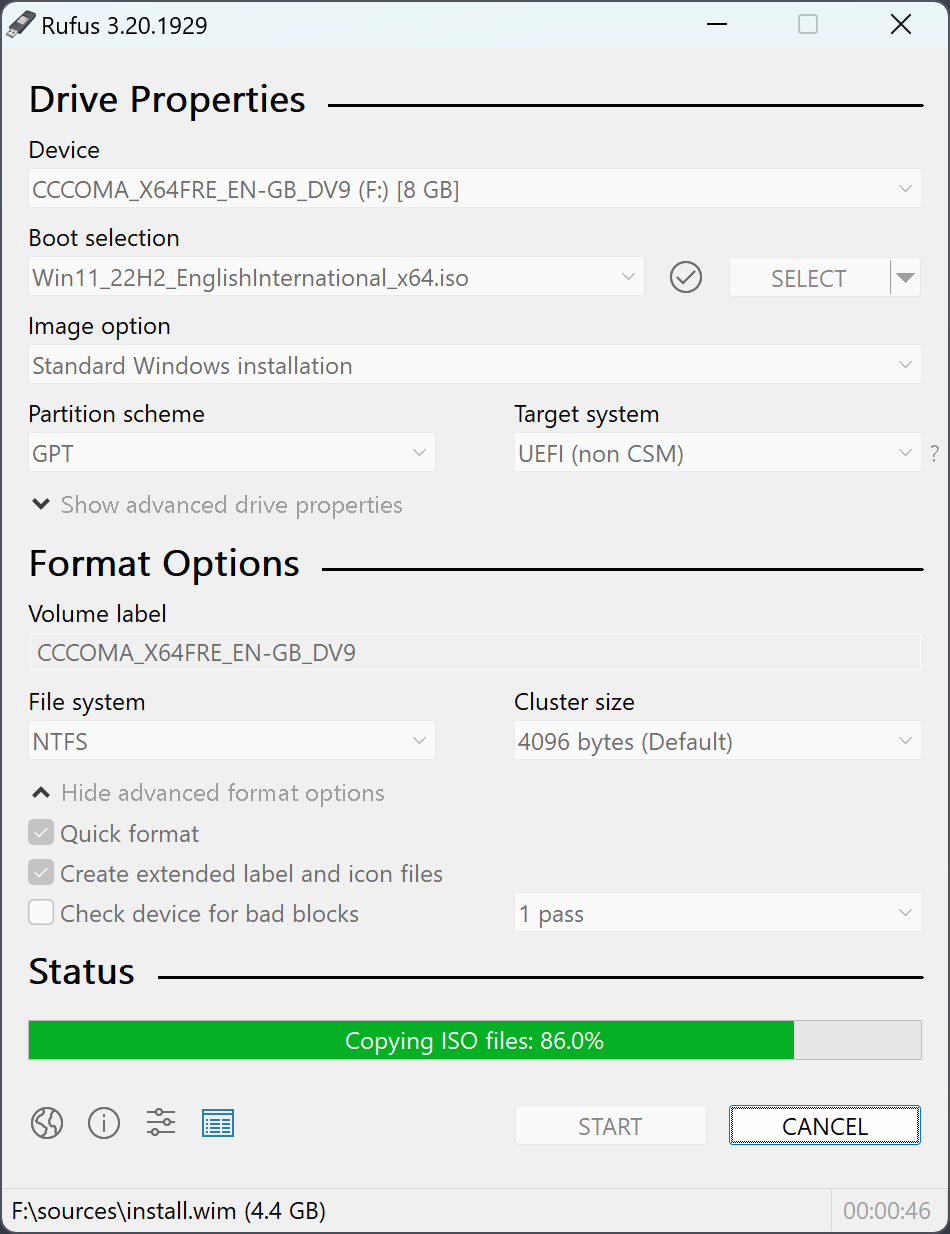
Write Linux Mint to the first USB Stick with Rufus the File System should be FAT32 and Partition Scheme GPT, similar to the Windows setup screen shot.
-
Prepare a USB stick and write Windows 11 ISO to the second USB Stick with Rufus as shown in this image
https://rufus.ie/pics/screenshot1_en.png
-
Boot into Linux Mint Live USB
-
Type
lsblkinto the command line prompt to view the SSD's/NVME SSD's in your case your 2 TB Samsung 990 PRO it should be listed asnvme0n1. -
Type
sudo cfdisk /dev/nvme0n1
https://man7.org/linux/man-pages/man8/cfdisk.8.html
-
Delete everything you see in the TUI and select Write then when prompted type Yes.
-
Type
sudo wipefs -a /dev/nvme0n1
https://www.man7.org/linux/man-pages/man8/wipefs.8.html
- Type
blkdiscard /dev/nvme0n1
https://www.man7.org/linux/man-pages/man8/blkdiscard.8.html
(Optional) If you want a proper wipe then it will take time with sudo shred -f -v command
https://www.man7.org/linux/man-pages/man1/shred.1.html
-
Reboot and insert the second USB Stick with Windows 11 and install Windows 11 after partitioning and formatting your main 2 TB Samsung NVME SSD.
-
Update Windows 11
-
Go to AMD GPU Driver Webpage for your AMD GPU to NVIDIA GPU Driver Webpage for NVIDIA GPU:
-
While you were installing and updating Windows 11 some outdated driver downloaded from MS servers for your GPU you will need to remove it with DDU.
-
Download DDU and extract
https://www.guru3d.com/download/display-driver-uninstaller-download/
-
Type
msconfingin search, select Safe Boot -
Reboot into Safe Boot and launch DDU. Enable the DDU option to prevent Windows Updates from installing drivers for your GPU and start removing drivers from your AMD GPU that were installed by the Windows Update.
-
While DDU is running go into
msconfigagain and uncheck Safe Boot or you will be stuck in Safe Boot loop, but do not restart the PC, because DDU tool will do it for you. -
After auto reboot by DDU tool, start installing AMD or NVIDIA GPU Drivers.
-
Check if everything works properly now, install Steam, Dota2 and whatever, if the problem persists then try with another monitor.