


A comprehensive mod manager for Among Us, built with Windows Forms. Easily install, manage, and switch between 30+ mods including TOHE, Town of Us Mira, Better CrewLink, TOR, StellarRoles, and many more without hassle.
Need help, have questions, or want to connect with other users? Join our Discord server:
- First Launch Wizard: Guided setup for new users
- Automatic Detection: Steam, Epic Games, MS Store
- Smart Mod Management: Multiple installed, one active
- Dependency Management: Reactor, MiraAPI handled automatically
- Update Checker: Notifies you when updates are available
- Incompatibility Detection: Warns of conflicts before installation
- Search and Filter: Quickly find mods using categories and search
- Bulk Actions: Install, uninstall, or update multiple mods
- Theme Support: Light and dark themes with auto-detection
- Virtualized UI: Smooth performance with large mod lists
- Steam Depot Support: Automatically downloads required game versions
- Download the latest release from the Releases page.
- Run
BeanModManager-[Version]-Installer.msi. - Choose optional desktop or Start Menu shortcuts.
- Launch the application.
- Complete the First Launch Wizard (auto-detects installation and BepInEx setup).
- Open Bean Mod Manager.
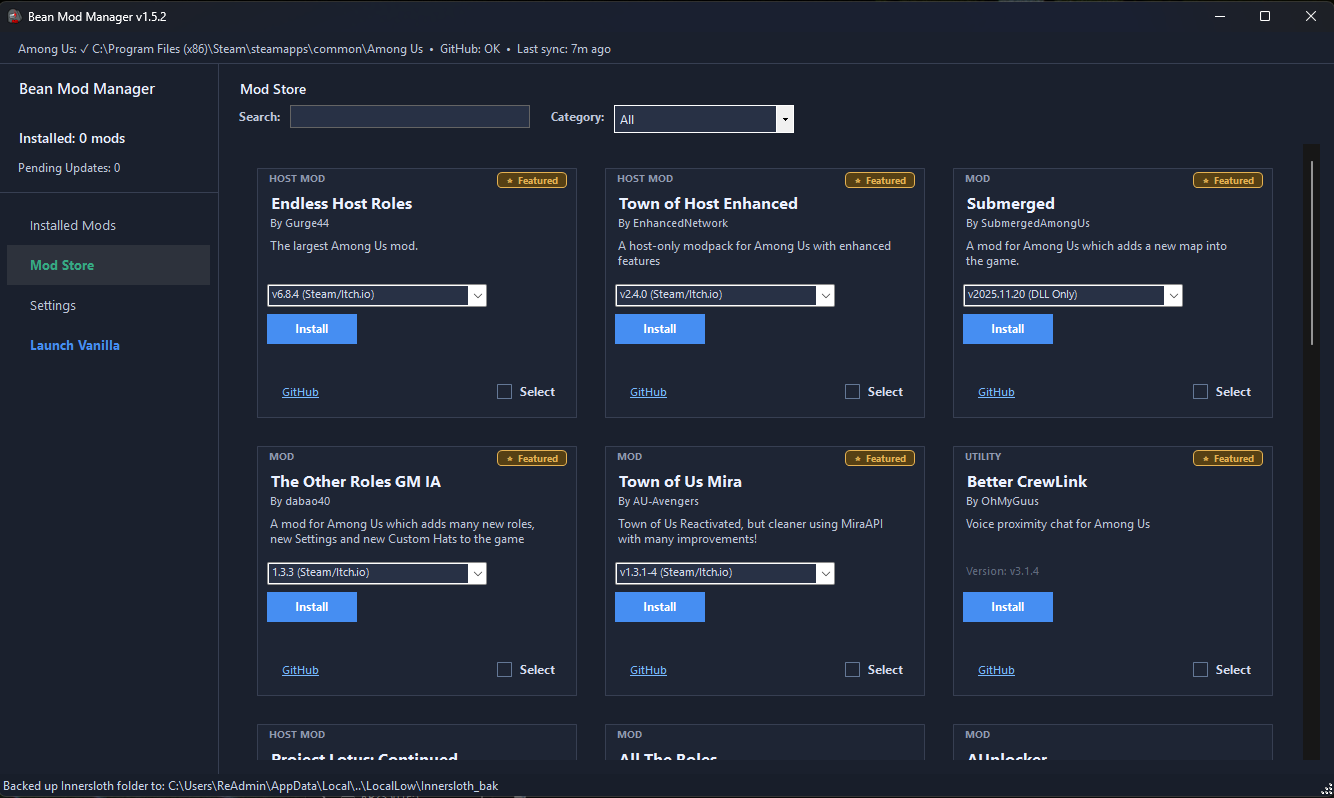
- Browse the Mod Store tab.
- Click Install on any mod.
- Manage installed mods in the Installed Mods tab.
- Click Play to launch Among Us with that mod.
- Use Launch Vanilla to play without mods.
- Town of Host Enhanced (TOHE)
- Town of Us Mira
- Better CrewLink
- Better-BCL
- The Other Roles GM IA
- Endless Host Roles
- Better Among Us
- Launchpad: Reloaded
- All The Roles
- The Other Roles
- StellarRoles
- Las Monjas
- yanplaRoles
- NewMod
- CrowdedMod
- ChaosTokens
- Extreme Roles
- More Gamemodes
- Project Lotus: Continued
- Minimum Level
- SmolMod
- PropHunt
- Cursed Among Us
- Unlock dleks ehT
- Submerged
- Better Polus
- Level Imposter
- AUnlocker
- Impostor (private server)
- Vanilla Enhancements
Note: Epic/MS Store versions are detected automatically. Mods requiring Steam depot downloads are handled internally.
Bean Mod Manager automatically manages required frameworks:
- Reactor
- Mira API
- Windows 10 or later
- .NET Framework 4.8.1 or later
- Among Us installed (Steam, Epic Games Store, Microsoft Store)
- Internet connection for mod downloads and updates
- Publish a release on GitHub.
- Include:
- The mod
.dllfiles, or - A
.zipcontaining the proper BepInEx structure
- The mod
- Use version-specific naming if applicable (steam, epic, msstore).
- Open an issue or pull request with:
- Repo link
- Mod name, author, description
- Category
- Dependencies or incompatibilities
- Visual Studio 2019 or later
- .NET Framework 4.8.1 development tools
git clone https://github.com/rewalo/BeanModManager.git
cd BeanModManager
Open BeanModManager.sln, restore NuGet packages, build, and run.
- To add a mod, open an issue or pull request.
- To remove a mod, request removal via issue.
- For bugs or feature requests, submit an issue on GitHub.
- For real-time support and discussions, join our Discord server.
Distributed under the GNU GPLv3 License. See the LICENSE file.
This project is not affiliated with Among Us or Innersloth LLC. It is not endorsed or sponsored by Innersloth LLC.