refer to https://github.com/FeliceGeracitano/webperf-dashboard/tree/1.0.1 for the docker-compose deployment versions, I'm upgrading to use kubernetes and Web Page Test
- Introduction
- Requirements
- Installation
- Run The project
- Configuration
- Dashboards Built-in
- Develop
packages/lighthouse - [Develop
packages/inspector-wpt] TODO - Test local container for
packages/lighthouse - Deploy your container
- GitHub BOT
- Troubleshooting
- Other Tips
Web performance dashboard powered by Lighthouse, forked from https://github.com/boyney123/garie with addition of
- Typescript
- Monorepo approach
- GitHub BOT
- Removed Pagespeed Insights (now powered by lighthouse)
- Latest lighthouse
- Grafana dashboards with more details
- more to come.. (Performance delta on target Branch, more metrics, parallel page analysis)
- docker >= 18 and Node >= 8
git clone https://github.com/FeliceGeracitano/webperf-dashboard.gitTODO: document kubernetes approach
TODO: document kubernetes cron job
- Single Audit
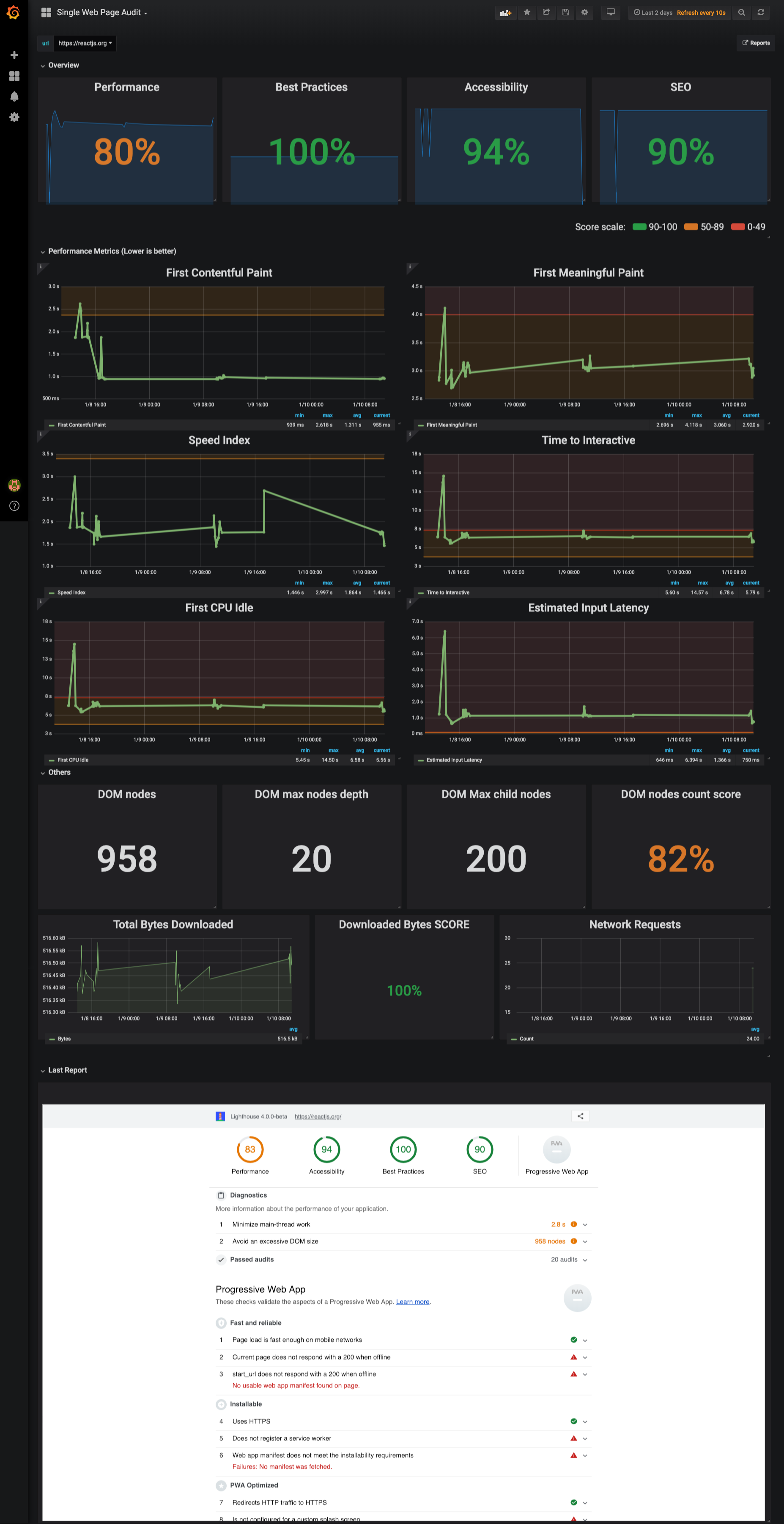
Inspired by the lighthouse report, analyze score trend over time, identify performance metric and their thresholds. Read suggestions directly from Latest Lighthouse report embedded in the dashboard
- Versus
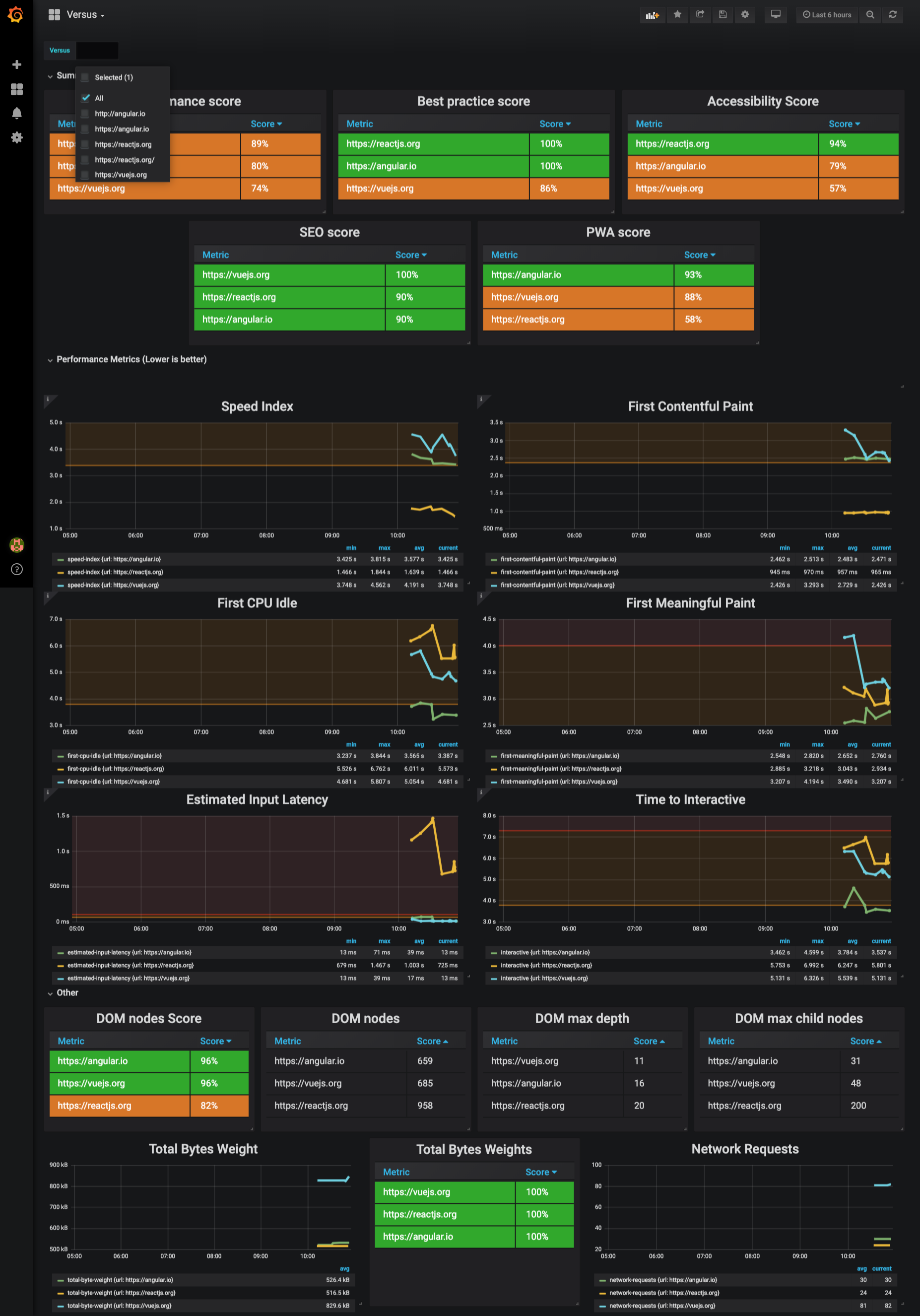
Pretty much a like Single Page Dashboard but oriented to 1vs1 or all comparision.
TODO: document WPT Dashboard
Comment out felicegeracitano/webperf-dashboard-lighthouse service in docker-compose.yml, then run to spin up dependecies:
$ docker-compose -f "docker-compose.yml" up -d --build
$ cd packages/lighthouse && npm startTODO: document kuberentes
$ cd packages/lighthouse
$ docker tag webperf-dashboard-lighthouse:latest felicegeracitano/webperf-dashboard-lighthouse:latest
$ docker push felicegeracitano/webperf-dashboard-lighthouse:latest
Tip:
replace latest tag with fixed version etc 1.1, 2.0...
- Kills all running containers with
docker kill $(docker ps -q) - Delete all stopped containers with
docker rm $(docker ps -a -q) - Delete all images with
docker rmi $(docker images -q)
revisit this
if you use VSCODE install docker & kubernetes extensions: