


VKSHADE IS BACK!
What happened to the original vkShade project?
When I first started the project, I quickly realized that I was in over my head trying to learn C++ and Vulkan at the same time. I also came to the conclusion that it would be easier to start from scratch rather than attempt to refactor the vkBasalt codebase. Over the past 2 years I've grown much more comfortable with both C++ and Vulkan, enough that I'm able to revive this project and deliver on my original vision!
vkShade is a Vulkan post-processing layer for improving the visuals of games. It is being written from the ground up, with the goal of being a powerful, modern, and maintainable post-processing layer for Linux gaming.
DISCLAIMER: As with any software that hooks into the graphics pipeline, this project may trigger bans from anti-cheat software. Use it with multiplayer games at your own risk.
This project is still in the ALPHA phase of development - meaning it works, but it's really just a proof-of-concept right now. Over time, I intend to bring it up to speed as the de facto post-processing layer for Vulkan applications on Linux.
- Post-processing pipeline (single-pass effects)
- Interactive ImGui overlay with mouse support
- Cross-platform input (Wayland, Xlib, XCB)
- Modern C++ RAII wrappers around the Vulkan C API
- Demo shader effects (greyscale and grid overlay)
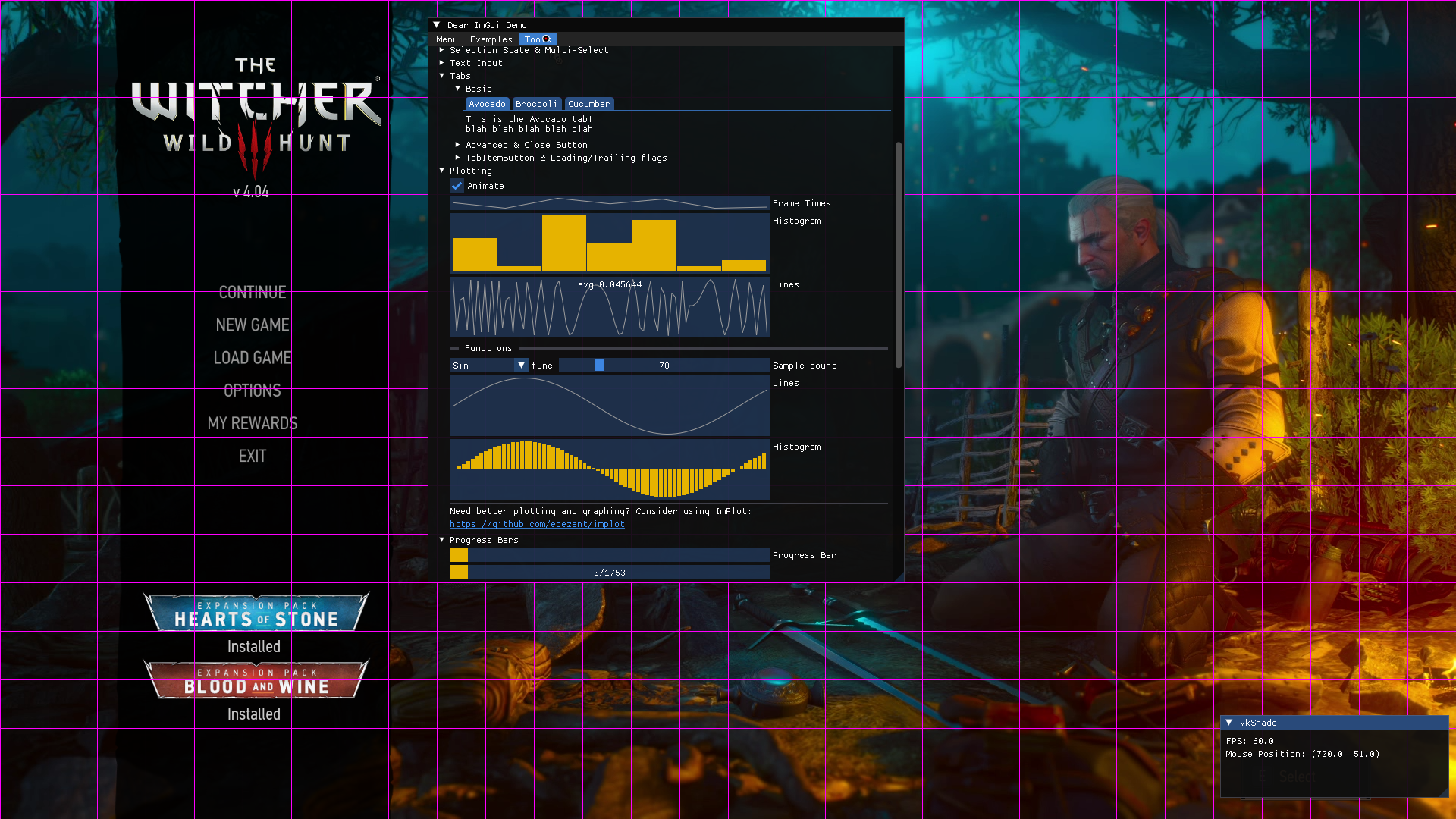
vkShade overlay running in-game (click to enlarge)
- Ping-pong rendering for multiple effects
- Configuration system (global options and per-game presets)
- Browse and apply shaders in the in-game GUI
- Hot-reload configuration
- Shader reflection (for UI/config options)
- ReShade FX compilation and configuration support
- GLSL/HLSL compilation (libshaderc)
- Hot-reloadable shaders
- Multi-pass effect support
- Depth buffer access
- Community effect repository
- Performance profiling tools
No distro packages are available currently, but this will probably change in the future.
For now, you can build it from source very easily.
vkShade provides a full-featured and easy to use build system, which will build and install the layer in your user's home directory. It can also uninstall the layer, should you decide that you don't want to use it anymore.
NOTE: You should prefer using distro-provided packages, if available.
Before building, you will need:
- GCC >= 9
- X11 development files (
libx11,libxcb) - Wayland development files (
wayland-client) - xkbcommon development files (
libxkbcommon) - glslc
- SPIR-V Headers
- Vulkan Headers
- Vulkan Utility Libraries
- GNU Make
- Meson
- Ninja
-
Clone the repository, and change directory into it.
git clone https://github.com/ralgar/vkShade.git cd vkShade -
Checkout the latest tagged release.
git checkout <version> -
Using the included
Makefile, build and install vkShade.make install -
(Optional): Build and install the 32 bit version.
make install-lib32
To uninstall, simply run make uninstall, or make uninstall-lib32.
Enable vkShade by setting the environment variable.
When using the terminal or an application (.desktop) file, execute:
ENABLE_VKSHADE=1 yourgame
With Lutris, follow these steps below:
- Right click on a game, and press
configure. - Go to the
System optionstab and scroll down toEnvironment variables. - Press on
Add, and addENABLE_VKSHADEunderKey, and add1underValue.
With Steam, edit your game's launch options and add:
ENABLE_VKSHADE=1 %command%
NOTE: Keybinds are currently hardcoded.
- Press
F2to toggle the GUI overlay - Click to interact with GUI windows when visible
- Press
HOMEto toggle the effects
Customizable keybinds will be added in a future release.
The log output level can be set with the VKSHADE_LOG_LEVEL environment var,
e.g. VKSHADE_LOG_LEVEL=debug. Possible values are:
trace, debug, info, warn, error, critical, and off.
By default the logger outputs to stderr, a file can be set as the output using
the VKSHADE_LOG_FILE env var, e.g. VKSHADE_LOG_FILE="vkShade.log".
Does vkShade work with DXVK and VKD3D?
Yes. It should work with anything that uses the Vulkan API. If you find that vkShade doesn't work with a Vulkan application, please open an issue.
Will vkShade get me banned?
Quite possibly. Other software with similar functionality have been known to trigger bans, so it is likely that vkShade will as well. It is strongly recommended that you only use vkShade with single-player games.
Will there be an OpenGL version?
No, however you can probably use Zink (OpenGL to Vulkan translation) and use vkShade that way.
A big thank you to these amazing projects, without which vkShade wouldn't be possible:
Copyright (c) 2026 Ryan Algar (ralgar/vkShade)
BSD 2-clause License (see LICENSE or BSD 2-clause)