| Attribute | Value |
|---|---|
| File Name | e-Archive Dekont.exe |
| MD5 Hash | 7a0093c743fc33a5e111f2fec269f79b |
| SHA256 Hash | 722ef401e5cbb067c5c33faa402774d3c75ef08e0c8cc4d7e66a9cfa53684088 |
Because our monitoring tools list all the activities that have been done since the time the malware was run, we should run these tools before executing the suspicious program we have. Otherwise, we will not be able to see malicious activities on these tools even though they carry out malicious software activities.
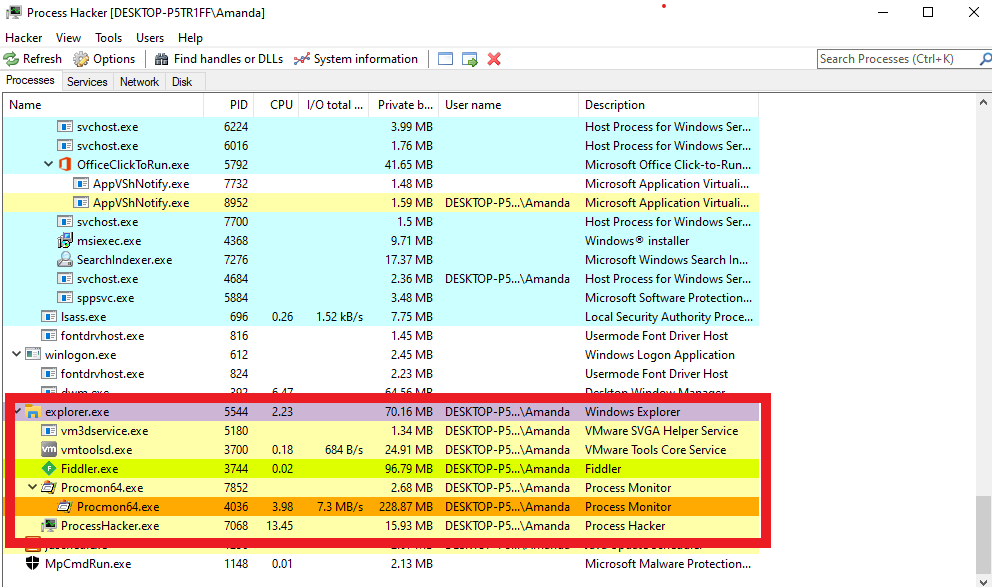
Let's run our tool called 'Process Hacker' to see the process activities. Because we will run the malware by clicking on the desktop, we will see the process belonging to the malware under the explorer.exe process, so we need to pay special attention to it.
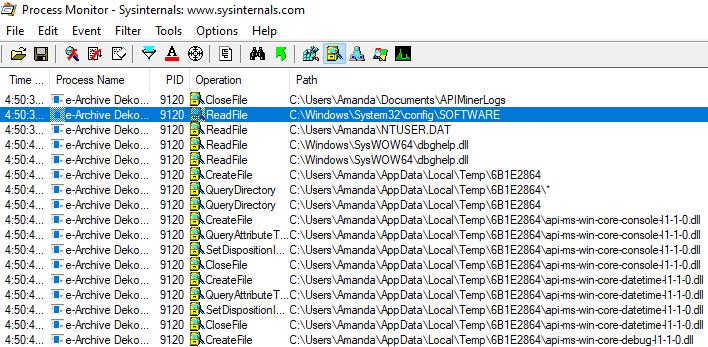
To see the file activities, run the tool called “Procmon” in the SysInternals toolkit. This tool allows us to see process, file, registry and network activities. However, since there are so many logs, it can be difficult to read and conclude meaningful results. (Yes, even if you don't see it, your OS really works that much in the background!)
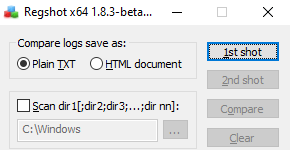
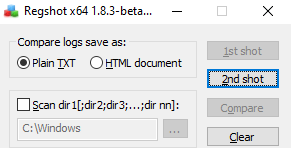
Run RegShot to see registry activities. Take a shot by pressing the “1st shot” button before running the malware. This process will take some time.
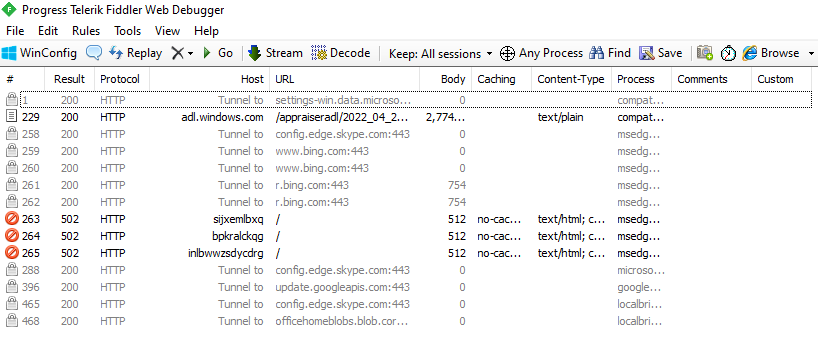
You can use Wireshark and Fiddler to see network activities. Fiddler will suffice, as the malware we reviewed communicates over the HTTP protocol.
Now that we have completed the necessary preparations before running the malware, you can run the malware on your VM.
For a better understanding, we will examine the process, network, registry and file activities separately. After reviewing these activities, we will create a timeline.
After allowing enough time for the malware to perform its activity, let's take the second shot by pressing the "2nd shot" button from the Regshot tool.
As we mentioned earlier in our training series, there are some advantages of detecting process activities first. Since we will encounter a lot of logs and activities, the first step we need to do is to detect the processes belonging to the malware.
When we examine the processes occurred over Process Hacker, we see that only one process belonging to the malware is running.
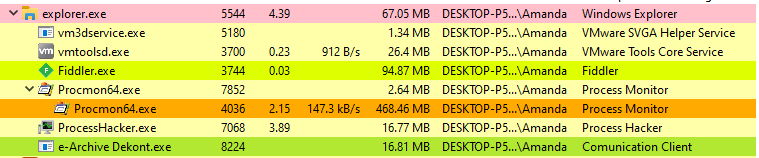
However, things are not always as they seem! Since Process Hacker only shows the processes that are running momentarily, the malware may have created a child process at a time we did not monitor and terminated it later.
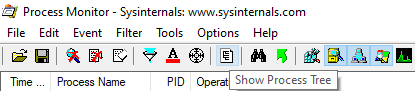
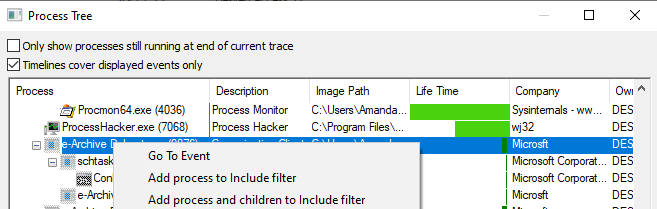
At this point, the Procmon tool comes to our rescue. If you press the "Show Process Tree" button in the top menu, procmon will show the process tree it has created for you during the time it has recorded.
The process tree provided by Procmon completes this shortcoming of Process Hacker, as it also includes terminated processes.
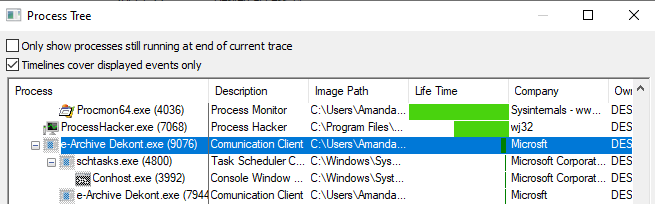
When we go over the the image above, we see that the first process we run (9076 PID) runs the tool called “schtasks.exe” belonging to Windows Task Scheduler (PID 4800) and then runs its own malware (7944 PID) again.
Before moving on to other activities, let's examine the schtasks.exe process. Schtasks.exe is a tool that enables the Task Scheduler to be used via the command interface in the Windows operating system. Attackers ensure persistency by adding their own malware to scheduled tasks with the help of Task Scheduler.
In order to see what kind of scheduled task the attacker added, we must click on the "schtasks.exe" (4800 PID) in the process tree of procmon and examine its details.
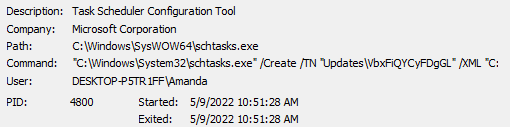
When we examine the command-line arguments, we see that a scheduled task named "Updates\VbxFiQYCyFDgGL" has been created. However, the information of the scheduled task except for its name is in the XML file located at the following path:
“C:\Users\Amanda\AppData\Local\Temp\tmpCCF2.tmp”.
Click here to get information about the command-line arguments of the tool named Schtasks.exe.
When you try to access the relevant file, you can see that the file is deleted. But don't worry, this scheduled task is now saved so we can see it through the Scheduler Task.
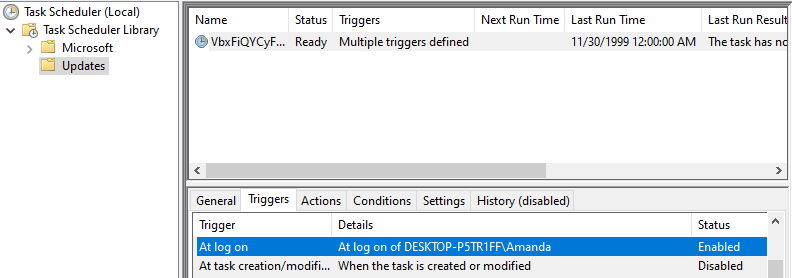
On the Trigger tab, you can see in which situations this scheduled task added by the attacker will run. As it can be seen on the screenshot above this scheduled task will run at log on.
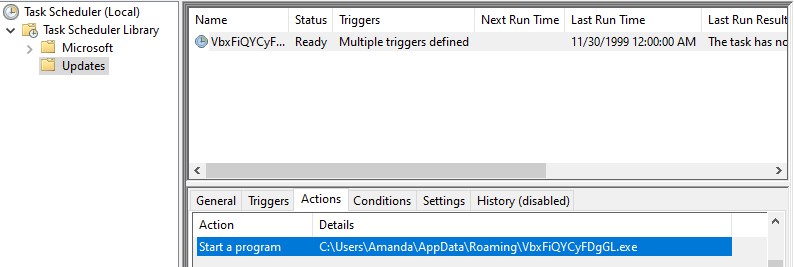
You can see what action will run on the Actions tab. You can see on the above screenshot that the malicious software named “VbxFiQYCyFDgGL.exe” prepared by the attacker will run when this scheduled task runs.
This is how we have detected the scheduled task that the attacker added.
We detected malware processes (9076, 4800, 7944 PIDs) with the help of Procmon. Next, we need to detect the network, file and registry activities of these processes.
You filter down the processes with PID values of 9076, 4800, 7944 on Procmon. However, there is an easier method. When you right-click on the top parent process of the malware and press the "Add process and children to Include filter" button, procmon will create these filters for you.
Since the malware we examined communicates over the HTTP protocol, you can detect the connections it establishes very easily using the Fiddler tool.
After running the malware, you can see that the process named “e-archive dekont.exe” on Fiddler communicates with the domain “5gw4d[.]xyz”.

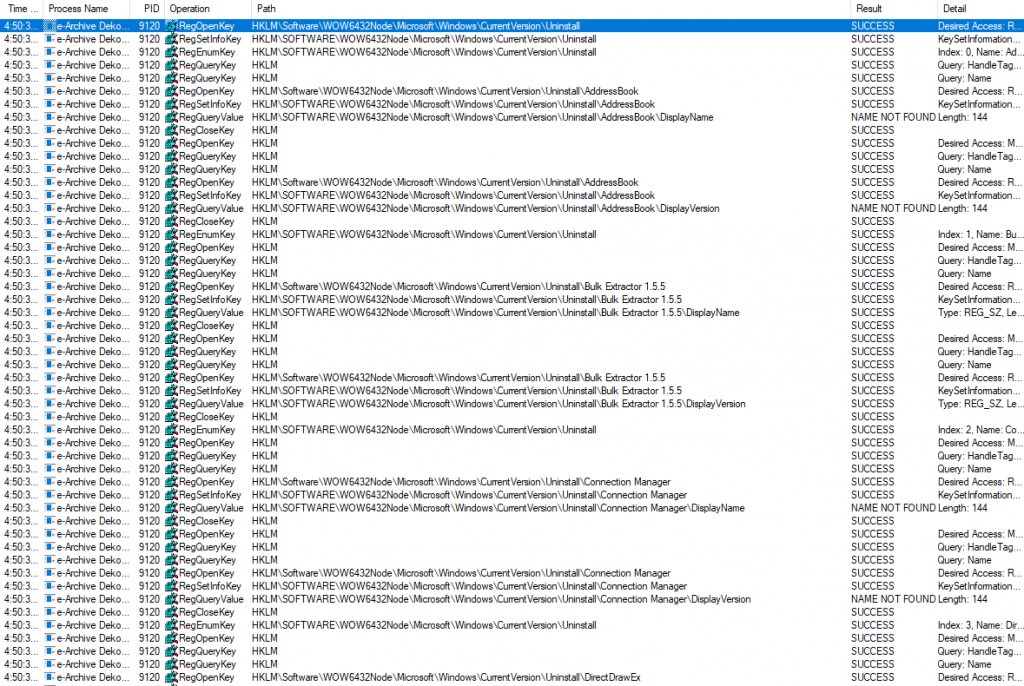
When we examine the registry activities, you can see that the keys under HKLM\Software\WOW6432Node\Microsoft\Windows\CurrrentVersion\Uninstall are queried. There are settings under this key that are left by the applications installed in the system for uninstall. It is often preferred to enumerate this key to detect applications installed on the system by attackers.
To detect malware file activities, disable the other three activities in the top menu of procmon.

You can enter a filter with Operation=CreateFile to see file creation activities.
When we examine the logs, we see that an executable file named "VbxFiQYCyFDgGL.exe" is written under the "C:\Users\Amanda\AppData\Roaming" directory.
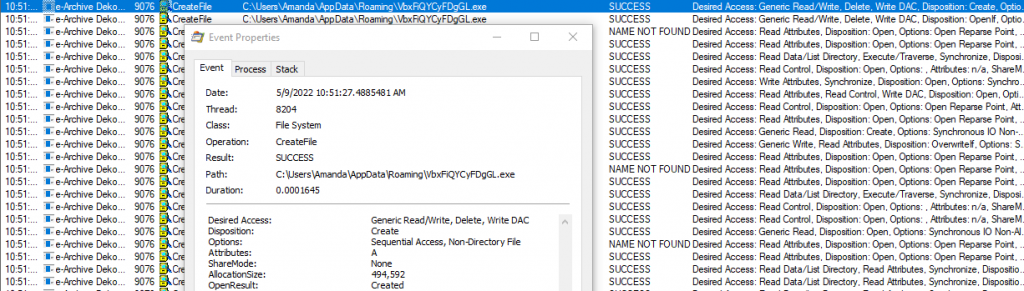
When we look at the hash of the application named “VbxFiQYCyFDgGL.exe” with the tool called HashMyFiles, we see that it is actually the same file as the file we analyzed first. We see that the malware has copied itself to a different folder.

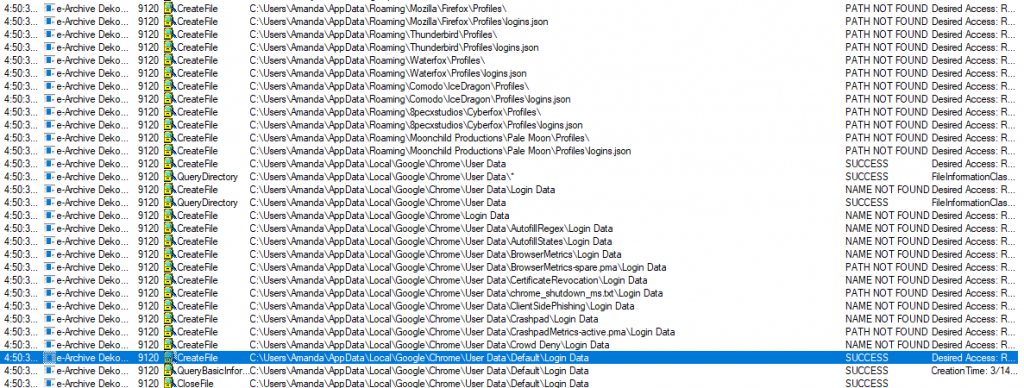
When we examine the file activities further, we see that the malware reads the files to steal information from applications such as Firefox, Chome, Thunderbird. We have determined that the malware we have is information stealer.
Now that we have completed the malware analysis, we can combine the information we have gathered. We have detected that:
- the malware has copied itself to the "C:\Users\Username\AppData\Roaming" directory with the name "VbxFiQYCyFDgGL.exe".
- has used Task Scheduler to ensure persistence.
- has enabled its own malicious application to run at every logon by creating a scheduled task with the name "VbxFiQYCyFDgGL" .
- communicates with the command & control server.
- the command control address is “5gw4d[.]xyz/PL341/index.php” and it communicates over the HTTP protocol.
- discovers the applications installed in the system with the help of the key under the "HKLM\SOFTWARE\WOW6432Node\Microsoft\Windows\CurrentVersion\Uninstall" registry key.
- steals sensitive data from applications such as Chrome, Firefox, Thunderbird.
| Attribute | Value |
|---|---|
| MD5 Hash | 7a0093c743fc33a5e111f2fec269f79b |
| SHA256 Hash | 722ef401e5cbb067c5c33faa402774d3c75ef08e0c8cc4d7e66a9cfa53684088 |
| File Name 1 | e-Archive Dekont.exe |
| File Name 2 | VbxFiQYCyFDgGL.exe |
| Domain | 5gw4d[.]xyz |
| URL | http[:]//5gw4d[.]xyz/PL341/index.php |