



Osmedeus - A Modern Orchestration Engine for Security





Osmedeus is a security focused declarative orchestration engine that simplifies complex workflow automation into auditable YAML definitions, complete with encrypted data handling, secure credential management, and sandboxed execution.
Built for both beginners and experts, it delivers powerful, composable automation without sacrificing the integrity and safety of your infrastructure.
- Declarative YAML Workflows - Define reconnaissance pipelines using simple, readable YAML syntax
- Two Workflow Types - Modules for single execution units, Flows for multi-module orchestration
- Multiple Runners - Execute on local host, Docker containers, or remote machines via SSH
- Distributed Execution - Scale with Redis-based master-worker pattern for parallel scanning
- Event-Driven Triggers - Cron scheduling, file watching, and event-based workflow triggers
- Decision Routing - Conditional workflow branching with switch/case syntax
- Template Engine - Powerful variable interpolation with built-in and custom variables
- Utility Functions - Rich function library for file operations, string manipulation, and JSON processing
- REST API Server - Manage and trigger workflows programmatically
- Database Support - SQLite (default) and PostgreSQL for asset tracking
- Notifications - Telegram bot and webhook integrations
- Cloud Storage - S3-compatible storage for artifact management
- LLM Integration - AI-powered workflow steps with chat completions and embeddings
curl -sSL http://www.osmedeus.org/install.sh | bashSee Quickstart for quick setup and Installation for advanced configurations.
# Run a module workflow
osmedeus run -m recon -t example.com

# Run a flow workflow
osmedeus run -f general -t example.com

# Multiple targets with concurrency
osmedeus run -m recon -T targets.txt -c 5

# Dry-run mode (preview)
osmedeus run -f general -t example.com --dry-run

# Start API server
osmedeus serve

# List available workflows
osmedeus workflow list

# Show all usage examples
osmedeus --usage-example# Show help
docker run --rm osmedeus:latest --help
# Run a scan
docker run --rm -v $(pwd)/output:/root/workspaces-osmedeus \
osmedeus:latest run -f general -t example.comFor more CLI usage and example commands, refer to the CLI Reference.
| CLI Usage | Web UI Assets | Web UI Workflow |
|---|---|---|
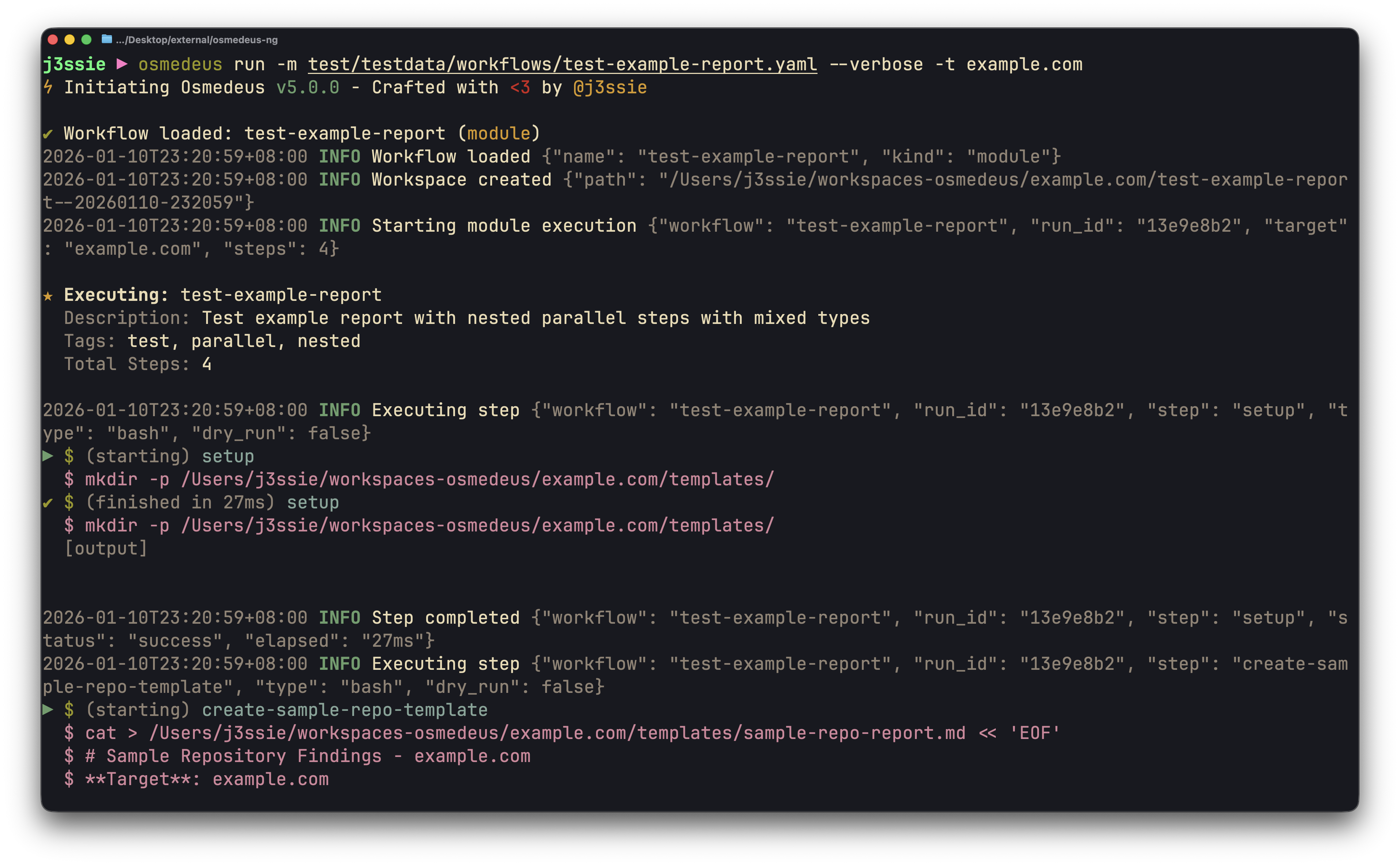 |
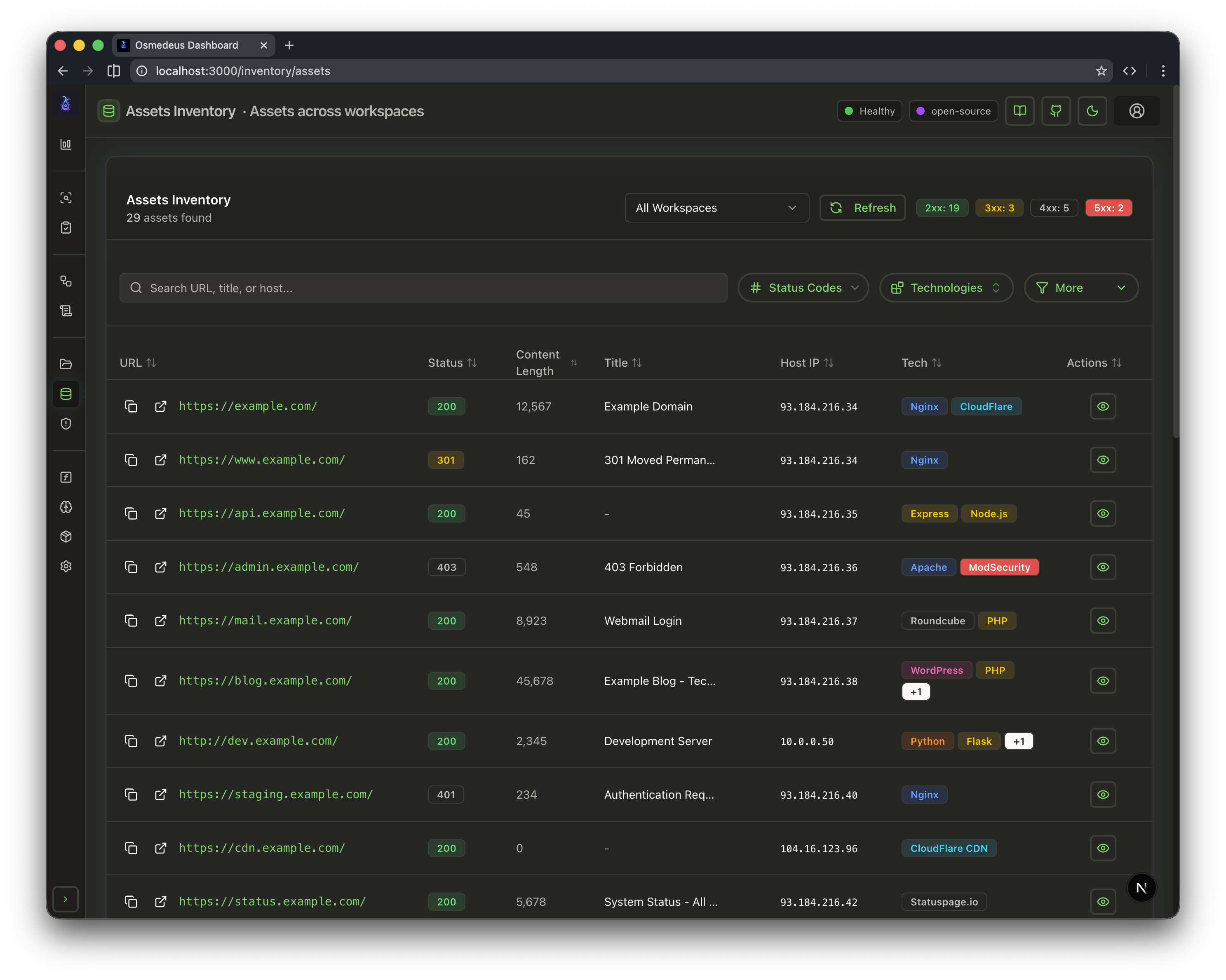 |
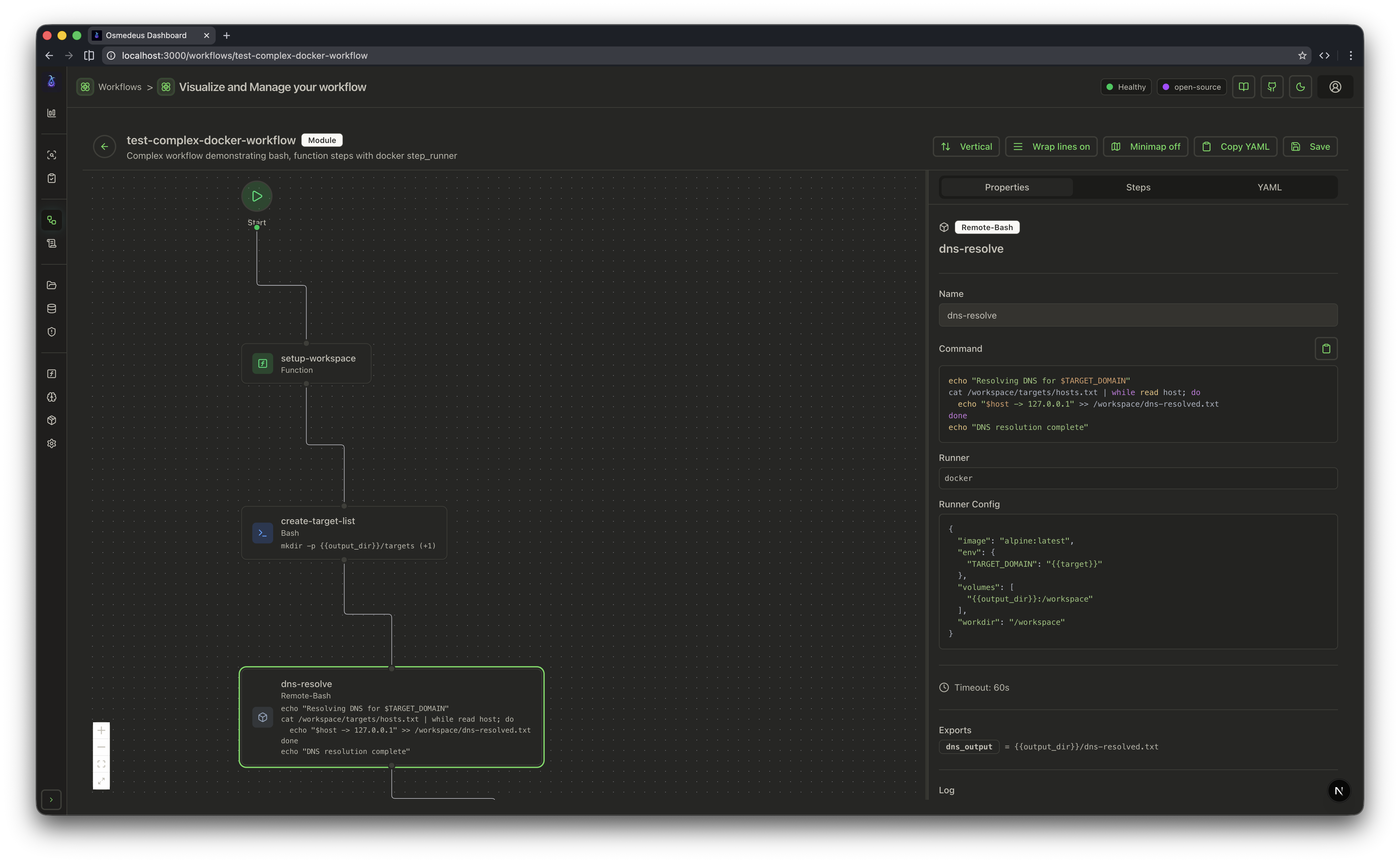 |
| Type | Description | Use Case |
|---|---|---|
| Cron | Schedule workflows at specific times | Regular scans |
| File Watch | Trigger workflows when files change | Continuous monitoring |
| Event | Trigger workflows based on external events | Integration with other tools |
| Webhook | Trigger workflows based on HTTP requests | External system integration |
| Manual | Trigger workflows manually via CLI or API | One-time tasks |
| Type | Description | Use Case |
|---|---|---|
| Module | Single execution unit with sequential/parallel steps | Individual scanning tasks |
| Flow | Orchestrates multiple modules with dependencies | Complete reconnaissance pipelines |
| Runner | Description |
|---|---|
| Host | Local machine execution (default) |
| Docker | Container-based execution |
| SSH | Remote machine execution |
| Type | Description |
|---|---|
bash |
Execute shell commands |
function |
Call utility functions |
foreach |
Iterate over file contents |
parallel-steps |
Run multiple steps concurrently |
remote-bash |
Per-step Docker/SSH execution |
http |
Make HTTP requests |
llm |
AI-powered processing |
kind: module
name: demo-bash
description: Demo bash steps with functions and exports

params:
  - name: target
    required: true

steps:
  - name: setup
    type: bash
    command: mkdir -p {{Output}}/demo && echo "{{Target}}" > {{Output}}/demo/target.txt
    exports:
      target_file: "{{Output}}/demo/target.txt"

  - name: run-parallel
    type: bash
    parallel_commands:
      - 'echo "Thread 1: {{Target}}" >> {{Output}}/demo/results.txt'
      - 'echo "Thread 2: {{Target}}" >> {{Output}}/demo/results.txt'

  - name: check-result
    type: function
    function: 'fileLength("{{Output}}/demo/results.txt")'
    exports:
      line_count: "output"

  - name: summary
    type: bash
    command: 'echo "Processed {{Target}} with {{line_count}} lines"'
For writing your first workflow, refer to the Workflow Overview.
| Topic | Link |
|---|---|
| Getting Started | docs.osmedeus.org/getting-started |
| CLI Usage & Examples | docs.osmedeus.org/getting-started/cli |
| Writing Workflows | docs.osmedeus.org/workflows/overview |
| Deployment | docs.osmedeus.org/deployment |
| Architecture | docs.osmedeus.org/concepts/architecture |
| Development | docs.osmedeus.org/development and HACKING.md |
| Extending Osmedeus | docs.osmedeus.org/development/extending-osmedeus |
| Full Documentation | docs.osmedeus.org |
Created by @j3ssie
MIT License