Moodflix is a common React project idea, similar to a Todo app, that can be implemented using different design decisions and styles. This article outlines my implementation of the project, covering everything from the user workflow and recommendation algorithm to styling, state management, and data fetching.
The goal of the application is to validate the user's feelings by recommending movies that match their emotional state in that moment and, in doing so, positively affect their mood.
Note: This is a hobby project and should not be used for therapeutic purposes.
https://new-af.github.io/moodflix/
The user is shown a list of predefined moods (buttons) on the landing page.
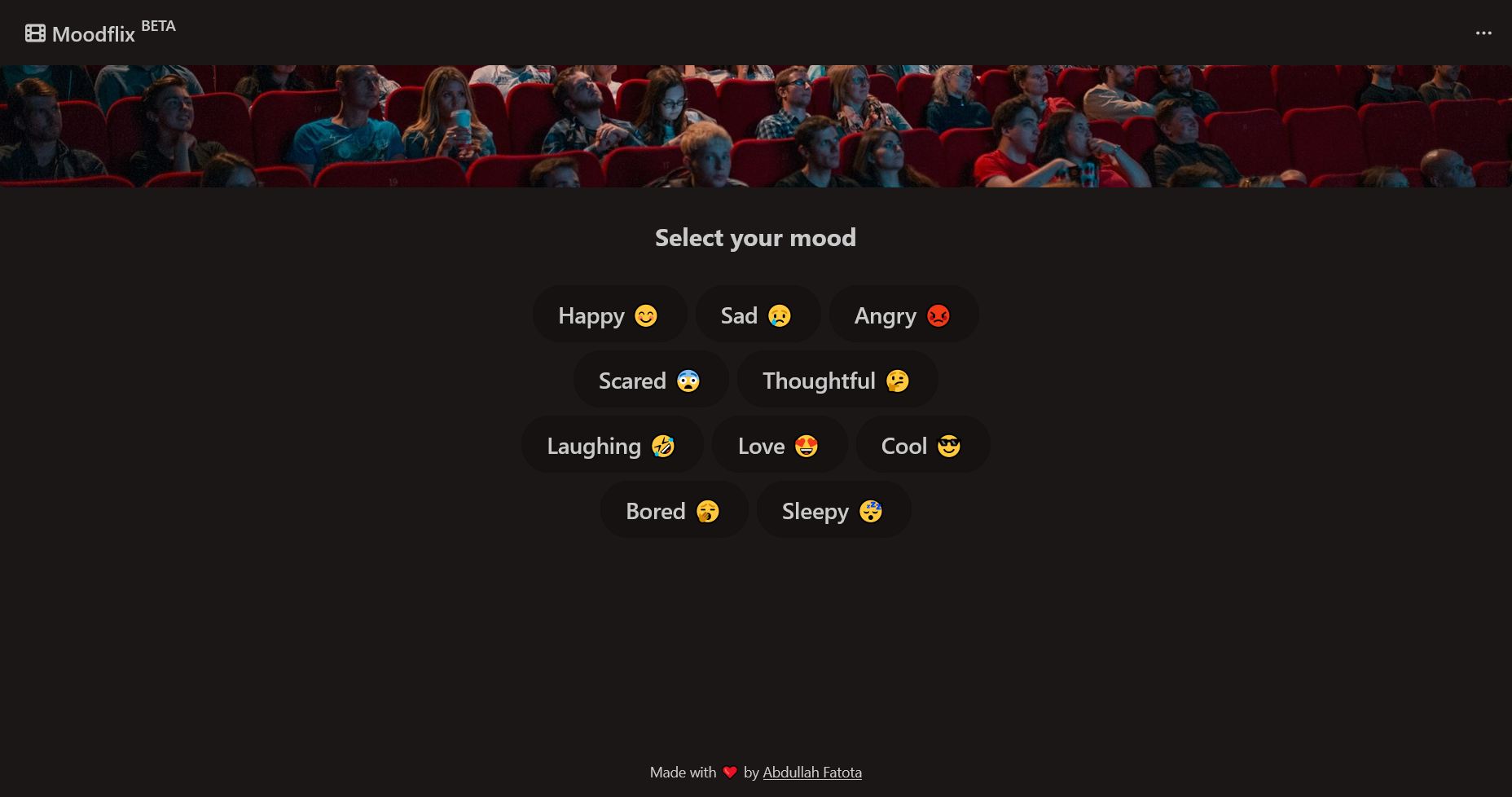
The user then selects the mood that best aligns with their emotional state and shortly after a list of recommended movies is displayed, each including poster image, production year, and plot summary, as well as a Copy button to copy the movie title into their system clipboard.
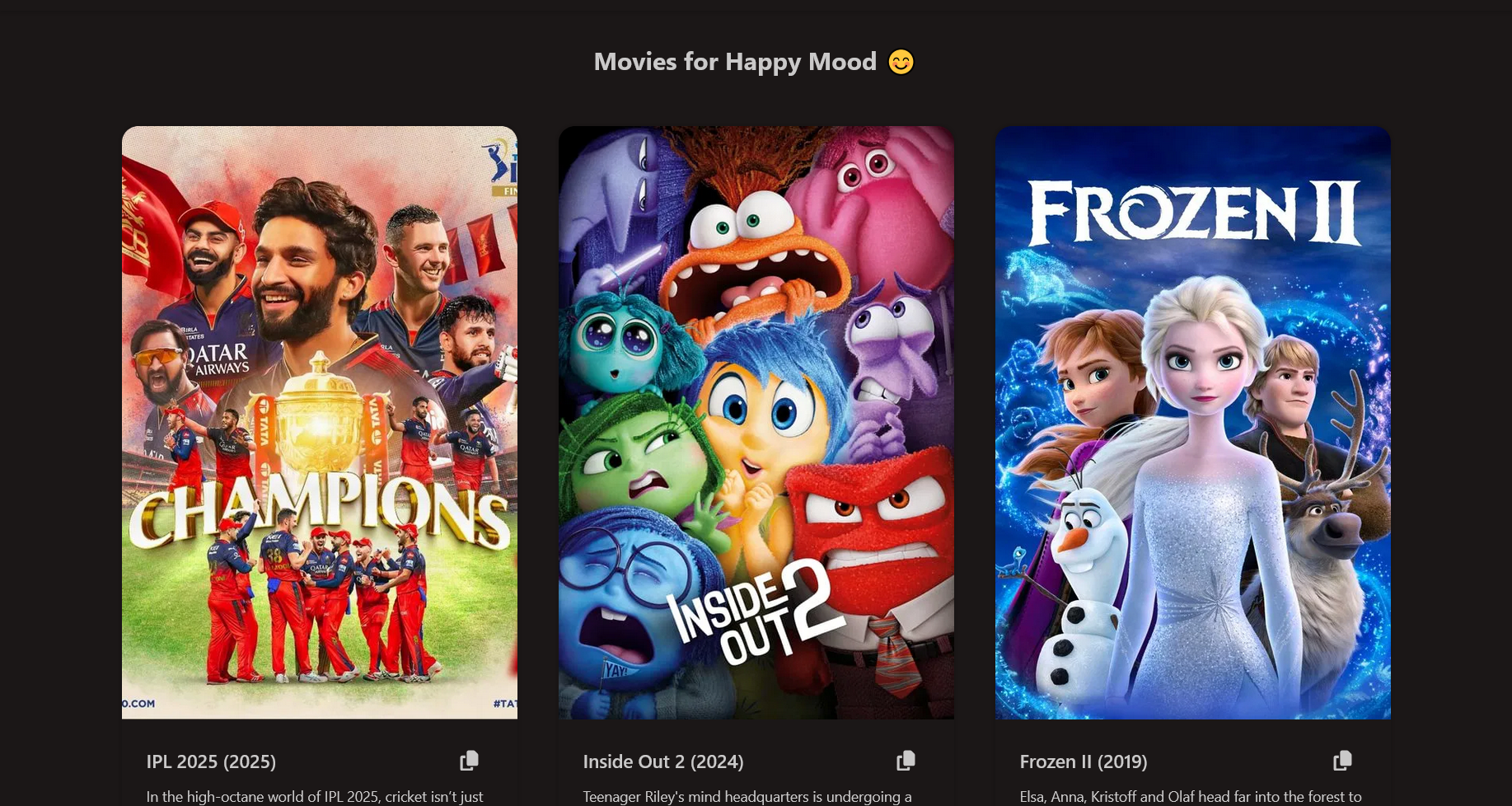
I opted for a straightforward algorithm that maps the user's mood to a specific movie genre. For example, selecting the "happy" mood shows Comedy movies. Here's the mapping:
- Happy mood 😊 → Comedy movies
- Sad mood 😢 → Drama movies
- Angry mood 😡 → Action movies
- Scared mood 😨 → Animation movies
- Thoughtful mood 🤔 → Documentary movies
- Laughing mood 🤣 → Comedy movies
- Love mood 😍 → Romance movies
- Cool mood 😎 → Action movies
- Bored mood 🥱 → Adventure movies
- Sleepy mood 😴 → Animation movies
The data source is the TMDB API, which requires registration using an email address, full name, and phone number, which I found to be a bit too much and invasive of privacy.
Because I'm not a UI designer, I followed best practices and used a predefined dark theme from the excellent DaisyUI package, which builds on top of TailwindCSS. This provides a visually appealing interface, with all the best practices for accessibility, all with minimal effort. The theme is called forest.
Unlike styling, I paid a premium to get the global app state management working properly. This is because I wanted a solution that scales regardless of the complexity of the application. While useState() is doable for such a small project, it introduces technical debt that compounds as changes are needed to the application. This is because the state or multiple needed states would have to be prop drilled across different components in the application, which is an error-prone process. useState is really meant for local component state management only.
React, unlike some other frameworks (Solid.js), doesn't include built-in global state handling. To address this, I chose Redux Toolkit. It centralizes the app's state, has a straightforward mental model for how to update the state, and allows components to access and update the state efficiently. The main drawback is the amount of boilerplate code still required to set it up.
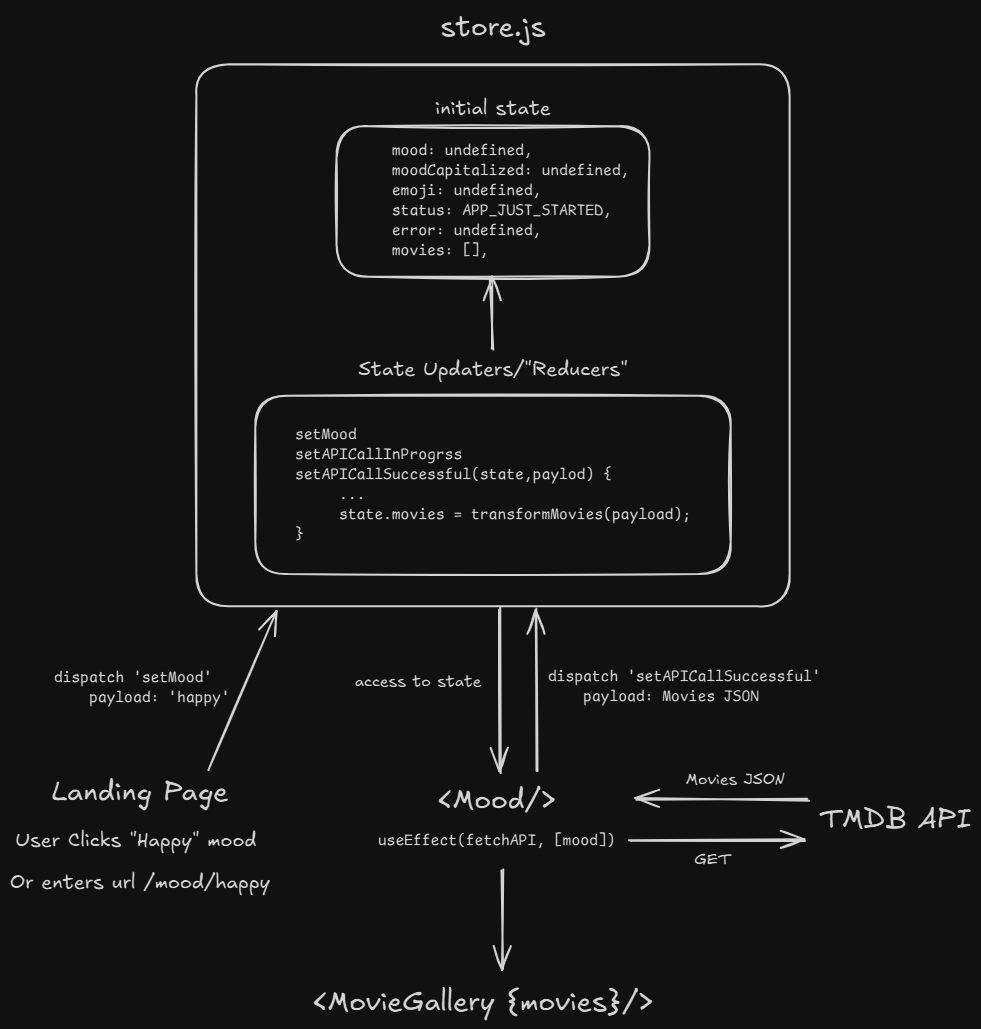
The workflow is illustrated below and mainly relies on useEffect() to call the API and update the central state whenever mood changes, which is then reflected immediately by all components which consume the state.
import { useParams } from "react-router-dom";
import { useSelector, useDispatch } from "react-redux";
import { useEffect } from "react";

/* API */
import { fetchMood } from "../api/fetchMood";

/* Update state */
import {
    setMood,
    clearMovies,
    setAPICallInProgrss,
    setAPICallErrored,
    setAPICallSuccessful,
} from "../app-state/store";

import {
    API_CALL_IN_PROGRESS,
    API_CALL_ERRORED,
    APP_JUST_STARTED,
    API_CALL_SUCCESSFUL,
} from "../app-state/constants/status";

import { MovieGallery } from "../components/movie/MovieGallery";
import { ErrorAlert } from "../components/ui/ErrorAlert";
import { FetchingMoviesLoader } from "../components/ui/FetchingMoviesLoader";

export const Mood = () => {
    const { mood } = useParams();
    const moodCapitalized = useSelector((state) => state.app.moodCapitalized);
    const emoji = useSelector((state) => state.app.emoji);
    const error = useSelector((state) => state.app.error);
    const movies = useSelector((state) => state.app.movies);
    const status = useSelector((state) => state.app.status);

    const dispatch = useDispatch();

    const fetchAPI = async () => {
        dispatch(setMood(mood));
        dispatch(setAPICallInProgrss());

        const { success, data, error } = await fetchMood(mood);

        if (success === false) {
            dispatch(setAPICallErrored(error));
            return;
        }

        dispatch(setAPICallSuccessful(data));
    };

    /* will run once and then every time `mood` changes */
    useEffect(() => {
        fetchAPI();

        /* run this cleanup function before every re-render */
        return () => dispatch(clearMovies());
    }, [mood]);

    return (
        <div className="flex flex-col justify-start py-[2rem] px-(--custom-spacing-md)">
            {
                {
                    API_CALL_IN_PROGRESS: <FetchingMoviesLoader />,
                    API_CALL_ERRORED: <ErrorAlert error={error} />,
                    API_CALL_SUCCESSFUL: (
                        <MovieGallery
                            movies={movies}
                            title={`Movies for ${moodCapitalized} Mood ${emoji}`}
                        />
                    ),
                }[status]
            }
        </div>
    );
};
While this might seem like an over-engineered solution, it pays off in the long run. It allows changes to be made independently to both components and the state handling in a predictable manner, without always worrying about the inherent complexity of state prop drilling.
Hosting is done on GitHub Pages, which is sufficient for this project.
- Frontend: React, React Router v7
- State Management: Redux Toolkit
- Business Logic: JavaScript
- Styling: Daisy UI, Tailwind CSS
- Data: TMDB API
In this article I outlined my implementation for an application which recommends movies based on the user's mood (Moodflix), covering everything from the user workflow and recommendation logic to state management and styling choices. I hope it will be helpful to someone looking to build a similar project or explore different ways of structuring a similar React app.
Enjoy 😉