Capture events to process as a neopixel color sequence.
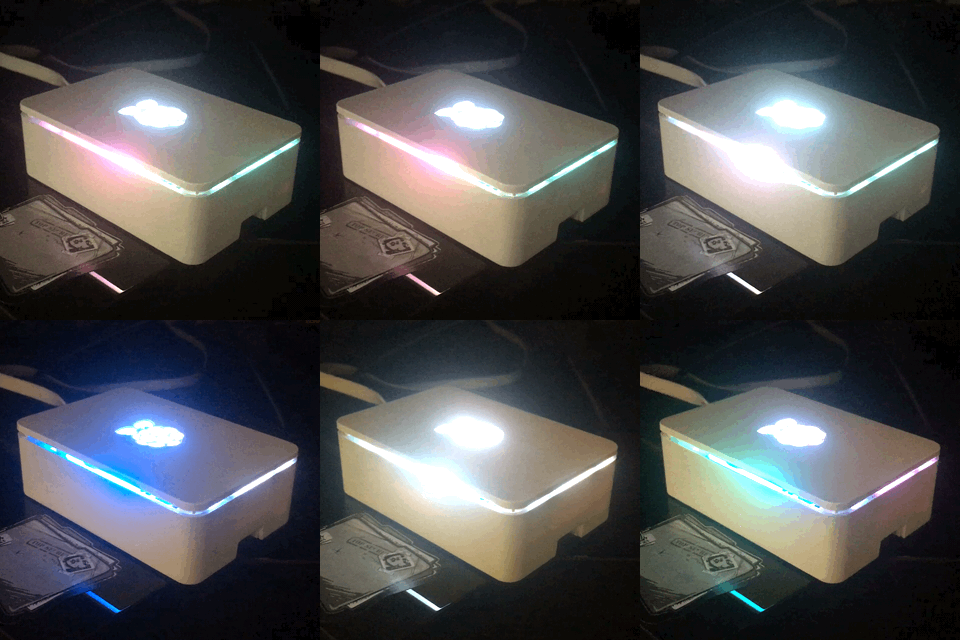
A new local session event, shown as a blue color wipe

NCurses Console

NCurses Console Help
Install dependencies
$ apt-get install build-essential python-dev git scons swig python-yamlInstall rpi_ws281x
$ git clone https://github.com/jgarff/rpi_ws281x.git
$ cd rpi_ws281x
$ scons
$ cd python
$ sudo python setup.py install$ git clone https://github.com/mgeitz/npstat.git $HOME/.npstatNPStat must be run as root
$ sudo python npstat.py -i [input_pin] -b [brightness 1-255] -l [led_count]All arguments are optional, defaults are sourced from config.yml
$ sudo python npstat.py -i 18 -b 200 -l 12$ sudo python npstat.py$ sudo python npstat.py --help| Argument | Description |
|---|---|
| -i or --input | Neopixel input pin |
| -b or --brightness | Starting brightness |
| -l or --leds | Neopixel LED count |
| -h or --help | Display usage |
| Command | Description |
|---|---|
| F2 | Set light profile to Status Indicator - wipe |
| F3 | Toggle breath |
| PgUp | Increase brightness |
| PgDn | Decrease brightness |
| F11 | Refresh screen |
| F12 | Toggle help display |
View the section on how to contribute