Yet another Minecraft-inspired experiment, in the browser. Online multiplayer (desktop / mobile) support, portals, cubic world, terrain generation and more.
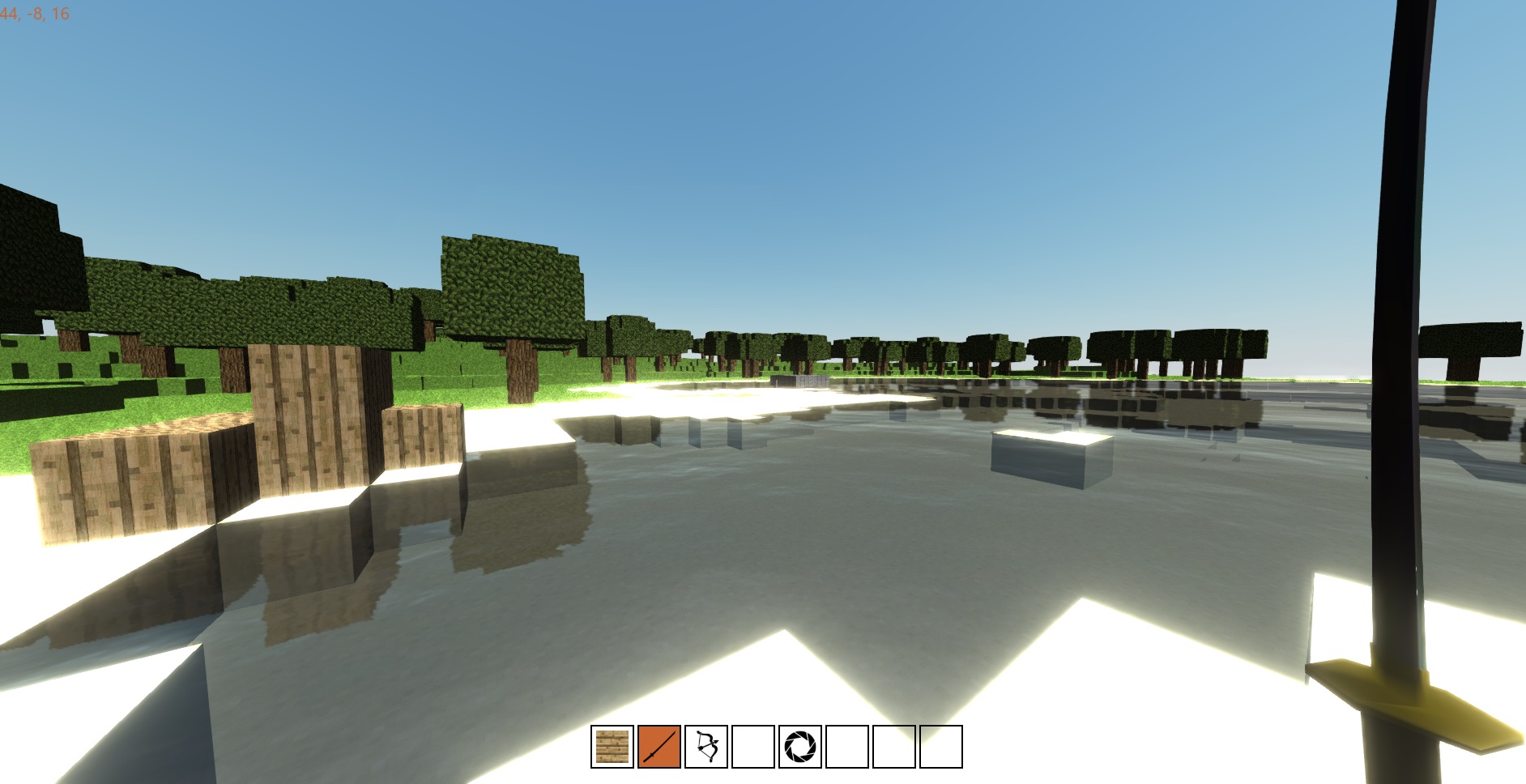
For players:
- Terrain generation: perlin noise (default) + initial support for voronoi-based fantasy map generation
- Day and night cycles
- Browser support: Chrome+Firefox+Edge
- Multiplayer support
- Player collision
- Infinite world in all directions
- 40+ different blocks
- (Experimental) Mobile support: Firefox
- (Experimental) Cubic world
- (Experimental) Real-time portals to other worlds
- (Experimental) Water reflection, shadows,
and too much bloom - No installation, you just need a browser!
For developers:
- Fast prototyping platform with Webpack
- 100% Javascript (NodeJS + client)
- Default option to bundle the server code within the client
- Netcode: client-server lockstep model with interpolation
- Netcode: bindings for SocketIO and WebRTC
- Build tasks with Gulp
- Testing (Mocha, Karma, coverage)
Hopefully this project can serve as a starting point for your custom SocketIO/WebRTC game!
| Parallel worlds | Cubic world |
|---|---|
 |
 |
| Shadow volume | Shadow map |
|---|---|
 |
 |
| Night cycle; arrow trail | Advanced generation |
|---|---|
 |
 |
| Entity collision | Mobile |
|---|---|
 |
 |
| Walking on the edge | Portal gun |
|---|---|
 |
 |
This is an experiment! Before it can be considered playable, some important features are missing:
- Audio
- Persistent world
- Cave generation with an appropriate lighting model
- Crafting system
- Content (mob meshes, behaviors, items)
-
Click on
I want to play at onceunderSolo modeto start a local server. -
Click on
Click to playto bind the mouse cursor. -
Controls:
mouseorright stickto look aroundWASD/arrow keysorleft stickto move,spacebarorcircleto jumpmouse wheel/page up/page downordpad left/dpad rightto select the current itemleft-clickorcrossto dig a block / use the current itemright-clickorsquareto add a blockshiftto sprint on desktop
Note on the portal gun:
- Only portals to other worlds supported
- Clicking on a block while holding the portal gun will spawn a portal perpendicular to it
Requirements:
- git (available here for Windows)
- node + npm (available here)
- (recommended) PowerShell for Windows or a Unix system
Installation:
git clone https://github.com/madblade/spix
cd spix
npm install
Dev Build:
npm run-script dev
- Rebuilds are automatic!
- Modify a client file, and Webpack rebuilds the client in 1-2s
- Modify a server file, and node rebuilds the server in 8-9s
To save server build time, set LOCALSERVER to false
in sever/config/express;
now Webpack should rebuild the server in 5-6s.
(but then you can only use sockets! to debug the server code,
you then need to start the gulp serve:debug in debug mode)
The easiest way to get the project running for multiplayer is to build a socket server.
Install the project (cf. Development.) and
optionally specify the port you
want in server/config/environment/production.
There you may specify the IP (changle localhost to :: for ipv6).
Then, run:
npm run-script build
The build should take ~20s to complete.
Be sure to specify a base in the generated index.html.
Then you can start a node instance with:
npm run-script prod
Clients may then connect with a browser to the deployed application.
This is a “for fun” project, but anyone is welcome to contribute.
Here are some minimal guidelines in case you want to do so:
-
Make sure your PR addresses a specific issue (or be so kind as to open an issue before you start working on it)
-
Make sure you properly run lints with
gulp lint:scripts -
Make sure the changes do not introduce performance issues (e.g. using the Chrome profiler)
-
Make sure you do not commit third-party code that’s not open-source
-
Ideally, write server/client tests and check the coverage:
gulp test
gulp coverage:server