

Every Item Has a Story.
Chronicles brings life to your server's items by automatically recording their history. From the moment a sword is forged to the legendary battles it fights, every significant event is tracked and stored. Players can view the history of their weapons, tools, and armor, turning ordinary items into legendary artifacts with their own unique lore.
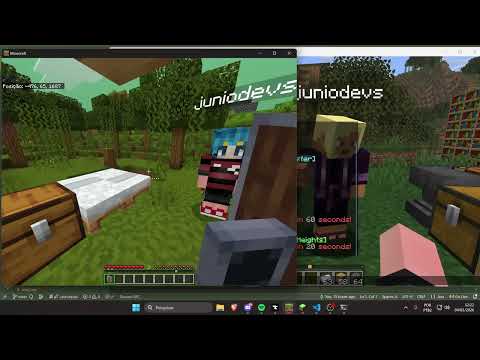
- Automatic Tracking: No manual input required. The plugin listens to events and updates item history automatically.
- Detailed History: Tracks a wide range of events:
- Creation: Crafted (
Forged by <player>) or Traded. - Upgrades: Enchanted, Renamed, or Repaired in an anvil.
- Combat: Records kills on Players and Bosses (Ender Dragon, Wither, Warden, Elder Guardian).
- Defense: Records when a Shield blocks a powerful attack or a Boss.
- Ownership: Tracks when items are given to other players, stolen from death drops, or found in the world.
- Creation: Crafted (
- Supported Items: Works with all Swords, Axes, Bows, Crossbows, Tridents, Shields, Elytra, Armor, and Tools (Pickaxes, Shovels, Hoes).
- Multi-Language Support: Comes with English and Portuguese (PT-BR) localization.
- Local Storage: Uses SQLite for lightweight and efficient data storage, no external database setup required.
- Download the latest
.jarfile from SpigotMC or the Releases tab. - Place the file in your server's
pluginsfolder. - Restart your server.
- The
config.ymlfile will be automatically generated inplugins/Chronicles/.
The config.yml file allows you to configure the plugin language.
# Language of the plugin messages
# Available: en (English), pt (Portuguese)
language: en| Command | Description | Permission |
|---|---|---|
/history |
Displays the full chronological history of the item in your main hand. | masterpl.history |
/lore |
Alias for /history. |
masterpl.history |
/chronicle |
Alias for /history. |
masterpl.history |
masterpl.history: Allows players to use the/historycommand to view item lore. (Default: true)
This project uses Maven for dependency management and building.
- JDK 17 or higher
- Maven installed
- Clone this repository:
git clone https://github.com/juniodevs/Chonicle-Plugin.git
- Navigate to the project folder:
cd Chonicle-Plugin - Build the project:
mvn clean package
- The compiled
.jarfile will be in thetarget/folder (e.g.,Chronicles-1.0-SNAPSHOT.jar).
This project is free and open to everyone! Any help is very welcome.
If you want to contribute code, fix bugs, suggest new features, or translate the plugin to other languages, feel free to open an Issue or submit a Pull Request.
This project is licensed under the MIT License - see the LICENSE file for details.