

Idolon is a powerful, client-side-first AI chat interface designed for immersive roleplay, storytelling, and assistance. It supports multiple AI providers (BYOK), real-time cross-device sync via Firebase, and rich multimedia features like image generation and text-to-speech.
Idolon is fully open-source and free. There are no paywalls or locked features. You bring your own API keys, and you own your data.
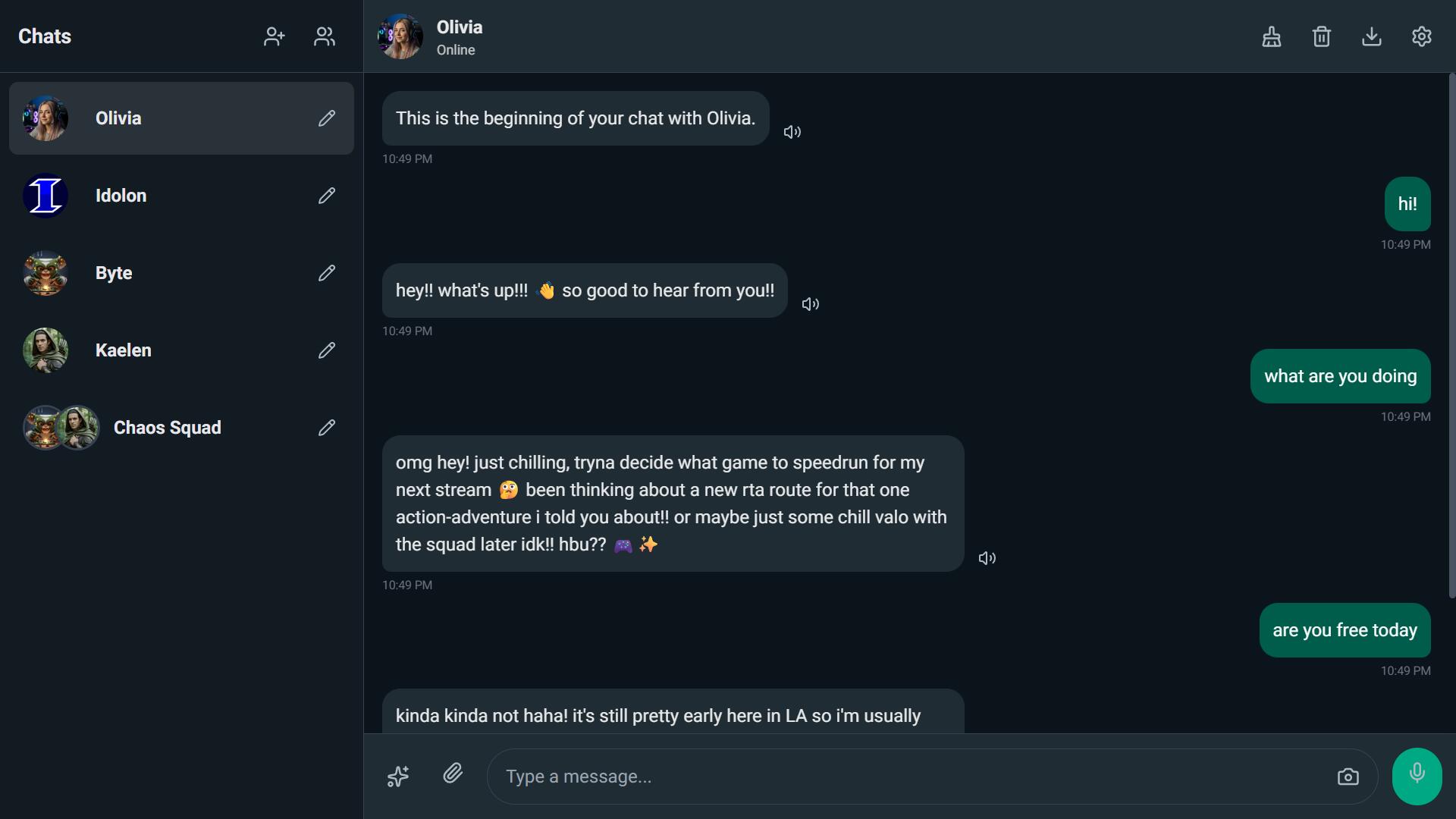
Connect to your favorite LLMs using your own API keys:
- Google Gemini: (Recommended) Supports high-context, image analysis, and image generation.
- Groq: Blazing fast inference for Llama and Mixtral models.
- OpenRouter: Access to Claude 3, GPT-4, and hundreds of other models.
- Electron Hub & Cerebras: Support for specialized high-speed endpoints.
- Custom Models: Manually add specific model IDs for supported providers.
- Character Cards: Create detailed personas with names, avatars, and specific behavioral instructions.
- Group Chats: Create groups where multiple AI characters interact with you and each other.
- Adventure Mode: A dedicated Game Master mode that presents interactive choices and narrates outcomes.
- Roleplay Mode: Specialized formatting for actions (
*asterisks*) and dialogue. - Multimedia:
- Text-to-Speech (TTS): Characters can read their messages aloud (requires Gemini).
- Image Generation: Ask the AI to "send a selfie" or generate a scene (requires Gemini).
- Vision: Upload images for the AI to analyze.
- Local First: By default, all data is stored in your browser's Local Storage.
- Cloud Sync: Sign in with Google or Email to encrypt and sync your chats, characters, and settings across all your devices in real-time.
- Encrypted: Chat history sent to the cloud is encrypted client-side before storage.
- Full Backup: Automatically backs up all existing local characters to the cloud immediately upon first login.
- Themes: Choose from Idolon (Default), iMessage, WhatsApp, Messenger, and more.
- Dark/Light Mode: Fully supported system-wide theming.
- User Persona: Define your own persona so the AI knows who it is talking to.
To run Idolon yourself, you need to link it to your own Firebase project. This handles authentication and database synchronization.
- Go to the Firebase Console.
- Click Add project and give it a name (e.g., "my-idolon-chat").
- Disable Google Analytics (optional, makes setup faster).
- Click Create Project.
- In the Firebase sidebar, go to Build -> Authentication.
- Click Get Started.
- Enable Google (requires setting up a support email) and Email/Password.
- Enable Anonymous sign-in (optional, for guest mode).
- In the sidebar, go to Build -> Firestore Database.
- Click Create Database.
- Choose a location (e.g.,
nam5for US). - Start in Production Mode.
To ensure users can only access their own data, go to the Rules tab in Firestore and paste this exact code:
rules_version = '2';
service cloud.firestore {
  match /databases/{database}/documents {
    // Allow users to read/write only documents where the ID matches their Auth UID
    match /users/{userId}/{document=**} {
      allow read, write: if request.auth != null && request.auth.uid == userId;
    }
  }
}
Click Publish.
- In the Project Overview (Home icon), click the Web (</>) icon to add a web app.
- Give it a nickname.
- Copy the
firebaseConfigobject provided. It looks like this:const firebaseConfig = { apiKey: "AIzaSy...", authDomain: "...", projectId: "...", storageBucket: "...", messagingSenderId: "...", appId: "..." };
- Open
app.jsin this repository. - Replace the existing
const firebaseConfig = { ... };block at the very top of the file with your own configuration.
You can run the app using any static file server.
- VS Code: Install the "Live Server" extension, right-click
index.html, and choose "Open with Live Server". - Python: Run
python -m http.serverin the directory. - Vercel/Netlify: Simply upload the folder to deploy it to the web for free.
- Open Settings: Click the gear icon in the top right.
- Add API Key: Select your provider (e.g., Gemini, Groq) and paste your API key.
- Tip: Gemini keys are free via Google AI Studio.
- Create a Character: Click the
+User icon in the sidebar. Fill in the name and persona, or use the "Enhance" button to have AI write the profile for you. - Start Chatting: Send a message!
- Sync: Click "Sign In" in settings to back up your characters to your new Firebase cloud.
Contributions are welcome! Please feel free to submit a Pull Request.
This project is licensed under the MIT License - see the LICENSE file for details.