
Postcardify is an English vocabulary learning app styled like postcards. It contains words with picture, categorized by language level and various usage examples.

Built as a Nx monorepo, it consists of:
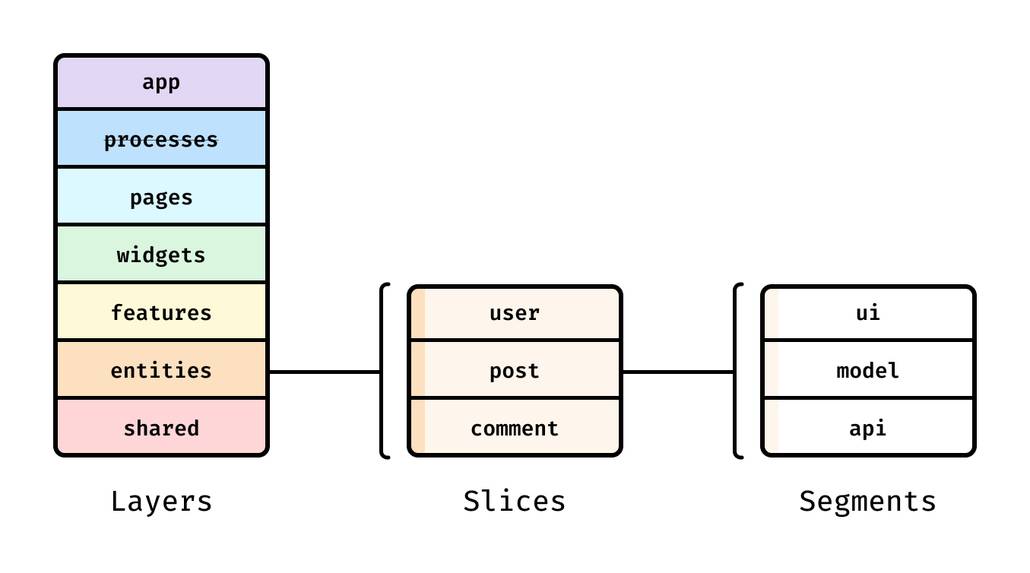
- Frontend: Angular 19 application with future-sliced design and MaterialUI
- Backend: NestJS API with JWT authentication
- Database: PostgreSQL with Prisma ORM
- Serverless: AWS Lambda + DynamoDB for exercises
- 6000+ categorized words (A1-C1 levels)
- Interactive vocabulary cards
- Postcard images from Unsplash
- Spaced repetition exercises (in progress)
- Progress tracking (in progress)
🔒 JWT Authentication
📚 Swagger API documentation
🚀 Auto-generated frontend services from OpenAPI spec
📦 Dockerized infrastructure
⚡ AWS Lambda integration for exercises
- Node.js v20+
- Docker & Docker Compose
- NPM 10+
git clone https://github.com/ctrl-break/postcardify.git
cd postcardify
npm install

make init-db # Initialize containers and set env variables# Start backend
make dev-api
# Start frontend (in separate terminal)
nx serve frontAccess services at:
- Frontend: http://localhost:4200
- API : http://localhost:3000/api/v1
postcardify/
├── apps/
│   ├── api/         # NestJS backend
│   └── front/       # Angular 19 frontend
└── db/              # Database scripts
{
    "format": "Format all TS/HTML/SCSS files",
    "format:words": "Format words generated by ChatGPT",
    "generate-api": "Generate frontend services from Swagger spec"
}| Command | Description |
|---|---|
make deploy-api |
Build & push API container with date tag |
make deploy-front |
Build & push frontend container |
make build-api |
Production build of API |
make stop |
Stop all running containers |
# Deploy both services
make deploy-api
make deploy-front

# Expected tag format: yymmddXX (e.g. 240715ab)Ensure these are set in .env:
# Created by script
DATABASE_NAME=''
DATABASE_USER=''
DATABASE_PASS=''
DATABASE_PORT=''
DATABASE_URL=''
JWT_SECRET=''
# UNSPLASH integration
UNSPLASH_ACCESS_KEY='xxx-yyy-zzz'Access Swagger UI at http://localhost:3000/swagger when API is running.
- Future-sliced design methodology
- NGRX Signals state management
- Auto-generated services from Swagger:
// Example generated service usage
this.apiService.words.getWordDetails(id).subscribe(...);