This is a simple HTML page you can run locally to bring multiple Joel Real Timing (JRT) [1] pages into a single view. JRT is a great utility for sim racing that is often used on a secondary display. This page requires JRT to function.
[1] https://joel-real-timing.com
This page uses iframes [2] to bring in any number of individual JRT pages running locally on your PC. As designed, it assumes a 2560x1440 display. The height and width of each JRT page is calculated from that resolution. If you're using any other resolution, you'll need to calculate the height and width for each iframe based on your setup.
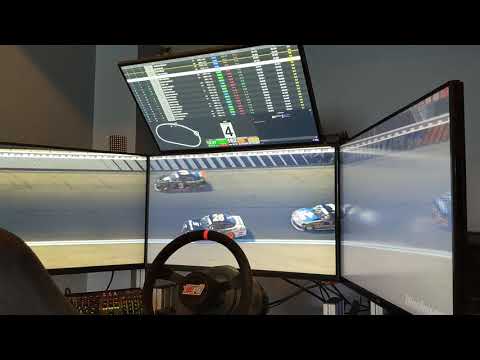
As designed, the page shows 3 JRT pages and my Twitch chat. Timing is shown in the top row. The second row is broken into three columns. From left to right, trackmap, dashboard, and Twitch chat.
-
If you do want to use Twitch chat, you'll need to change the channel name to yours.
-
If you don't need or want Twitch chat, there's a commented out iframe for dashboard2. You can use that, or just remove that iframe and recalculate the width of the other two iframes in that row.
As you have probably noticed by now, this page is completely customizable. You can swap in any JRT page, or really any page at all. You can change the heights and widths of each, make new columns/rows, and make this exactly what you need while you're racing.
If you want to edit what is displaying within each individual JRT page, you would do that as you normally do through the JRT config page. Those changes will automatically display in this page as you make them.
YouTube

[2] https://www.w3schools.com/html/html_iframe.asp
- On the Windows desktop, right-click, and choose "New -> Text Document".
- Name the file "JRT-Multi-Display.html", removing the ".txt" included by default.
- Open the file you just created in a text editor. Notepad works.
- Copy all of the contents of this page (https://github.com/chrisstewart/JRT-Multi-Display/blob/master/JRT-Multi-Display.html) into your new file.
- Save and close your text editor.
- Start JRT on your PC.
- Double-click on "JRT-Multi-Display.html" to open it in your web browser.
- Press F11 to full screen the browser on your secondary display.
A simple virtual fist bump is appreciated. If you're enjoying this page, please come by and tell me about it on my YouTube channel, https://youtube.com/@ChrisStewartTV.
Come up with an awesome implementation you want to share with the sim racing community? Create a pull request with your HTML page, or get in touch with me. It would be great to see a number of HTML pages with different configurations people can choose from.
I'm not affliated with JRT. I made this file for my own use and as others have seen it and asked how, I figured I'd share it with the sim racing community. I did reach out to Joel, of JRT, and received his blessing to share this with the community. Enjoy!