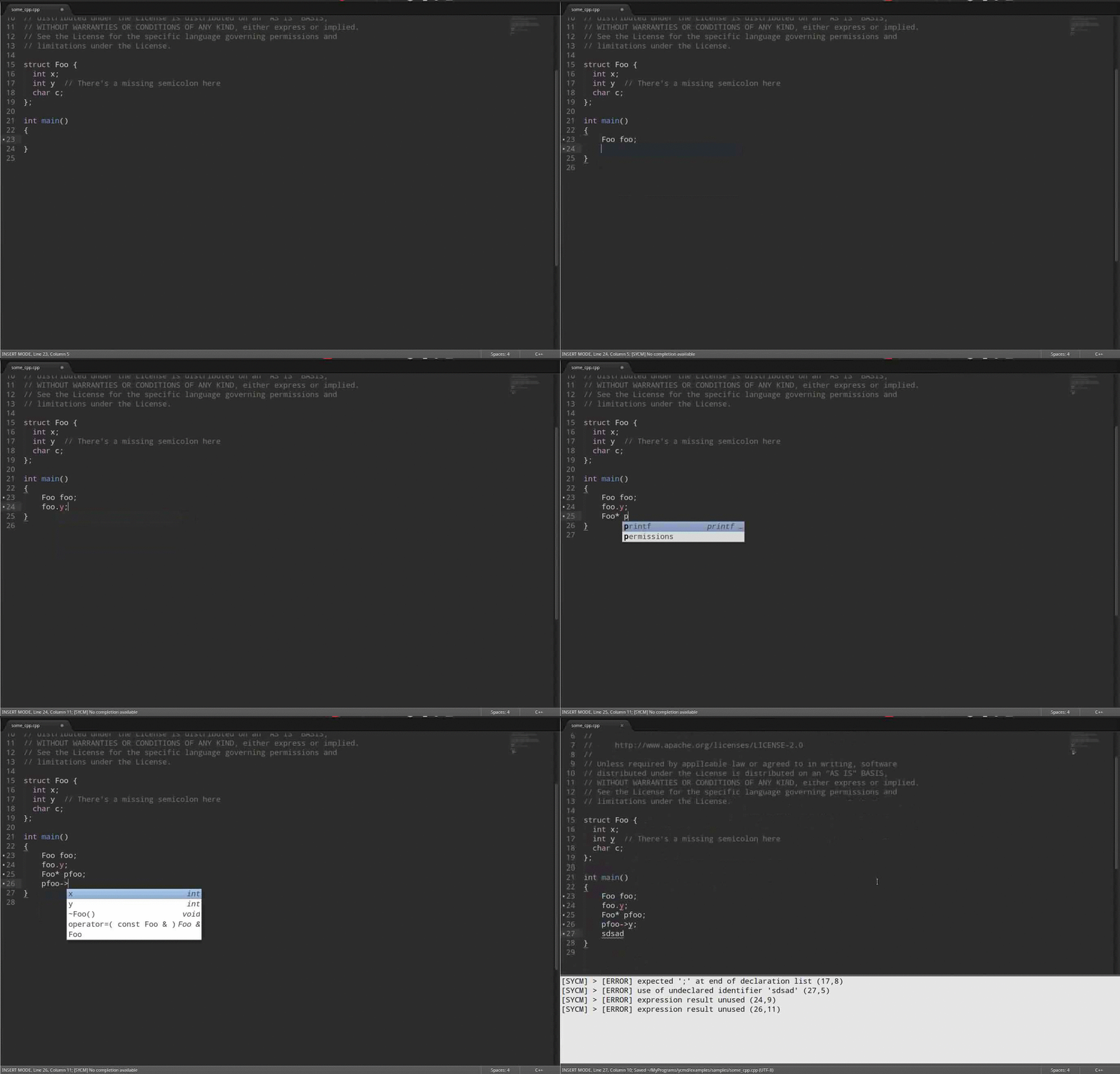
This is a Sublime Text 3 plugin aims at providing C/C++ IDE features such as semantic code completion, error highligting, goto definition and more. YCMD is used as the backend server.
ONLY TESTED ON UBUNTU
- Semantic code completion
- Provide semantic completion proposals on
.,->and::, done - Variable type indicator, not yet
- Provide semantic completion proposals on
- Error highligting
- Show error hints in code, done
- Show errors in panel, done
Jump to corresponding error in source when clicking problems panel, not yet.It seems ST3 wouldn't call on_selection_modified for output panel, so this feature can't be implemented. Maybe a detour will apply.
- Goto definition, done
YCMD is partially written in C/C++, so you must compile YCMD on your platform yourself or get a pre-compiled version. Then you need to set ycmd_path and python_path in settings.
In your ycmd_path directory, following files are necessary:
ycmd/
third_party/
libclang.so
ycm_client_support.so
ycm_core.so
Windows x64 Install Guild provides an approach for Windows users to get compiled ycmd.
Ubuntu amd64 users can find compiled ycmd here. https://github.com/glymehrvrd/CppYCM/tree/compiled-ycmd.
To enable prompt on ., -> and ::, you need to add the following configure to your sublime setting. Or create a file named C++.sublime-settings in Packages/User with following as its content.
"auto_complete_triggers":
[
    {
        "characters": ".:>",
        "selector": "source.c++ - string - comment - constant.numeric"
    }
]Ycmd uses .ycm_extra_conf.py to get compilation flags and other information. See c-family-semantic-completion-engine-usage for details.
C++YouCompleteMe will try to load .ycm_extra_conf.py from the directory holding the opened file and all directories above it. If .ycm_extra_conf.py is not found, all functions will NOT work.
Copyright 2015 Glyme Water. Licensed under the MIT License.