


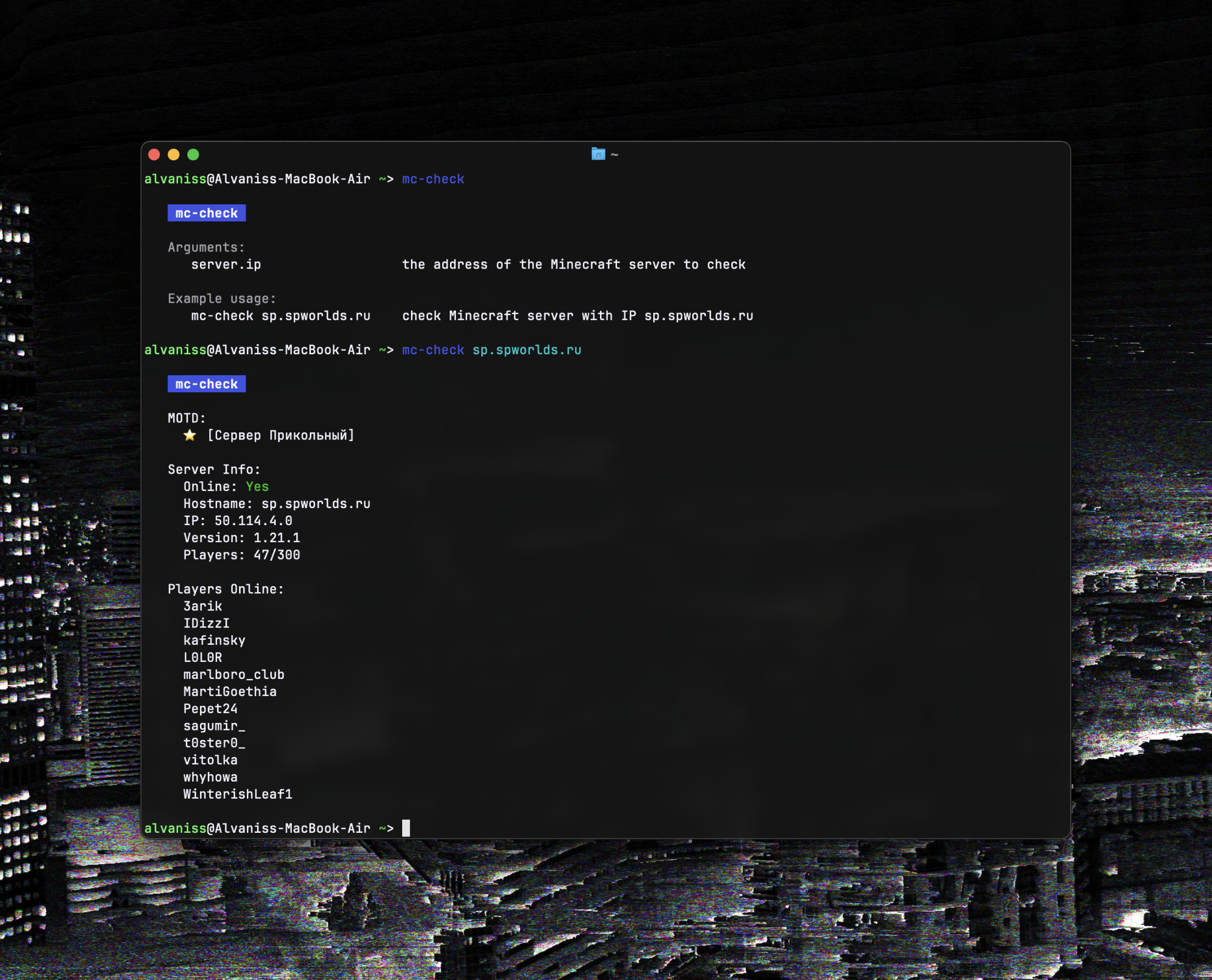
mc-check is a command line tool that allows you to quickly get a lot of information about the Minecraft server you need. The information you get is similar to what you see when you add a server to the server list in the game, but in a more convenient format.
- Confirmed supported platforms:
- macOS
- Windows
- Linux
Above are the platforms on which I have personally tested mc-check working. It might work on X or Y as well, I just don't know for sure.
- Dependencies:
Install homebrew
brew tap alvaniss/mc-check https://github.com/alvaniss/mc-check
brew update
brew install mc-checkpip install mc-checkpip install mc-checkMany Linux distros have recently switched to disabling pip, so this method may not work for your system. In that case, consider the other options listed below.
pip install mc-checkInstall pipx
pipx install mc-checkInstall Poetry
poetry install mc-checkChecking Minecraft server with IP sp.spworlds.ru:
mc-check sp.spworlds.ru- Add README to pypi page
- Update API from v2 to v3
API used for all requests is taken from Minecraft Server Status