A simple C# .NET QAChat app to use with OpenAI's GPT-3.5 API.
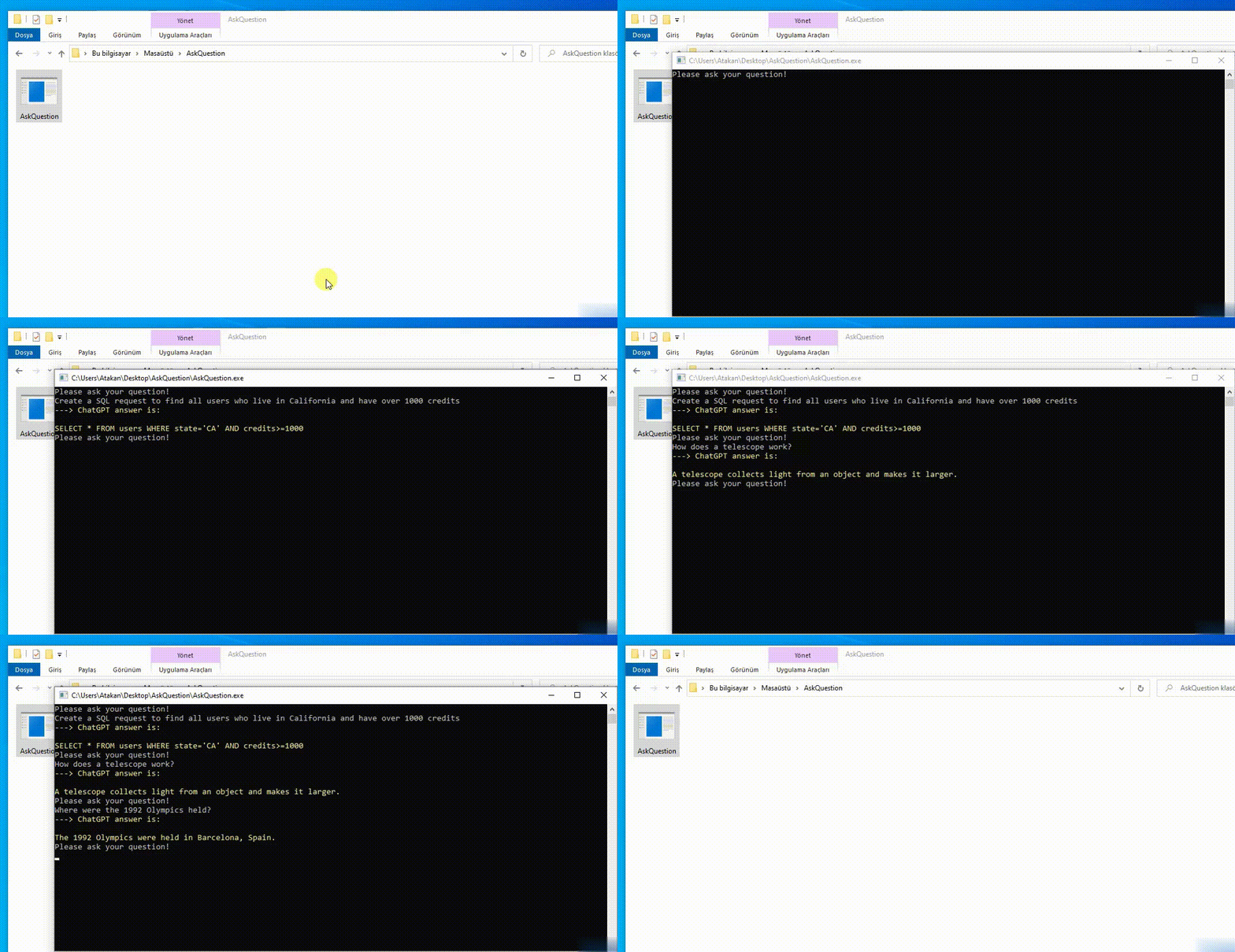
This library is based on .NET Core 6.0, so it should work across .NET Framework >=4.7.2 and .NET Core >= 3.0. It should work across console apps, winforms, wpf, asp.net, etc. It should work across Windows, Linux, and Mac, although I have only tested on Windows so far.
Install package OpenAI from Nuget. Here's how via commandline:
Install-Package OpenAITo provide Authentication to OpenAI:
- Log in OpenAI web site
- Go to Personal / View API Keys page
- Create new secret key and copy it
- Add user secrets management to your project as shown in figure below
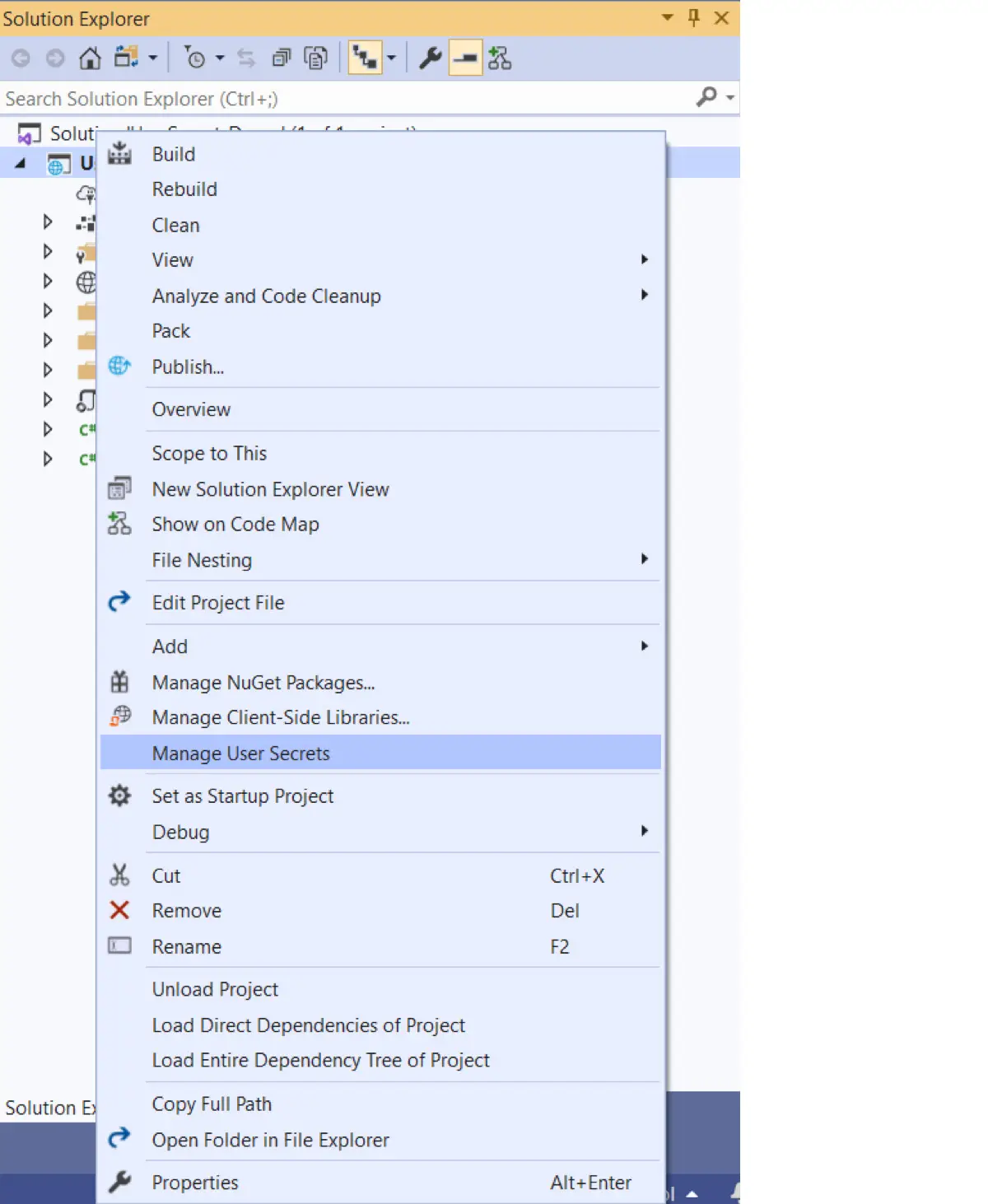
- Create APIKey-Value pair in secret.json file
{
  "APIKey": "INSERT YOUR API KEY HERE"
} Bundling all application-dependent files into a single binary provides an application developer with the attractive option to deploy and distribute the application as a single file. For details: Single-file deployment and executable
According to this logic, I convert the QAChat App to a single-file executable in below steps.
- Add below code blog to App csproj file
<Project Sdk="Microsoft.NET.Sdk">

  <PropertyGroup>
    <OutputType>Exe</OutputType>
    <TargetFramework>net6.0</TargetFramework>
    <PublishSingleFile>true</PublishSingleFile>
    <SelfContained>true</SelfContained>
    <RuntimeIdentifier>win-x64</RuntimeIdentifier>
    <PublishReadyToRun>true</PublishReadyToRun>
  </PropertyGroup>

</Project>- Run
dotnet publish -r win-x64
You can find your executable file in ...\AskQuestion\AskQuestion\bin\Debug\net6.0\win-x64 folder (it can change depend on your file structure)