


It includes:
- ✅ README
- ✅ Installation Guide
- ✅ Features List
- ✅ Usage Manual (per tab)
- ✅ Legal & Safety Notes
- ✅ Requirements
- ✅ Troubleshooting
- ✅ Author & Credits
A GUI‑based Wi‑Fi learning and testing toolkit created by Mohammed Zahid Wadiwale 🌐 https://www.webaon.com
Wi‑Fi Lab Controller is an educational GUI toolkit that allows you to experiment with Wi‑Fi functions safely on your own equipment.
It is made for:
- Raspberry Pi
- Parrot OS
- Kali Linux
- Ubuntu (with wireless tools installed)
- Any Linux system with aircrack‑ng, hostapd, dnsmasq, and NetworkManager
❗ This tool is strictly for lab experiments on your own Wi‑Fi network.
It does NOT include any malicious intent — all functions require manual confirmation and can be restored with the End Attack / Restore Normal button.
Install required dependencies:
sudo apt update
sudo apt install python3 python3-tk aircrack-ng hostapd dnsmasq network-manager xdg-utils
Clone your repository:
git clone https://github.com/ZahidServers/WiFi-Lab-Controller.git
cd Wifi-Lab-Controller
cd wifilab
Run:
sudo python3 app.py(root or sudo required)
sudo apt update
sudo apt install -y python3 python3-tk aircrack-ng hostapd dnsmasq network-manager xdg-utilspip install wifilabIf you see:
error: externally-managed-environment
Use pipx or a virtual environment:
sudo apt install pipx
pipx ensurepath
pipx install wifilab
wifilabpython3 -m venv venv
source venv/bin/activate
pip install wifilab
python -m wifilabpip install wifilab --break-system-packageswifilabor
python -m wifilab| Feature | Description |
|---|---|
| Mode 1 — Safe Disconnect + Fake AP | Restarts Wi‑Fi + starts your test AP |
| Mode 2 — Fake AP Only | Runs hostapd & dnsmasq |
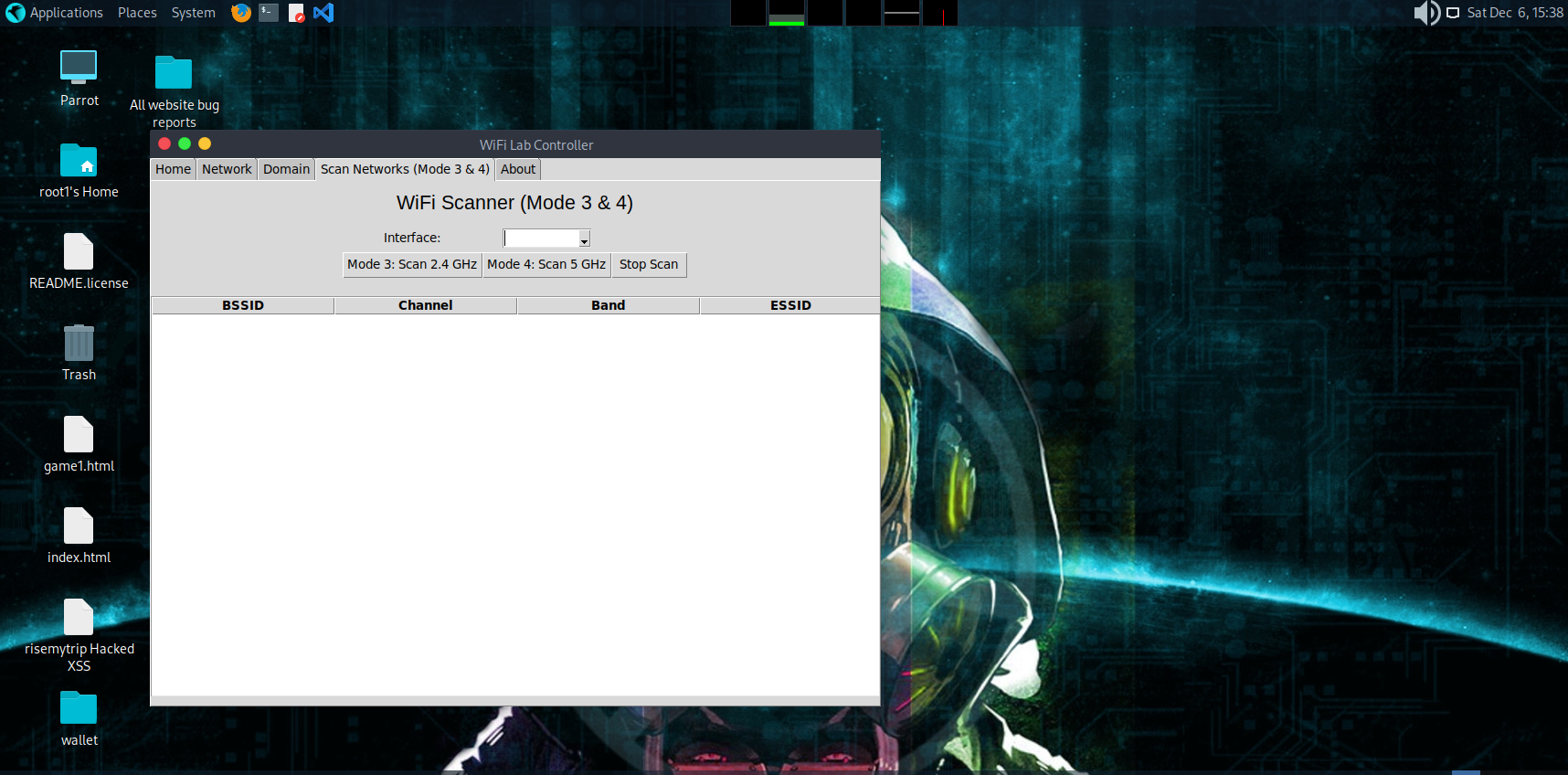
| Mode 3 — Scan 2.4 GHz | Monitor mode + airodump scan + DeAuth |
| Mode 4 — Scan 5 GHz | Monitor mode + airodump scan + DeAuth |
| Network Table | Shows BSSID, Channel, Band, ESSID |
| Click-to-Select Networks | User must confirm selection |
| Automated Restore System | Stops AP, clears dnsmasq, flushes iptables |
| Domain Redirection | Add dnsmasq rules easily |
| NAT Routing | Enable local routing for fake AP |
| About Tab | Credits, website links, support info |
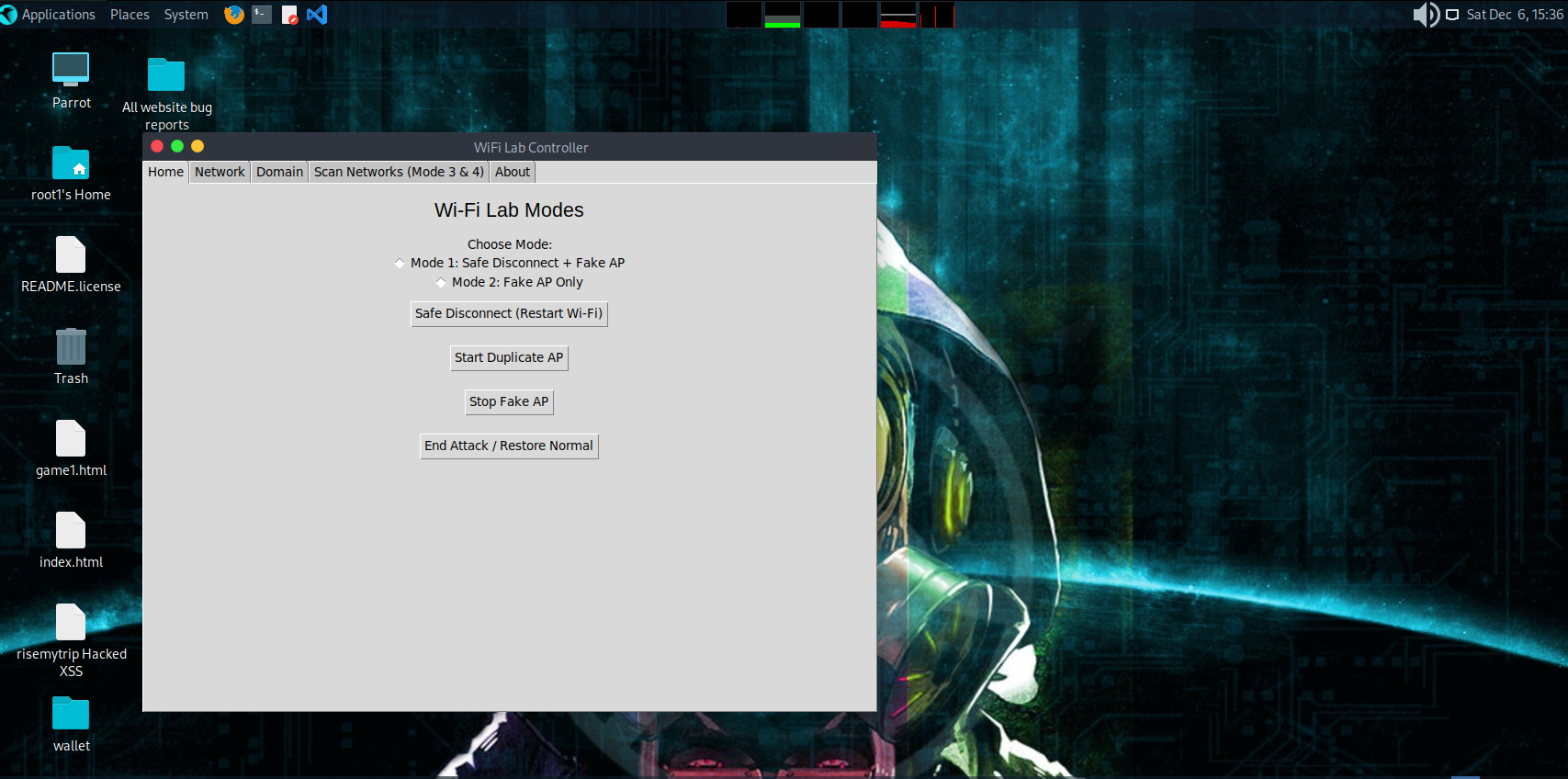
- Restarts Wi‑Fi interface
- Starts your configured hostapd fake AP
- Starts dnsmasq DHCP
Starts hostapd + dnsmasq without restarting Wi‑Fi.
Equivalent to:
ip link set wlan0 down
sleep 2
ip link set wlan0 upStarts hostapd & dnsmasq.
Stops hostapd & dnsmasq.
Restores EVERYTHING to default:
✔ Stops fake AP ✔ Stops dnsmasq ✔ Clears dnsmasq.conf ✔ Flushes iptables ✔ Restarts Wi‑Fi ✔ Restarts NetworkManager
If anything breaks, this button fixes it.
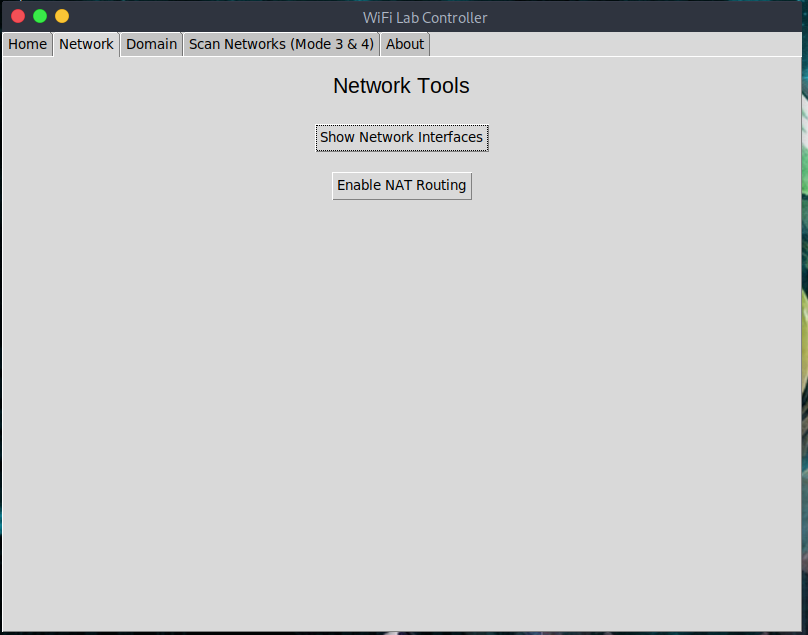
Runs:
ip aAdds a MASQUERADE rule for sharing internet:
iptables -t nat -A POSTROUTING -o eth0 -j MASQUERADE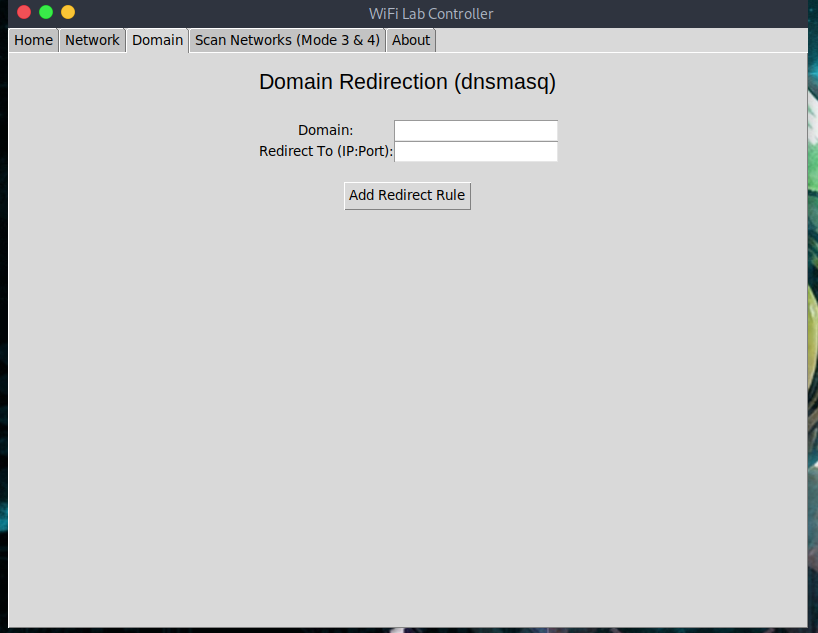 Used for local DNS experiments.
You can add:
address=/example.com/192.168.1.10
Useful for:
- Phishing lab practice (on your own machines only)
- Local DNS tests
- Redirecting domains to internal servers
After adding a rule, dnsmasq restarts automatically.
Your Wi‑Fi card must support:
- Monitor Mode
- Packet injection
(usb cards: Alfa, TP‑Link T2U, T9UH, AC600, etc.)
| Mode | Function |
|---|---|
| Mode 3 | Scans 2.4 GHz (bg band) |
| Mode 4 | Scans 5 GHz (a band) |
- Puts interface into monitor mode via airmon-ng
- Runs airodump‑ng
- Reads output CSV in live mode
- Updates table automatically every 2 seconds
- Auto‑stops after 10 seconds unless manually stopped
When you click a row:
A CONFIRM BOX appears:
Do you want to select this network?

Interface: wlan0
BSSID: XX:XX:XX:XX
Channel: 6
Band: 2.4
ESSID: MyWifi
If user clicks OK:
- Channel is set
- (Optional/Disable) deauth function runs if enabled
If user clicks Cancel:
- Nothing happens
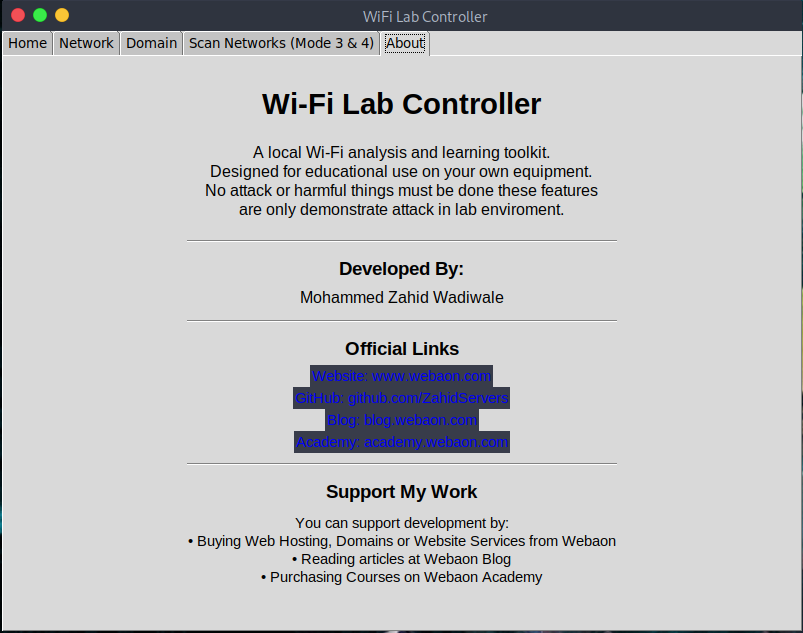 Contains:
- App description
- Author info
- Website links
- GitHub
- Blog
- Academy
- Support information
- Copyright
This toolkit is for EDUCATIONAL & LAB USE ONLY.
You MUST:
✔ Only test on your own Wi‑Fi ✔ Not use on public Wi‑Fi ✔ Not test on neighbors, hotels, offices, or any unauthorized network
The tool includes features that demonstrate how Wi-Fi attacks work — they are meant for cybersecurity learning only.
- Linux OS
- Python 3
- Python tkinter
- aircrack-ng
- hostapd
- dnsmasq
- xdg-utils
- Wireless card supporting monitor mode / AP mode
Solutions:
- Replace with your interface name (use
ip a) - Many systems use
wlp3s0,wlan1, etc.
-
Use compatible wireless adapter
-
Try:
sudo airmon-ng check kill
Check hostapd.conf and dnsmasq.conf syntax.
Click End Attack / Restore Normal.
Developed by:
- 🌐 Website — https://www.webaon.com
- 💻 GitHub — https://github.com/ZahidServers
- 📰 Blog — https://blog.webaon.com
- 🎓 Academy — https://academy.webaon.com
- Hosting
- Domains
- Websites
- Cybersecurity services
- Courses