


ExifPlus is a versatile and user-friendly metadata viewer and editor for image and video files. It allows you to view and modify EXIF, IPTC, and XMP metadata, making it an essential tool for photographers, videographers, and anyone who needs to manage media metadata easily. With a sleek GUI powered by ttkbootstrap and advanced functionality through libraries like pyexiv2, hachoir, and exifread, ExifPlus makes it simple to interact with file metadata in just a few clicks.
ExifPlus is a modern and intuitive tool designed for managing metadata in image and video files. Whether you're a photographer looking to adjust your photo's metadata or a content creator dealing with video files, ExifPlus offers powerful features to read and modify various types of metadata like EXIF, IPTC, and XMP.
- Read and Edit EXIF, IPTC, XMP and other metadata from images and videos. (Right Now Windows doesnt support Edit mode, also doesnt Supports IPTC and XMP.)
- User-friendly GUI built with
tkinterandttkbootstrapfor a sleek and responsive interface. - Supports multiple media formats including
.jpg,.png,.tiff,.heic,.mp4,.avi,.mov, and.mkv. - Batch processing to edit metadata across multiple files (future versions).
- Save changes to metadata and overwrite the original file.
- Context Menu with an option to delete rows of metadata for easy data management, or add new rows.
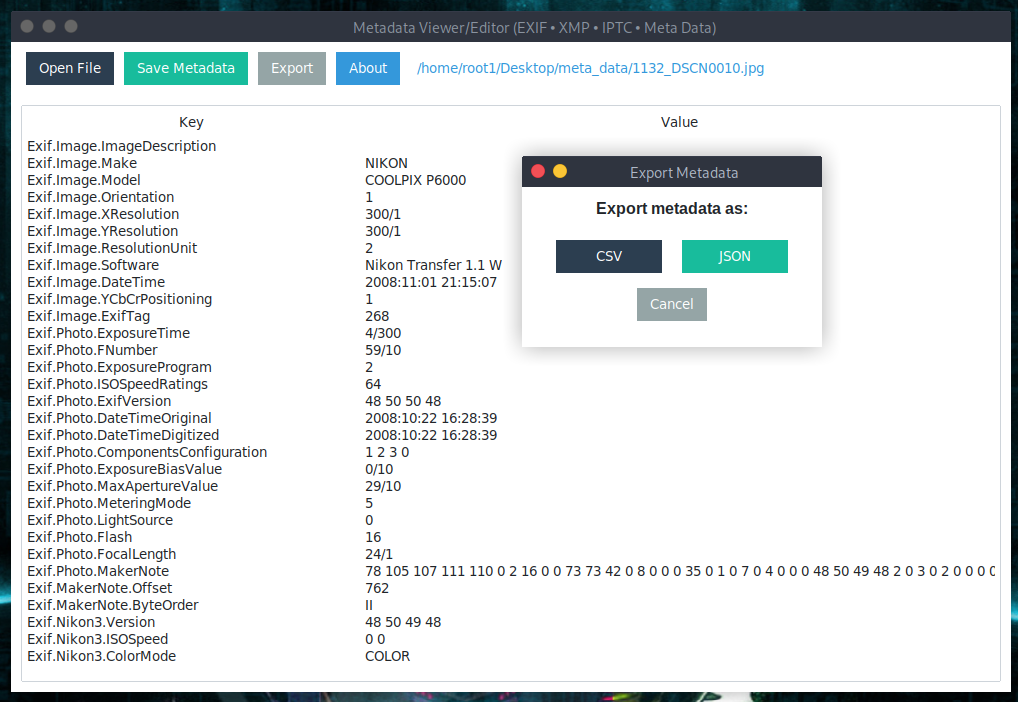
- Export the data as CSV or JSON
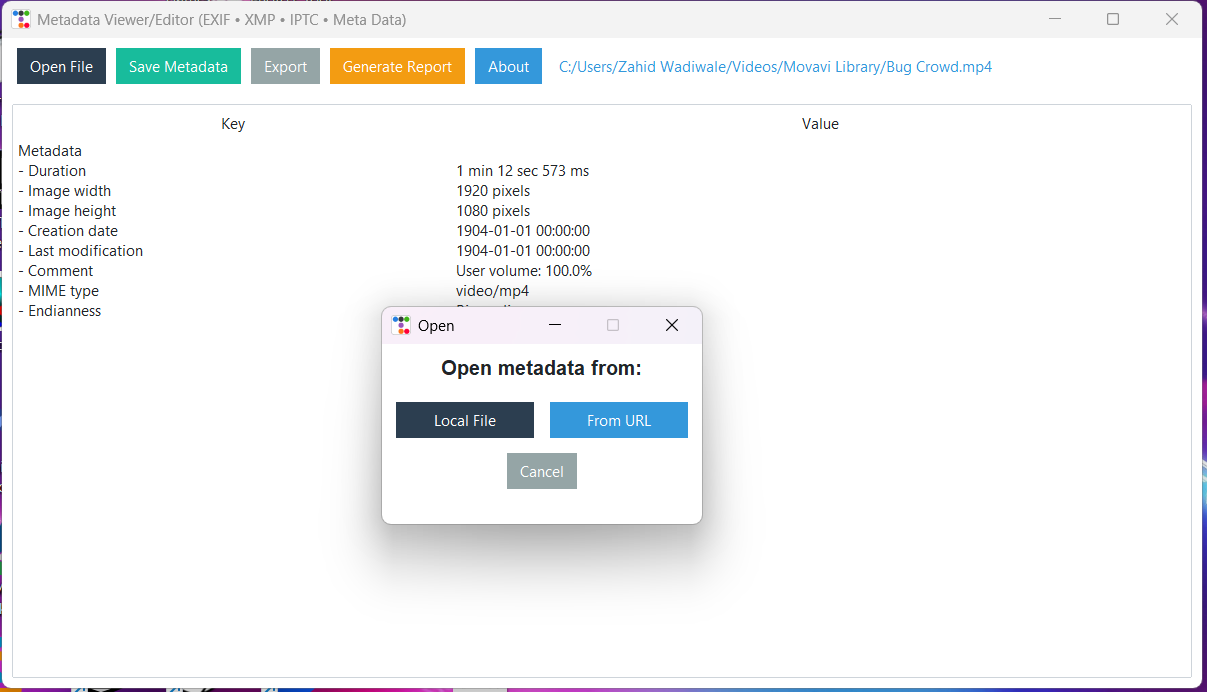
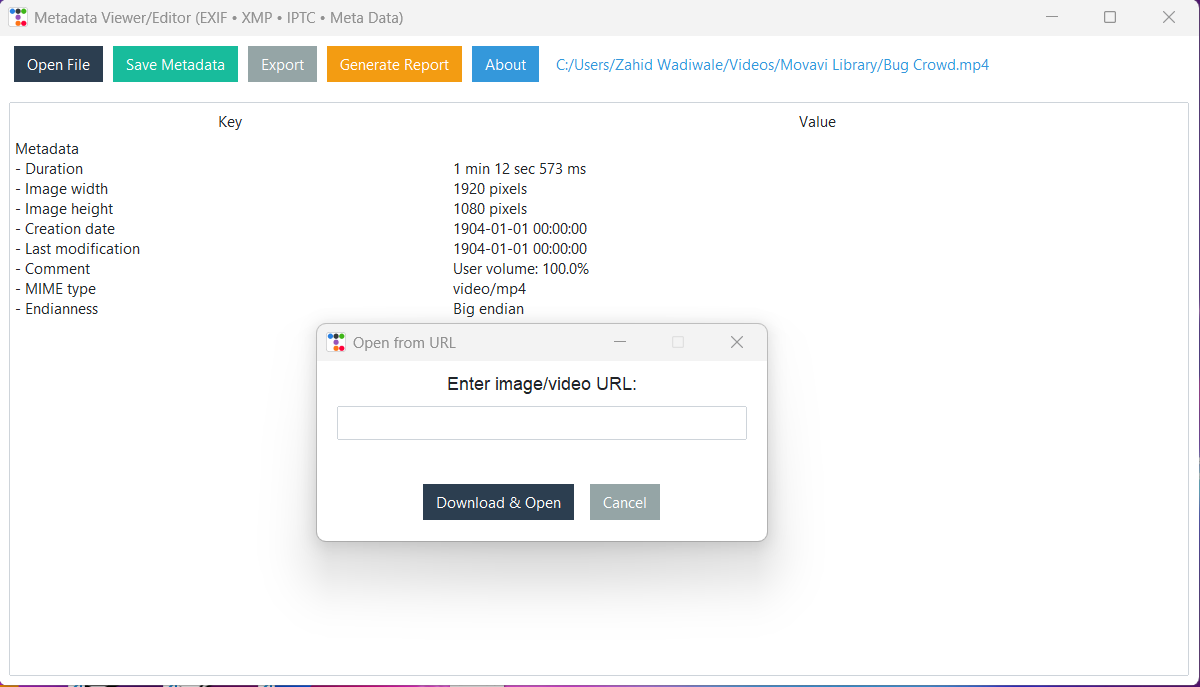
- Open From URL or Local File Now you can directly upload images from URL or still choose your Local File
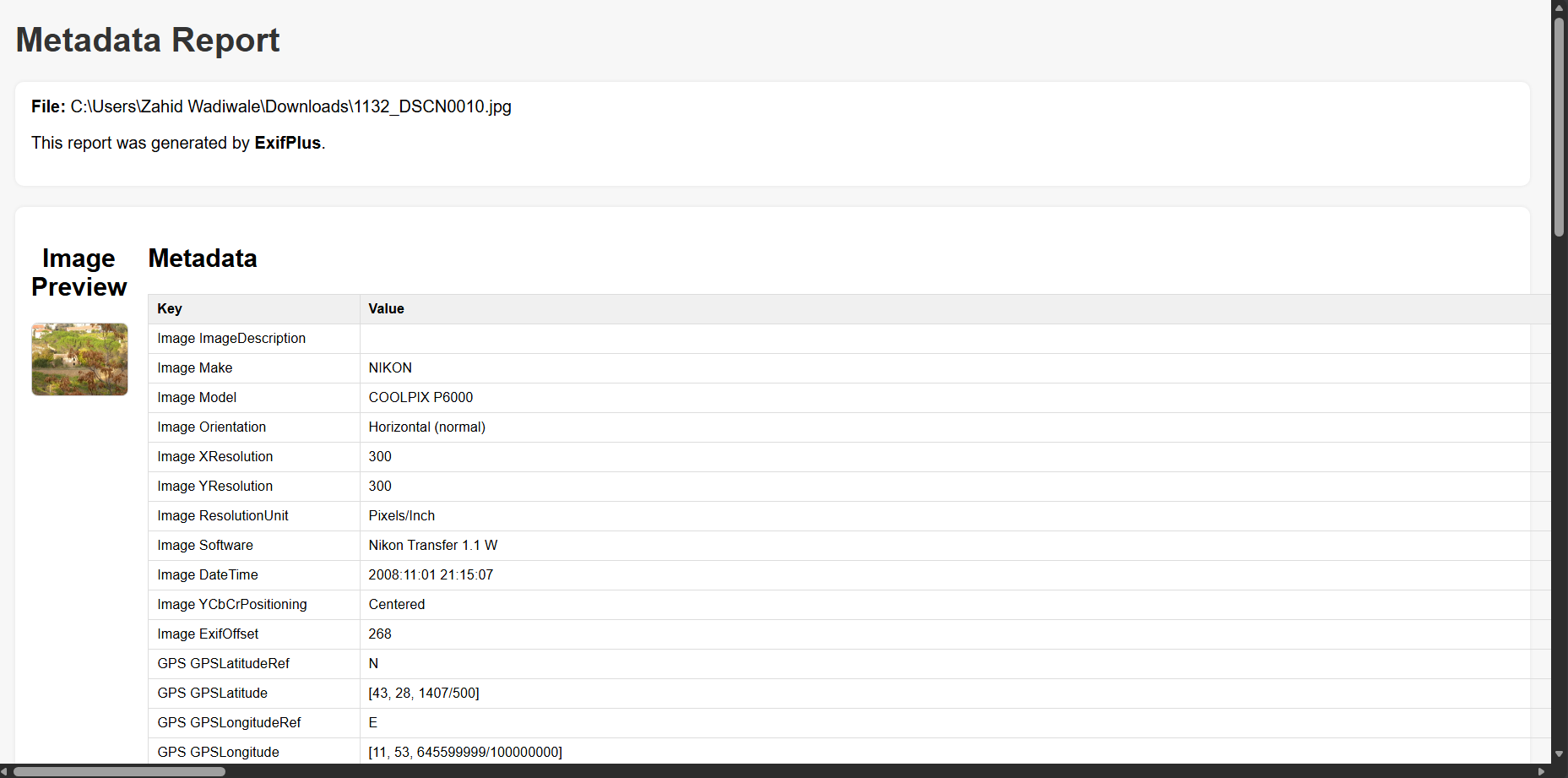
- Generate Reports that are formatted in HTML and ready for submission to platforms such as Bugcrowd or HackerOne.
- Cross-platform support (Windows, macOS, Linux).
You can install ExifPlus directly from PyPI using pip. To install the package, simply run the following command in your terminal or command prompt:
pip install exifplusEnsure that you have the required dependencies installed for full functionality:
pyexiv2(for metadata extraction and editing)hachoir(for reading video metadata)ttkbootstrap(for the GUI)
pip install pyexiv2 hachoir ttkbootstrap-
Launch ExifPlus: After installation, you can run ExifPlus directly from the command line (or from your Python script).
python -m exifplus
This will open the ExifPlus GUI, where you can load your files and begin editing metadata.
-
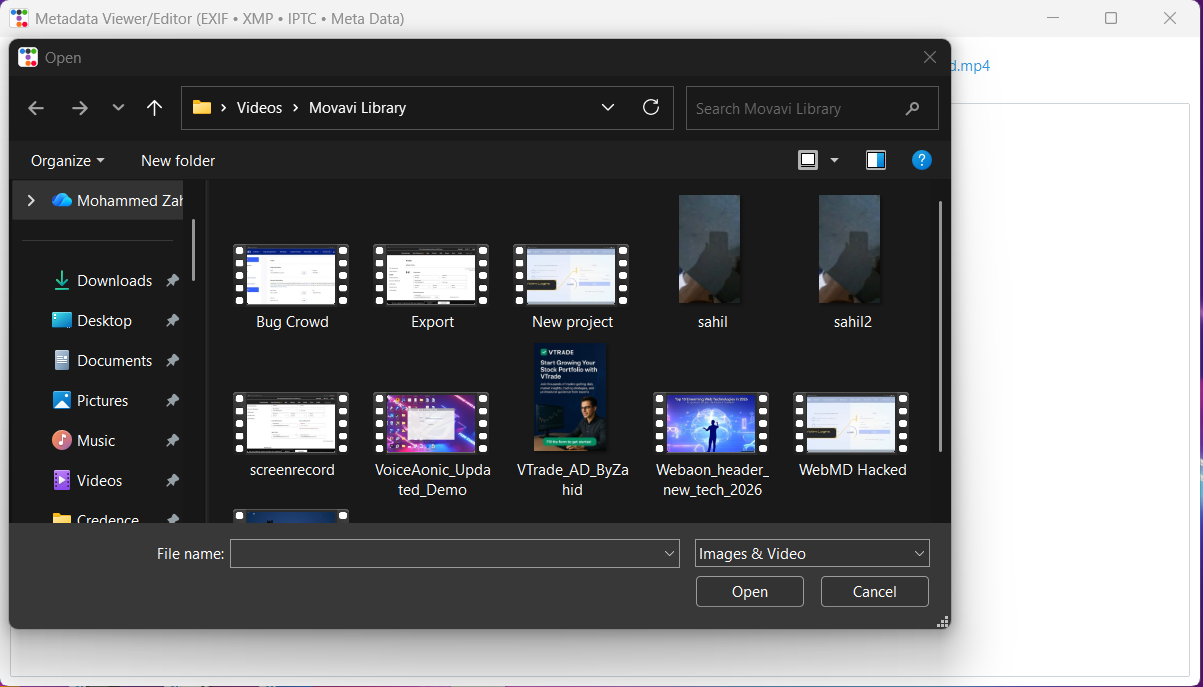
Open (Local file / From URL) Click the Open button to load an image or video. When you click Open a small dialog appears letting you choose one of two options:
- Local File — choose a single image or video file from your computer.
- From URL — paste a public image/video URL and ExifPlus will download and open it for inspection.
Supported formats
- Images:
.jpg,.jpeg,.png,.tiff,.heic - Videos:
.mp4,.mov,.avi,.mkv
Notes & troubleshooting
- 403 / hotlinking: Some sites block programmatic downloads (hotlink protection or CDN rules). If a URL download is blocked ExifPlus will prompt you to open the image in your browser so you can save it manually.
- No EXIF on hosted/resized images: Services like Blogger/Google often strip EXIF metadata when resizing or serving images. If a URL opens but shows no metadata, try using the original/original-size file you uploaded instead of a CDN/resized copy.
- Windows users: In-place writing of metadata may be limited on Windows (some native libraries are unstable). Use the Export → JSON/CSV feature to save metadata, or run on Linux/macOS for full read/write support.
-
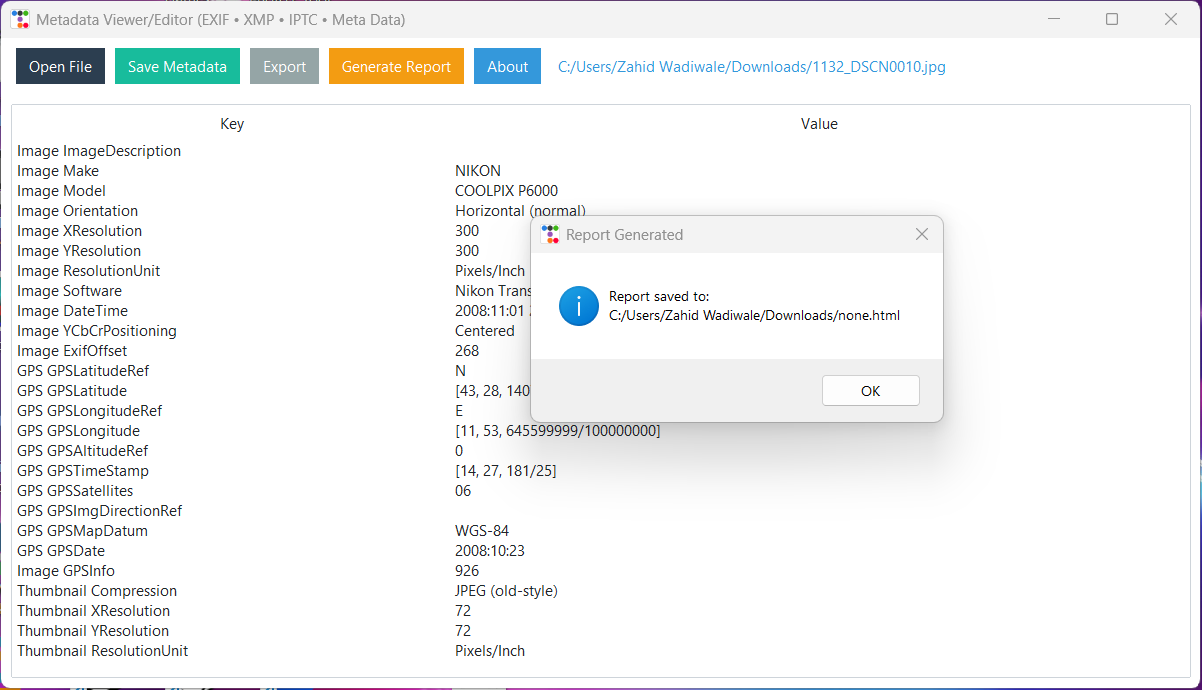
View and Edit Metadata: Once the file is loaded, the metadata will be displayed in a table format with columns for the metadata Key and Value. You can:
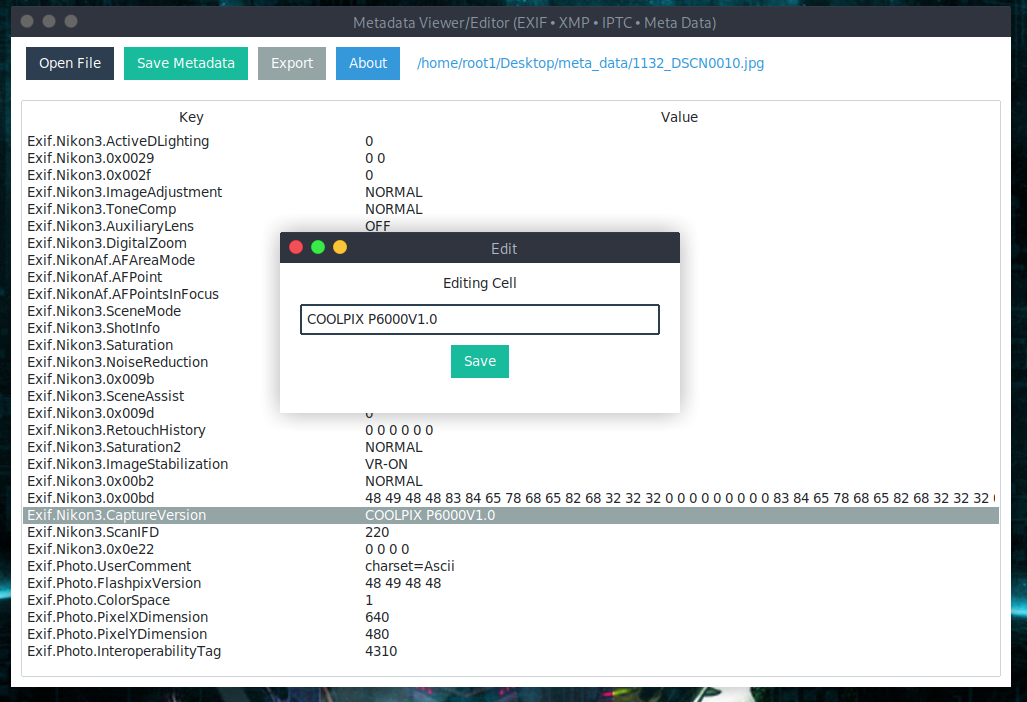
- Double-click a cell to edit its value.
- Right-click to bring up a context menu with options like deleting the metadata row.
-
Save Metadata: After editing metadata, click the "Save Metadata" button to save your changes. The metadata will be saved back to the file.
-
Delete Metadata Row: To delete a specific metadata entry, right-click on a row and select "Delete Row". A confirmation dialog will appear to ensure you want to proceed with the deletion.
-
Generate Report (HTML) Click the Generate Report button to create a clean, professional HTML metadata report, ideal for:
- Bugcrowd submissions
- HackerOne reports
- Security audits
- Forensic analysis
- Documentation
The generated HTML report includes:
- Side-by-side image preview and metadata table
- Clean markup that can be viewed in any browser
- Easily attachable as a file or screenshot
- Automatically extracted EXIF, IPTC, XMP, and video/image metadata
This feature makes it extremely easy to share metadata findings professionally.
-
About Window: Click on the "About" button to view information about the tool and the author.
-
Error:
pyexiv2is missing or fails to load: Make sure you've installed the necessary dependencies. You may need to install system packages forpyexiv2to work properly on some systems (Linux or macOS). Refer to thepyexiv2documentation for installation instructions. -
Error:
Invalid metadata key: When trying to modify metadata, ensure that the key you're trying to modify exists in the original file. You can view all the available keys in the table after loading a file.
If you intend to run ExifPlus as an application:
pipx install exifplusThen run it:
exifpluspython3 -m venv venv
source venv/bin/activate
pip install exifplusRun:
exifplusThese systems use PEP 668 and block global installs. If you try:
pip install exifplusYou may see:
error: externally-managed-environment
To fix, use either:
pipx install exifplusor:
python3 -m venv venv
source venv/bin/activate
pip install exifplusIf you really want to install system-wide:
pip install exifplus --break-system-packagesNot recommended.
After installation:
exifplusor
python -m exifplus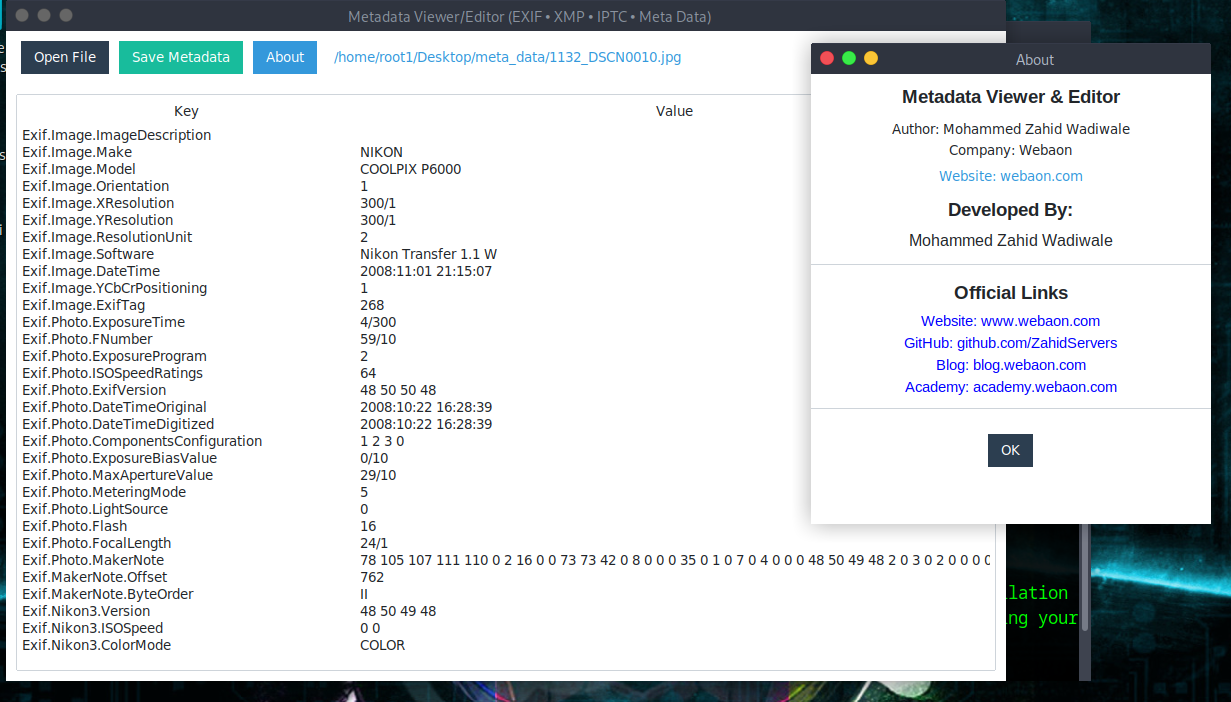
Contributions to ExifPlus are welcome! If you'd like to report a bug, suggest a feature, or submit a pull request, feel free to fork the project and submit changes.
- Fork the repository.
- Clone your fork to your local machine.
- Make your changes (bug fixes, features, improvements).
- Submit a pull request with a clear description of your changes.
Developed by:
- 🌐 Website — https://www.webaon.com
- 💻 GitHub — https://github.com/ZahidServers
- 📰 Blog — https://blog.webaon.com
- 🎓 Academy — https://academy.webaon.com
- Hosting
- Domains
- Websites
- Cybersecurity services
- Courses