From Idea to Code, Instantly
An AI-powered platform that transforms project ideas into production-ready code through intelligent PRD generation, interactive mindmap visualization, and automated code scaffolding.
- Overview
- Demo Video
- Architecture
- Key Features
- Tech Stack
- Getting Started
- Environment Variables
- API Documentation
- Deployment
- Contributing
- License
FlowSprint.AI accelerates the entire software development workflow by leveraging Meta Llama models and an intelligent MCP (Model Context Protocol) Gateway architecture. Developers can describe their project in natural language and receive:
- Comprehensive Product Requirements Documents (PRDs) with user stories, technical specifications, and implementation details
- Interactive mindmaps visualizing project structure and dependencies
- Production-ready code scaffolding for frontend, backend, and database layers
Built for the Meta Llama Hackathon, FlowSprint demonstrates the practical application of large language models in automating repetitive development tasks, allowing developers to focus on building unique product features rather than boilerplate setup.
Live Demo: https://flow-sprint.vercel.app
Backend Repository: https://github.com/YashNuhash/FlowSprint.AI-Backend
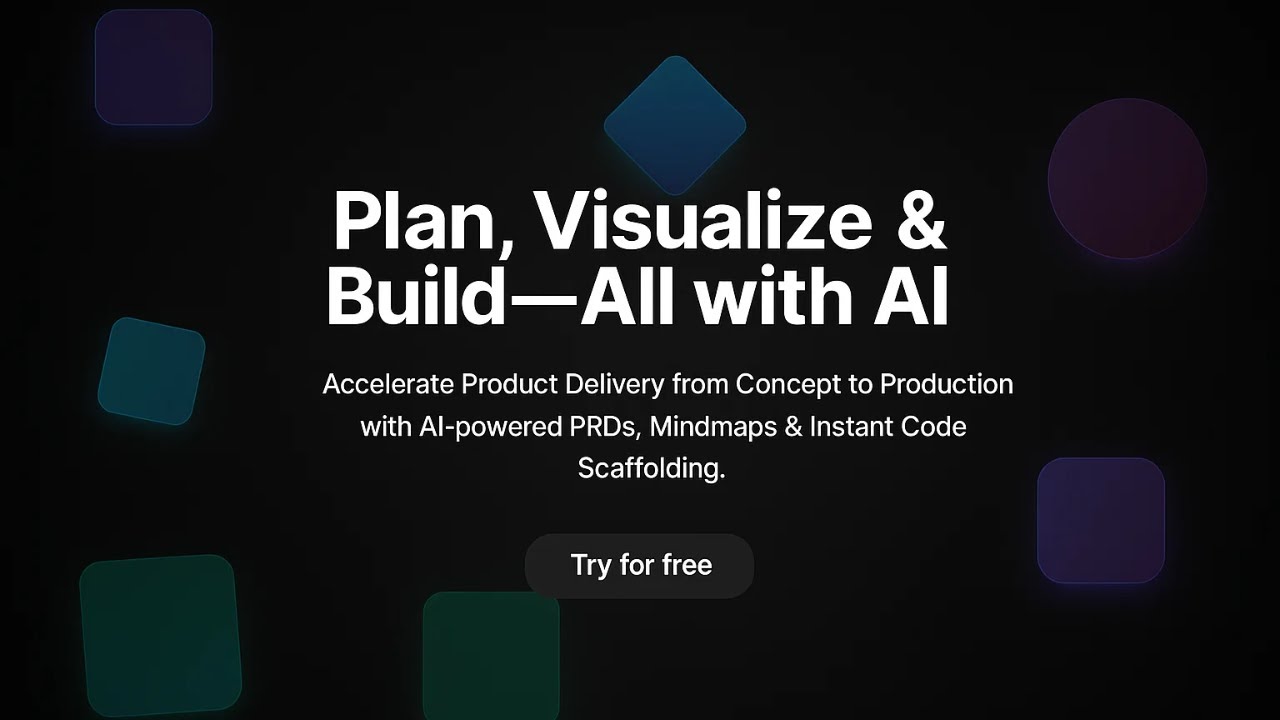
Click the image above to watch the demo video
FlowSprint implements a modern full-stack architecture with intelligent AI routing and scalable cloud infrastructure.

- Framework: Next.js 14 with App Router
- Authentication: NextAuth.js with Google OAuth
- UI Components: Custom React components with Tailwind CSS
- State Management: React hooks with context API
- Data Fetching: Custom API client with intelligent error handling
- Deployment: Vercel Edge Network
Key Pages:
/- Landing page with hero, features, and CTA sections/Create- Project creation interface with AI form/Editor/[id]- Interactive mindmap editor with PRD and code generation/Dashboard- Project management dashboard with CRUD operations
- Framework: Express.js with RESTful API design
- AI Integration: Enhanced MCP Gateway for multi-provider routing
- Database: MongoDB with Mongoose ODM
- Authentication: JWT-based session management
- Security: Helmet, CORS, rate limiting
- Deployment: Render.com with auto-scaling
Core Services:
enhancedMcpGateway.js- Intelligent AI provider routing and load balancingaiController.js- AI generation endpoints (PRD, code, mindmap)projectController.js- CRUD operations for projectsauthController.js- User authentication and session management
The MCP Gateway is the intelligence layer that routes AI requests to the optimal provider based on task complexity, provider availability, and performance metrics.
Routing Logic:
// Simplified routing algorithm
function selectProvider(task, complexity) {
  if (complexity === 'high' || task === 'prd-generation') {
    return 'meta-llama'; // Use Llama for complex reasoning tasks
  }

  if (task === 'code-generation' && speed === 'critical') {
    return 'cerebras'; // Use Cerebras for fast inference
  }

  return 'openrouter'; // Default to OpenRouter for flexibility
}
Fallback Mechanism:
async function generateWithFallback(prompt, providers) {
  for (const provider of providers) {
    try {
      const result = await provider.generate(prompt);
      if (result.success) return result;
    } catch (error) {
      logger.warn(`Provider ${provider.name} failed, trying next...`);
      continue;
    }
  }
  throw new Error('All providers failed');
}
Health Monitoring:
The gateway continuously monitors provider health and automatically removes unhealthy providers from the routing pool:
setInterval(async () => {
  for (const [name, provider] of this.providers) {
    const health = await provider.checkHealth();
    if (!health.ok) {
      this.providers.delete(name);
      logger.error(`Removed unhealthy provider: ${name}`);
    }
  }
}, 60000); // Check every 60 secondsLeverages Meta Llama models to generate comprehensive Product Requirements Documents from simple project descriptions.
Input:
{
  "name": "TaskManager",
  "description": "A collaborative task management app with priorities and deadlines",
  "features": ["User authentication", "Task CRUD", "Team collaboration"],
  "techStack": ["React", "Node.js", "MongoDB"]
}
Output:
- Executive summary
- User personas and stories
- Functional requirements
- Technical specifications
- API endpoint definitions
- Database schema
- Deployment considerations
Implementation:
// Backend: src/controllers/aiController.js
async generatePRD(req, res) {
  const { projectDescription, features, techStack } = req.body;

  const prompt = `Generate a comprehensive PRD for: ${projectDescription}
  Features: ${features.join(', ')}
  Tech Stack: ${techStack.join(', ')}

  Include: executive summary, user stories, technical specs, API design, database schema`;

  const result = await this.mcpGateway.route({
    task: 'prd-generation',
    complexity: 'high',
    prompt,
    model: 'meta-llama/llama-3.1-70b-instruct' // Prefer Llama for reasoning
  });

  res.json({ success: true, prd: result.data });
}Automatically generates visual project structure from AI analysis, allowing developers to understand dependencies and architecture at a glance.
Features:
- Drag-and-drop node repositioning
- Zoom and pan controls
- Hierarchical relationship visualization
- Export to PNG/SVG
Technology:
- React Flow for canvas rendering
- Custom layout algorithm for node positioning
- Real-time updates from AI generation
Generates complete code scaffolding including:
Frontend:
- React/Next.js components with TypeScript
- Routing and navigation setup
- State management boilerplate
- UI component library integration
Backend:
- Express API routes with validation
- Database models and migrations
- Authentication middleware
- Error handling utilities
Configuration:
- Docker compose files
- Environment variable templates
- README with setup instructions
- CI/CD pipeline configurations
Example Generated Code Structure:
project-name/
├── frontend/
│   ├── src/
│   │   ├── components/
│   │   ├── pages/
│   │   ├── hooks/
│   │   └── utils/
│   ├── package.json
│   └── tsconfig.json
├── backend/
│   ├── src/
│   │   ├── routes/
│   │   ├── controllers/
│   │   ├── models/
│   │   └── middleware/
│   ├── package.json
│   └── .env.example
└── docker-compose.yml
Supported Providers:
| Provider | Primary Use Case | Models |
|---|---|---|
| Meta Llama (via OpenRouter) | Complex reasoning, PRD generation, architecture design | llama-3.1-70b-instruct, llama-3.1-405b |
| Cerebras | Fast code generation, real-time inference | llama-3.1-8b |
| OpenRouter | Unified API, model flexibility | Multiple Llama variants |
Cost Optimization:
The MCP Gateway automatically selects the most cost-effective provider based on task requirements:
function selectCostEffectiveProvider(task) {
  if (task.tokensEstimated < 1000) {
    return 'cerebras'; // Cheaper for small tasks
  }
  return 'meta-llama'; // Better quality for complex tasks
}CRUD Operations:
- Create new AI-generated projects
- View project details with PRD and code
- Edit mindmaps and regenerate code
- Delete projects with confirmation
- Real-time sync with MongoDB Atlas
Data Model:
const ProjectSchema = new mongoose.Schema({
  name: { type: String, required: true },
  description: { type: String, required: true },
  features: [{ type: String }],
  techStack: [{ type: String }],
  mindMap: {
    nodes: [{ id: String, label: String, position: Object }],
    edges: [{ id: String, source: String, target: String }]
  },
  prd: { type: String }, // Markdown formatted PRD
  generatedCode: [{
    filename: String,
    content: String,
    language: String
  }],
  userId: { type: mongoose.Schema.Types.ObjectId, ref: 'User' },
  createdAt: { type: Date, default: Date.now },
  updatedAt: { type: Date, default: Date.now }
});- Framework: Next.js 14.0 (React 18)
- Language: TypeScript 5.0
- Styling: Tailwind CSS 3.4
- UI Components: Custom components with Radix UI primitives
- Authentication: NextAuth.js 4.24
- State Management: React Context + Hooks
- Data Visualization: React Flow 11.10
- HTTP Client: Fetch API with custom wrapper
- Deployment: Vercel
- Runtime: Node.js 18+
- Framework: Express.js 4.18
- Language: JavaScript (ES6+)
- Database: MongoDB 6.0 with Mongoose 8.0
- Authentication: JWT (jsonwebtoken 9.0)
- Security: Helmet, CORS, express-rate-limit
- Logging: Winston 3.11
- Environment: dotenv 16.3
- Deployment: Render.com
- Primary Model: Meta Llama 3.1 (70B, 405B variants)
- API Gateway: OpenRouter.ai
- Fallback Provider: Cerebras
- Alternative: Hugging Face Inference API
- Frontend Hosting: Vercel (Edge Network)
- Backend Hosting: Render.com (Auto-scaling)
- Database: MongoDB Atlas (M0 Free Tier)
- Authentication: Google OAuth 2.0
- CDN: Vercel Edge Network
- Version Control: GitHub
- Node.js 18+ and npm/pnpm
- MongoDB Atlas account (or local MongoDB)
- Google OAuth credentials
- OpenRouter API key (for Meta Llama access)
- Cerebras API key (optional, for fallback)
# Clone frontend
git clone https://github.com/YashNuhash/FlowSprint.AI.git
cd FlowSprint.AI

# Clone backend (in separate directory)
git clone https://github.com/YashNuhash/FlowSprint.AI-Backend.git
cd FlowSprint.AI-Backend# Frontend
cd FlowSprint.AI
npm install
# Backend
cd FlowSprint.AI-Backend
npm installFrontend (.env.local):
# NextAuth Configuration
NEXTAUTH_URL=http://localhost:3000
NEXTAUTH_SECRET=your-nextauth-secret-min-32-chars

# Backend API
NEXT_PUBLIC_BACKEND_URL=http://localhost:3001/api

# Google OAuth
GOOGLE_CLIENT_ID=your-google-client-id
GOOGLE_CLIENT_SECRET=your-google-client-secret
Backend (.env):
# Server Configuration
NODE_ENV=development
PORT=3001

# Database
MONGODB_URI=mongodb+srv://username:password@cluster.mongodb.net/flowsprint

# JWT
JWT_SECRET=your-jwt-secret-min-32-chars
JWT_EXPIRE=30d

# AI Providers
OPENROUTER_API_KEY=sk-or-v1-your-key
CEREBRAS_API_KEY=csk-your-key
HUGGINGFACE_API_KEY=hf_your-key

# CORS
CORS_ORIGIN=http://localhost:3000

# Logging
LOG_LEVEL=info

# MCP Gateway
MCP_ENABLED=false- Go to Google Cloud Console
- Create a new project or select existing
- Enable Google+ API
- Create OAuth 2.0 credentials
- Add authorized redirect URIs:
http://localhost:3000/api/auth/callback/google(development)https://your-domain.vercel.app/api/auth/callback/google(production)
- Copy Client ID and Client Secret to
.env.local
- Create account at MongoDB Atlas
- Create a free M0 cluster
- Create database user with read/write permissions
- Add IP address
0.0.0.0/0to Network Access (or your specific IP) - Get connection string and add to backend
.env
OpenRouter (Meta Llama Access):
- Sign up at OpenRouter.ai
- Add credits to your account
- Generate API key from dashboard
- Add to backend
.envasOPENROUTER_API_KEY
Cerebras (Optional Fallback):
- Sign up at Cerebras
- Generate API key
- Add to backend
.envasCEREBRAS_API_KEY
# Terminal 1 - Backend
cd FlowSprint.AI-Backend
npm run dev
# Server running on http://localhost:3001

# Terminal 2 - Frontend
cd FlowSprint.AI
npm run dev
# App running on http://localhost:3000Open http://localhost:3000 in your browser.
Test the workflow:
- Click "Sign In" and authenticate with Google
- Click "Create New Project"
- Enter project details and click "Create Project"
- View generated mindmap, PRD, and code
- Download or copy generated files
| Variable | Description | Required | Default |
|---|---|---|---|
NEXTAUTH_URL |
Application URL for NextAuth | Yes | http://localhost:3000 |
NEXTAUTH_SECRET |
Secret for session encryption | Yes | - |
GOOGLE_CLIENT_ID |
Google OAuth client ID | Yes | - |
GOOGLE_CLIENT_SECRET |
Google OAuth client secret | Yes | - |
NEXT_PUBLIC_BACKEND_URL |
Backend API base URL | Yes | http://localhost:3001/api |
| Variable | Description | Required | Default |
|---|---|---|---|
NODE_ENV |
Environment mode | No | development |
PORT |
Server port | No | 3001 |
MONGODB_URI |
MongoDB connection string | Yes | - |
JWT_SECRET |
Secret for JWT signing | Yes | - |
JWT_EXPIRE |
JWT expiration time | No | 30d |
OPENROUTER_API_KEY |
OpenRouter API key (Meta Llama) | Yes | - |
CEREBRAS_API_KEY |
Cerebras API key | No | - |
HUGGINGFACE_API_KEY |
Hugging Face API key | No | - |
CORS_ORIGIN |
Allowed CORS origins | Yes | http://localhost:3000 |
LOG_LEVEL |
Logging level (info, debug, error) | No | info |
MCP_ENABLED |
Enable MCP Docker services | No | false |
- Development:
http://localhost:3001/api - Production:
https://flowsprint-ai-backend.onrender.com/api
All protected endpoints require a valid JWT token in the Authorization header:
Authorization: Bearer <jwt-token>
Obtain JWT by authenticating via NextAuth on the frontend.
POST /api/ai/node-code
Content-Type: application/json
Authorization: Bearer <token>

{
  "name": "TaskManager",
  "product": "TaskManager",
  "description": "A collaborative task management application",
  "features": {
    "authentication": "User login and registration",
    "tasks": "Create, edit, delete tasks",
    "collaboration": "Share tasks with team members"
  },
  "techStack": ["React", "Node.js", "MongoDB"],
  "complexity": "medium"
}
Response:
{
  "success": true,
  "data": {
    "mindmap": {
      "nodes": [
        { "id": "1", "label": "TaskManager", "type": "root" },
        { "id": "2", "label": "Authentication", "type": "feature" }
      ],
      "edges": [
        { "id": "e1", "source": "1", "target": "2" }
      ]
    },
    "prd": "# Product Requirements Document\n\n## Executive Summary\n...",
    "code": [
      {
        "filename": "src/components/TaskList.tsx",
        "content": "import React from 'react';\n...",
        "language": "typescript"
      }
    ]
  }
}POST /api/ai/prd
Content-Type: application/json
{
"projectDescription": "E-commerce platform with AI recommendations",
"features": ["Product catalog", "Shopping cart", "AI recommendations"],
"techStack": ["Next.js", "PostgreSQL", "TensorFlow"]
}GET /api/ai/healthResponse:
{
  "success": true,
  "providers": {
    "meta-llama": { "status": "healthy", "latency": 120 },
    "cerebras": { "status": "healthy", "latency": 45 },
    "openrouter": { "status": "healthy", "latency": 95 }
  }
}GET /api/ai/providersPOST /api/projects
Content-Type: application/json
Authorization: Bearer <token>
{
"name": "TaskManager",
"description": "Collaborative task app",
"features": ["Auth", "CRUD", "Collaboration"],
"techStack": ["React", "Node.js"],
"mindMap": { "nodes": [], "edges": [] },
"prd": "# PRD content...",
"generatedCode": []
}GET /api/projects
Authorization: Bearer <token>Response:
{
  "success": true,
  "data": {
    "projects": [
      {
        "_id": "65f1...",
        "name": "TaskManager",
        "description": "...",
        "createdAt": "2024-01-15T10:30:00Z"
      }
    ]
  }
}GET /api/projects/:id
Authorization: Bearer <token>PATCH /api/projects/:id
Content-Type: application/json
Authorization: Bearer <token>
{
"name": "Updated TaskManager",
"description": "New description"
}DELETE /api/projects/:id
Authorization: Bearer <token>GET /healthResponse:
{
  "status": "ok",
  "timestamp": "2024-01-15T10:30:00Z",
  "uptime": 86400,
  "database": "connected"
}cd FlowSprint.AI
git add .
git commit -m "Deploy to Vercel"
git push origin main- Go to Vercel Dashboard
- Click "New Project"
- Import your GitHub repository
- Vercel auto-detects Next.js configuration
In Vercel dashboard, add these environment variables:
NEXTAUTH_URL=https://your-app.vercel.app
NEXTAUTH_SECRET=your-production-secret
GOOGLE_CLIENT_ID=your-google-client-id
GOOGLE_CLIENT_SECRET=your-google-client-secret
NEXT_PUBLIC_BACKEND_URL=https://flowsprint-ai-backend.onrender.com/api
Click "Deploy" and wait for build to complete.
Update Google OAuth:
- Add
https://your-app.vercel.app/api/auth/callback/googleto authorized redirect URIs
cd FlowSprint.AI-Backend
git add .
git commit -m "Deploy to Render"
git push origin main- Go to Render Dashboard
- Click "New +" → "Web Service"
- Connect your GitHub repository
- Configure:
- Name:
flowsprint-ai-backend - Environment:
Node - Build Command:
npm install - Start Command:
npm start - Instance Type: Free
- Name:
Add these in Render environment variables section:
NODE_ENV=production
PORT=10000
MONGODB_URI=mongodb+srv://...
JWT_SECRET=your-jwt-secret
OPENROUTER_API_KEY=sk-or-v1-...
CEREBRAS_API_KEY=csk-...
CORS_ORIGIN=https://your-vercel-app.vercel.app,http://localhost:3000
LOG_LEVEL=info
MCP_ENABLED=false
Render automatically deploys on every push to main branch.
Get your backend URL: https://flowsprint-ai-backend.onrender.com
Update NEXT_PUBLIC_BACKEND_URL in Vercel to point to your Render backend URL.
Already covered in Getting Started, but for production:
- Create Production Cluster (M0 Free or M10 for better performance)
- Configure Network Access: Add
0.0.0.0/0for Render and Vercel - Create Database User with strong password
- Get Connection String and add to Render environment variables
- Enable Monitoring in Atlas dashboard
FlowSprint.AI/
├── app/
│   ├── layout.tsx              # Root layout with providers
│   ├── page.tsx                # Landing page
│   ├── Create/
│   │   └── page.tsx            # Project creation page
│   ├── Editor/
│   │   └── [id]/
│   │       └── page.tsx        # Mindmap editor with PRD/code
│   ├── Dashboard/
│   │   └── page.tsx            # Project management dashboard
│   └── api/
│       └── auth/
│           └── [...nextauth]/
│               └── route.ts    # NextAuth configuration
├── components/
│   ├── ui/                     # Reusable UI components
│   ├── header.tsx              # Navigation header
│   ├── footer-section.tsx      # Footer with copyright
│   ├── hero-section.tsx        # Landing page hero
│   ├── bento-section.tsx       # Features grid
│   ├── dashboard-preview.tsx   # Dashboard screenshot with glow border
│   ├── cta-section.tsx         # Call-to-action section
│   ├── faq-section.tsx         # Frequently asked questions
│   ├── MindMapCanvas.tsx       # React Flow mindmap editor
│   └── CodeSidebar.tsx         # PRD and code display sidebar
├── hooks/
│   └── useProject.ts           # Custom hook for project API calls
├── lib/
│   ├── auth.ts                 # NextAuth configuration
│   └── utils/
│       └── project-utils.ts    # Project data transformation utilities
├── public/
│   └── images/                 # Static images and assets
├── styles/
│   └── globals.css             # Global styles and Tailwind
├── next.config.js              # Next.js configuration
├── tailwind.config.ts          # Tailwind CSS configuration
├── tsconfig.json               # TypeScript configuration
└── package.json                # Dependencies and scripts
FlowSprint.AI-Backend/
├── src/
│   ├── server.js               # Express server entry point
│   ├── app.js                  # Express app configuration
│   ├── routes/
│   │   ├── aiRoutes.js         # AI generation endpoints
│   │   ├── projectRoutes.js    # Project CRUD endpoints
│   │   └── authRoutes.js       # Authentication endpoints
│   ├── controllers/
│   │   ├── aiController.js     # AI logic and MCP Gateway integration
│   │   ├── projectController.js # Project business logic
│   │   └── authController.js   # Authentication logic
│   ├── models/
│   │   ├── Project.js          # Mongoose project schema
│   │   └── User.js             # Mongoose user schema
│   ├── services/
│   │   └── enhancedMcpGateway.js # Intelligent AI routing service
│   ├── middleware/
│   │   ├── auth.js             # JWT verification middleware
│   │   ├── errorHandler.js     # Global error handling
│   │   └── rateLimiter.js      # Rate limiting middleware
│   ├── config/
│   │   ├── database.js         # MongoDB connection
│   │   └── logger.js           # Winston logger configuration
│   └── utils/
│       └── validators.js       # Request validation utilities
├── .env.example                # Environment variable template
├── .env.production             # Production environment template
├── package.json                # Dependencies and scripts
└── README.md                   # Backend-specific documentation
User clicks "Sign In"
  → Redirects to Google OAuth consent
  → Google returns authorization code
  → NextAuth exchanges code for user info
  → Creates JWT session token
  → Stores session in database
  → Returns secure cookie to browser
  → User authenticated across app
User submits project form
  → Frontend validates input
  → Sends POST /api/projects with project data
  → Backend receives request
  → MCP Gateway selects optimal AI provider (Meta Llama for complex tasks)
  → Sends prompt to Meta Llama via OpenRouter
  → Receives AI-generated mindmap structure
  → Sends second prompt for PRD generation
  → Sends third prompt for code scaffolding
  → Combines all results
  → Saves to MongoDB
  → Returns project with ID to frontend
  → Frontend redirects to /Editor/[id]
  → Displays mindmap, PRD, and code
function selectProvider(task) {
  // Check task complexity
  if (task.type === 'prd-generation' || task.estimatedTokens > 2000) {
    return 'meta-llama'; // Use Llama 70B/405B for reasoning
  }

  // Check speed requirements
  if (task.requiresRealtime) {
    return 'cerebras'; // Use Cerebras for low latency
  }

  // Check provider health
  const healthyProviders = this.getHealthyProviders();
  if (!healthyProviders.includes('meta-llama')) {
    return 'cerebras'; // Fallback if Llama unavailable
  }

  return 'meta-llama'; // Default to highest quality
}Backend generates mindmap nodes and edges
→ Frontend receives JSON structure
→ Transforms to React Flow format
→ Applies layout algorithm (hierarchical/force-directed)
→ Renders nodes as React components
→ Renders edges as SVG paths
→ Enables drag-and-drop repositioning
→ Syncs position changes to state
→ Auto-saves to database on changes
File: enhancedMcpGateway.js
Purpose: Intelligent routing layer that selects the optimal AI provider based on task requirements, provider health, and performance metrics.
Key Features:
- Multi-Provider Registration
class EnhancedMCPGateway {
  constructor() {
    this.providers = new Map();
    this.healthChecks = new Map();
    this.metrics = new Map();
  }

  registerProvider(name, config) {
    this.providers.set(name, {
      name,
      endpoint: config.endpoint,
      apiKey: config.apiKey,
      models: config.models,
      priority: config.priority || 1,
      maxRetries: 3
    });
  }
}- Intelligent Routing
async route(request) {
  const { task, complexity, prompt, preferredModel } = request;

  // Select provider based on task requirements
  const provider = this.selectProvider(task, complexity);

  // Attempt generation with fallback
  try {
    return await this.generateWithProvider(provider, prompt, preferredModel);
  } catch (error) {
    logger.warn(`Primary provider failed: ${provider}, trying fallback`);
    const fallback = this.getFallbackProvider(provider);
    return await this.generateWithProvider(fallback, prompt);
  }
}- Health Monitoring
async checkProviderHealth(providerName) {
  const provider = this.providers.get(providerName);

  try {
    const start = Date.now();
    const response = await fetch(provider.endpoint + '/health', {
      headers: { 'Authorization': `Bearer ${provider.apiKey}` }
    });
    const latency = Date.now() - start;

    this.healthChecks.set(providerName, {
      status: response.ok ? 'healthy' : 'unhealthy',
      latency,
      lastCheck: new Date()
    });

    return response.ok;
  } catch (error) {
    this.healthChecks.set(providerName, {
      status: 'unhealthy',
      error: error.message,
      lastCheck: new Date()
    });
    return false;
  }
}- Load Balancing
selectProvider(task, complexity) {
  const healthyProviders = Array.from(this.providers.entries())
    .filter(([name]) => this.isHealthy(name))
    .sort((a, b) => {
      // Sort by priority and latency
      const healthA = this.healthChecks.get(a[0]);
      const healthB = this.healthChecks.get(b[0]);
      return (healthA.latency - healthB.latency);
    });

  // Select based on task complexity
  if (complexity === 'high') {
    return healthyProviders.find(([_, p]) => p.name === 'meta-llama')?.[0];
  }

  return healthyProviders[0]?.[0] || 'meta-llama';
}File: aiController.js
The quality of generated PRDs depends heavily on prompt engineering. Here's the optimized prompt structure:
const prdPrompt = `You are an expert technical product manager. Generate a comprehensive Product Requirements Document (PRD) for the following project:

**Project Name:** ${projectName}
**Description:** ${description}
**Target Users:** ${targetUsers}
**Key Features:** ${features.join(', ')}
**Tech Stack:** ${techStack.join(', ')}

Structure the PRD with the following sections:

1. Executive Summary
   - Brief overview (2-3 sentences)
   - Problem statement
   - Proposed solution

2. User Personas
   - Primary user persona with demographics and goals
   - Secondary user persona (if applicable)

3. User Stories
   - At least 5 detailed user stories in format: "As a [user], I want [feature] so that [benefit]"
   - Include acceptance criteria for each story

4. Functional Requirements
   - Detailed list of what the system must do
   - Categorize by feature area

5. Technical Specifications
   - Architecture overview
   - Database schema design
   - API endpoints (RESTful design)
   - Authentication and authorization approach
   - Third-party integrations

6. Non-Functional Requirements
   - Performance targets
   - Security considerations
   - Scalability requirements

7. Implementation Phases
   - Phase 1: MVP features
   - Phase 2: Enhanced features
   - Phase 3: Advanced features

8. Deployment Considerations
   - Hosting recommendations
   - CI/CD pipeline suggestions
   - Monitoring and logging strategy

Format the output in **Markdown** with proper headers, lists, and code blocks where appropriate. Be specific and actionable.`;
Key Techniques:
- Role Assignment: "You are an expert technical product manager"
- Structured Output: Explicit section numbering and formatting
- Contextual Information: Providing all project details upfront
- Format Specification: Requesting Markdown for easy rendering
- Actionable Language: "Be specific and actionable"
Multi-Step Generation Process:
async generateCode(projectData) {
  const { name, techStack, features, prd } = projectData;

  // Step 1: Generate file structure
  const structurePrompt = `Based on this PRD:\n${prd}\n\nGenerate a complete file structure for a ${techStack.join(' + ')} application.`;
  const structure = await this.mcpGateway.route({
    task: 'code-generation',
    prompt: structurePrompt,
    model: 'meta-llama/llama-3.1-70b-instruct'
  });

  // Step 2: Generate individual files
  const files = [];
  for (const file of structure.files) {
    const filePrompt = `Generate complete, production-ready code for ${file.path}.\n\nContext: ${prd}\n\nRequirements:\n- Include error handling\n- Add TypeScript types\n- Include comments\n- Follow best practices`;

    const content = await this.mcpGateway.route({
      task: 'code-generation',
      prompt: filePrompt,
      model: 'meta-llama/llama-3.1-70b-instruct'
    });

    files.push({
      filename: file.path,
      content: content.code,
      language: file.language
    });
  }

  // Step 3: Generate configuration files
  const configs = await this.generateConfigs(techStack, name);

  return [...files, ...configs];
}Complete Request-Response Cycle:
Frontend Component (Create Project)
  ↓
Custom Hook (useProject.ts)
  ↓
API Client (fetch wrapper)
  ↓ POST /api/projects
Backend Route (projectRoutes.js)
  ↓
Controller (projectController.js)
  ↓
Enhanced MCP Gateway (enhancedMcpGateway.js)
  ↓
AI Provider Selection (Meta Llama / Cerebras / OpenRouter)
  ↓
External AI API (OpenRouter)
  ↓
Meta Llama Model Processing
  ↓ Response
OpenRouter
  ↓
MCP Gateway (formats response)
  ↓
Controller (saves to MongoDB)
  ↓
Route (returns JSON response)
  ↓
API Client (parses response)
  ↓
Custom Hook (updates state)
  ↓
Frontend Component (renders result)
Code Splitting:
// Dynamic imports for heavy components
const MindMapCanvas = dynamic(() => import('@/components/MindMapCanvas'), {
  ssr: false,
  loading: () => <LoadingSpinner />
});
Image Optimization:
import Image from 'next/image';

<Image
  src="/images/dashboard-preview.png"
  alt="Dashboard"
  width={1200}
  height={800}
  priority
  placeholder="blur"
/>
Caching Strategy:
// API responses cached in localStorage
const getCachedProject = (id) => {
  const cached = localStorage.getItem(`project-${id}`);
  if (cached) {
    const { data, timestamp } = JSON.parse(cached);
    if (Date.now() - timestamp < 5 * 60 * 1000) { // 5 minutes
      return data;
    }
  }
  return null;
};Database Indexing:
ProjectSchema.index({ userId: 1, createdAt: -1 });
ProjectSchema.index({ name: 'text', description: 'text' });
Response Compression:
app.use(compression({
  level: 6,
  threshold: 1024
}));
Rate Limiting:
const limiter = rateLimit({
  windowMs: 15 * 60 * 1000, // 15 minutes
  max: 100, // 100 requests per window
  message: 'Too many requests from this IP'
});

app.use('/api/ai', limiter);
Connection Pooling:
mongoose.connect(process.env.MONGODB_URI, {
  maxPoolSize: 10,
  minPoolSize: 5,
  socketTimeoutMS: 45000
});- JWT tokens with 30-day expiration
- Secure HTTP-only cookies
- CSRF protection via NextAuth
- Google OAuth for identity verification
- Role-based access control for project resources
const createProjectSchema = Joi.object({
  name: Joi.string().min(3).max(100).required(),
  description: Joi.string().min(10).max(1000).required(),
  features: Joi.array().items(Joi.string()).min(1).max(20),
  techStack: Joi.array().items(Joi.string()).min(1).max(10)
});

// Validate before processing
const { error, value } = createProjectSchema.validate(req.body);
if (error) {
  return res.status(400).json({ error: error.details[0].message });
}- Helmet.js for security headers
- CORS with whitelist
- Rate limiting on AI endpoints
- API key encryption in environment variables
- HTTPS enforcement in production
- MongoDB field-level encryption for sensitive data
- Password hashing with bcrypt (if implementing custom auth)
- Secure session storage
- Regular security audits with
npm audit
# Frontend tests
cd FlowSprint.AI
npm run test

# Backend tests
cd FlowSprint.AI-Backend
npm run test

# E2E tests
npm run test:e2eIssue: "Module not found" errors
# Solution: Clear cache and reinstall
rm -rf node_modules .next
npm install
Issue: NextAuth callback URL mismatch
# Solution: Verify NEXTAUTH_URL matches your domain
# Development: http://localhost:3000
# Production: https://your-domain.vercel.app

# Also check Google OAuth authorized redirect URIs
Issue: Backend API calls fail with CORS errors
# Solution: Verify CORS_ORIGIN in backend .env includes your frontend URL
# Development: http://localhost:3000
# Production: https://your-vercel-domain.vercel.appIssue: MongoDB connection timeout
# Solution: Check MongoDB Atlas network access
# 1. Go to Network Access in Atlas
# 2. Add IP 0.0.0.0/0 for development
# 3. For production, add Render's IP ranges

# Also verify connection string format:
# mongodb+srv://username:password@cluster.mongodb.net/database
Issue: OpenRouter API returns 401 Unauthorized
# Solution: Verify API key is correct
# 1. Check OPENROUTER_API_KEY in .env
# 2. Ensure no extra spaces or quotes
# 3. Verify API key is active in OpenRouter dashboard
# 4. Check account has credits
Issue: AI generation times out
# Solution: Increase timeout settings
# In aiController.js:
const response = await fetch(endpoint, {
  timeout: 60000 // Increase to 60 seconds
});

# Also consider using streaming for long responsesWe welcome contributions from the community! Here's how to get started:
- Fork the repositories
# Fork on GitHub, then clone your forks
git clone https://github.com/your-username/FlowSprint.AI.git
git clone https://github.com/your-username/FlowSprint.AI-Backend.git- Create a feature branch
git checkout -b feature/your-feature-name- Make your changes
- Follow existing code style
- Add tests for new features
- Update documentation as needed
- Test your changes
npm run test
npm run lint- Commit with conventional commits
git commit -m "feat: add new mindmap layout algorithm"
git commit -m "fix: resolve CORS issue in production"
git commit -m "docs: update API documentation"- Push and create pull request
git push origin feature/your-feature-nameThen open a pull request on GitHub with a clear description of your changes.
- Frontend: ESLint + Prettier (configured in
.eslintrc.json) - Backend: ESLint with Airbnb style guide
- Formatting: 2 spaces, semicolons, single quotes
- Naming: camelCase for variables/functions, PascalCase for components/classes
<type>(<scope>): <subject>

<body>

<footer>
Types:
feat: New featurefix: Bug fixdocs: Documentation changesstyle: Code style changes (formatting)refactor: Code refactoringtest: Adding or updating testschore: Maintenance tasks
- AI-powered PRD generation with Meta Llama
- Interactive mindmap visualization
- Production-ready code generation
- Multi-provider AI integration
- Full-stack project management
- Google OAuth authentication
- Deployment to Vercel and Render
- Custom PRD templates
- Multi-language code generation (Python, Go, Rust)
- Real-time collaboration on mindmaps
- Project versioning and history
- Export to GitHub repository
- AI-powered code review suggestions
- Docker microservices architecture
- Consul service discovery
- Team workspaces and permissions
- Usage analytics dashboard
- Custom AI model fine-tuning
- Integration marketplace
- Self-hosted deployment option
- SSO integration (SAML, LDAP)
- Advanced security features
- SLA guarantees
- Priority support
- Custom model hosting
- Meta Llama - For powerful language models that make intelligent PRD and code generation possible
- OpenRouter - For unified API access to multiple AI providers
- Cerebras - For ultra-fast inference capabilities
- Vercel - For exceptional frontend hosting and edge network
- Render - For reliable backend hosting with auto-scaling
- MongoDB Atlas - For robust database management
- Next.js Team - For the amazing React framework
- React Flow - For powerful graph visualization
FlowSprint was inspired by the need to accelerate software development workflows and reduce time spent on repetitive tasks like project setup, documentation, and boilerplate code generation. The project demonstrates how AI can augment developer productivity while maintaining code quality and best practices.
Built for the Meta Llama Hackathon to showcase practical applications of large language models in software engineering workflows.
Author: Ashraful Nuhash
- GitHub: @YashNuhash
- Email: nuhashroxme@gmail.com
- Twitter: @YashNuhash
- LinkedIn: Ashraful Nuhash
Repositories:
- Frontend: https://github.com/YashNuhash/FlowSprint.AI
- Backend: https://github.com/YashNuhash/FlowSprint.AI-Backend
If you encounter any issues or have questions:
- Check existing GitHub issues in both repositories
- Create a new issue with detailed description and steps to reproduce
- Email support: or email me at nuhashroxme@gmail.com
For urgent production issues, please email with "URGENT" in the subject line.