
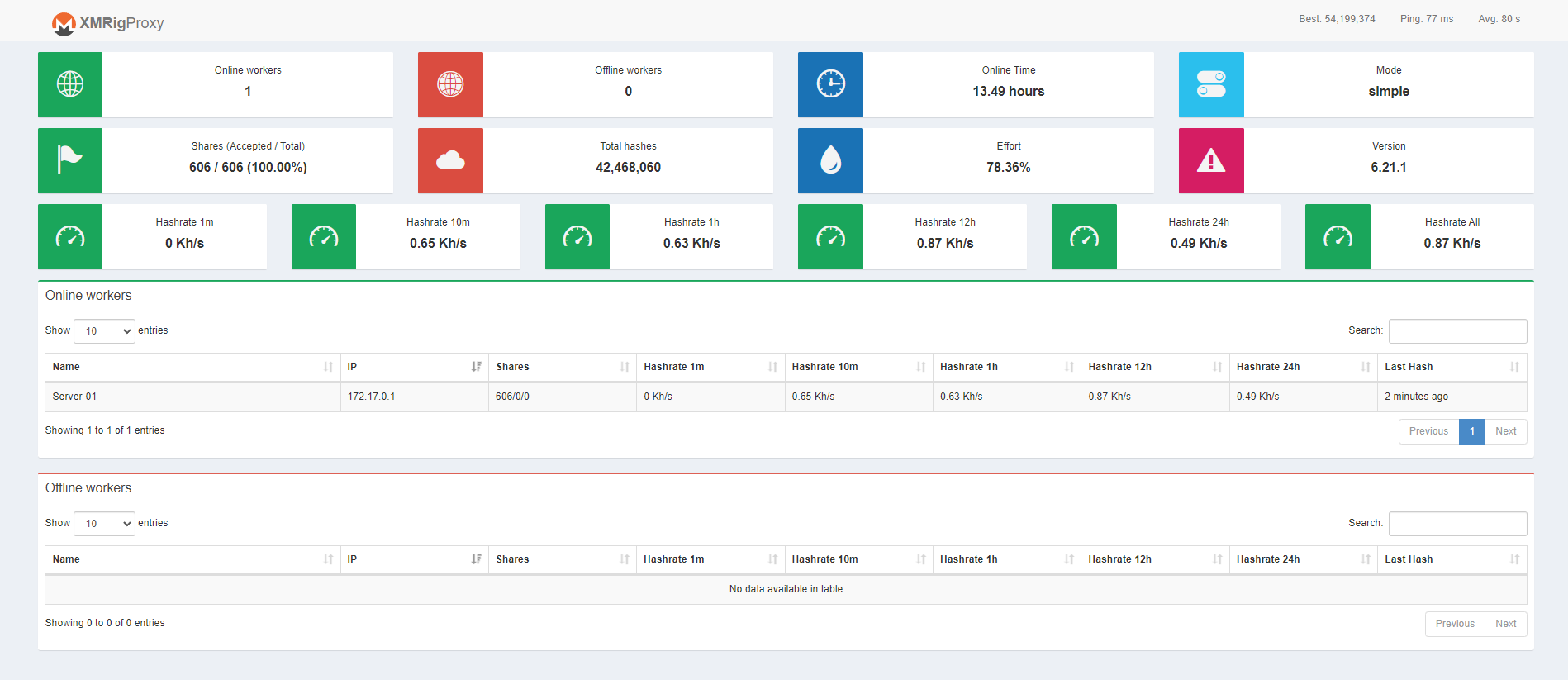
Simple ubuntu docker image with the latest XMRig Proxy cloned from official xmrig repo and a statistics overview ui.
Run the Docker container with the following command, passing the necessary environment variables:
docker pull toomas633/xmrig-proxy:latest && \
docker run -d -p 3333:3333 -p 8080:8080 -p 80:80\
    -e POOL_URL="YOUR_MINING_POOL_URL" \
    -e USER="YOUR_WALLET_ADDRESS" \
    -e PASS="x" \
    -e ALGO="rx/0" \
    --name xmrig-proxy toomas633/xmrig-proxy:latest
Or with docker-compose.yml:
version: '3.8'

services:
  xmrig-proxy:
    image: toomas633/xmrig-proxy:latest
    container_name: xmrig-proxy-container
    ports:
      - "3333:3333"
      - "80:80"
      - "8080:8080"
    environment:
      - POOL_URL=randomxmonero.auto.nicehash.com:9200
      - USER=3NPFV9ivECdSgyCXeNk4h5Gm3q1xiDRnPV.Home
      - PASS=x
      - ALGO=rx/0
    restart: unless-stopped
Replace "YOUR_MINING_POOL_URL", "YOUR_WALLET_ADDRESS", "x", and "YOUR_ACCESS_TOKEN" with your actual values.
Generate "ACCESS_TOKEN" with openssl rand -hex 16 or random string.
Port 8080 is optional if you want direct access to XMRig proxy http api.
| Param | Default value | Description |
|---|---|---|
| -p 3333 | Port 3333 used to connect miners to proxy | |
| -p 80 | Port 80 used to serve the statistics panel | |
| -p 8080 (optional) | Port 8080 to access xmrig proxy http api directly if needed | |
| -e POOL_URL | null | URL or IP:Port to desired mining pool |
| -e USER | null | Wallet address (wallet.display_name if supported by pool) |
| -e PASS (optional) | x | Pass or display name for supported pools |
| -e ALGO (optional) | rx/0 | Mining algorithm |
Regular build: docker build -t xmrig-proxy -f Dockerfile .
- Proxy port 3333
- Proxy http api optional port 8080
- UI port 80
Mock backend for http api: docker build -t xmrig-proxy -f Dockerfile.mock .
- Proxy port 3333
- Proxy http api optional port 8081
- Mock endpoint optional port 8080
- UI port 80
When using mock docker container, just refresh the page to get different values and table sizes.
Icons: ionicons
Options are located at the start of web/js/script.js file:
const const autoRefresh = true;if the table data should be updated automatically or not (disable if using mock endpoint).const refreshInterval = 60000;refresh interval in ms
/api endpoints on site:
- /api/summary overall information
- /api/workers gives worker information
To add endpoints edit the apache-config.conf file and add or edit the rewrite lines here and add a respective endpoint handeling to web/php/api.php:
RewriteEngine On
RewriteRule ^/api/workers$ /php/api.php?action=workers [L,QSA]
RewriteRule ^/api/summary$ /php/api.php?action=summary [L,QSA]
Suggestions are welcome and can be posted under the issues.