Atari ST game
Tobias Wondwossen & Jayden Mingle
Afro Fighter is a 2D side-view fighting game that puts players in control of an Afro fighter who appears on the right side of the screen. A 3-second countdown starts the fight, during which players must utilize a combination of punches, kicks, and fireballs to defeat their opponent on the left. Defense is also crucial, as players can block, jump, and crouch to avoid incoming attacks. The objective is to deplete the opponent's health from 100 to zero before one's own health is reduced, thereby determining the winner of the fight.
Future updates will feature a 2 - player game mode allowing players to put their skills to the test against their friends

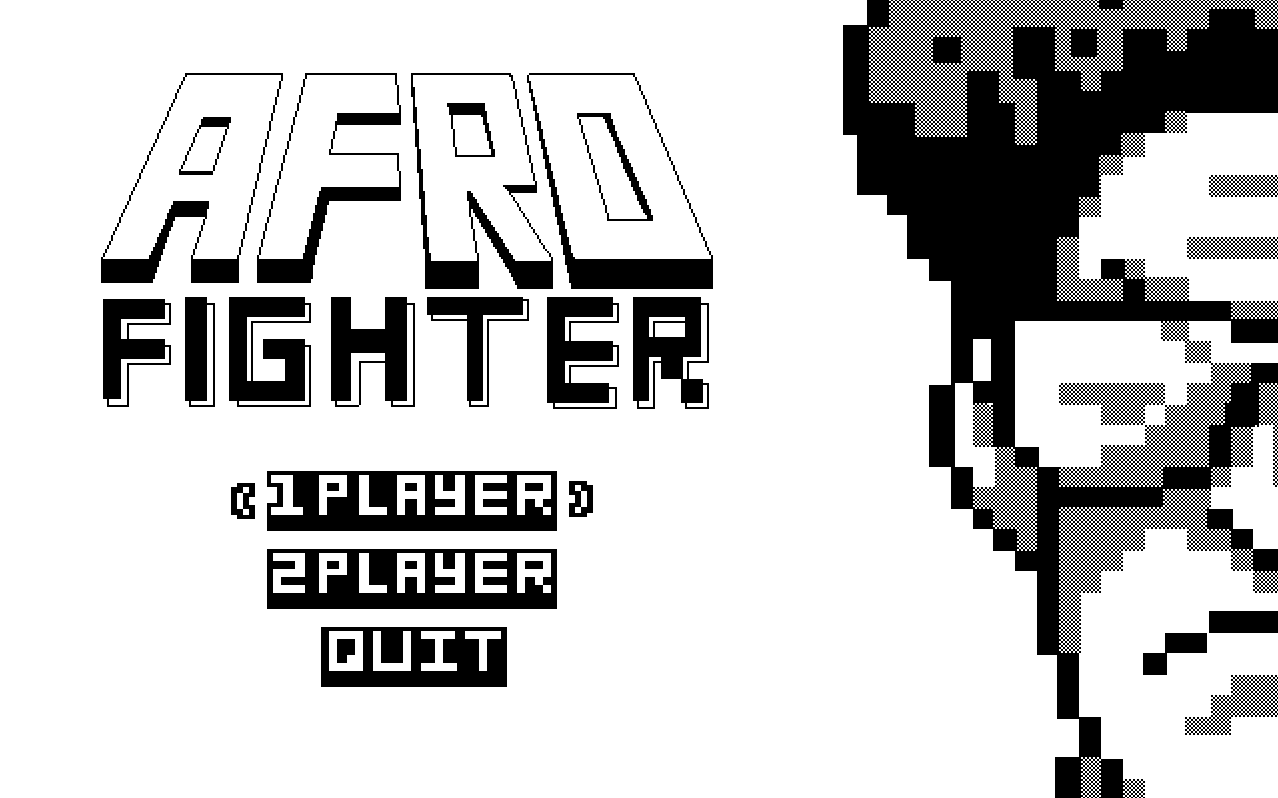
The game will launch into a menu screen with the Afro Fighters logo and two game mode options; 1-player and 2-player.
The 1-Player mode commences with the player's avatar positioned on the right side of the arena, while the opponent is situated on the left, accompanied by their respective health/information bars. A countdown, starting from three, will be displayed in the center of the screen, with each number displayed for a duration of two seconds.

Upon completion of the countdown, the word "Fight" will be displayed in the center of the screen for a duration of two seconds. Player controls will then become active, and the opponent will begin executing its pre-programmed movements.


There are two possible Game Over states, one for a Win and a Loss
Win Message and UI
If the player has beat the opponent this message will remain on screen untill a the player has chosen on of the two menu options; Play Again or Back to Main Menu (Sprite WIP)


Loss Message and UI
If the player has beat the opponent this message will remain on screen untill a the player has chosen on of the two menu options; Play Again or Back to Main Menu (Sprite WIP)


Health
In this game, both the player and their opponent start with a 250px width health bar. The objective is to maintain one's own health bar, ensuring that it is not depleted before their opponent's. Each combat move has a distinct impact on the player's health, and it is crucial to execute these moves strategically to achieve victory.
Offensive and Defensive States
| Offensive/Defensive Moves | Description | Damage (pixels removed from health) | Keybind |
|---|---|---|---|
Light Attack |
A straight punch | -8px |
W |
Heavy Attack |
A side kick | -16px |
← |
Ranged / Super |
A projectile fireball | -64px |
F |
Block |
A boxing highguard | Halves incoming damage from the above attacks | → (press and hold) |
Movement States
| State | Description | Keybind |
|---|---|---|
Idle |
Boxing "Orthodox Stance" | None / Default State |
Running |
Fast shuffle of feet, allowing player to move either left or right across the screen by increments of 4 pixels |
A D |
Jump |
Allows player to change its y position. Player can still change its x position in this state |
Space |
Crouching |
Player goes down on one knee | ↓ |
Slide |
If the player is Running and Crouches at the same time they will Slide for as long as they crouch |
↓ if in Running state |
Since the Opponent isn't controlled by a user's inputs, it operates under the following states:
Approach
The Opponent will be facing the Player at all times. If the distance between the Player and the Opponent is greater than or equal to 16px, the Opponent Moves forward towards the player using the appropriate movement input.
Combo
This is the default state that theOpponent will be in. In this state, it will perform a series of moves that go as follows: 3xLight Attack, Block, Heavy Attack, Crouch, Jump, Heavy Attack, Block. Each move will be performed 1 second apart.
Note: Coordinates given are assuming (0,0) is the top left corner of the screen, and that sprites are drawn from their top left corner aswell.
Afro Fighter
| Properties | States | Combat Moves | Image |
|---|---|---|---|
Size: 98px by 64px Orientaion: Upright and facing right if it is a player, left if it is the opponent Hitbox that is equal to its sizex and y coordinates Intitaly at (446, 264) for the player, (100,264) for the opponent |
 |
Afro Fighter Mechanics
Movement Boundaries:
The Afro Fighter has the capability to traverse the full width of the 640 pixel arena by using any of its movement states as many times as desired. Its jump state will allow it to reach a maximum height of 164 pixels from its initial y-coordinate. Furthermore Afro Fighter is restricted from descending below its default y-coordinate of 264, which marks the starting point of the arena floor.
The player and the opponent both have complete control over the direction the Afro Fighter faces. In the event that they come to close such that their hit boxes collide, they are unable to advance forward until one executes a jump over the other.
Combat Rules
All of the Combat moves but Super / Ranged can be used as many times as desired.
In order for the Afro Fighter to unlock its Super / Ranged ability it must block to consectutive Heavy Attacks from its opponent.
Fire Ball Projectile
| Properties | Behaviour | Image |
|---|---|---|
|
Travels accross on screeny-vectoruntil it undegoes a collision |
 |
Health and Info Bar

| Object | Properties | Behaviour | Image |
|---|---|---|---|
Health-bar |
|
Displays player health |  |
Avatar-Name |
|
Displays avatar name |  |
Avatar-Profile-Img |
|
Displays profile picture of avatar |  |
Arena
| Object | Properties | Behaviour | Image |
|---|---|---|---|
Arena-Floor |
|
Displays arena floor |  |
Arena |
|
Displays Health and info bar,Arena Floor and Background |
 |
All player animations will have a left and right variant to account for the 2 directions a player can face.
Movement Animations
| Animation | Behaviour | Properties | Image / Sprite Sheet |
|---|---|---|---|
Idle |
64 x 96 px |
  |
|
Running |
64 x 96 px |
  |
|
Jump |
64 x 96 px airborne is set to true |
  |
|
Crouch |
64 x 96 px crouch-state is set to true |
 |
|
Slide |
64 x 64 px running-state & crouching-state are set to true |
  |
|
Death |
64 x 32 px health = 0px |
  |
Combat and Defense Animations
| Animation | Behaviour | Properties | Image |
|---|---|---|---|
Light Attack |
64 x 96 px |
 |
|
Heavy Attack |
64 x 96 px |
  |
|
Super / Ranged Attack Imbue |
64 x 96 px |
  |
|
Block |
64 x 96px |
  |
| Movement | Key Bind | States Requested |
|---|---|---|
| Move right | A |
Changes Running State for player to True, sets Rs Running Animation to True |
| Move left | D |
Changes Running State for player to True, sets Ls Running Animation to True |
| Slide | K |
Changes Slide State for player to True, sets Ls or Rs slide animation to True (base on orientation) |
| Jump | Space |
Changes Jump State for player to True, sets Ls or Rs jump animation to True (base on orientation) |
| Combat Move | Key Bind | States Requested |
|---|---|---|
| Light attack | W |
Changes Light Attack State for player to True, sets Light Attack Animation to True |
| Heavy attack | J |
Changes Heavy Attack State for player to True, sets Heavy Attack Animation to True |
| Super / Ranged attack | F |
First checks if Consectutive Block Count >= 2, if True Super / Ranged Attack imbue animation is set to True. Draw Fire Ball is set to True |
| Block | L |
Changes Block Statefor player to True, sets Ls or Rs Block animation to True (base on orientation) |
| Event Name | Triggering Input Event | Description |
|---|---|---|
| Intro prompt | 2 seconds between each word | "3,2,1, FIGHT!" |
| Opponent combo | a 35/70th of a second separates each action | The combo consists of the following actions: Light Attack (x3), Block, Heavy Attack, Crouch, Jump, Heavy Attack, Block. |
Note: "PtP" stands for "player to player"
| Event Name | Triggering Input Event | Description |
|---|---|---|
Simple-Hitbox-Collision-PtP |
Player hitbox collides with the hitbox of opponent, or boundary | Sets player collision state to True |
Damage-HitBox-Collision-PtP |
A Simple-Hitbox-Collision is detected while any of the Combat States are True |
Updates player health value based on attack endured |
Bounds-Checking for arena |
Simple-HitBox-Collision is dectected against arena boundary (end of arena width on either side) |
sets Idle state for player to True |
| Opponent direction | The opponent's x-position relative to the player's x-position | The opponent must always face the player;right-idle state to Trueleft-idle state to True |
| Opponent movement | The opponent's distance from the player |
The user is given the choice of a 1-player or 2-player game on the title screen when the game first launches. When a game mode is selected, the screen switches to the relevant game version.
Upon entering a game mode, the arena with the players and their respective healthbars will be displayed. A prompt reading "3, 2, 1, FIGHT!" will be appear and the player(s) will be given control of their respective characters.
As the fight starts, both characters are on the screen, facing each other. The player controlling the human character begins by running towards the opponent, attempting to get close enough to perform a light attack. The computer opponent jumps, avoiding the attack. The computer opponent then jumps again and performs a heavy attack, but the player successfully blocks it.
Both characters move back and forth, exchanging light attacks and blocks. The player successfully blocks another heavy attack from the computer opponent, causing their super meter to fill up. The player performs a super move, landing a powerful blow on the opponent that takes away 64 pixels of health.
The computer opponent retaliates with a combination of light and heavy attacks, but the player is able to block and dodge, avoiding significant damage. Both characters continue to exchange blows, with the player landing a few more light attacks and the computer opponent performing another heavy attack.
As the fight progresses, both characters begin lose their health to light attacks. The computer opponent attempts another heavy attack, but the player is able to block it, filling up their super meter once again. The player performs another super move, landing a final blow that takes away the remaining health of the computer opponent. The player wins the round and is shown a "WINNER" message and is given the choice to "PLAY AGAIN" or "RETURN TO MAIN MENU"
All the gameplay elements of 1-Player Mode apply to 2-Player Mode but the CPU-Player is replaced with a second actual player. The second player will have the same moveset and controls as the first player
P1 WINS


P2 WINS


| Sound effect name | Brief Description | Event that triggers playback |
|---|---|---|
| Main Theme | "Help urself Dyn remix" found on youtube | User starts the game |
| Attack | "woosh" sound effect like swinging a bat through the air - duration of a second | any of the players inputs an attack key |
| Attack connects | sound of a boxing glove hitting a punching bag - duration of a second | any of the players inputs an attack key and a collision is detected |
| Super | charge up sound effect - duration of a second | Super/Ranged attack input is pressed |
- crouching punch/kick
- jumping punch/kick
- elbow
- energy blast (smaller than ultimate move)
A round is over when one of the players' healthbar reaches 0px. The first player with 2 ko's wins the match. The Number of player ko's is displayed next to their name and healthbar. If both players are tied in ko's entering the 3rd round and the 3rd round ends in a draw, a sudden death round will occur with both players having decreased health.
As a player takes hits that aren't blocked, a meter next to the healthbar fills up. When this meter fills up, the next hit a player takes will knock them to the ground and put them in a state where they can't do anything for 2 seconds.
The meter will be 96px x 16px and will fill up at the following rates:
| Move | Stun |
|---|---|
Light Attack |
+16px |
Heavy Attack |
+24px |
Ranged / Super |
+48px |
When a player is knocked out at match point, the player that's still standing will have the option to perform a mortal kombat style finishing move.
The Opponent has a chance to perfectly counter the player by reading input. For example the real player could enter the input to punch and the cpu would block. Outside of this phase the CPU will perform actions based on distance to the player and a predetermined sequence of moves.
As difficulty increases, the probablitiy of a perfect counter also increases (should never be 100% or the CPU will be unbeatable)
If any player picks a character, that character is grayed out and cannot be selected by someone else. The cpu will pick a character out of the remaining ones at random. The player also has this option.
| Voiceline | Event that triggers playback |
|---|---|
| "Round 1/2, Fight!" | The start of the first or second round |
| "Final Round, Fight!" | The start of the third round |
| "Player 1/2 Wins!" | Match is over and winner is declared |
- better background (stack implementation to know when pixels are overlapping)
- psuedo 3d floor
- shaded characters