The CarSegmentPro package is developed to facilitate the removal of both internal and external backgrounds from car images. This package comprises two distinct models:
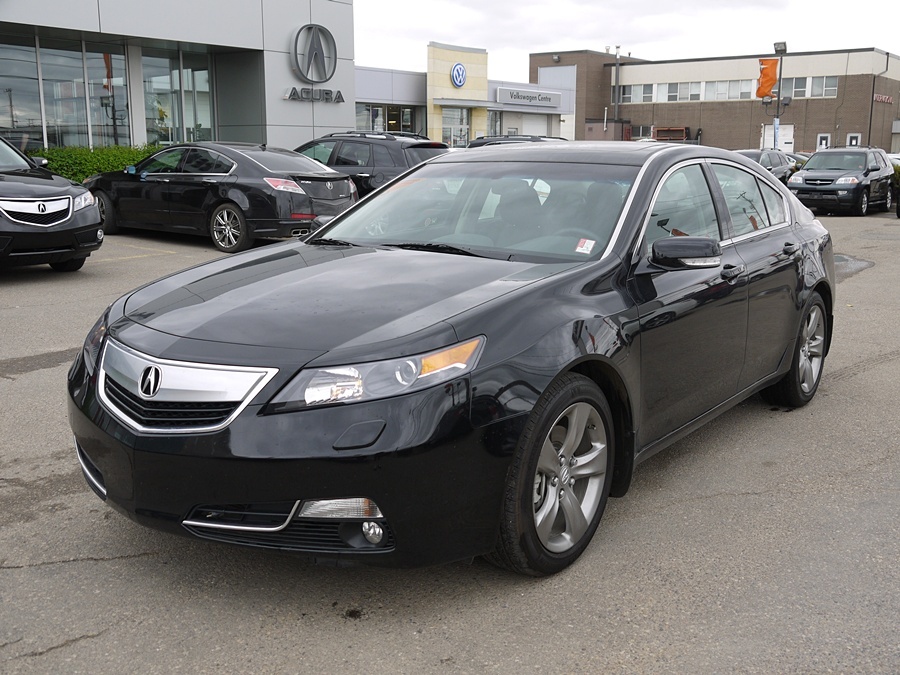
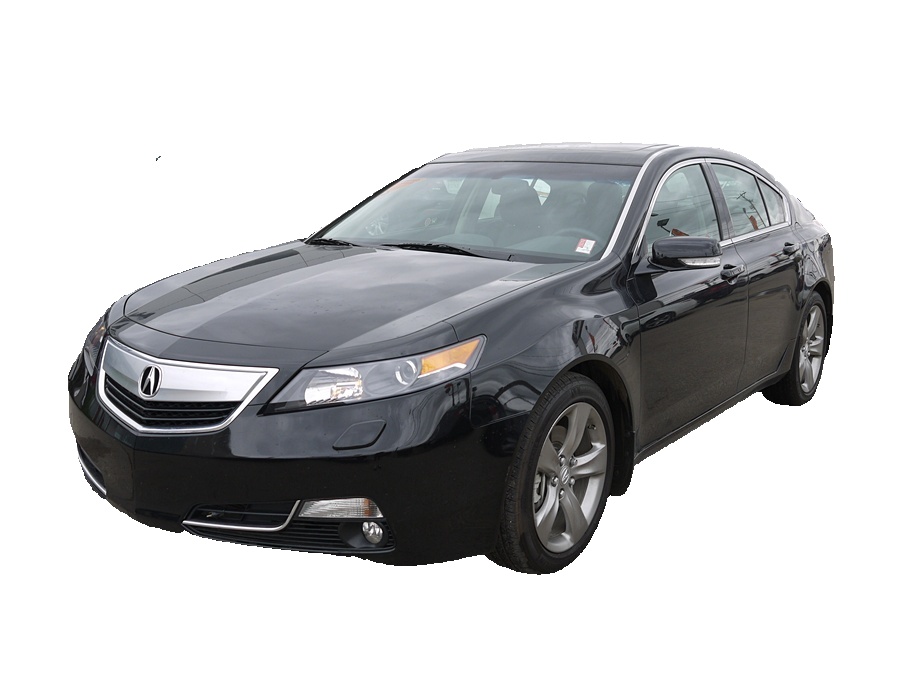
Purpose: Removes the background external to cars.
Performance: Known for its effectiveness in this task.
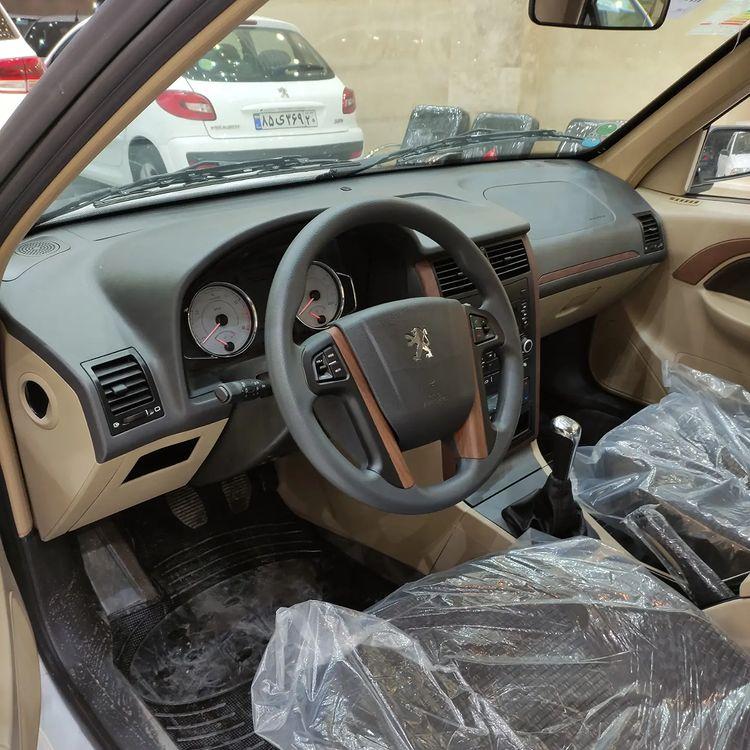
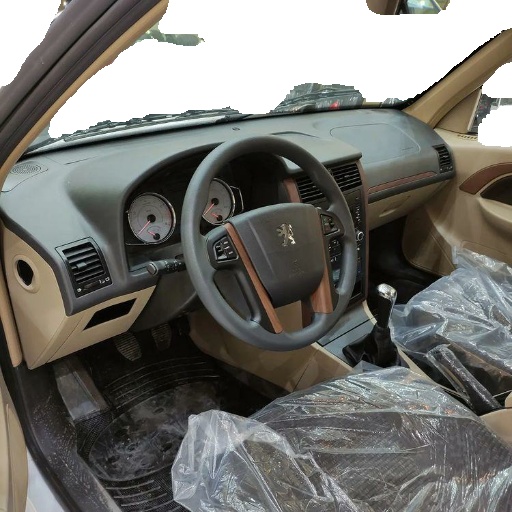
Purpose: Removes the background internal to cars.
Note: This task involves innovation, where a dataset was collected, and a deep learning model was trained. The achieved accuracy is 75%, which is considered moderate. Keep in mind that sentiment analysis provided suboptimal results.
To install the CarSegPro package, execute the following command:
pip install CarSegProTo use the external model for removing the background external to cars, employ the following code:
from carbgremover.external_model import remove_background_external, plot_image
# Parameters:
# image_path: path to the image
# device: "cpu" (default) or "cuda" if you have GPU
res = remove_background_external(image_path='car1.jpg', device="cpu")
plot_image(res, figsize=(15, 15))
Input image:
Output image:
 For saving the image, use the following:
import cv2
cv2.imwrite('rescar2.jpg', res)For the internal model designed to remove the background internal to cars, utilize the following code
from carbgremover.internal_model import remove_background_internal,plot_image

res = remove_background_internal('car2.jpg')
plot_image(res, figsize=(15, 15))
Input image:
Output image:
For saving the image, use the following:
import cv2

res = cv2.cvtColor(res, cv2.COLOR_RGB2BGR)
cv2.imwrite('rescar2.jpg', res)
```#