


ZScript language support for VS Code
(ZScript is used in zBrush to automate tasks and script workflows.)
- Provide valid zcommand name
- Provide the valid variable type
- Provide auto complete for command that require path (ex:
<zscriptinsert, "myScript.txt">)
- Provide routine definition comment
- Provide routine definition arg type

- Provide window path (new in 1.4)

Display information about each command argument (type, description)
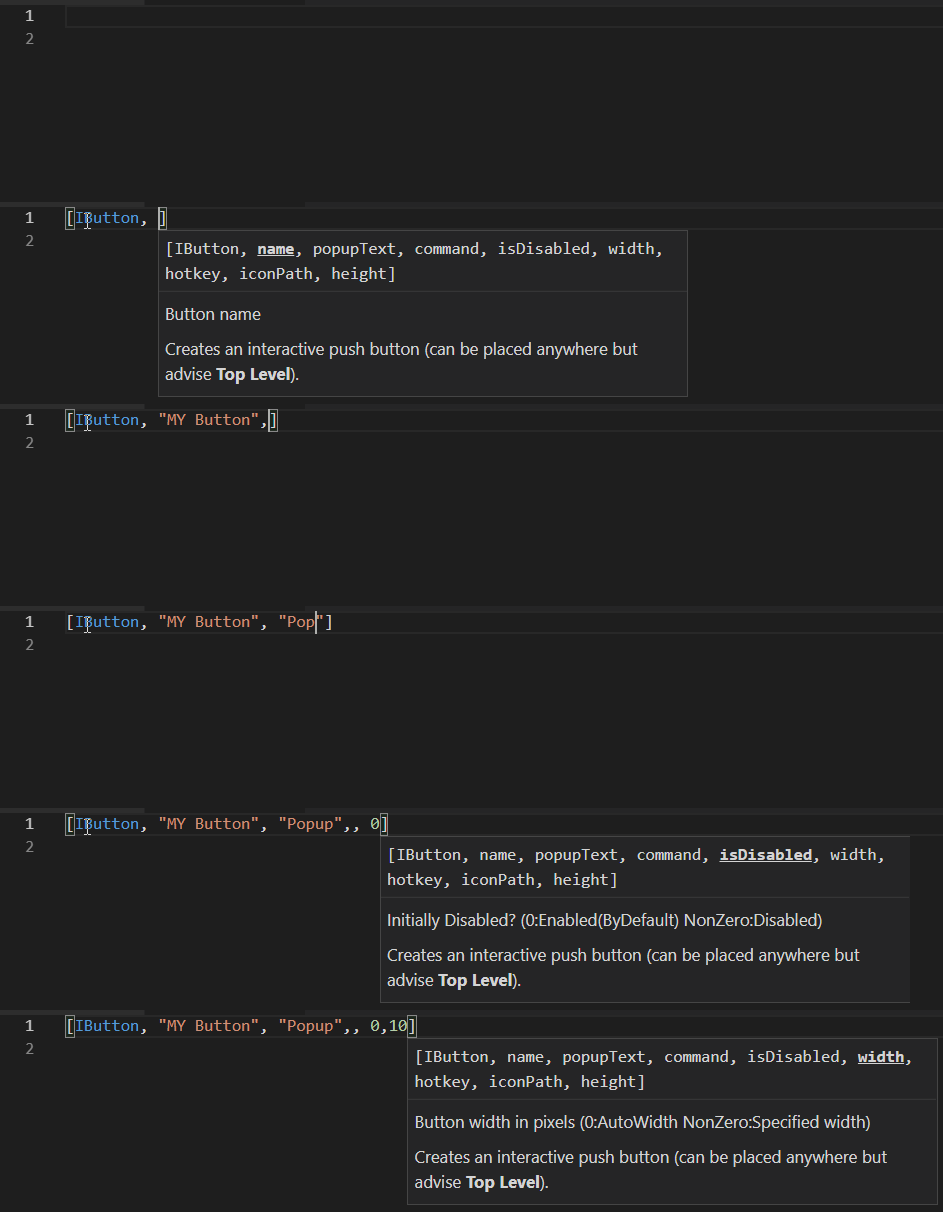
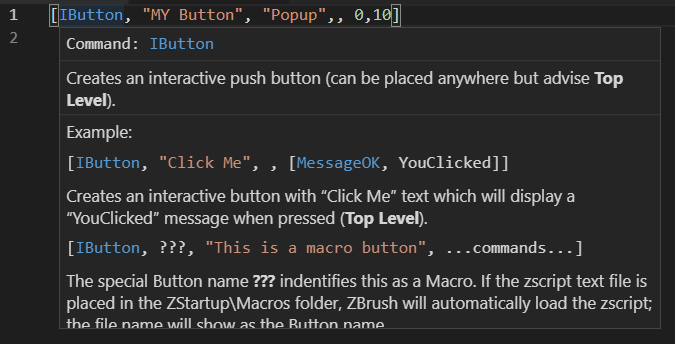
Provide information about a symbol when hovering it.
- Display all the variables in the file.
- provide
goto declarationfunctionality - Variable has type.
Loopinsert a loop command snippet.Ifinsert a if command snippet.IfElseinsert a if else command snippet.RoutineDefinsert a routine definition snippet.RoutineDef1insert a routine definition with one arg snippet.
You can specifiy the type of your routine definition optional argument to have a better signature and help the autocomplete displaying the good variable type.
Autocomplete will display variable defined in the inserted file.
ZScript: Web DocOpen the zscript documentation web page in your browserZScript: Web Command Reference"Open the zscript command reference web page in your browser.ZScript: Install File IconDisplay the zbrush icon for zscript files.
ZScript: Uninstall File IconRemove the zscript icon display.
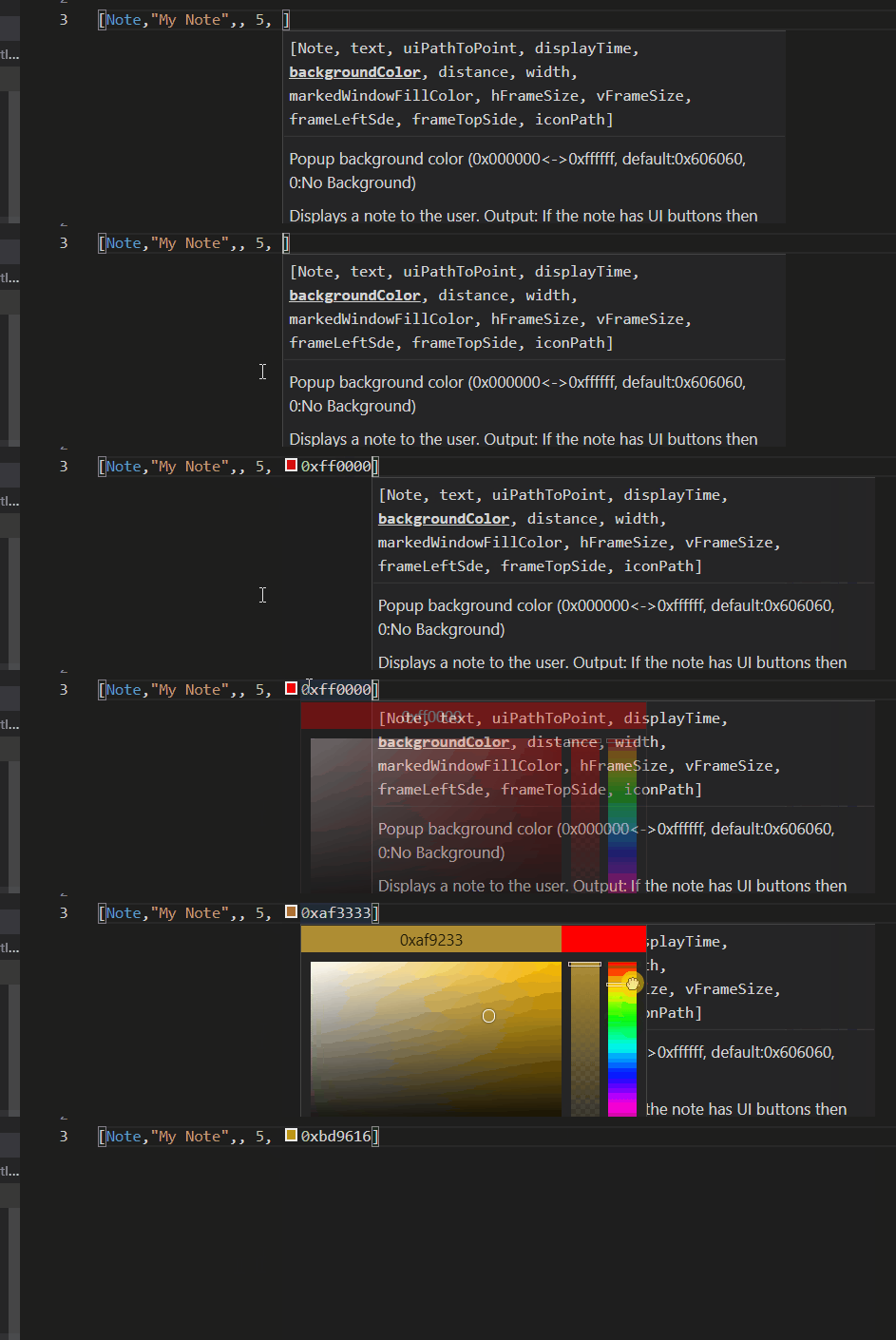
Implemented in 1.1.0 Some command require hexadecimal color (ex: 0xffffff). It is quite hard to know what the color is without looking somewhere else. Hopefully visual studio offer to provide color picker with ColorProvider.
Implement a linter to display some potential error.
- Add Window path autocomplete
- Implemented rename
- Implemented find references
- Implementation of workspace symbol providers
- Implementation of folding ranges
- Implementation of document link for
zscriptinsetcommand
- Implementation of ColorProvider.
- Initial release.