Welcome to the repository of an advanced tool for Among Us 3D! This software is designed to provide you with enhanced capabilities and an improved overview of the game situation.
Our tool boasts a wide range of features, conveniently grouped for maximum comfort:
Get detailed information about your surroundings and other players:
- Player Name: Display player nicknames through obstacles.
- Player Box: Outline players with a rectangle for better visibility.
- Player Line: Draw a line from you to each player.
- Player Role: Instantly identify player roles (Imposter/Crewmate).
- Player Distance: Display the distance to each player.
- Player Show Ghost: Visualize ghosts and where they were eliminated.
- Show Imposter: Special feature to visually identify all imposters.
- Player Range Slider: Adjust the maximum display distance for ESP information.
Personalize the visual display of ESP information:
- Imposter Color Picker: Highlight imposters with a custom color.
- Crewmate Color Picker: Set a custom color for crewmates.
- Ghost Color Picker: Define a custom color for displaying ghosts.
- Coming soon! We are actively working on adding new useful features. Stay tuned for updates!
Manage your tool configuration with ease:
- Save: Save your current ESP and color settings.
- Load: Load previously saved configurations.
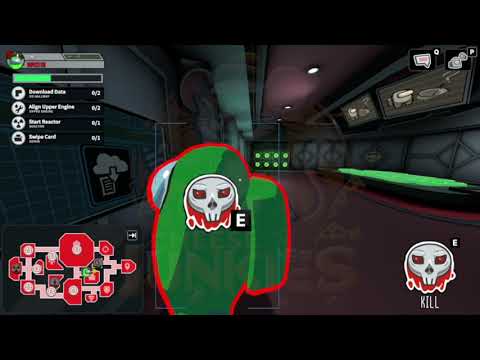
(Click the image above to watch the demonstration video on YouTube)
- Download the latest version of the tool from the Releases section.
- Extract the archive to a convenient location.
- Launch the Among Us 3D game.
- Run the tool's executable file
- The tool's menu should appear in-game. Configure the features to your liking.
- Use at your own risk: Using third-party software that interacts with the game may lead to restrictions on your game account. The developers are not responsible for any potential consequences.
- For educational and research purposes only: This project was created for research and educational purposes to study game mechanics.
- Respect community guidelines: We encourage respecting the game's rules and other participants. The use of such tools can affect the gaming experience of other players.
- Feature X (e.g., enhanced movement)
- Feature Y (e.g., speed modifier)
- UI/UX Improvements
- More customization options
If you encounter any problems, have questions, or suggestions, please create an Issue in this repository.
Enjoy the enhanced capabilities in Among Us 3D! 😉