Overview
By connecting the scientific community with data and model resources, the GLEON Research and PRAGMA Lake Expedition (GRAPLE) enables advanced simulation of lake hydrodynamics and water quality to address research questions. One activity in the expedition is the deployment of an IPOP overlay virtual network and the HTCondor batch job scheduler across participating GLEON/PRAGMA institutions to enable aggregation and sharing of computational resources and models by a distributed group of collaborators.
Participants in the expedition are able to easily join a HTCondor high-throughput computing resource pool, with their own local computers (desktops, laptops, servers) by using the IPOP virtual network overlay. Once connected to the HTCondor pool, users can then run batches of simulations (such as parametric sweep runs of the GLM model) in an efficient manner. This document aims to provide an overview of HTCondor and the IPOP GroupVPN virtual network for first-time users of the GRAPLE infrastructure.
The GRAPLE HTCondor pool consists of a central server (the "master" job scheduler) and distributed nodes (the job "workers" and job "submitters"), all connected securely by the IP-over-P2P (IPOP) GroupVPN overlay virtual network. An example of an HTCondor pool is shown in Figure 1. The server is located in the University of Florida, and job submitter/worker nodes are distributed all around the world: for example, at Virginia Tech, University of Wisconsin, a PRAGMA institute in Japan, and a GLEON institute in Australia.
For each HTCondor node to join the GRAPLE resource pool, both the GroupVPN software and the HTCondor software need to be installed. To run GLM simulations, GLM software is also installed in the nodes from which you submit your jobs. We provide detailed instructions on how to accomplish this in the links below.
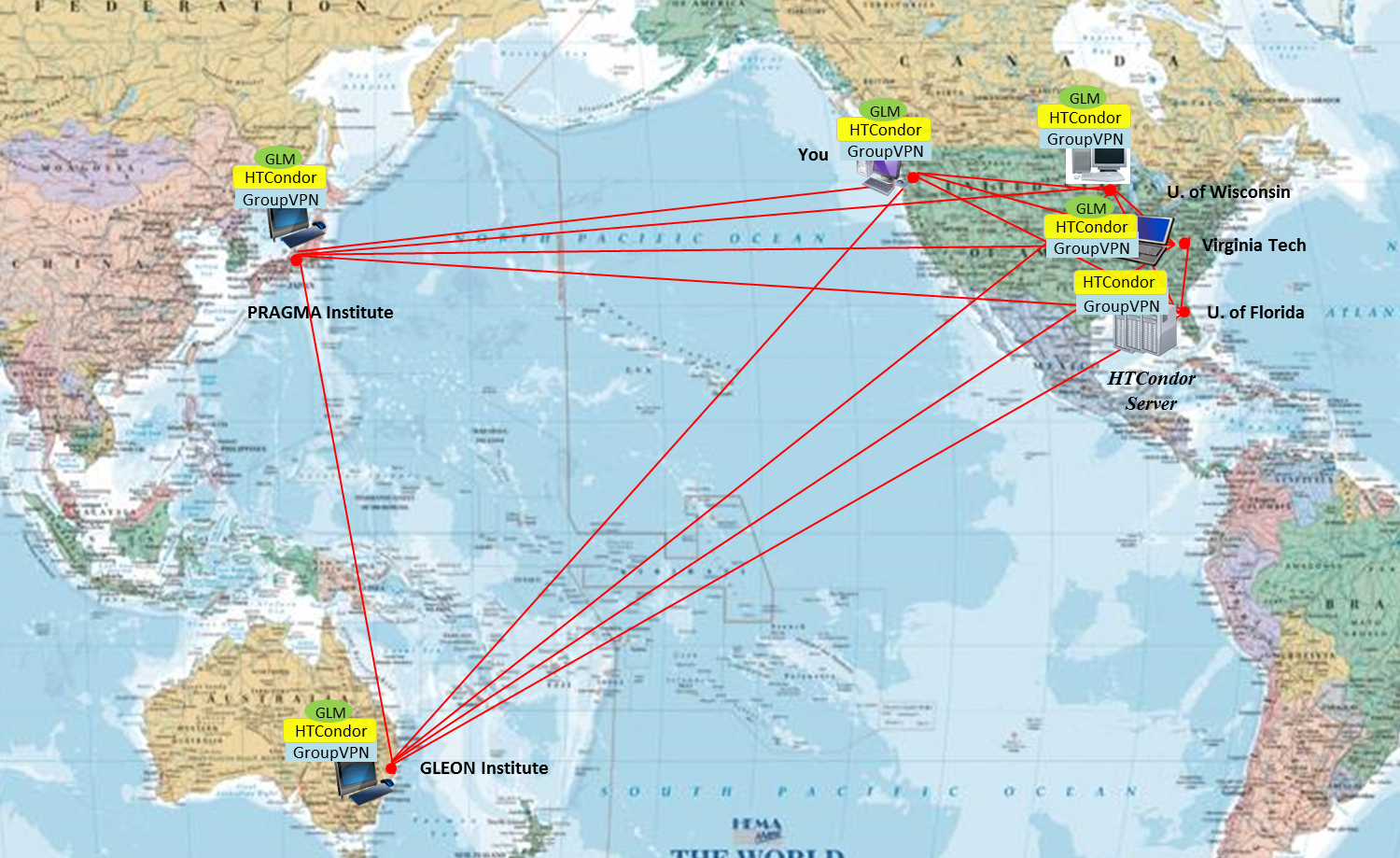 Figure 1. Overall architecture of HTCondor pool for GRAPLE. The pool consists of distributed resources connected by the IPOP GroupVPN overlay, and allows users to run batches of simulation jobs (e.g. GLM) across the distributed resources.
-
Preparation step - To run a GLM simulation job through HTCondor, each node must install GroupVPN controller, HTCondor program, and GLM program before proceeding.
c. GLM for Windows installation. Click the link and enter your email address. Then you can download GLM software.
-
Job submission step
a. Creation of a job description file : Please refer an example job description file ‘condor_mendota.config’
b. Job submission to the HTCondor server
- Single job : Please refer the example submission for single simulation of lake Mendota.
- Parametric sweep job
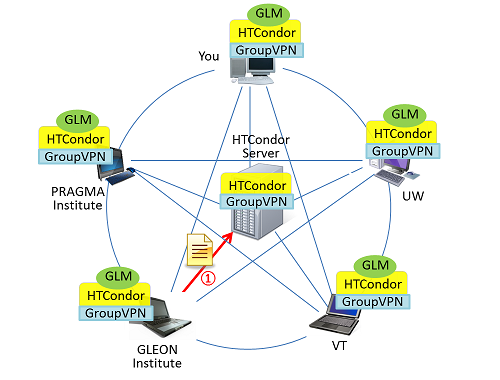
a) A job submission to the server from a submitter node, an GLEON institute in Australia.
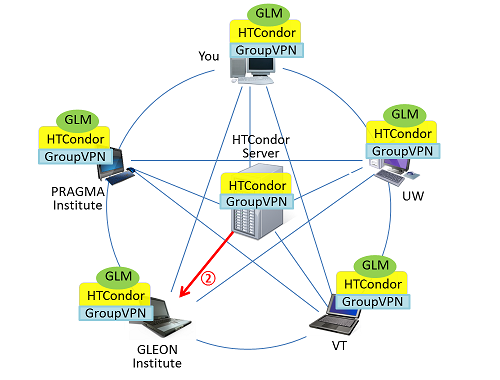
b) The submitter node receives a list of available worker nodes, UW and You
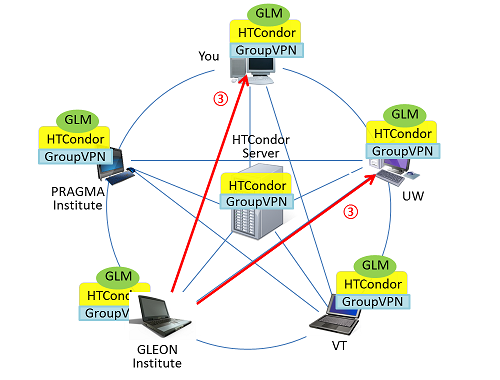
c) The submitter node sends input files to both worker nodes, UW and You.
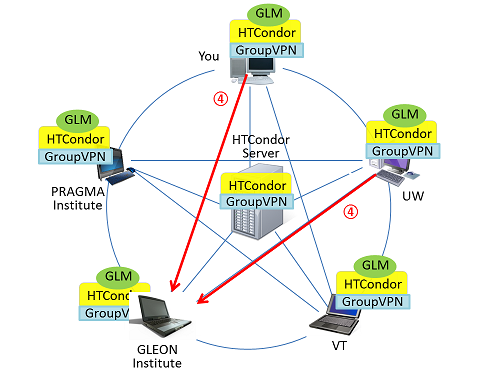
d) The submitter node receives GLM simulation results from two worker nodes.
Figure 2. Procedures for example job submission and results check. a) A submitter node at a GLEON institute submits a job description file to the server at UF, b) The server runs its matchmaker to find available nodes, and then sends a list of nodes, c) After receiving the list of available nodes, the submitter node sends job requests to two nodes, the UW node and you, d) Each worker node runs the requested GLM simulation and returns results to the submitter node.