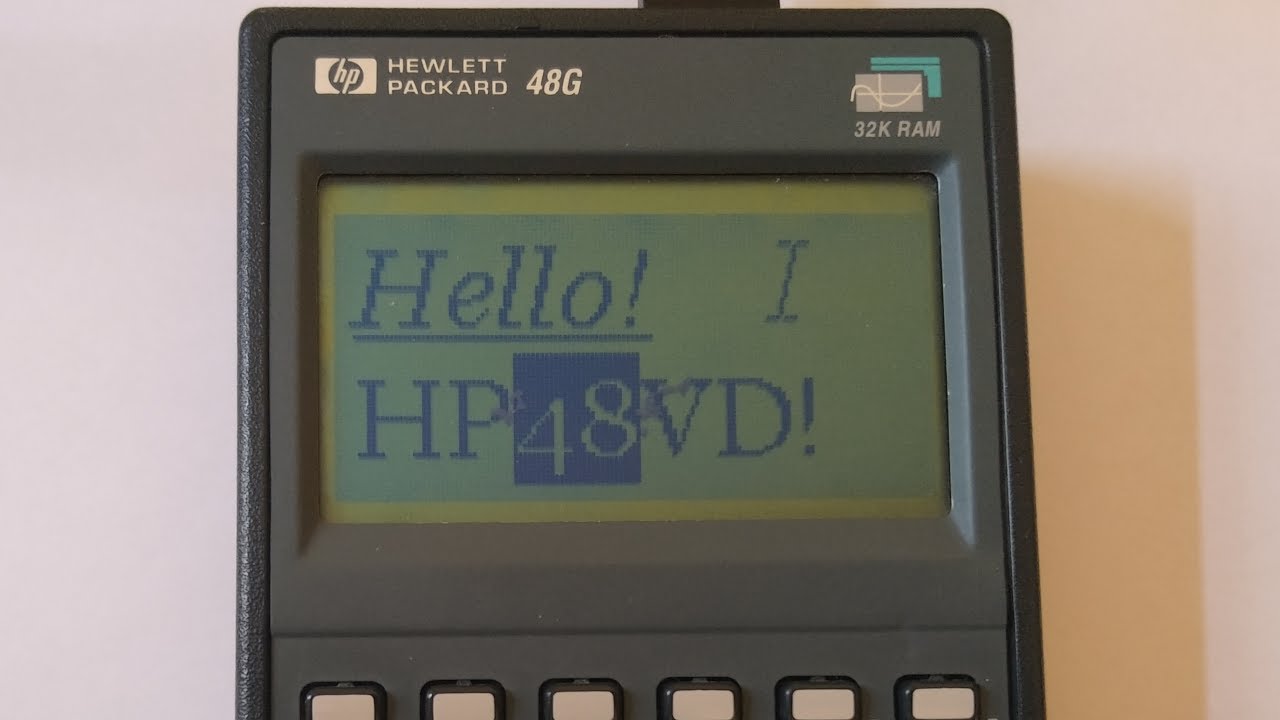
When you decide to mix older technologies together, you get HP48VD
This project will allow you to use your HP48G/GX as a video adapter/card on Windows XP and Windows Server 2003. It is a combination of C code (for the driver) and Saturn Assembly (SASM) for the program which will run on the calculator
Of course, we are working with very limited hardware, so if you expected anything fancy, you are at the wrong place. The screen of the calculator has a resolution of 131 by 64 pixels and is bitonal.
- Power management (the calculator can go in standby mode if there is no screen activity or even get shutdown if you shutdown the computer)
- Multiple resolutions supported (however you will need to use the "List all modes" option to access them)
- Moving on the screen (arrows of the calculator allow you to move on the screen)
- Pointer tracking (if you don't want to use the arrows, you can also make the screen follow the pointer)
- Use of 15360 baud rate to allow the highest possible FPS (~1 FPS)
- Use of interlacing to increase the already terrible refresh rate
To use this program (I will call it a firmware here) on your calculator, you need to:
- Download it to your calculator of course
- Run it
Then on your computer, you can plug the calculator. Because the device is enumerated by serenum you will have to go in the device manager and click on "Detect hardware changes". Your device will normally appear in the device manager and you will only need to install the driver On the calculator, the following keys do something:
- Backspace will allow you to leave the firmware
- Alpha will allow you to toggle on or off the pointer tracking (an arrow indicator will tell if tracking or not the pointer)
- Arrows will allow you to move on the screen (it moves quite fast however)
| Folder | Description |
|---|---|
| hp48vd | This folder contains the code for both the video miniport driver and the display driver. It is in C |
| hp48vdfw | This folder contains the code for the firmware running on the HP48. It is in assembly (SASM) |
To compile the driver, you will need the Windows Server 2003 DDK. Then go into the hp48vd and run "build".
To compile the firmware, you will need Debug4x, then open the .hpp file in Debug4x and hit Build Project or F9. You will need to modify Emu48Ram and Emu49Ram in the HPP file to make sure the path is right if you want to edit the project and run the emulator
Unfortunately, not all serial ports support a baud rate of 15360. Fortunately, the firmware and the driver support a fallback baud rate of 9600. Unfortunately, your FPS will drop... and be even smaller than what it could have been.
Windows doesn't really support bitonal displays. In the case of HP48VD, a lot of things might be unreadable. But what is worse, is the inconsistency between using the calculator as a secondary screen or a primary screen.
- When using it as secondary screen, a lot of icons will render pretty poorly, however you will be able to see some dithering (for example when using a solid color background). But in case of gray text, they will simply not appear
- When using it as primary screen, icons are somewhat more visible but there is no background dithering. Some elements might not appear or might, but what is noticeable is that grayed out text in context menu appear now as pixelated.
Another annoying problem is that power management (standby of the screen) doesn't always work when using a USB serial device, probably because the video adapter is detected very lately.


You can also check out the video serving the purpose of demo for this project!
Every contributions are welcome! Whether they are for the driver or for the HP48VD firmware!