Skip to content

Check if your IP is listed on EvilNet RBL. Linux Terminal

Notifications You must be signed in to change notification settings

Evilnet-IRC/EvilIP

Folders and files

NameName
Last commit message
Last commit date

Latest commit


History

3 Commits


Repository files navigation

EvilIP

Search if your IP is blacklisted on EvilNet DNSBL.
The DNSBL is daily update with new IP add it.

How TO

NOTE: You need to install DIG for this script work well.
NOTE: Ubuntu / Debian: apt-get install dig
NOTE: CentOS: yum install dig

git clone https://github.com/unixfool/EvilIP.git
cd EvilIP
chmod +x evilip.sh
sh evilip.sh IP
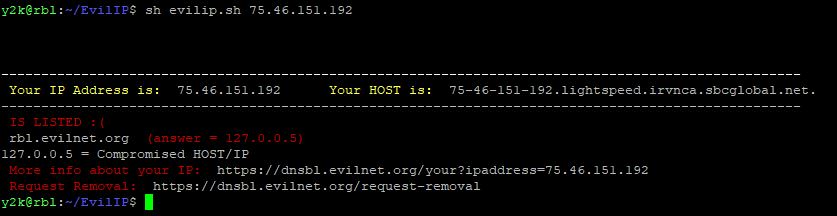
Listed

Not Listed

About

Check if your IP is listed on EvilNet RBL. Linux Terminal

Resources

Stars

Watchers

Forks

Releases

No releases published

Packages

No packages published

Languages
