



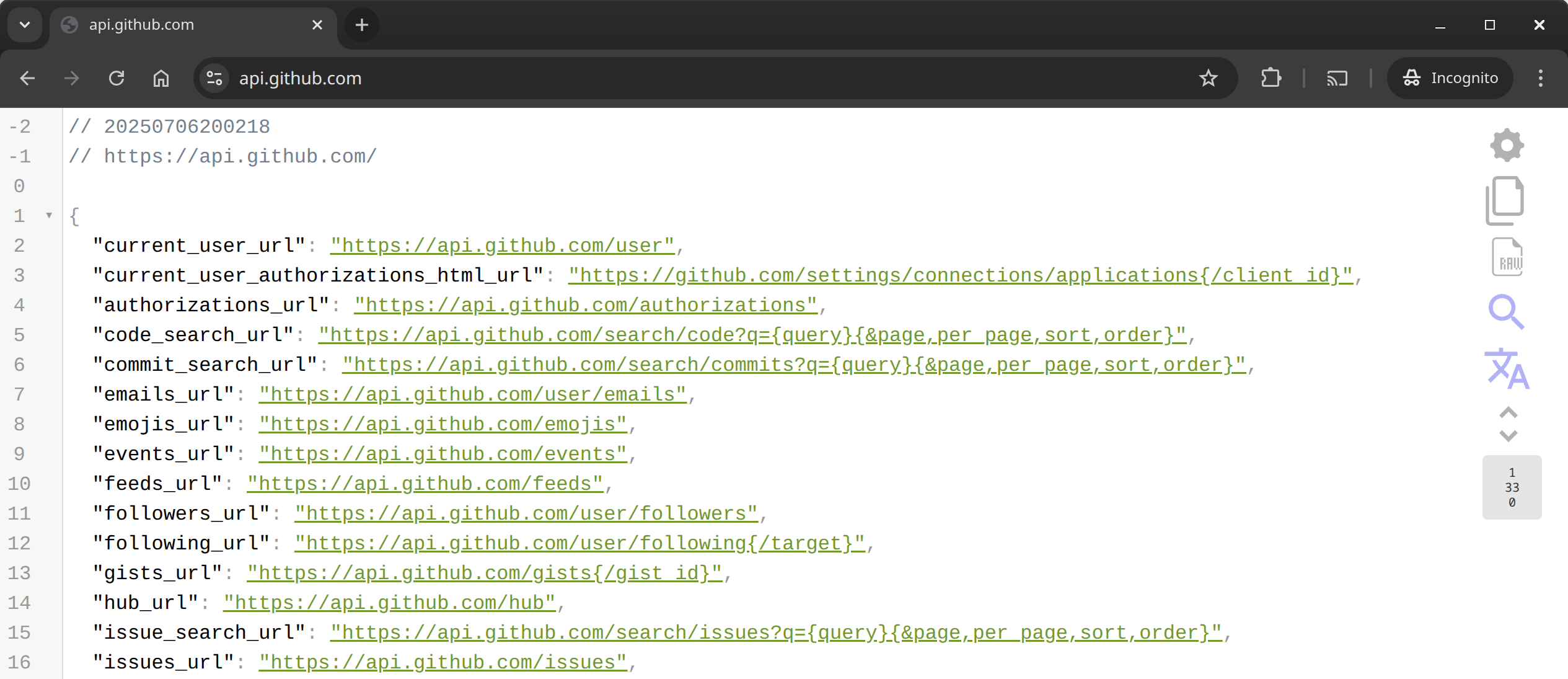
This is a community fork of the JSON Viewer extension. The original extension was unfortunately sold to a malicious actor who used it to compromise developer browsers. This fork was created to provide a safe, open-source alternative for developers who need JSON viewing capabilities without security risks.
This version:
- Has been updated to use Chrome's Manifest V3 for enhanced security
- Contains no tracking or malicious code
- Is fully open source and auditable
- Will remain community-maintained
The most beautiful and customizable JSON/JSONP highlighter that your eyes have ever seen. It is a Chrome extension for printing JSON and JSONP.
Notes:
- This extension might crash with other JSON highlighters/formatters, you may need to disable them
- To highlight local files and incognito tabs you have to manually enable these options on the extensions page
- Sometimes when the plugin updates chrome leaves the old background process running and revokes some options, like the access to local files. When this happen just recheck the option that everything will work again
- Works on local files (if you enable this in chrome://extensions)
- Modern gradient icon design with data visualization elements
- 29 built-in themes including new Gruvbox and Synthwave84 themes
- Automatic dark mode detection
- Customizable themes and tab sizes
- Syntax highlighting with collapsible nodes
- JSONPath filtering with
$.pathsyntax support - Key-based filtering - filter by specific object keys
- Value-based filtering - search for specific values
- Toggle-able filter panel with real-time results
- Object/Key/Array counter with vertical display
- Real-time count updates when filtering
- Click for detailed breakdown dialog
- Performance optimizations for large files
- Copy as formatted JSON, compact JSON, CSV, or URL parameters
- Multiple export formats with visual feedback
- Smart clipboard integration
- Iframe support with user controls (
processIframessetting) - UTF-8 encoding reload for international content
- Clickable URLs with customizable behavior
- Works with numbers bigger than Number.MAX_VALUE
- JSONL (JSON Lines) format support
- Smart content-type detection
- Optimized JSON parsing and validation
- Enhanced keyboard navigation (browser back/forward compatible)
- Left-click only URL handling
- Toggle button for raw/highlighted view
- Line number display options
- Inspect JSON by typing "json" in console
- Omnibox integration (
json-viewer+ TAB) - Scratch pad for formatting JSON on-demand
- Option to edit loaded JSON
- Sort JSON by keys
- Configurable auto-highlight
- C-style braces and arrays support
- Header with timestamp and URL
-
Clone the repository:
git clone https://github.com/DigitalCyberSoft/json-viewer.git cd json-viewer -
Install dependencies and build:
npm install
npm run release
-
Install in Chrome:
- Open Chrome and go to:
chrome://extensions/ - Enable "Developer mode" (toggle in top right)
- Click "Load unpacked"
- Select the
build/json_viewerdirectory
- Open Chrome and go to:
-
Download pre-built extension:
- Go to Releases
- Download the latest
json_viewer_v*.zip - Extract the zip file
-
Install in Chrome:
- Open Chrome:
chrome://extensions/ - Enable "Developer mode"
- Click "Load unpacked"
- Select the extracted folder
- Open Chrome:
For development/testing only:
git clone https://github.com/DigitalCyberSoft/json-viewer.git
cd json-viewer
npm install
npm run build  # Development build
Note: Use npm run release for production builds, npm run build for development.
https://api.github.com/repos/tulios/json-viewer
http://graph.facebook.com/github
https://api.github.com/gists/public
Large files:
https://raw.githubusercontent.com/ebrelsford/geojson-examples/master/596acres-02-18-2014.geojson
http://freemusicarchive.org/api/get/curators.jsonp?api_key=60BLHNQCAOUFPIBZ&callback=test
We welcome contributions from the community! Please feel free to submit issues and pull requests.
See LICENSE for more details.