The Appointments App is a simple yet interactive React application that allows users to add, star, and filter their appointments efficiently. The app leverages React's state management to dynamically update the list of appointments and apply filters.
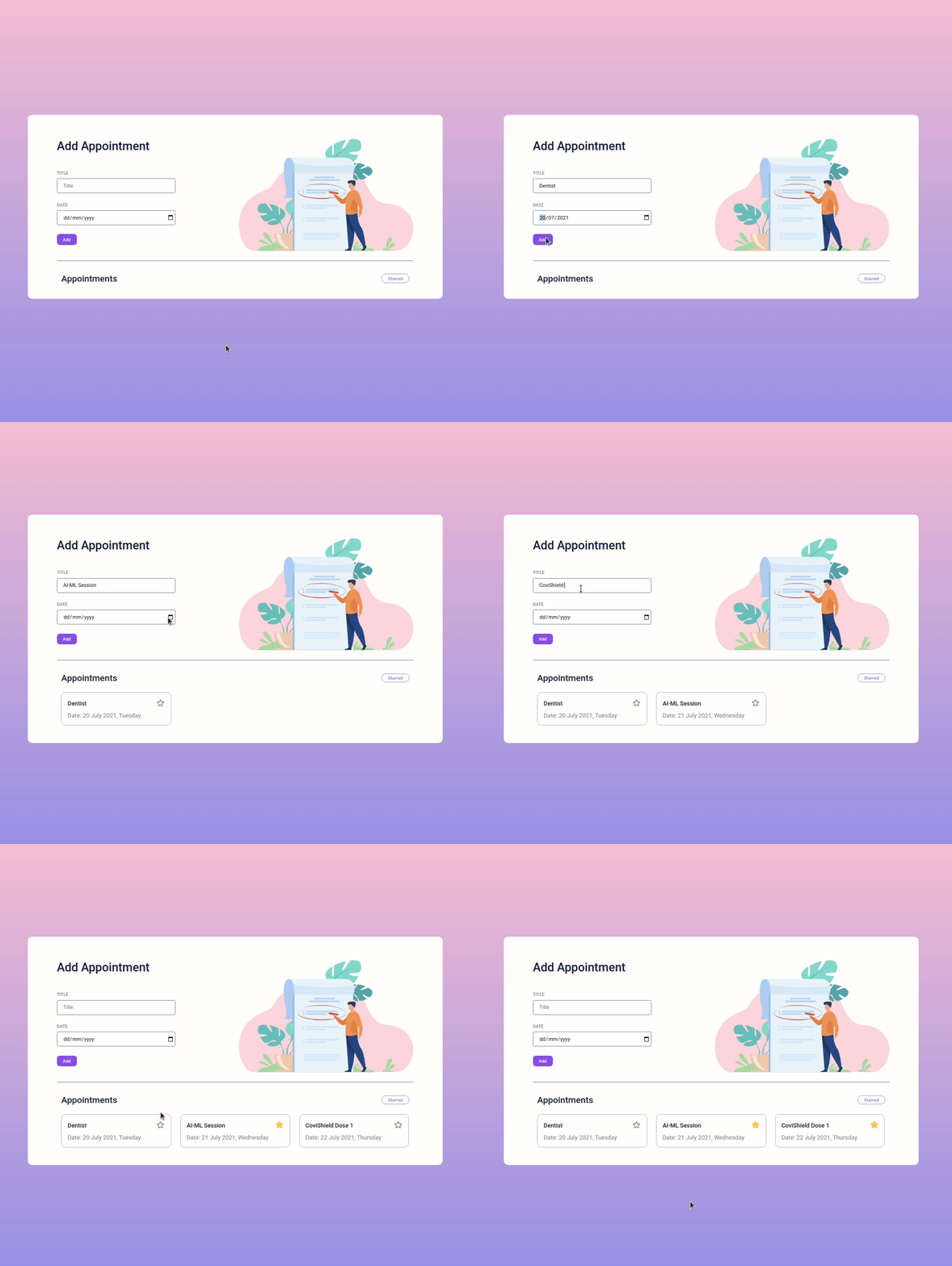
- Add Appointments: Users can enter an appointment title and date, which will be added to the list.
- Star Appointments: Users can mark important appointments by clicking the star icon.
- Filter Starred Appointments: Users can filter and view only starred appointments.
- Responsive Design: The app is optimized for various screen sizes.
- React.js - Frontend UI
- CSS - Styling
- date-fns - Formatting dates
Follow these steps to set up the project locally:
- Clone the Repository
git clone https://github.com/Darshanas17/Appointments-App-React.git cd Appointments-App-React - Install Dependencies
npm install
- Run the Application
npm start
- Open the browser and visit
http://localhost:3000/to see the app in action.
The application consists of the following components:
- Appointments (
src/components/Appointments/) - AppointmentItem (
src/components/AppointmentItem/)
- The app starts with an empty list.
- Users can add new appointments using the input fields.
- Clicking on the Star icon marks an appointment as important.
- Clicking the Starred filter displays only starred appointments.
- UI designed using Roboto font.
- Colors used:
#9796f0(Primary)#fbc7d4(Accent)#171f46(Text)#ffffff(Background)
- Icons and images sourced from: CCBP Assets
- Use
<input type="date" />for date selection. - Format dates using
formatfrom date-fns:import { format } from "date-fns"; console.log(format(new Date(2025, 2, 26), "dd MMMM yyyy, EEEE")); // 26 March 2025, Wednesday
Darshan A S
This project is licensed under the MIT License.