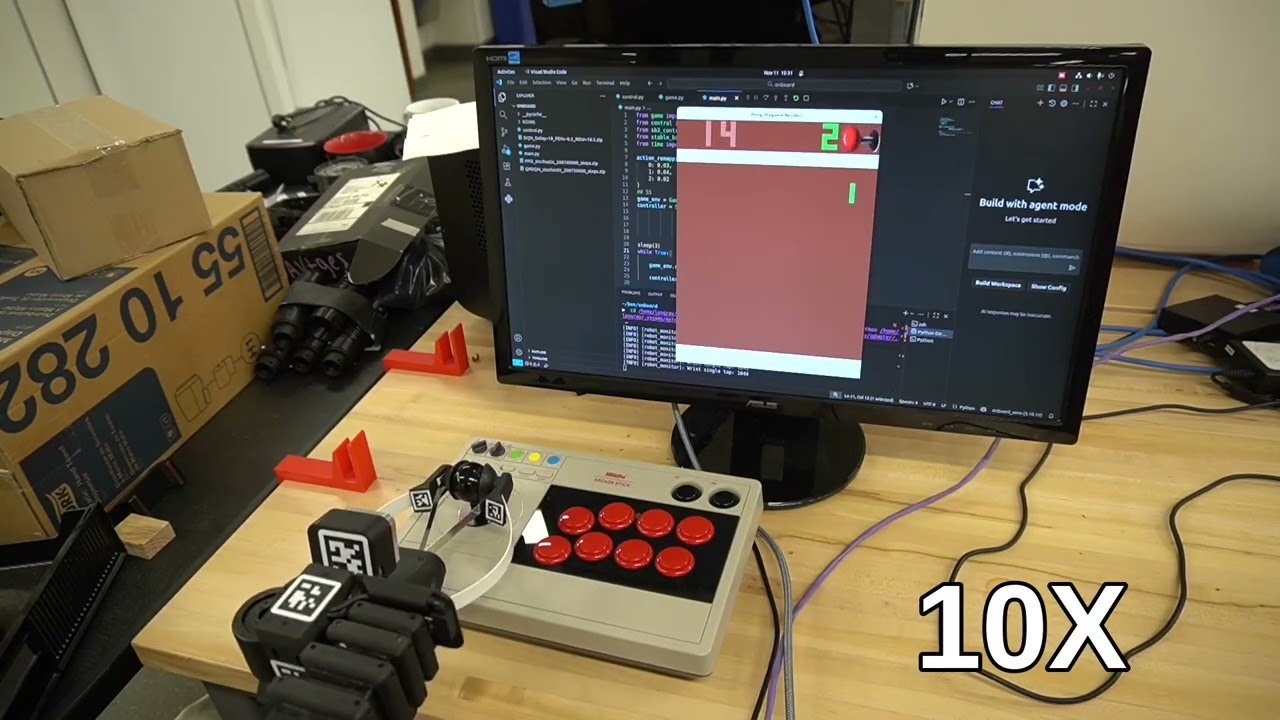
This repository contains the spring‑quarter achievements exploring how a robot arm can learn to play an arcade game (Pong) under delayed and sparse reward conditions, using reinforcement learning.
The core idea is to investigate algorithms that handle delayed feedback and sparse rewards in a physical setup. A custom interface delays state/action observations. The agent is trained end‑to‑end despite observation/action latency.
The robot used is the Stretch3 from Hello Robotic.
For more details, check out the writeup here. You could also check the /dev branch, which has the whole story.
Note: This project uses Python 3.12.
All training code lives under the train/ directory and is designed to run locally.
python -m venv .venv
source .venv/bin/activate
Install PyTorch (CUDA 12.4 build), then the remaining requirements:
pip install torch==2.6.0 torchvision==0.21.0 torchaudio==2.6.0 \
    --index-url https://download.pytorch.org/whl/cu124

pip install -r requirements.txtTo train using the custom inertia and latency wrappers:
cd train
python train.py
This script:
- Creates Atari environments via Gymnasium + ALE
- Applies custom wrappers from
inertia_warpper.py - Supports PPO, A2C, DQN, SAC, QRDQN, TRPO, and RecurrentPPO
- Logs latency and training artifacts to
logs/
You can also train using RL Zoo–style YAML configs located in train/rlzoo_config/.
Example:
cd train
python train_rlzoo.py
Available configs:
a2c.ymldqn.ymlppo.ymlqrdqn.ymlrecurrentppo.yml
This mode is useful for:
- Rapid hyperparameter sweeps
- Reproducing standardized SB3 experiments
- Comparing against baseline RL Zoo settings
The onboard code is intended to run on the robot (does not include training logic).
For example you can use:
scp -r onboard user@robot:/path/to/project/On the robot:
cd onboard
python -m venv .venv
source .venv/bin/activatepip install -r requirements.txtsource .venv/bin/activate
python main.pymain.py:
- Loads a trained PPO policy (
.zip) - Handles real-time control
- Applies action mapping and latency compensation
- Uses icons from
onboard/ICONS/for UI feedback
.
├── logs/                      # Training logs and latency traces
│   └── latency_log_*.csv
│
├── onboard/                   # Code deployed to the robot
│   ├── control.py             # Low-level control logic
│   ├── game.py                # Environment / interaction loop
│   ├── main.py                # Entry point (run this onboard)
│   ├── ICONS/                 # UI icons for actions
│   ├── PPO_stochastic_*.zip   # Trained policy
│   └── requirements.txt       # Minimal onboard dependencies
│
├── train/                     # Training code (local)
│   ├── inertia_warpper.py     # Custom inertia & delay wrappers
│   ├── latency_sampler.py     # Latency modeling
│   ├── train.py               # Main training script
│   ├── train_rlzoo.py         # RL Zoo–style training
│   ├── utils.py               # Action maps & helpers
│   └── rlzoo_config/          # YAML configs for algorithms
│
├── requirements.txt           # Full training dependencies
└── README.md