


A Kotlin Multiplatform library for categorizing and grouping lazy list items into sections, with the ability to scroll to a specific section and track the currently visible section. This allows you to synchronize it with other UI elements such as a TabRow.
This library is optimized, it uses a custom algorithm to track the current section instead of treating the entire section as a single element, which can cause performance issues.
| Android | iOS |
|---|---|
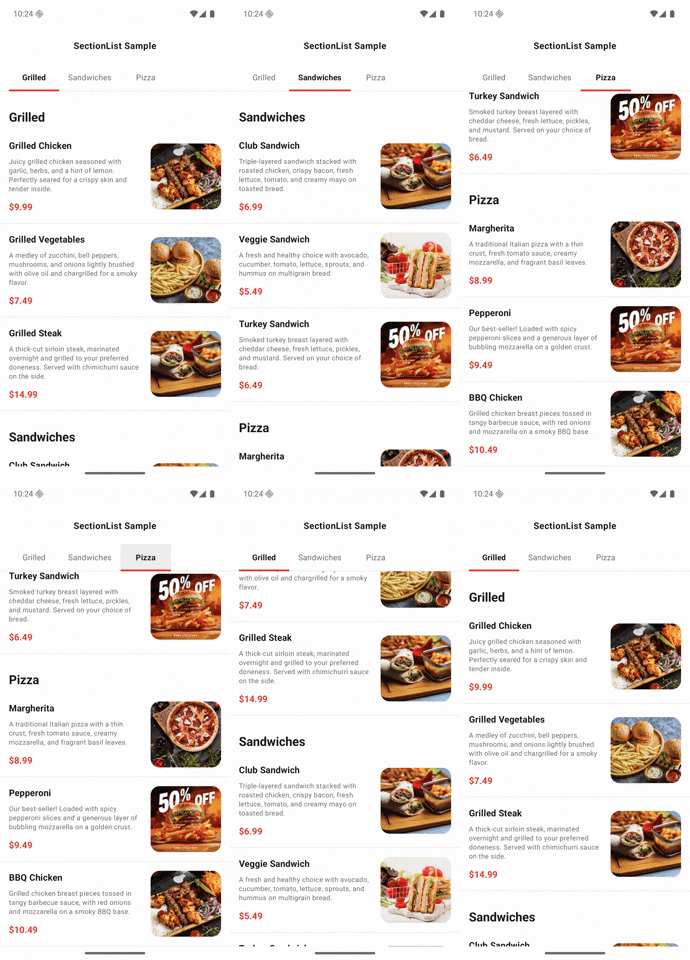 |
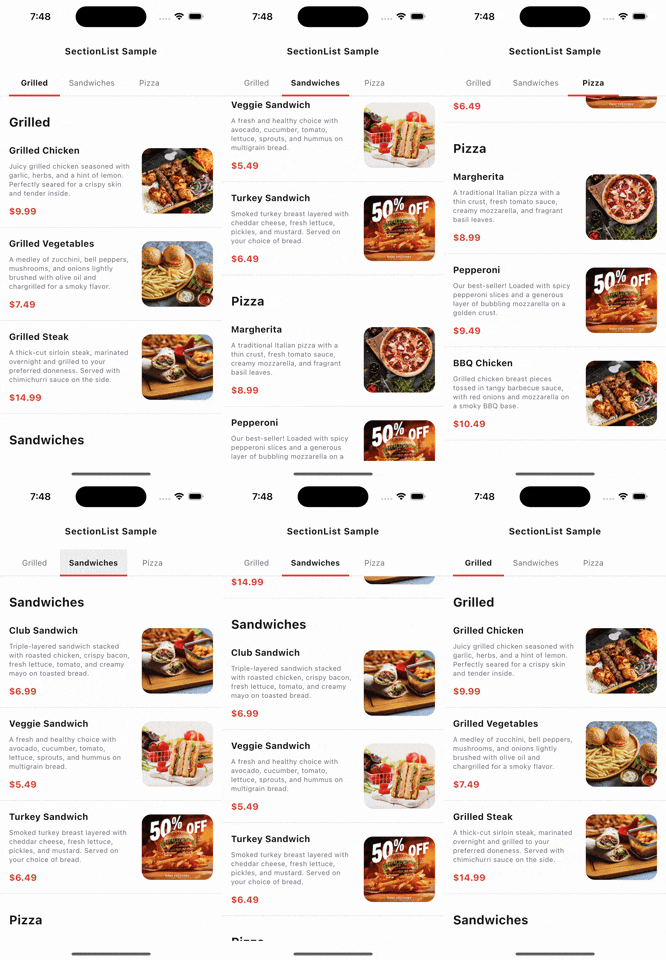 |
SectionList supports these platforms:
- Android (SDK > 24)
- iOS
- Desktop (JVM)
- JS/Wasm
SectionList is available on Maven Central. Add the following dependency to your project:
implementation("io.github.ahmad-kaddour:section-list:1.0.0")Pass a list of section sizes (including headers/footers).
Use rememberSectionListState to preserve state across configuration changes.
val sectionListState = rememberSectionListState(
    sectionsSize = sections.map { it.items.size + 1 } // +1 for header
)
You can also provide an existing LazyListState:
val sectionListState = rememberSectionListState(
    sectionsSize = sections.map { it.items.size + 1 },
    lazyListState = LazyListState(firstVisibleItemIndex = 1)
)Attach the sectionListState to a LazyColumn:
LazyColumn(
    state = sectionListState.lazyListState,
    modifier = Modifier.nestedScroll(sectionListState.nestedScrollConnection)
) {
    // items...
}You can track the visible section index:
val currentSection = sectionListState.currentSectionIndex.collectAsStateWithLifecycle(initialValue = 0)Programmatically scroll to a specific section using coroutines:
val coroutineScope = rememberCoroutineScope()
coroutineScope.launch {
    sectionListState.animateScrollToSection(sectionIndex = 1)
}LazyColumn(
state = sectionListState.lazyListState,
modifier = Modifier.nestedScroll(sectionListState.nestedScrollConnection)
) {
for (section in sections) {
item {
SectionHeader(title = section.title)
}
for (item in section.items) {
item {
ItemView(model = item)
}
}
}
}Instead of manual loops, you can use one of the provided DSL functions:
section, sectionIndexed, sections, or sectionsIndexed.
LazyColumn(
    state = sectionListState.lazyListState,
    modifier = Modifier
        .nestedScroll(sectionListState.nestedScrollConnection)
) {
    sections(
        sections = sections,
        sectionItems = { section -> section.items },
        headerContent = { section -> SectionHeader(title = section.title) },
        itemContent = { item -> ItemView(model = item) }
    )
}Check out the sample app for a complete implementation.
Copyright (C) 2025 Ahmad Haj Kaddour
Licensed under the Apache License, Version 2.0