


English | 日本語
A joke language that lets you write JavaScript without pressing the Shift key.
Typing shifted symbols (!, ", (, ), {, } …) is tiring.
NoShift.js replaces every shift-required symbol with a ^-prefixed sequence, so you can write JavaScript using only unshifted keys.
.nsjs files compile directly to plain JavaScript via the nsc CLI.
This symbol mapping is based on the NoShift.js developer's keyboard (JIS layout).
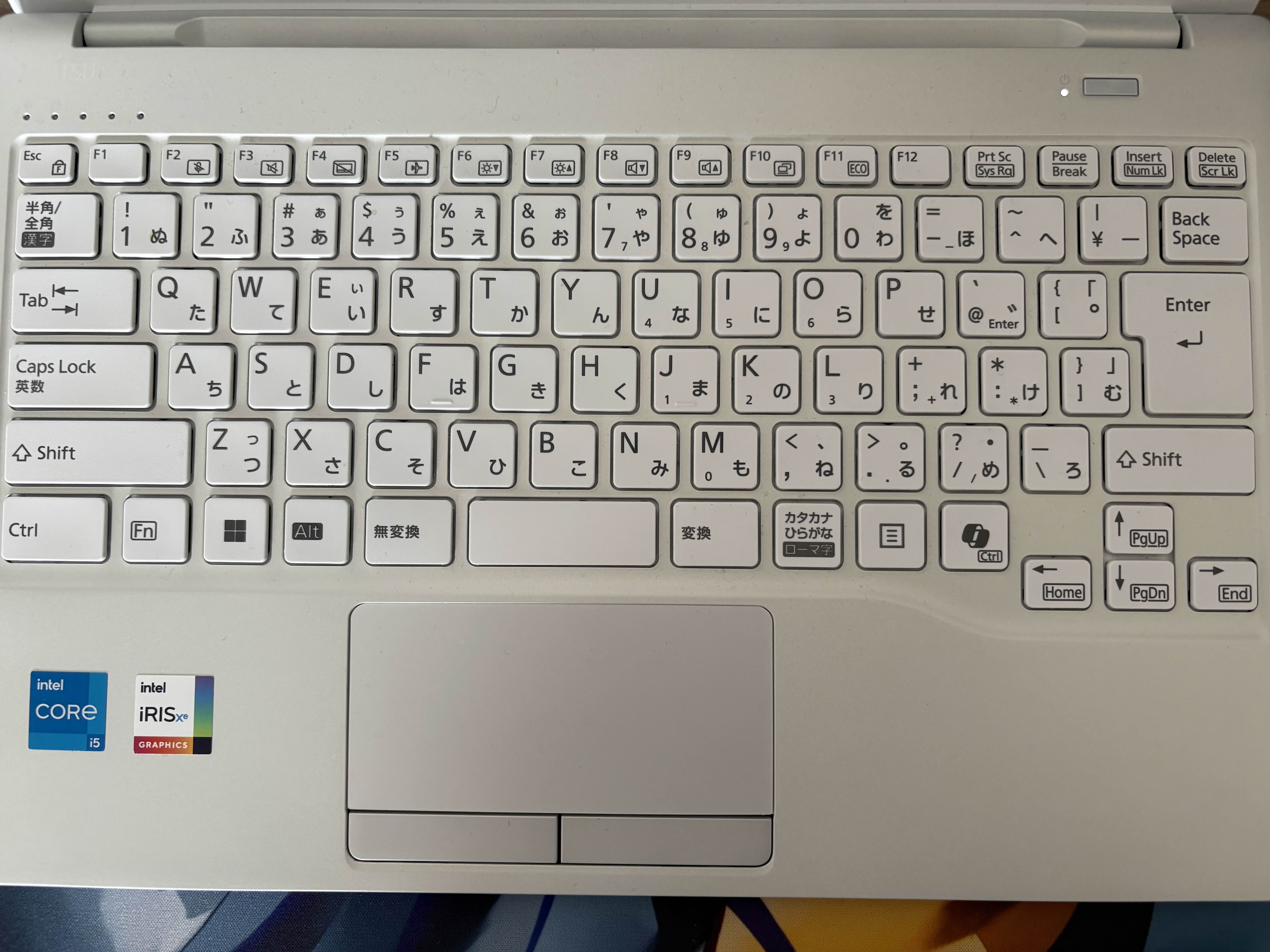
| NoShift | JS | NoShift | JS | |
|---|---|---|---|---|
^1 |
! |
^^ |
~ |
|
^2 |
" |
^\ |
| |
|
^3x |
X (capitalize) |
^@ |
` |
|
^4 |
$ |
^[ |
{ |
|
^5 |
% |
^] |
} |
|
^6 |
& |
^; |
+ |
|
^7 |
' |
^: |
* |
|
^8 |
( |
^, |
< |
|
^9 |
) |
^. |
> |
|
^- |
= |
^/ |
? |
|
^0 |
^ (XOR) |
Template expression: ^4^[ → ${
npm install -g noshift.js@latest
nsc create my-projectnpm install -D noshift.js@latest
npx nsc create my-project// src/index.nsjs
const name ^- ^2^3no^3shift.js^2;
console.log^8^2^3hello from ^2 ^; name ^; ^2!^2^9;
Compiles to:
const name = "NoShift.js";
console.log("Hello from " + name + "!");You can also use NoShift.js as a library in your code:
// ESM
import { compile } from "noshift.js";

// CJS
const { compile } = require("noshift.js");

const result = compile('console.log^8^2^3hello^2^9;');
console.log(result.outputText);
// => console.log("Hello");| npm | noshift.js |
| Linter | @noshift.js/lint |
| VS Code | NoShift.js - Marketplace |
| Website | noshift.js.org |
| Repository | github.com/otoneko1102/NoShift.js |
MIT © otoneko.


