Unable to Compile with JUCE (v5.4.5) on macOS Catalina (10.15.1) #49

Description

I've been trying to compile Audealize to extend its functionality, but I'm running into a handful of errors along the way that have prevented me from doing so. There are a mix of errors due to support being dropped by JUCE and others related to permissions.
Here are the first error that I get is:
Error: The i386 architecture is deprecated. You should update your ARCHS build setting to remove the i386 architecture.
It's impossible to proceed from here without using the recommended updated build settings. I allowed Xcode to update the settings and use the new build system. This fixes the previous error but introduces a few more. These are permission based:
unable to write file '/Library/Audio/Plug-Ins/VST3/Audealize.vst3/Contents/Info.plist': fopen(/Library/Audio/Plug-Ins/VST3/Audealize.vst3/Contents/Info.plist, wb): Permission denied (13)unable to write file '/Library/Audio/Plug-Ins/VST/Audealize.vst/Contents/Info.plist': fopen(/Library/Audio/Plug-Ins/VST/Audealize.vst/Contents/Info.plist, wb): Permission denied (13)unable to write file '/Library/Audio/Plug-Ins/Components/Audealize.component/Contents/Info.plist': fopen(/Library/Audio/Plug-Ins/Components/Audealize.component/Contents/Info.plist, wb): Permission denied (13)
To remedy this, I tried looking at the build settings in JUCE to update the build directories. I tried changing the following paths in both Debug and Release for macOS build settings.
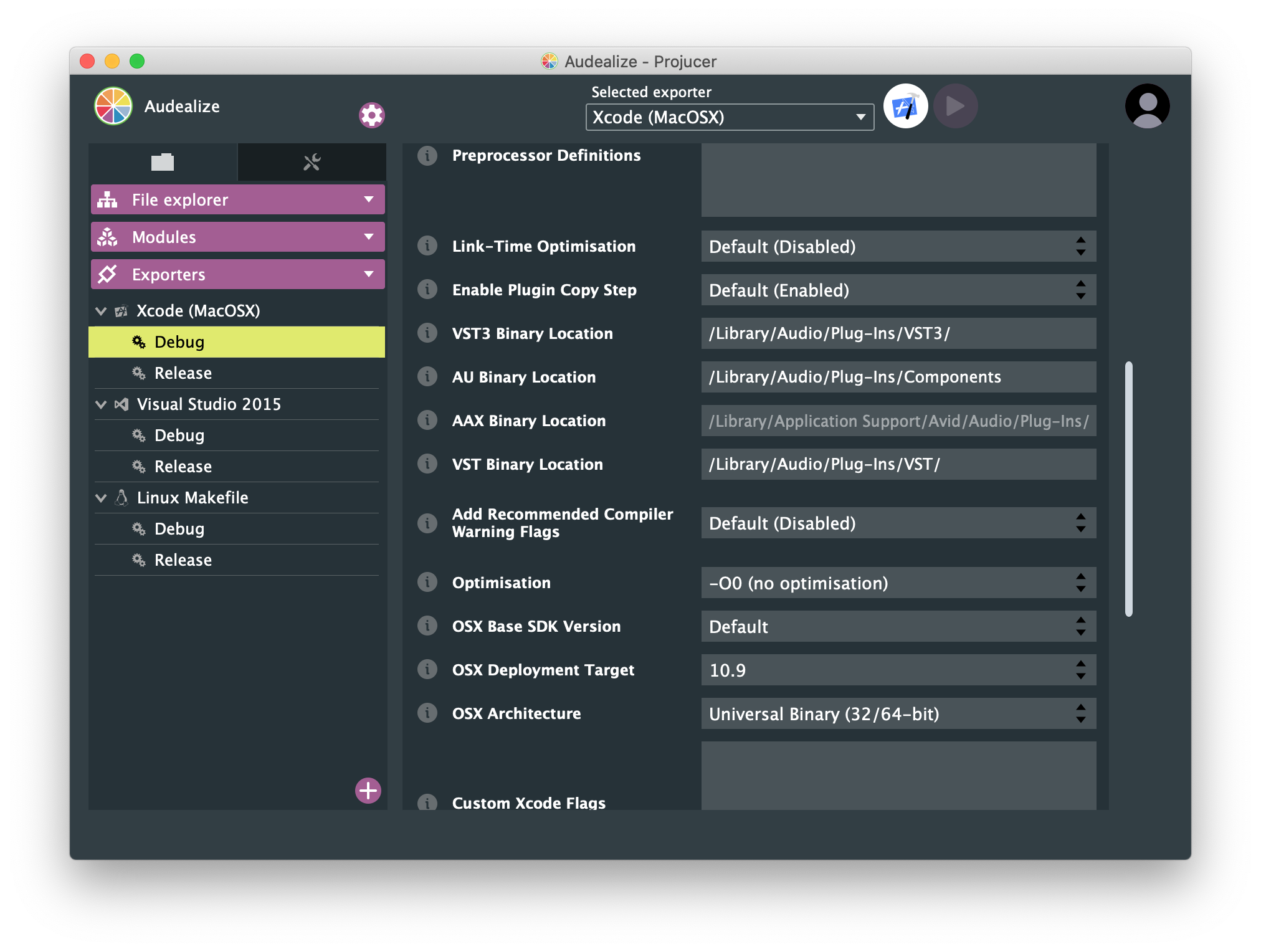
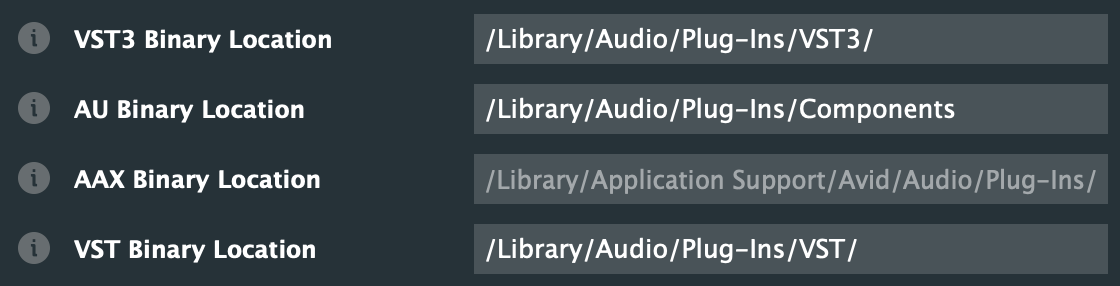
The goal was to reset these file paths to the defaults, which build to local user library ~/Library/ as opposed to global library /Library/. To do this, I cleared the fields, which will build to the default path (local user library). Unfortunately, these changes were not persistent, and any time I tried to build or reopened the application, all of the file paths were back to global library, pictured above.
Another thing that I tried to do to fix this was change the build settings in Xcode. When I set the build executable to be AudioPluginHost, I chose to debug at user-level permissions. I switched this to root permissions, but that did not fix any problems either.

In my searching online, I have been able to confirm that the current errors are a result of JUCE not having access to write to the destination folders. However, the consistent solution I have found is to change the permissions of the destination folders. I have avoided doing this as it would be something that would have to be individually repeated on each cloned instance (I also just don't think that's great of an idea to lower permissions to write to global directories).
At this point, I've been on this trail of fixing the permissions settings, but it is also likely that upgrading the build systems (due to the old ones being unusable) screwed up something deeper and the permissions are just a side effect. It might be worth looking into the build settings changes in case there are any significant problems there.