Payment builder - Edit action - After Locked state - Action Creator path with Permissions #2238


Description

Teamwork task: Payment builder - Edit action - After Locked state - Action Creator path with Permissions
Related sub-issues/PR's
- Advanced Payments API: Store changes made using
editExpendituresaga #2245 [COLONY] - feat: add edit to payment builder action #3075
- Feat/15873666 edit #3320
Acceptance criteria
General requirements
- User can Edit an action After Locked State, which means that action can be edited at
- Funding step
- Release step
- Payment step
- Changes can be made an unlimited number of times.
Kebab menu
- Kebab menu with Edit/Cancel/Copy:
- Edit button ,In the locked state,
- Visible to the payment creator.
- Visible to members who hold the Payer level permissions or above or
Arbitrationpermission on the contracts. - Visible to all members if the Lazy consensus extension is enabled.
- It is not visible otherwise.
- Clicking starts the edit mode.
- Edit button ,In the locked state,
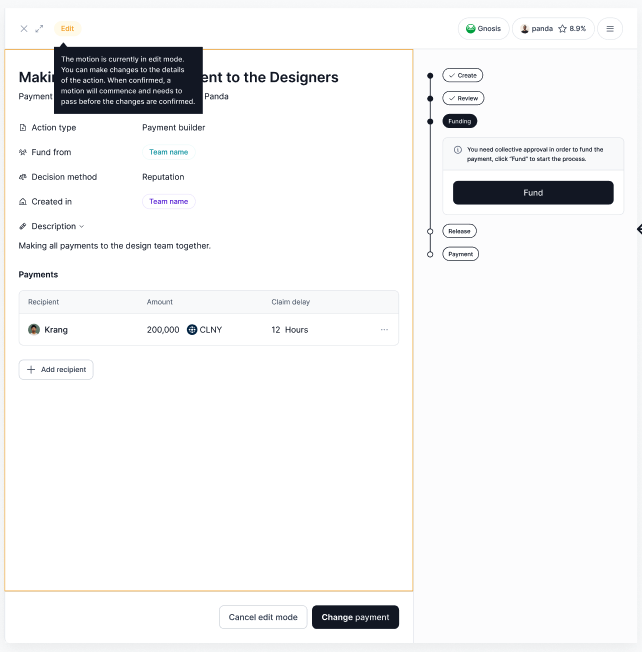
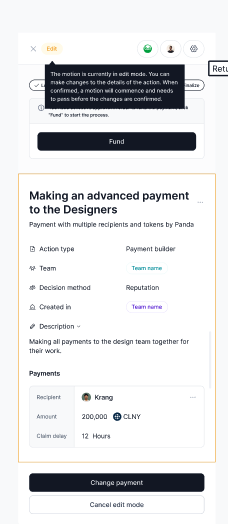
Edit mode
- Dispaly Yellow border & Edit Pill iin top left corner
- Pill: tooltip on hover
- Kebab menu should be hidden
- Buttons in Stepper should be disabled
- for example "Fund' button in Funding Step
- Updates the read-only fields to be editable for the following fields.
- Recipients
- Amounts and tokens
- Claim delays
- All other fields should remain read only.
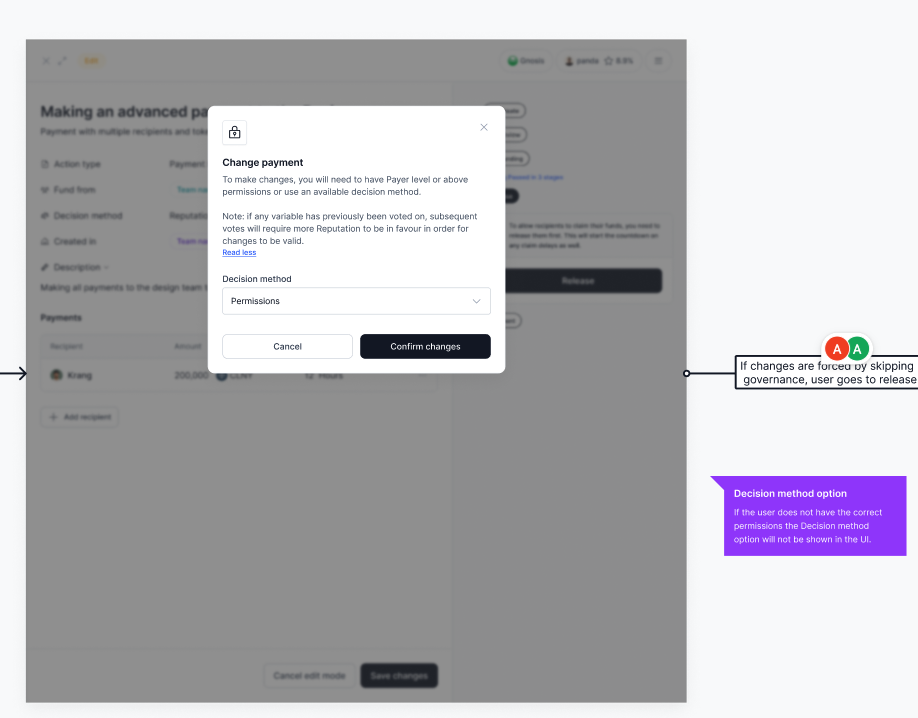
- Clicking "Change payment" opens the Change payment modal
- button should disabled until the user makes changes
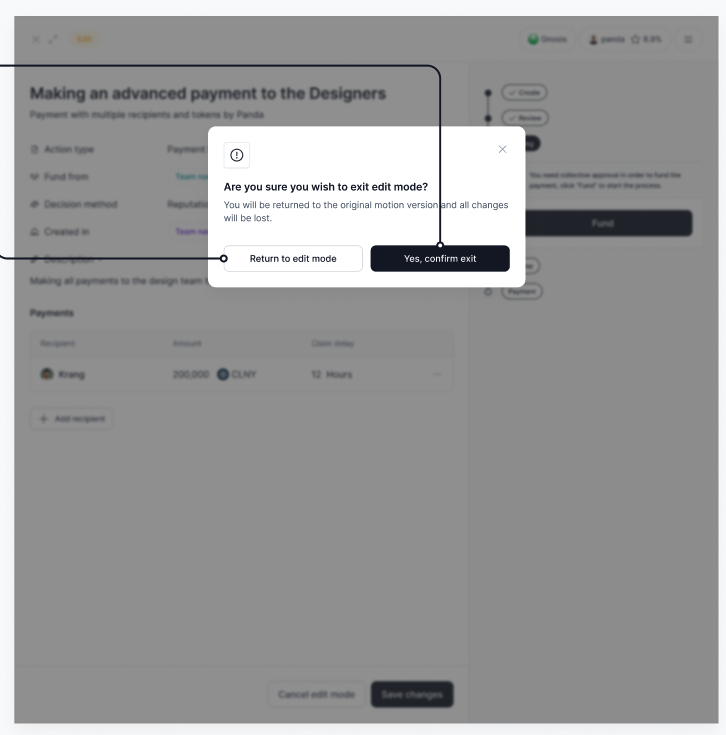
- Clicking "Cancel edit mode" opens the Exit Edit Mode modal
Exit Edit Mode modal
- Clicking "Yes, confirm exit" turns off the the Edit Mode and ignore any changes
- Clicking "Return to edit mode" gets user back to edit mode
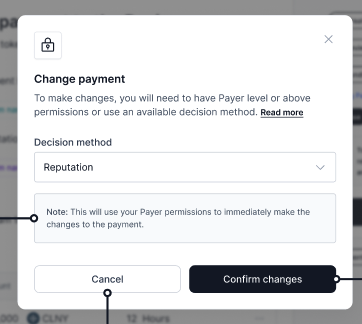
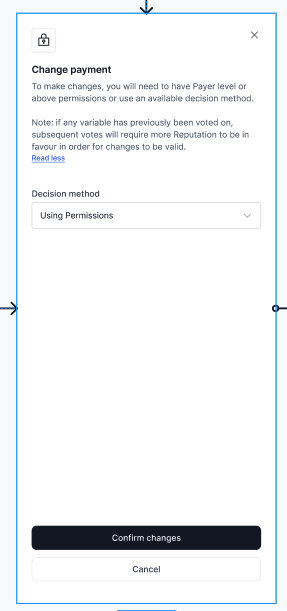
Change payment modal
- similar to the Cancel modal used for Cancelling Before Locked State
- user can use Dropdown to choose to execute Changes
- Reputation: if Reputation extension is installed
- this Decision Method is not supported yet an is not in scope of this task
- Permissions: members who hold the Payer level permissions or above or
Arbitrationpermission on the contracts.
- Reputation: if Reputation extension is installed
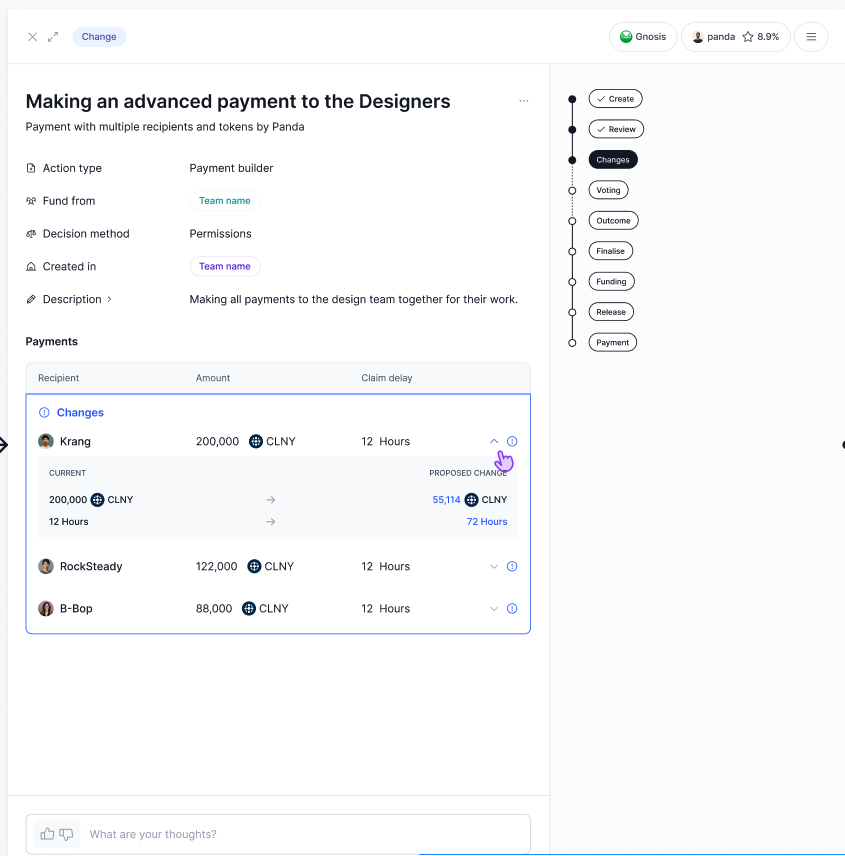
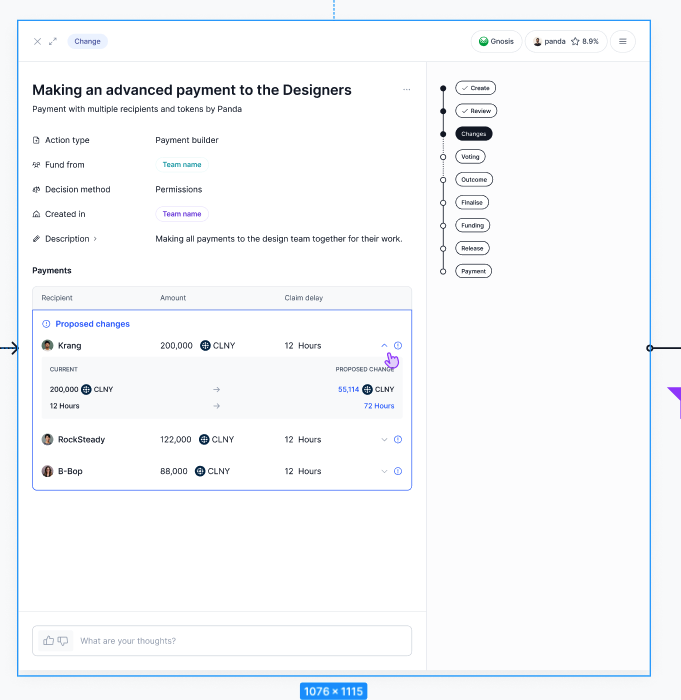
Change step in Stepper
- if the user Edits the action in the Funding or Release step, the Changes step appears in Stepper before the step in which the edit was made.
- Changes shows the Widget with information about who made Changes to the action, what Permissions were used and number of changes counter.
- if the user Edits the actions in Payment step, the Changes step appears in Stepper before the step in which the edit was made.
- Changes shows the Widget with information about who made Changes to the action, what Permissions were used and number of changes counter.
Table - how to display changes
- TBD
Design
Desktop Flow Start
https://www.figma.com/file/5V8pr7iMwXsT9L3VAZsmUt/Colony-v5?type=design&node-id=4102-376576&mode=design&t=lVqi0Mno6dqgrCs8-4
Mobile Flow Start
https://www.figma.com/file/5V8pr7iMwXsT9L3VAZsmUt/Colony-v5?type=design&node-id=20818-622148&mode=design&t=lVqi0Mno6dqgrCs8-4
Exit Edit Mode modal
https://www.figma.com/file/5V8pr7iMwXsT9L3VAZsmUt/Colony-v5?type=design&node-id=4102-376947&mode=design&t=lVqi0Mno6dqgrCs8-4

Change payment modal
https://www.figma.com/file/5V8pr7iMwXsT9L3VAZsmUt/Colony-v5?type=design&node-id=4102-376792&mode=design&t=lVqi0Mno6dqgrCs8-4
Change step in Stepper
https://www.figma.com/file/5V8pr7iMwXsT9L3VAZsmUt/Colony-v5?type=design&node-id=22204-356859&mode=design&t=lVqi0Mno6dqgrCs8-4
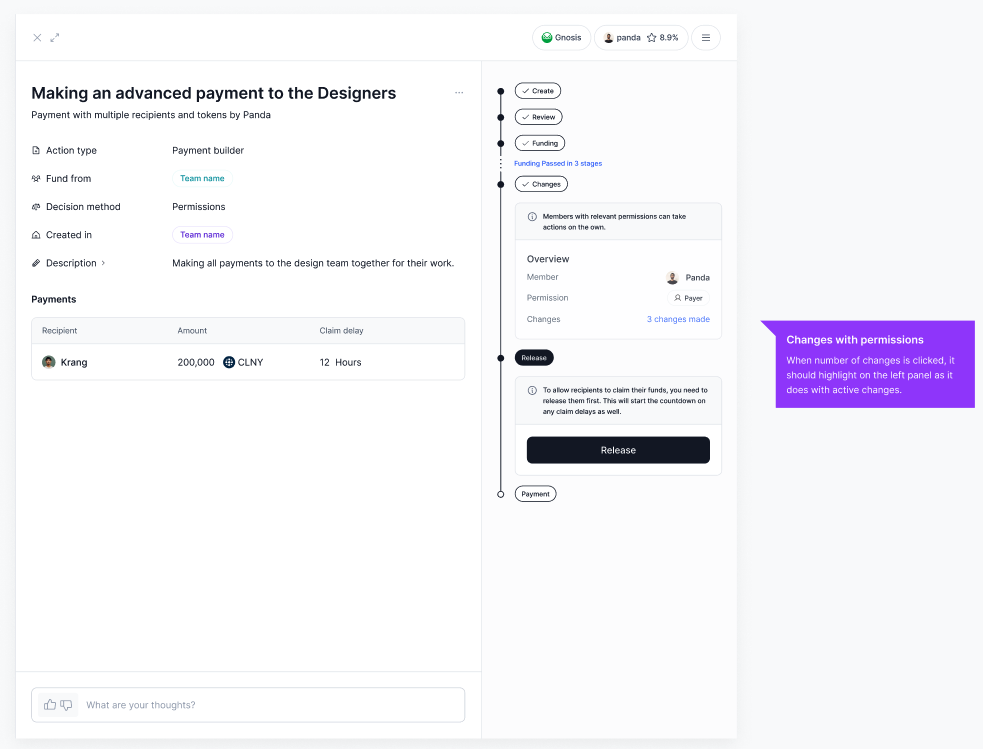
Table - how to display changes