Meetings not in chronological order #4

Description

Describe the bug
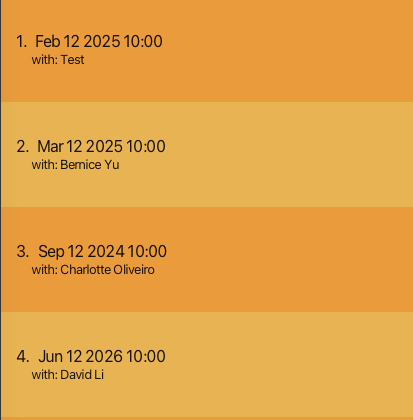
The meetings are not displayed in chronological order
To Reproduce
Steps to reproduce the behavior:
- Add an appointment
- Add another appointment with an earlier date
- Notice that the meetings are added based on order of addition, not based on the appointment timing
Expected behavior
More likely than not, end users will want to be able to view the meetings based on chronological order (e.g most recent to least recent)
Screenshots
Additional context
Nil